
Xmenha Xmenha-SJJ-LX03-Black
Xmenha Open Ear Headphones User Manual
Model: Xmenha-SJJ-LX03-Black
Introduction
Thank you for choosing the Xmenha Open Ear Headphones. These wireless Bluetooth headphones are designed to provide a comfortable and stable listening experience while allowing you to remain aware of your surroundings. Ideal for sports, outdoor activities, and daily use, they feature an open-ear design, IPX5 waterproof rating, and Bluetooth 5.3 technology for a stable connection and clear audio.

Image: The Xmenha Open Ear Headphones, black in color, resting in their open charging case. The earbuds feature a sleek design with ear hooks.
Safety Information
Please read all safety warnings and instructions carefully before using this product to ensure safe operation and prevent damage. Keep this manual for future reference.
- Do not expose the headphones to extreme temperatures, humidity, or corrosive substances.
- Avoid dropping or subjecting the headphones to strong impacts.
- Do not disassemble or modify the headphones. This will void the warranty.
- Clean the headphones with a soft, dry cloth only. Do not use harsh chemicals or abrasive materials.
- Keep out of reach of children.
- The open-ear design allows you to hear your surroundings, but always exercise caution in traffic or dangerous environments.
Package Contents
Ensure all items are present in your package:
- 1 x Workout Open Ear Headphones (Left and Right Earbuds)
- 1 x USB-C Charging Cable
- 1 x User Manual
- 1 x Exquisite Packaging Box
Product Overview
The Xmenha Open Ear Headphones are designed for comfort and situational awareness. Their lightweight, non-compressive ear-hanging design ensures stability during various activities.
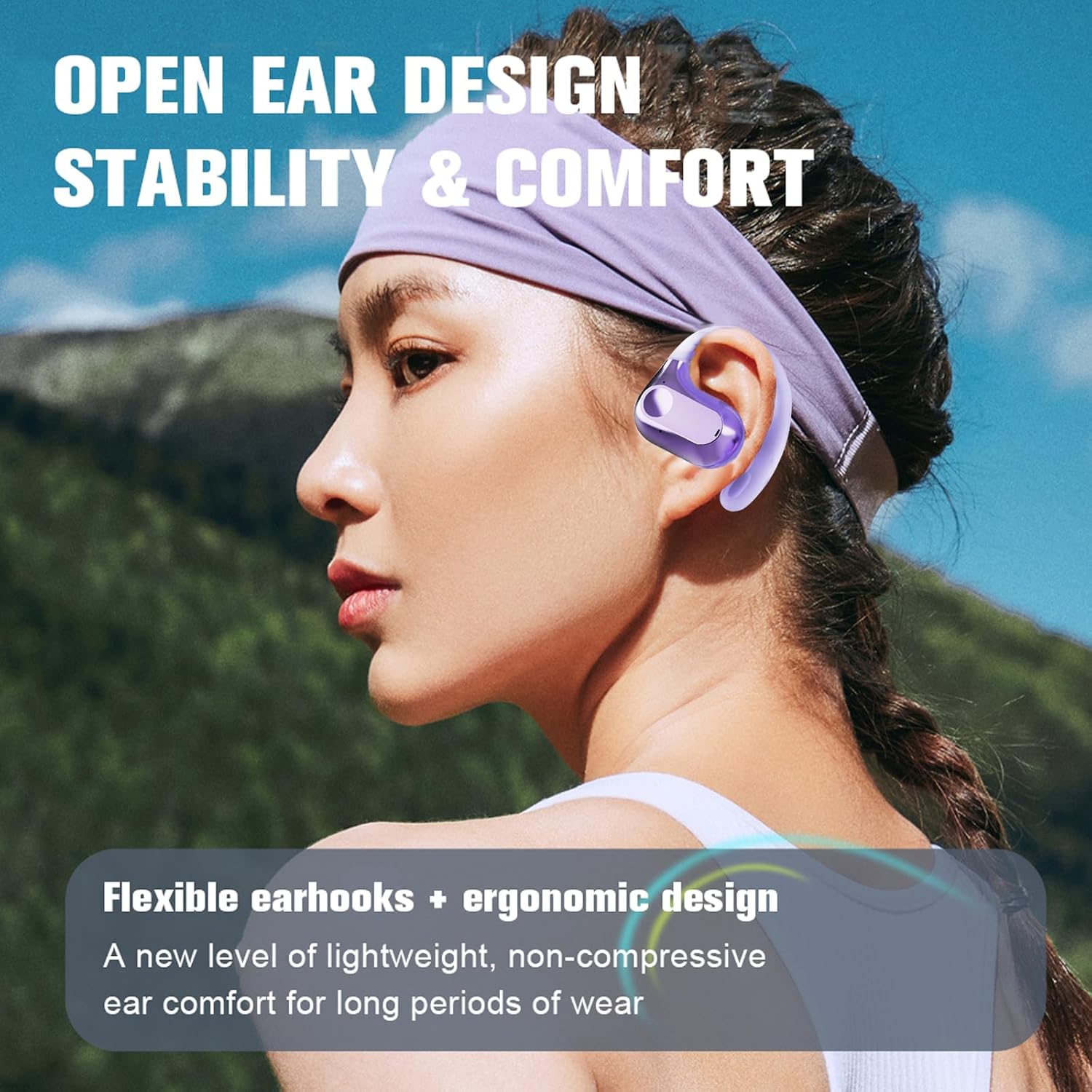
Image: A person wearing the open-ear headphones, highlighting the stable and comfortable fit. The image emphasizes the open-ear design for situational awareness.
Key features include:
- Open-Ear Design: Allows you to hear ambient sounds for safety.
- Comfortable & Lightweight: Made from non-slip, skin-friendly ABS material, weighing only 0.3oz.
- IPX5 Waterproof: Protection against sweat and rain, suitable for workouts.
- Bluetooth 5.3: Ensures a stable and fast wireless connection.
- Clear Calls: Equipped with dual noise-canceling microphones.
- High-Fidelity Sound: Features moving coil speakers with a 16mm diaphragm for immersive audio.
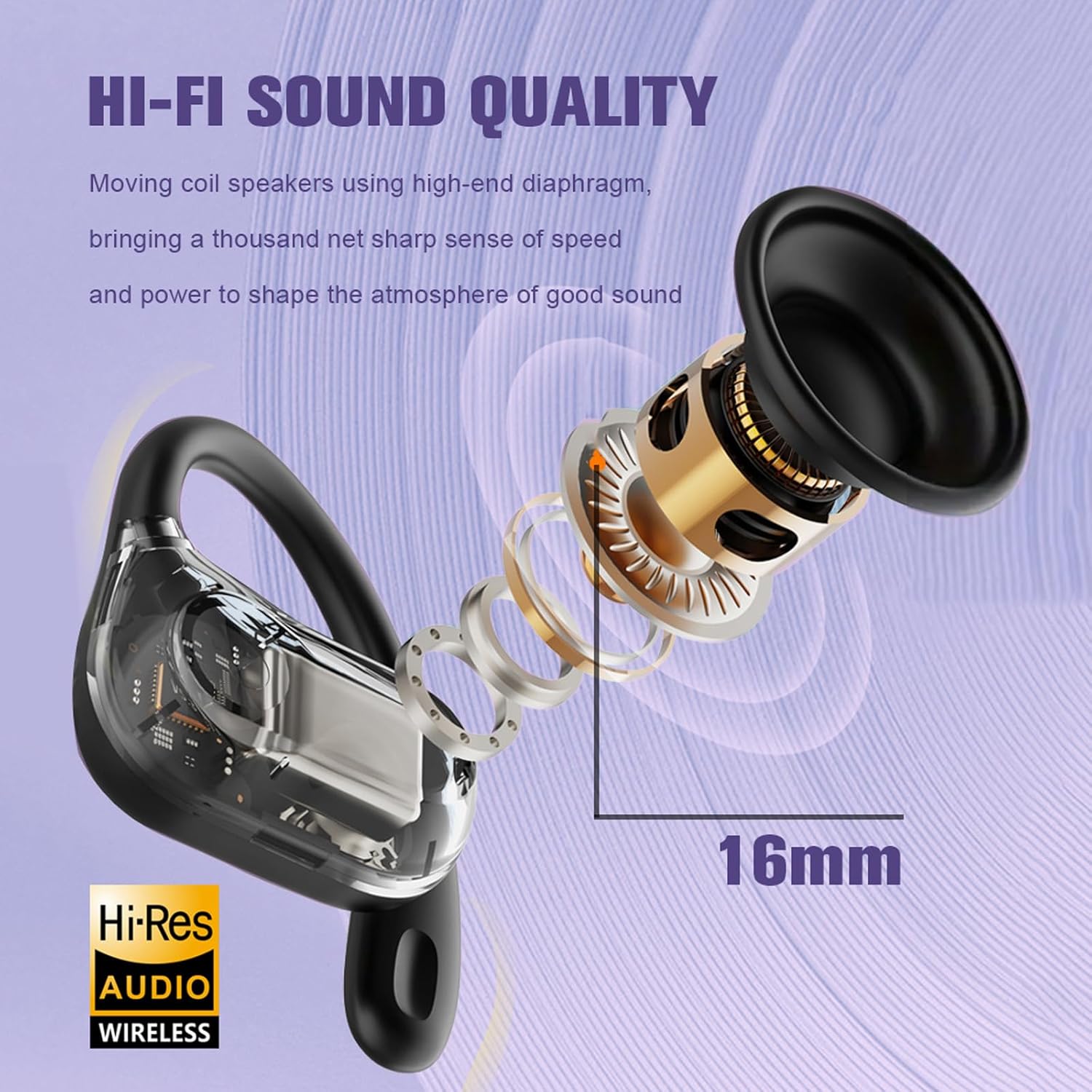
Image: An exploded view diagram of the earbud, highlighting the 16mm moving coil speaker and its components, illustrating the Hi-Fi sound quality feature.
Video: A display of the LX03 Open Ear Earbuds in various colors, showcasing their design and charging cases. This video provides a visual overview of the product's aesthetics.
Setup
1. Charging the Headphones
Before first use, fully charge the headphones and the charging case.
- Place the earbuds into the charging case.
- Connect the USB-C cable to the charging port on the case and plug the other end into a USB power source (e.g., computer, wall adapter).
- The charging indicator on the case will show charging status. A full charge takes approximately 1 hour for the earbuds and 5 hours for the charging case.
- The charging case has a 300mAh battery capacity, providing multiple recharges for the earbuds.

Image: An illustration detailing the battery life: 30mAh for 5-6 hours listening time per earbud, 300mAh for the charging case providing 4 recharges, totaling 24 hours with the case.
2. Bluetooth Pairing
To connect your headphones to a device:
- Open the charging case. The earbuds will automatically enter pairing mode (indicated by a flashing light on the earbuds).
- On your device (smartphone, tablet, laptop), go to Bluetooth settings and turn Bluetooth on.
- Search for "LX03" or "Xmenha-SJJ-LX03-Black" in the list of available devices.
- Select the headphones to connect. Once connected, a voice prompt will confirm the connection, and the indicator light will stop flashing.
- The headphones will automatically reconnect to the last paired device when taken out of the case, if Bluetooth is enabled on the device.
Operating Instructions
The Xmenha Open Ear Headphones feature intuitive touch controls for easy management of audio and calls.

Image: A visual guide to the hidden button controls on the earbud, showing actions for Voice Assistant (press 2 seconds), Previous/Next Song (right/left click x2), Play/Pause (click x1), and Volume +/- (right/left click x3).
| Action | Function |
|---|---|
| Single Click (Left or Right Earbud) | Play/Pause Music, Answer/End Call |
| Double Click (Right Earbud) | Next Song |
| Double Click (Left Earbud) | Previous Song |
| Triple Click (Right Earbud) | Volume Up |
| Triple Click (Left Earbud) | Volume Down |
| Press and Hold (2 seconds) | Activate Voice Assistant (Siri, Google Assistant, etc.), Reject Call |
Maintenance
Proper care will extend the life of your headphones.
- Cleaning: Regularly wipe the earbuds and charging case with a soft, dry, lint-free cloth. Do not use liquids or aerosol cleaners.
- Storage: When not in use, store the headphones in their charging case to protect them from dust and damage. Store in a cool, dry place away from direct sunlight.
- Battery Care: To preserve battery life, avoid fully discharging the headphones frequently. Charge them regularly, even if not used for extended periods.
Troubleshooting
If you encounter issues with your Xmenha Open Ear Headphones, try the following solutions:
| Problem | Solution |
|---|---|
| Headphones won't turn on. | Ensure the headphones are charged. Place them in the charging case and connect the case to power. |
| Cannot pair with device. |
|
| No sound or low volume. |
|
| Intermittent connection. |
|
| Only one earbud works. |
|
If the problem persists, please contact customer support.
Specifications
| Feature | Detail |
|---|---|
| Model Name | LX03 |
| Connectivity Technology | Wireless (Bluetooth) |
| Bluetooth Version | 5.3 |
| Transmission Distance | Approx. 10m / 33 feet (barrier-free) |
| Earbud Play Time | About 5 hours (at 50% volume) |
| Earbud Charging Time | Approx. 1 hour |
| Charging Case Battery Capacity | 300mAh |
| Water Resistance Level | IPX5 (Sweatproof/Rainstorm protection) |
| Charging Port | USB-C |
| Material | ABS Plastic |
| Item Weight | 0.64 ounces (per earbud) |
| Dimensions | 5.2 x 4.4 x 2 inches (Product) |
| Audio Driver Type | Bone Conduction Driver (Open Ear) |
| Frequency Range | 20 Hz - 20,000 Hz |
Warranty and Support
Xmenha products are designed for reliability and performance. For warranty information or technical support, please refer to the contact details provided with your purchase or visit the official Xmenha store on Amazon:
Visit the Xmenha Store on Amazon
If you receive a defective product or have any questions during use, please feel free to contact us. We are committed to resolving any issues within 24 hours.
Ask a question about this manual
Ask about setup, troubleshooting, compatibility, parts, safety, or missing instructions. Manuals+ will review the question and use this page’s manual context to help answer it.