
DANFI AUDIO DF CD-001
DANFI AUDIO DF CD Player Retro User Manual
Model: CD-001
Introduction
Thank you for purchasing the DANFI AUDIO DF Retro CD Player. This versatile device combines a portable rechargeable CD player with a Bluetooth 5.0 speaker and transmitter, USB music player, and 3.5mm audio player, all housed in a vintage-inspired design. This manual provides detailed instructions for setup, operation, and maintenance to ensure optimal performance and longevity of your device.
Product Overview
Components and Controls

This image displays the top and side views of the DANFI AUDIO DF Retro CD Player, highlighting its key components and controls. On the top, you can see the CD playback area, the "CD OFF" switch, and the control panel with buttons for Stop, Next Song, Previous Song, Pause/Play, and Bluetooth Transmit/Repeat. A volume knob is also visible. The side view shows the Headphone Jack (AUX Out), USB Input Port, AUX Input Port, Power Switch, and Type-c Charging Port. The built-in speakers are also indicated.
- CD Playback Area: Where CDs are placed for playback.
- CD OFF Switch: Toggles CD function.
- Control Buttons:
- Stop Button: Stops playback.
- Next Song: Skips to the next track.
- Previous Song: Skips to the previous track.
- Pause/Play: Toggles playback pause and resume.
- Bluetooth Transmit/Repeat: Initiates Bluetooth transmission or repeats current track/album.
- Volume Knob: Adjusts audio output volume.
- Headphone Jack (AUX Out): 3.5mm port for connecting headphones or external audio devices.
- USB Input Port: For connecting USB flash drives.
- AUX Input Port: 3.5mm port for connecting external audio sources.
- Power Switch: Turns the device on or off.
- Type-c Charging Port: For connecting the USB Type-C charging cable.
- Built-in Speakers: Integrated speakers for audio output.

This image shows the DANFI AUDIO DF Retro CD Player in its open position, revealing the CD compartment and the internal components. The dark green faux leather exterior and brass-colored latches are visible, along with the DANFI AUDIO logo inside the lid.
Dimensions

This image provides a visual representation of the CD player's dimensions, showing its compact size relative to a typical smartphone. The player measures approximately 8.07 inches in length, 6.1 inches in width, and 4.13 inches in height.
Setup
Charging the Device

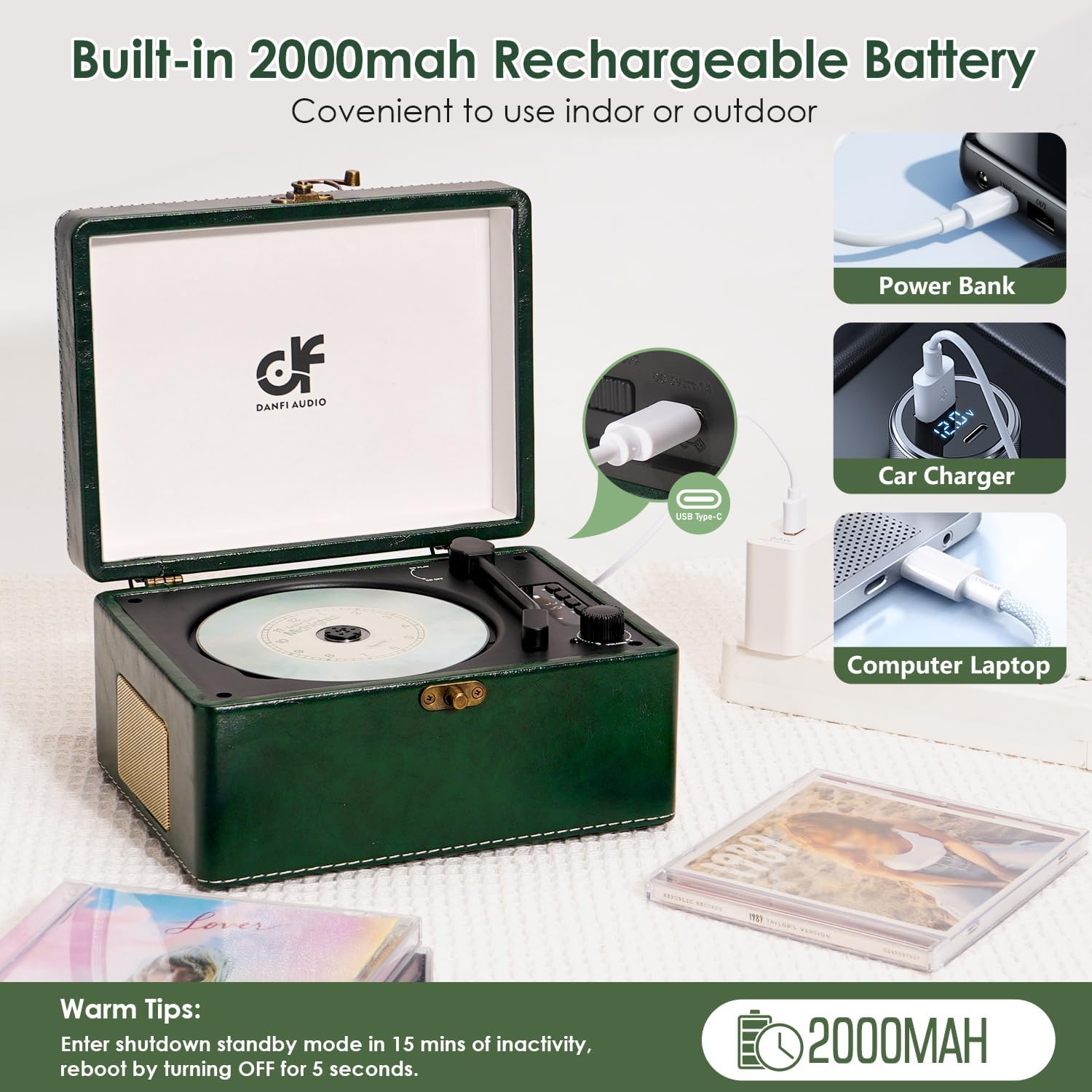
The CD player is equipped with a built-in 2000mAh rechargeable battery, providing 5-7 hours of playtime on a full charge. To charge the device, connect the included USB Type-C cable to the Type-c Charging Port on the player and to a power source such as a power bank, car charger, or computer/laptop USB port. Ensure the device is turned "OFF" when not in use or before recharging to optimize battery life.
- Connect the Type-C charging cable to the player's charging port.
- Connect the other end of the cable to a compatible USB power source.
- A full charge provides approximately 5-7 hours of playback.
- Important: The device features an auto power-off function after 15 minutes of inactivity. To restart, turn the unit OFF for 5 seconds and then reboot.
Initial Power On
Locate the Power Switch on the side of the device and slide it to the "ON" position. The LED display will illuminate, indicating the current mode.
Operating Instructions
CD Playback

This image demonstrates the process of removing a CD from the player by gently pressing down on the center spindle. The player supports CD, CD-R, CD-RW, MP3, and WMA formats.
- Open the lid of the CD player.
- Gently place a CD onto the spindle, ensuring it clicks into place.
- Close the lid.
- Ensure the "CD OFF" switch is in the "CD ON" position.
- The player will automatically detect and begin playing the CD.
- Use the "Next Song", "Previous Song", and "Pause/Play" buttons to control playback.
- To remove a CD, gently press down on the center spindle and lift the CD.
Bluetooth Input Mode (Receiving)

This image illustrates the Bluetooth 5.0 receiving mode, where the CD player acts as a speaker for a smartphone. The phone's screen shows a music playback interface, and a Bluetooth icon indicates an active connection.
- Turn on the CD player.
- The LED display will show "bt" (Bluetooth input mode). If not, cycle through modes until "bt" is displayed.
- On your smartphone or other Bluetooth device, search for "ACD-001" in the Bluetooth settings.
- Select "ACD-001" to pair. Once paired, you can stream audio from your device to the CD player's speakers.
Bluetooth Output Mode (Transmitting)
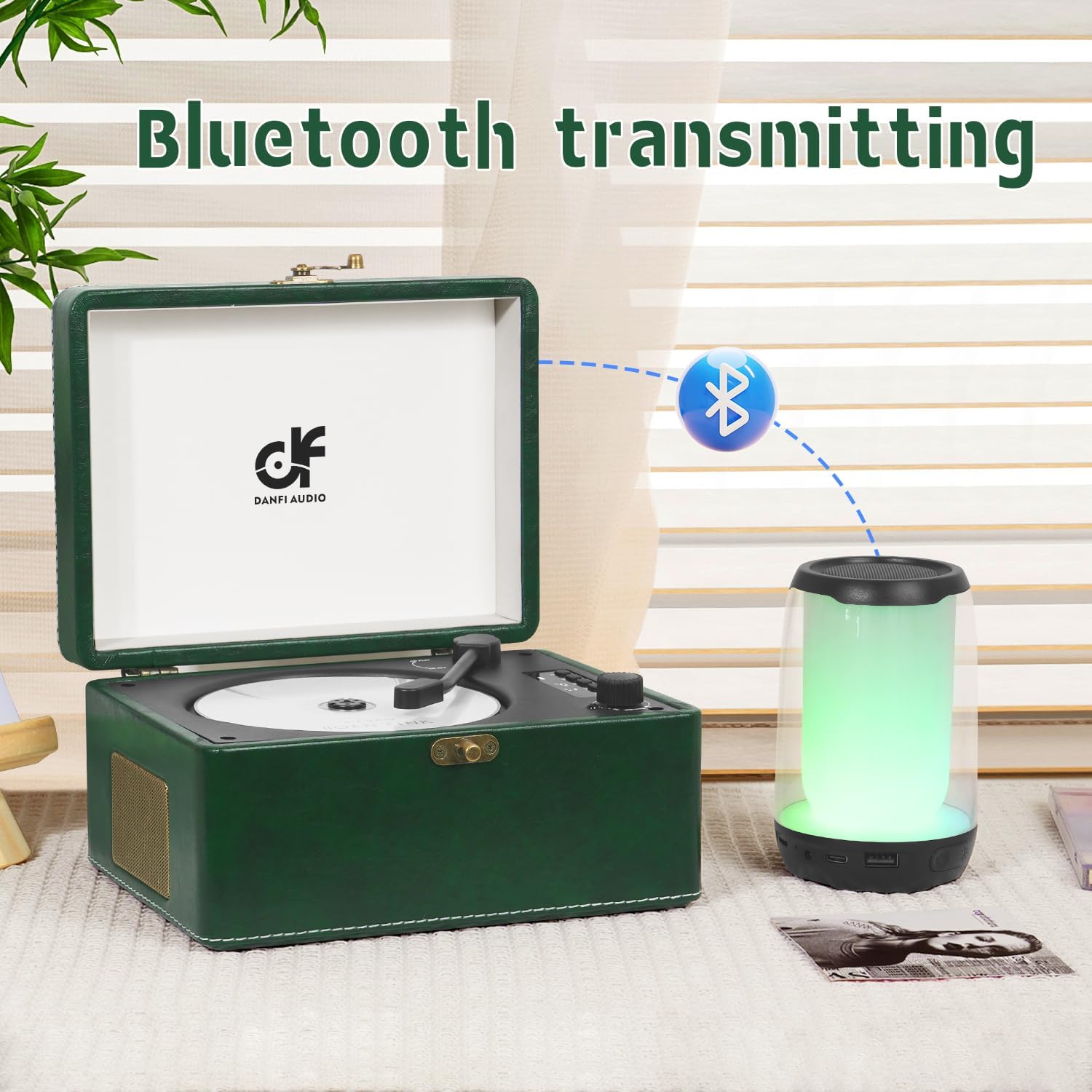
This image demonstrates the Bluetooth 5.0 transmitting mode, where the CD player sends audio to an external Bluetooth speaker. A dotted line with a Bluetooth icon visually represents the wireless connection.
- Ensure the CD player is playing audio (from CD, USB, or AUX).
- Press the "Bluetooth Transmit/Repeat" button. The LED display will show "bt-out".
- Place your Bluetooth headphones or speaker in pairing mode.
- The CD player will automatically search for and connect to nearby Bluetooth audio devices.
- Once connected, audio will be transmitted wirelessly to your external device.
USB Mode
To play music from a USB flash drive:
- Insert a USB flash drive into the USB Input Port.
- The player will automatically switch to USB mode, indicated by "USB" on the LED display, and begin playing compatible audio files (MP3, WMA).
- Use the "Next Song", "Previous Song", and "Pause/Play" buttons to control playback.
AUX Mode (Input)
To play audio from an external device via AUX cable:
- Connect one end of a 3.5mm audio cable (not included) to the AUX Input Port on the CD player.
- Connect the other end to the audio output jack of your external device (e.g., smartphone, MP3 player).
- The player will automatically switch to AUX mode, indicated by "LINE" on the LED display.
- Control playback from your external device.
AUX Output (Headphone Jack)
This image shows the CD player connected to a pair of over-ear headphones via the 3.5mm AUX output jack, enabling private listening.
To enjoy private listening or connect to a larger sound system:
- Connect 3.5mm headphones or an audio cable to the Headphone Jack (AUX Out) on the CD player.
- Audio will be routed through the connected device.
Volume Control
Rotate the Volume Knob on the top panel of the device clockwise to increase volume and counter-clockwise to decrease volume.
Maintenance
- Cleaning: Use a soft, dry cloth to wipe the exterior of the player. Do not use liquid cleaners or abrasive materials. For the CD playback area, use a specialized CD cleaning kit if necessary.
- Storage: When not in use, store the player in a cool, dry place away from direct sunlight and extreme temperatures.
- Battery Care: To prolong battery life, avoid fully discharging the battery frequently. Recharge the device regularly, even if not in constant use.
Troubleshooting
| Problem | Possible Cause | Solution |
|---|---|---|
| No power/Device won't turn on. | Battery is depleted. Power switch is off. | Charge the device using the Type-C cable. Ensure the power switch is in the "ON" position. |
| CD not playing or skipping. | CD is dirty, scratched, or inserted incorrectly. Incorrect format. | Clean the CD with a soft cloth. Ensure the CD is placed correctly on the spindle. Verify the CD format is supported (CD, CD-R, CD-RW, MP3, WMA). |
| Bluetooth pairing failed. | Device is not in pairing mode. Bluetooth device is too far. Interference. | Ensure the CD player is in Bluetooth input mode ("bt"). Move the Bluetooth device closer. Turn off other Bluetooth devices to reduce interference. |
| No sound from speakers. | Volume is too low. Device is in AUX output mode (headphones connected). | Increase the volume using the volume knob. Disconnect headphones from the AUX Out port. |
| Auto power-off after 15 minutes. | Inactivity feature. | This is a normal power-saving feature. To restart, turn the unit OFF for 5 seconds and then reboot. |
Specifications
- Model Name: CD-001
- Product Dimensions: 8.07 x 6.1 x 4.13 inches
- Item Weight: 2.2 pounds
- Battery: 1 Lithium Ion battery (included), 2000mAh
- Playtime: 5-7 hours (fully charged)
- Connectivity Technology: Bluetooth 5.0 (input & output), USB, 3.5mm AUX input & output
- Supported Formats: CD, CD-R, CD-RW, MP3, WMA
- Special Features: Rechargeable Battery, Bluetooth in/out, Battery Level Indicator, LED Display, Auto Power-Off
- Manufacturer: DANFI AUDIO DF
- Country of Origin: China
What's in the Box
- 1x Vintage CD Player
- 1x Type-c Charging Cable
- 1x User Manual
Warranty and Support
For any questions, technical support, or warranty inquiries, please contact DANFI AUDIO DF customer service. Refer to your purchase documentation for specific warranty terms and contact information.
You may also visit the official DANFI AUDIO DF store for more information and support resources: DANFI AUDIO DF Store
Ask a question about this manual
Ask about setup, troubleshooting, compatibility, parts, safety, or missing instructions. Manuals+ will review the question and use this page’s manual context to help answer it.