Introduction
Thank you for choosing the Noise Airwave Max 4 Wireless Over-Ear Headphones. This manual provides essential information for setting up, operating, and maintaining your headphones to ensure optimal performance and longevity. Please read this manual thoroughly before using the product.
What's in the Box
- 1 x Noise Airwave Max 4 Headphones
- 1 x USB Charging Cable
- 1 x AUX Cable
- 1 x User Manual (this document)
- 1 x Warranty Card
Product Overview
The Noise Airwave Max 4 headphones are designed for a superior audio experience with extended playtime and versatile connectivity. Key features include 70-hour playtime, dual device pairing, 40mm audio drivers, ultra-low latency, and Instacharge technology.
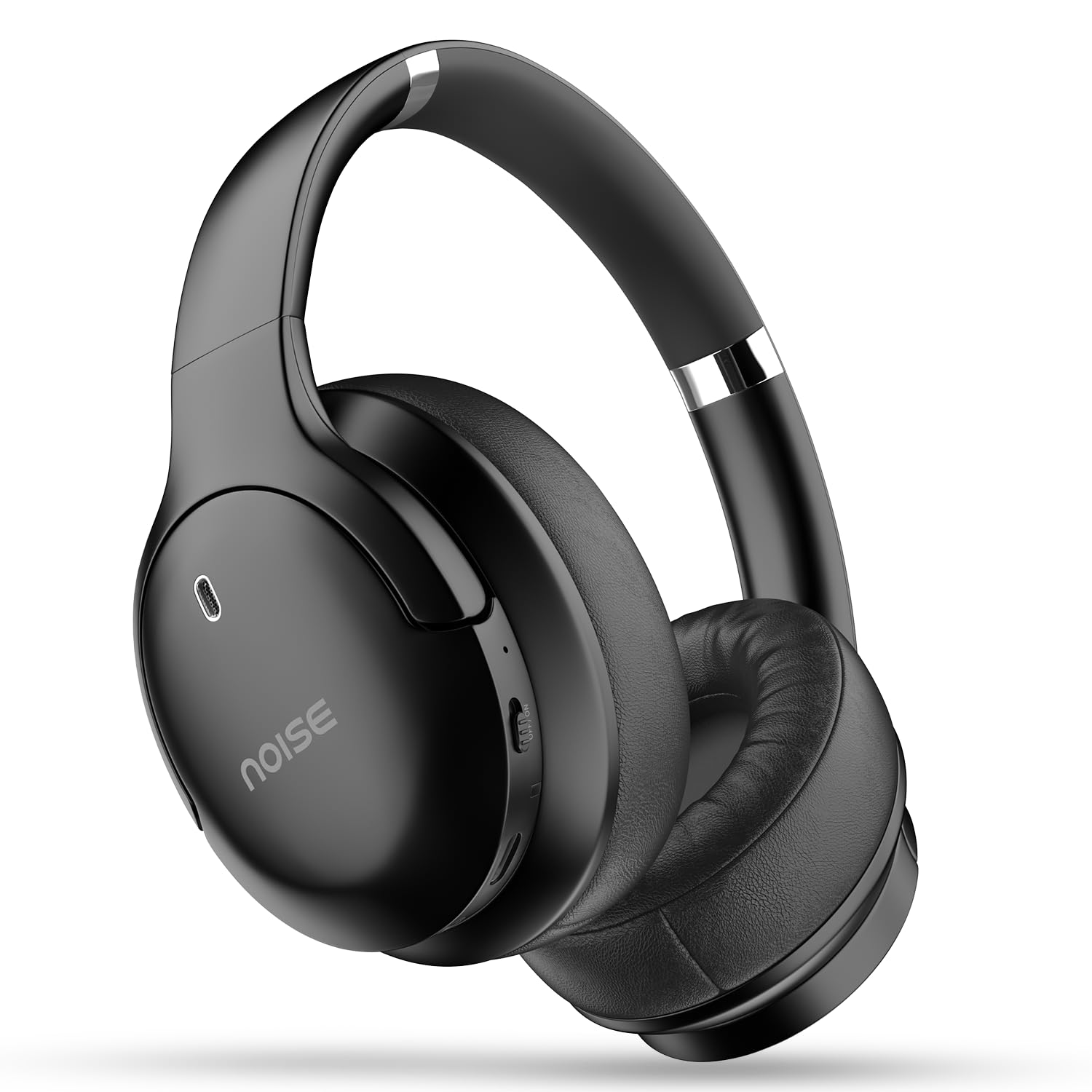
Image: Noise Airwave Max 4 Wireless Over-Ear Headphones.

Image: Overview of Noise Airwave Max 4 headphones showcasing features like 70-hour playtime, Instacharge, IPX5 rating, Bluetooth 5.4, Dual Device Pairing, 40mm drivers, and Environmental Noise Cancellation.
Headphone Components
- Power Button: Used for powering on/off and pairing.
- Volume Up/Next Track Button: Increases volume, skips to next track.
- Volume Down/Previous Track Button: Decreases volume, skips to previous track.
- Multi-function Button: Play/pause, answer/end calls, activate voice assistant.
- USB-C Charging Port: For charging the headphones.
- 3.5mm AUX Port: For wired audio connection.
- Microphone: For calls and voice commands.
- LED Indicator: Displays power, charging, and pairing status.
Setup
1. Charging the Headphones
Before first use, fully charge your headphones. Connect the provided USB charging cable to the USB-C port on the headphones and the other end to a compatible USB power adapter (not included) or a computer's USB port.
- The LED indicator will show red during charging.
- A full charge takes approximately 1.5-2 hours.
- The LED indicator will turn blue or off when fully charged.
- Instacharge: A 10-minute charge provides approximately 300 minutes (5 hours) of playtime.

Image: Headphones connected for charging, highlighting the Instacharge capability.
2. Bluetooth Pairing
- Ensure the headphones are turned off.
- Press and hold the Power button for approximately 5-7 seconds until the LED indicator flashes red and blue alternately, indicating pairing mode.
- On your device (smartphone, tablet, computer), enable Bluetooth and search for available devices.
- Select "Noise Airwave Max 4" from the list of found devices.
- Once connected, the LED indicator will flash blue slowly or turn solid blue (depending on model variant), and you will hear an audible confirmation.
3. Dual Device Pairing
The Noise Airwave Max 4 supports simultaneous connection to two devices, allowing seamless switching between them.
- Pair the headphones with the first device as described in "Bluetooth Pairing" above.
- Disable Bluetooth on the first device. The headphones will re-enter pairing mode.
- Pair the headphones with the second device.
- Re-enable Bluetooth on the first device. The headphones should automatically connect to both devices.
When audio plays on one device, the headphones will prioritize that source. If a call comes in on one device while you are listening to audio on the other, the headphones will automatically switch to the call.

Image: Headphones connected to multiple devices, illustrating the dual device pairing feature.
Operating Instructions
Power On/Off
- Power On: Press and hold the Power button for 3 seconds.
- Power Off: Press and hold the Power button for 5 seconds.
Music Playback
- Play/Pause: Press the Multi-function button once.
- Next Track: Press and hold the Volume Up button.
- Previous Track: Press and hold the Volume Down button.
- Volume Up: Short press the Volume Up button.
- Volume Down: Short press the Volume Down button.
Call Management
- Answer/End Call: Press the Multi-function button once.
- Reject Call: Press and hold the Multi-function button for 2 seconds.
- Activate Voice Assistant: Triple press the Multi-function button.
Environmental Noise Cancellation (ENC)
The headphones feature Environmental Noise Cancellation (ENC) for clearer calls by reducing ambient noise around the microphone.
- ENC is automatically active during calls.
Low Latency Mode
For gaming or video consumption, activate Low Latency Mode to minimize audio delay.
- Activate/Deactivate Low Latency Mode: Refer to the specific button combination in your quick start guide or product packaging.
Wired Mode (AUX)
Connect the provided 3.5mm AUX cable to the headphone's AUX port and to your audio source for a wired connection. This mode works even if the headphones are out of battery.
Maintenance
Cleaning
- Wipe the headphones with a soft, dry cloth.
- Do not use abrasive cleaners, alcohol, or chemical solvents.
- Keep the charging port and AUX port free of dust and debris.
Storage
- Store the headphones in a cool, dry place away from direct sunlight and extreme temperatures.
- Avoid placing heavy objects on the headphones.
Battery Care
- Charge the headphones regularly, even if not in use, to maintain battery health.
- Avoid fully discharging the battery frequently.
The headphones are rated IPX5 Water Resistant, meaning they can withstand low-pressure water jets. They are not designed for submersion.
Troubleshooting
Headphones not turning on
- Ensure the headphones are charged. Connect them to a power source and try again.
- Press and hold the Power button for the required duration (3 seconds).
Cannot pair with device
- Ensure the headphones are in pairing mode (LED flashing red and blue).
- Make sure Bluetooth is enabled on your device.
- Place the headphones and your device close to each other (within 1 meter).
- Clear the Bluetooth pairing list on your device and try pairing again.
- If dual pairing is active, ensure the desired device is selected or try disconnecting from one device temporarily.
No sound or poor sound quality
- Check the volume levels on both the headphones and your connected device.
- Ensure the headphones are properly connected via Bluetooth or AUX cable.
- If using Bluetooth, try disconnecting and reconnecting.
- Move closer to your device to avoid interference.
- If using a Windows PC or Samsung Android device and experiencing distortion, try changing the Bluetooth codec in your device's developer options to SBC if AAC is causing issues.
Charging issues
- Ensure the USB cable is securely connected to both the headphones and the power source.
- Try a different USB cable or power adapter.
- Check the charging port for any debris.
Specifications
| Model Name | Airwave Max 4 |
| Model Number | AUD-HDPHN-4-BLK |
| Connectivity Technology | Wireless (Bluetooth v5.4) |
| Bluetooth Range | 10 Metres |
| Audio Driver Type | Dynamic Driver (40mm) |
| Noise Control | Environmental Noise Cancellation (ENC) |
| Battery Life | Up to 70 Hours |
| Charging Time | 10 minutes for 300 minutes playtime (Instacharge) |
| Special Features | Fast Charging, Dual Device Pairing, Low Latency (up to 40ms) |
| Water Resistance Level | IPX5 Water Resistant |
| Material | Polycarbonate (PC) |
| Item Weight | 50 Grams |
| Product Dimensions | 6.5 x 4.9 x 2.9 cm |
| Manufacturer | Nexxbase Marketing Pvt. Ltd |
| Country of Origin | India |
Warranty and Support
Your Noise Airwave Max 4 Headphones come with a warranty. Please refer to the included Warranty Card for detailed terms and conditions. For technical support, service, or warranty claims, please contact Noise customer service through their official website or the contact information provided on your warranty card.
You can also visit the official Noise Store for more information: Noise Official Store


