
1. Product Overview
The Mellif Electric Pruning Shears are a cordless garden tool designed for efficient and effortless pruning. Featuring a powerful brushless motor and durable SK5 high carbon steel blades, these shears are compatible with DeWalt 20V MAX lithium-ion batteries (battery not included). Its ergonomic and lightweight design reduces hand fatigue, making it suitable for various gardening tasks.

Image 1.1: Mellif Electric Pruning Shears with a set of hex wrenches and a replacement blade.

Image 1.2: Diagram illustrating the main components of the Mellif Electric Pruning Shears, including the SK5 cutting blade, fixed blade, trigger switch, main handle, and ON/OFF button. The overall length is 10.2 inches and the tool weighs 1.54 lbs (without battery).
2. Important Safety Instructions
Always read and understand all safety warnings and instructions before operating the electric pruning shears. Failure to follow these instructions may result in electric shock, fire, and/or serious injury.
- Personal Safety: Always wear appropriate personal protective equipment, including safety glasses, gloves, and sturdy footwear. Keep hands and fingers away from the blades at all times, especially during operation.
- Work Area Safety: Keep the work area clean and well-lit. Do not operate power tools in explosive atmospheres, such as in the presence of flammable liquids, gases, or dust.
- Electrical Safety: Use only the specified battery voltage (20V). Ensure the battery is properly inserted and secured before operation.
- Tool Operation Safety: The tool features a dual safety mechanism. After turning on, you must press the trigger twice quickly to activate the blades. This prevents accidental activation. Be aware of the automatic shut-off features (Sleep Mode and Auto Shut-off) to ensure safe handling.
- Maintenance Safety: Disconnect the battery before performing any maintenance, cleaning, or blade replacement.

Image 2.1: Illustration of the dual safety assurance features: Sleep Mode (activates after 60 seconds of inactivity, requiring two trigger presses to reactivate) and Auto Shut-off (activates after 15 minutes of inactivity, turning the tool off completely).
3. Package Contents
Upon opening the package, verify that all items listed below are present and undamaged:
- 1 x Mellif Electric Pruning Shears (Tool Only)
- 1 x SK5 Replacement Blade
- 1 x Hex Wrench A
- 1 x Hex Wrench B
- 1 x Hex Wrench C
- 1 x User Manual

Image 3.1: Visual representation of the included components: Electric Pruning Shears, SK5 Replacement Blade, Hex Wrench A, Hex Wrench B, Hex Wrench C, and User Manual.
4. Setup and Initial Use
Follow these steps to prepare your electric pruning shears for first use:
- Insert Battery: Align a compatible DeWalt 20V MAX lithium-ion battery (not included) with the battery slot at the base of the shears and slide it in until it clicks securely into place.
- Power On: Long press the ON/OFF button located on the base of the handle. The tool will beep once to indicate it is powered on.
- Activate Blades: To activate the blades, press the trigger switch twice quickly. You will hear a short ticking sound, indicating the blades are ready to operate.
- Power Off: To turn off the shears, long press the ON/OFF button again. The tool will beep once and shut down. Alternatively, you can hold the trigger for 3 beeps to close the blades and then turn off the power button.

Image 4.1: Step-by-step guide for quick access: 1. Insert the battery. 2. Long press the switch (it will beep once). 3. Press the trigger twice quickly to work. 4. Long press the switch (it will beep once and shut up).
5. Operating Instructions
Once the shears are activated, you can begin pruning. The Mellif Electric Pruning Shears are designed for cutting branches up to 25mm (0.98 inches) in diameter.
- Cutting Technique: Position the branch to be cut between the open blades. Press the trigger firmly to close the blades and make the cut. Release the trigger to open the blades.
- Cutting Capacity: The shears can cut branches with a maximum diameter of 25mm (0.98 inches). For very hard branches, it may be beneficial to slightly push the branch away from the blade as it cuts to help the cut open naturally.
- Applications: These shears are suitable for various tasks including garden shearing, fruit picking, flower trimming, and general orchard pruning.

Image 5.1: The Mellif Electric Pruning Shears demonstrating its 0.98 inch (25mm) cutting capacity on a tree branch.
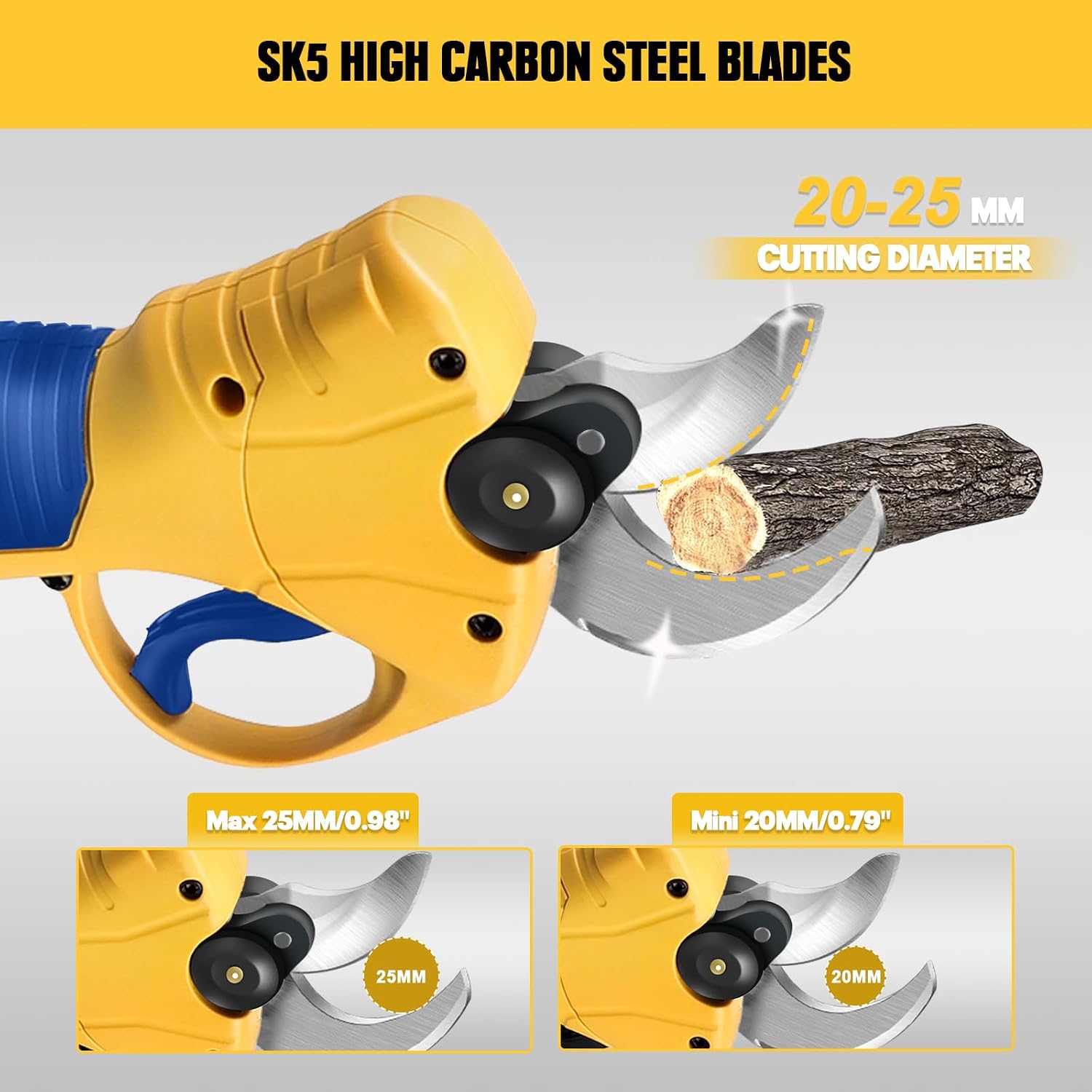
Image 5.2: Detail of the SK5 high carbon steel blades in action, showing their ability to cut branches with diameters between 20mm and 25mm.
6. Maintenance
Regular maintenance ensures the longevity and optimal performance of your electric pruning shears.
- Blade Cleaning: After each use, clean the blades with a dry cloth to remove sap, dirt, and debris. For stubborn residue, use a mild solvent or blade cleaner.
- Lubrication: Periodically apply a few drops of light machine oil to the pivot point and blade surfaces to ensure smooth operation and prevent rust.
- Blade Sharpening: The SK5 high carbon steel blades are designed for durability, but may require sharpening over time. Use a fine-grit sharpening stone or consult a professional for sharpening.
- Blade Replacement: If the blades become dull or damaged beyond sharpening, replace them with the provided SK5 replacement blade or an official Mellif replacement blade. Refer to the included user manual for detailed blade replacement instructions.
- Storage: Store the shears in a dry, clean place, away from direct sunlight and extreme temperatures. Ensure the blades are closed and the battery is removed before storage.
7. Troubleshooting
If you encounter issues with your Mellif Electric Pruning Shears, refer to the following common problems and solutions:
| Problem | Possible Cause | Solution |
|---|---|---|
| Shears do not turn on. | Battery not inserted correctly or discharged. | Ensure battery is fully charged and properly seated. Long press the ON/OFF button. |
| Blades do not activate after turning on. | Safety mechanism not disengaged. | After powering on, press the trigger switch twice quickly to activate the blades. |
| Blades cut slowly or get stuck. | Dull blades, excessive branch diameter, or debris. | Clean and lubricate blades. Sharpen or replace blades if necessary. Ensure branch diameter is within 25mm (0.98 inches). |
| Shears enter 'Sleep Mode' or 'Auto Shut-off' unexpectedly. | Inactivity. | For Sleep Mode (after 60 seconds), press the trigger twice quickly to reactivate. For Auto Shut-off (after 15 minutes), long press the ON/OFF button and then press the trigger twice quickly. |
If the problem persists after trying these solutions, please contact customer support.
8. Product Specifications
- Model Number:
- PS-DCB20
- Brand:
- Mellif (Manufacturer)
- Power Source:
- Battery Powered (Compatible with DeWalt 20V MAX Lithium-Ion Batteries)
- Voltage:
- 20 Volts
- Wattage:
- 600 watts
- Motor Type:
- Brushless Motor (MAX 2,6000RPM)
- Blade Material:
- SK5 High Carbon Steel
- Max Cutting Diameter:
- 25mm (0.98 inches)
- Item Weight (without battery):
- 1.54 lbs (0.7 kg)
- Product Dimensions:
- 10.2"L x 3.6"W
- Handle Material:
- Plastic
- Blade Type:
- Bypass

Image 8.1: An internal view highlighting the 600W powerful brushless motor, which provides efficient and strong cutting performance.
9. Warranty Information
Specific warranty details for the Mellif Electric Pruning Shears are typically provided with the product packaging or on the manufacturer's official website. Please refer to the documentation included with your purchase for comprehensive warranty terms and conditions. Generally, warranties cover defects in materials and workmanship under normal use.
10. Customer Support
For technical assistance, troubleshooting not covered in this manual, or inquiries regarding parts and service, please contact Mellif customer support. Contact information can typically be found on the product packaging, the manufacturer's website, or the retailer's support page where the product was purchased.
Please have your model number (PS-DCB20) and purchase date ready when contacting support.