
Introduction
The Toolazy Quiet 8 Inch Inline Duct Fan is designed for efficient and quiet ventilation in various environments, including indoor grow facilities, vertical farms, and applications requiring heating, cooling transfer, commercial drying, or air filtration. This fan can also create negative pressure environments, simulate wind, exhaust odors and smoke, and intake fresh air from outdoors.
Equipped with an EC motor and a 10-speed external electronic controller, this fan offers flexible and energy-efficient performance. Its mixed flow design ensures optimal airflow even in high-resistance areas.
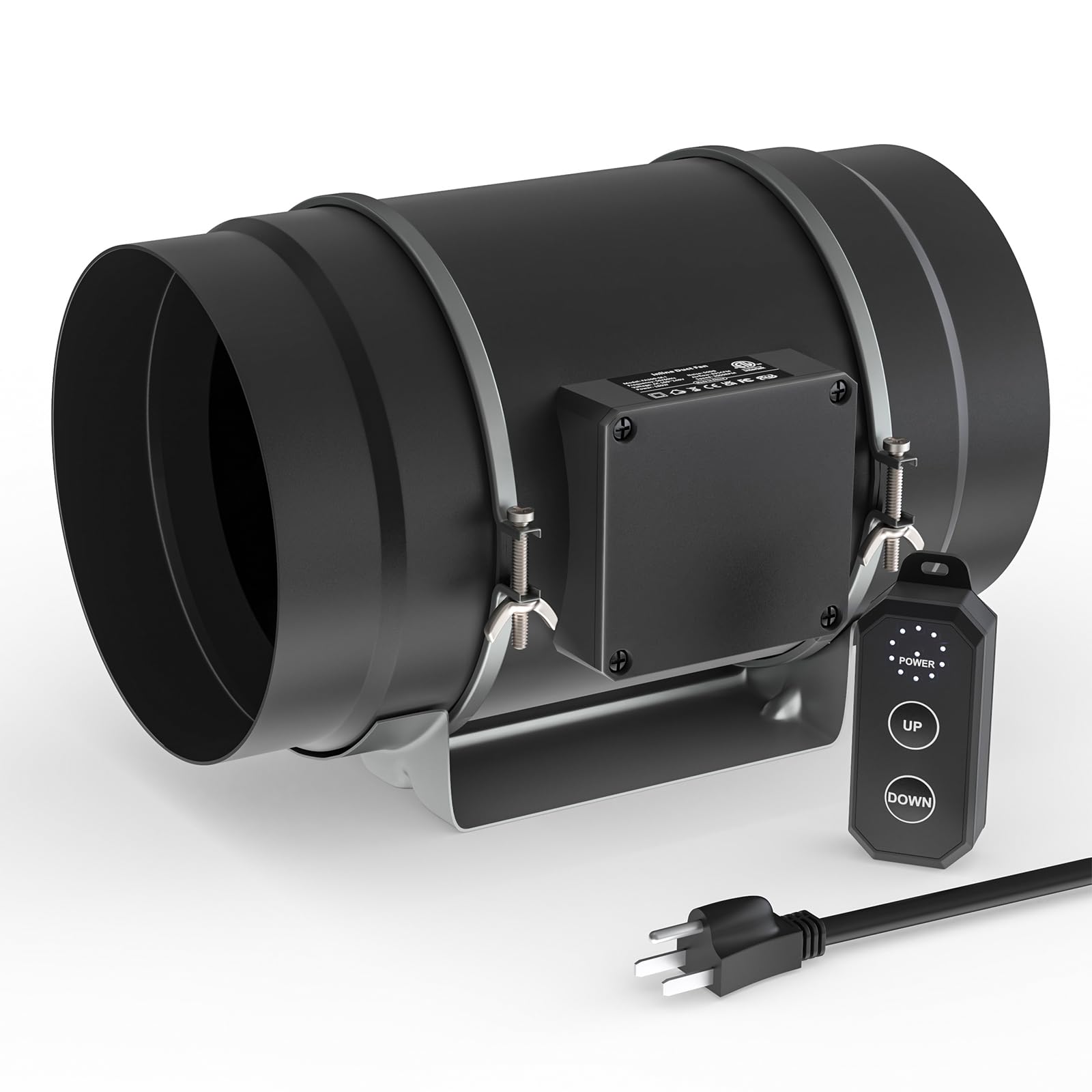
Image: The Toolazy Quiet 8 Inch Inline Duct Fan, showcasing its compact design.
Safety Information
Please read and understand all safety instructions before installing or operating this product. Failure to follow these instructions may result in electric shock, fire, or serious injury.
- Always disconnect power before servicing or cleaning the fan.
- Ensure proper grounding to prevent electrical shock.
- Do not operate the fan with a damaged cord or plug.
- Keep fingers and foreign objects away from the fan blades during operation.
- Install the fan in a location where it is protected from water and excessive moisture. The fan is water-resistant, but not waterproof.
- Ensure adequate ventilation around the fan to prevent overheating.
- This fan is designed for indoor use only.
Package Contents
Verify that all items are present in the package:
- Toolazy Quiet 8 Inch Inline Duct Fan
- AC Power Plug
- Wired 10-Speed Variable Speed Controller
- Installation Hardware (e.g., mounting brackets, screws)
Specifications
| Feature | Detail |
|---|---|
| Brand | Toolazy |
| Model Name | FA200-M-I(D) |
| Duct Diameter | 8 inches (200 mm) |
| Airflow | 831 CFM (Cubic Feet Per Minute) |
| Power | 180 W |
| Input Voltage | AC 110~240 V, 50/60 Hz |
| Speed | 3000 RPM |
| Noise Level | 50 dBA |
| Bearings | Dual Ball |
| Motor Type | EC Motor (PWM-controlled) |
| Control Method | Wired 10-speed controller, App compatible (with optional upgrade) |
| Product Dimensions | 13"D x 9.3"W x 10"H |
| Item Weight | 4 Pounds |
| Special Feature | Water Resistant |

Image: Detailed dimensions of the 8-inch inline duct fan and its wired controller.

Image: Illustration demonstrating the low noise level of the fan, rated at 50 dBA, comparable to quiet environments.
Setup and Installation
The Toolazy inline duct fan is designed for easy installation. Follow these steps for proper setup:
- Choose a Location: Select a suitable location for the fan, typically within your grow tent, greenhouse, or ventilation system. Ensure the location allows for proper ducting connections and access to a power outlet.
- Mounting the Fan: Use the provided installation hardware to securely mount the fan. The fan can be hung or placed on a flat surface. Ensure the mounting is stable to prevent vibration and noise.
- Connect Ducting: Attach appropriate 8-inch ducting to both ends of the inline fan. The fan features removable duct ends with locking tabs for quick removal and easy maintenance. Secure the ducting with clamps to ensure airtight connections.
- Connect Controller: Plug the wired 10-speed controller into the designated port on the fan unit. The controller has a long power cord for flexible placement.
- Power Connection: Plug the AC power plug into a standard electrical outlet.

Image: Diagram illustrating the typical setup of an inline fan with a carbon filter and ducting for a grow tent ventilation system.

Image: Visual representation of an inline fan integrated into a grow tent ventilation system, showing air movement.
Video: Demonstrates the installation process of an inline fan, including mounting and connecting ducting.
Operating Instructions
The Toolazy inline duct fan features a wired 10-speed controller for precise airflow management.
- Power On/Off: Press the 'POWER' button on the controller to turn the fan on or off.
- Adjust Fan Speed: Use the 'UP' and 'DOWN' buttons to cycle through the 10 available fan speeds. The LED indicators on the controller will show the current speed setting.
- App Control (Optional): This fan is compatible with App controllers for intelligent programming and remote automation. An upgrade to an Intelligent Programming App Controller is required for this functionality. Refer to the App Controller's manual for detailed setup and operation.

Image: Close-up of the wired 10-speed controller, highlighting the power, up, and down buttons for speed adjustment.

Image: Illustration of the stepless speed controller, indicating 10 fan speeds controlled by Pulse Width Modulation (PWM).
Video: Overview of the VIVOSUN Inline Duct Fan, demonstrating its powerful airflow and features relevant to ventilation.
Maintenance
Regular maintenance ensures optimal performance and longevity of your Toolazy inline duct fan.
- Cleaning: Periodically inspect the fan blades and housing for dust and debris accumulation. Disconnect power before cleaning. Use a soft cloth or brush to gently remove any buildup. Do not use harsh chemicals or abrasive materials.
- Ducting Inspection: Check ducting for any tears, leaks, or obstructions that could impede airflow. Repair or replace damaged sections as needed.
- Controller Care: Keep the controller clean and dry. Avoid exposing it to extreme temperatures or direct sunlight.
- Motor: The EC motor is designed for long-term, maintenance-free operation. No lubrication is required.

Image: Internal view of the inline fan, highlighting the strong motor and fan blades designed for strong airflow and low noise.
Troubleshooting
If you encounter issues with your Toolazy inline duct fan, refer to the following common problems and solutions:
- Fan Not Turning On:
- Check if the power plug is securely connected to the outlet and the fan.
- Ensure the wired controller is properly connected to the fan.
- Verify that the power outlet is functional.
- Reduced Airflow:
- Inspect ducting for kinks, blockages, or leaks.
- Clean fan blades and housing if dust or debris has accumulated.
- Ensure the fan speed is set appropriately for your ventilation needs.
- Excessive Noise:
- Check for loose mounting hardware or vibrations. Ensure the fan is securely installed.
- Inspect fan blades for any foreign objects or damage.
- Verify that ducting is properly secured and not vibrating against surfaces.
- Lower the fan speed if noise is a concern, noting that higher speeds naturally produce more sound.
Warranty and Support
Toolazy products are manufactured to high-quality standards. For warranty information, technical support, or service inquiries, please refer to the documentation included with your purchase or contact Toolazy customer service directly.
Keep your purchase receipt as proof of purchase for warranty claims.


