
1. Overview
The Wengart THC30A Digital Programmable Timer Switch is a robust and precise solution for automating high-power electrical circuits. Designed for demanding applications, it offers exceptional control over energy-intensive equipment. Its potential-free (dry contact) output makes it versatile for various control circuits, including hot water tanks and lighting systems.
Key Features:
- Reinforced 30A Load Capacity: Safely controls equipment up to 30A (6000W max), suitable for water heaters, pool pumps, and public lighting.
- Versatile Dry Contact Output: Functions as an independent switch, allowing control of circuits with different voltages. Note: Bridging is required if directly powering the receiving device.
- Precision Programming (28 Groups): Configure up to 28 daily or weekly ON/OFF programs with minute precision to optimize energy consumption.
- Lithium Battery Memory Backup: Integrated backup battery retains time and programs during power outages.
- Standard Modular Installation: Quick mounting on 35mm DIN rail with a compact casing and transparent protective cover.
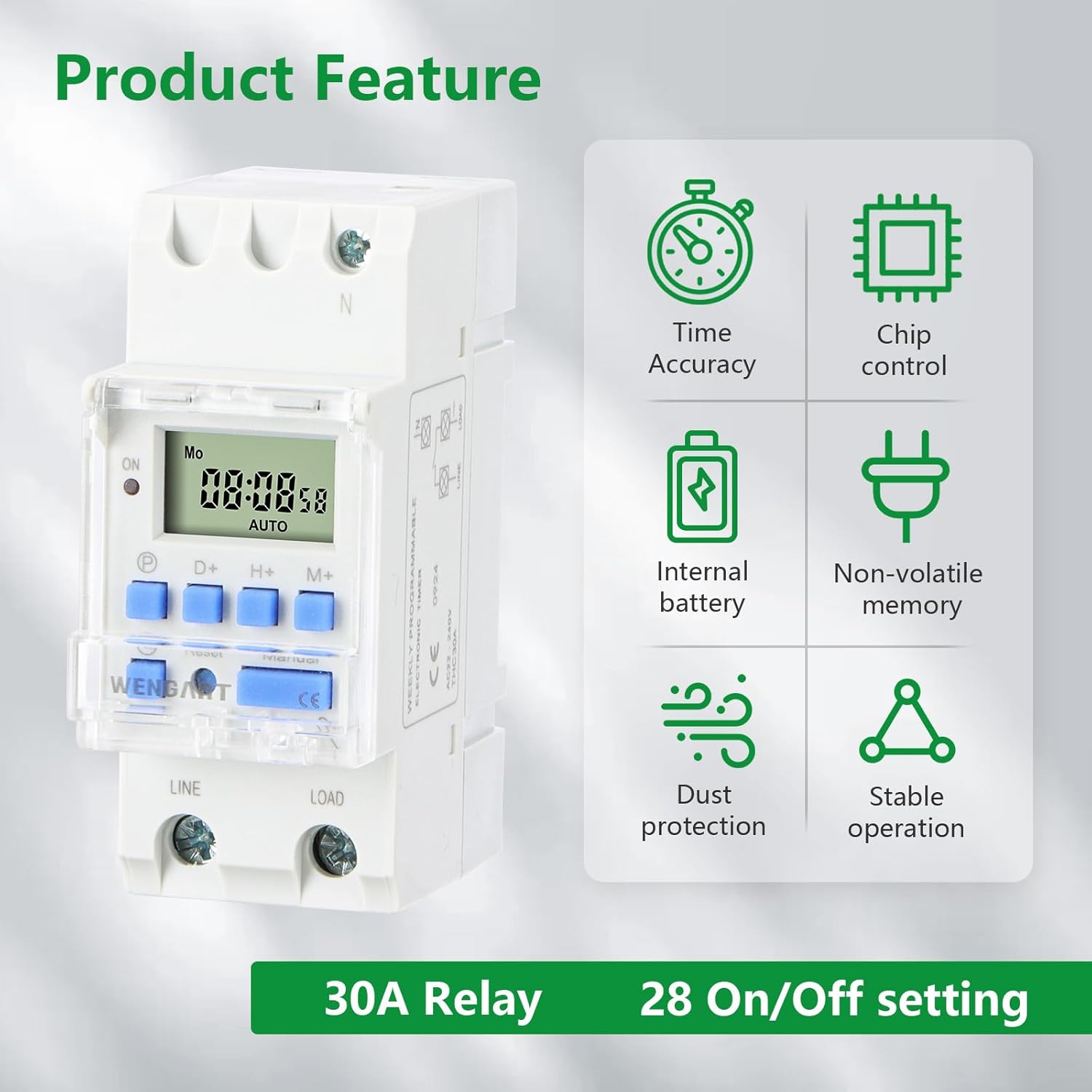
Infographic showcasing the main product features of the Wengart THC30A digital timer: time accuracy, chip control, internal battery, non-volatile memory, dust protection, stable operation, 30A relay, and 28 ON/OFF settings.

Image showing various applications of the Wengart THC30A digital timer switch, including street lamps, neon lights, factory equipment, warehouse lighting, and irrigation systems. The central image displays the timer itself.
2. Safety Information
- Always ensure the power supply is disconnected before installation or maintenance.
- Installation should be performed by a qualified electrician to prevent electrical shock or damage.
- Verify the input voltage (AC 230V) is correct for your device before connecting.
- Do not exceed the maximum load capacity of 30A (6000W).
- Keep the device away from moisture and extreme temperatures.
- Ensure the transparent protective cover is closed after programming to protect the screen and buttons.
3. Product Components and Interface
Familiarize yourself with the timer's components and control buttons.

Diagram illustrating the interface of the Wengart THC30A digital timer switch, labeling the LCD display, pilot lamp, day button, timer button, clock button, reset button, hour button, minute button, and manual button, along with the dust protection cover.

Detailed view of the Wengart THC30A timer switch highlighting its key features: a high-definition LCD screen for clear display, a resilient silicone keypad for comfortable operation, and a dust protection cover for durability.
Buttons:
- Clock (P): Used to set the current time and exit programming mode.
- D+ (Day): Adjusts the day of the week.
- H+ (Hour): Adjusts the hour.
- M+ (Minute): Adjusts the minute.
- Reset: Resets the device to factory settings.
- Manual: Toggles between ON, OFF, and AUTO modes.
- P (Program): Enters and cycles through programming settings.
4. Installation
The Wengart THC30A is designed for 35mm DIN rail mounting. Ensure proper wiring according to the diagram below.

Wiring diagram for the Wengart THC30A digital timer switch, showing connections for Line (L), Neutral (N), and the output terminals (1, 2, 3, 4) for controlling a load, such as a light bulb.
Wiring Instructions:
- Connect the Line (L) and Neutral (N) power supply to the input terminals of the timer.
- For the output (dry contact), connect the load to terminals 3 and 4. Terminal 1 and 2 are for internal power supply.
- If you wish to power the load directly from the timer's input voltage, you must bridge the phase (L) from the input to terminal 3, and connect the load between terminal 4 and the neutral (N).
- Ensure all connections are secure and insulated.
This video provides a 31-second overview of the Wengart THC30A digital timer switch, demonstrating its physical appearance and DIN rail mounting mechanism. It highlights the compact design and ease of installation.
5. Setup & Initial Configuration
5.1. Resetting the Device
Before initial use or if you encounter issues, reset the device to factory settings:
- Open the transparent protective cover.
- Using a pointed object (e.g., a pen tip), press the Reset button. The display will clear and reset.
5.2. Setting the Current Time
To ensure accurate scheduling, set the current day and time:
- Press and hold the Clock (P) button.
- While holding Clock (P), press D+ to set the current day (MO, TU, WE, TH, FR, SA, SU).
- While holding Clock (P), press H+ to set the current hour (0-23).
- While holding Clock (P), press M+ to set the current minute (0-59).
- Release the Clock (P) button. The time is now set.
5.3. Setting AUTO Mode
Ensure the timer is in AUTO mode for programmed operations:
- Press the Manual button repeatedly until 'AUTO' is displayed on the screen.
This 29-second close-up video demonstrates the basic operation and button functions of the Wengart THC30A digital timer switch, showing how to interact with the display and controls for setting time and programs.
6. Operating Instructions (Programming ON/OFF Cycles)
The THC30A allows up to 28 ON/OFF programs. Follow these steps to set your desired schedules:

Visual guide for operating the Wengart THC30A timer, demonstrating how to set the current time using the Clock, D+, H+, and M+ buttons, and how to set ON/OFF timing programs using the P, D+, H+, and M+ buttons.
6.1. Setting an ON Program:
- Press the P (Program) button once. The display will show '01 ON'.
- Press D+ to select the day(s) for this ON program (e.g., MO, TU, WE, TH, FR, SA, SU, or specific combinations).
- Press H+ to set the desired hour for the device to turn ON.
- Press M+ to set the desired minute for the device to turn ON.
6.2. Setting an OFF Program:
- Press the P (Program) button again. The display will show '01 OFF'.
- Press D+ to select the day(s) for this OFF program (usually matching the ON program).
- Press H+ to set the desired hour for the device to turn OFF.
- Press M+ to set the desired minute for the device to turn OFF.
6.3. Saving Programs:
- Repeat steps 6.1 and 6.2 for additional ON/OFF programs (up to 28 pairs).
- Once all programs are set, press the Clock (P) button to exit programming mode and save your settings. The timer will then execute the programs.
Note: If no operation is performed for approximately 10-20 seconds during programming, the device will automatically return to the present time display, saving any changes made up to that point. If a setting is incorrect, press C/R (Reset) to cancel or reset the programs. To cancel a program, press the P button until the program number is displayed, then press C/R. A "-:- -" display indicates a canceled program.
7. Maintenance
- The THC30A features an internal lithium battery for memory backup. This battery ensures that time and programmed settings are retained even during power outages.
- No regular battery replacement is typically required for several years.
- Clean the device with a dry, soft cloth. Do not use abrasive cleaners or solvents.
- Ensure the dust protection cover is always closed to prevent dust and debris from affecting the LCD and buttons.
8. Troubleshooting
- Timer not sending 230V to output: The THC30A uses a dry contact (potential-free switch). It does not supply voltage to the output terminals directly. If you need the output to power a lamp or device, you must connect the phase (L) from your power supply to one of the output terminals (e.g., terminal 3), and then connect your load between the other output terminal (e.g., terminal 4) and the neutral (N).
- Time change (summer/winter): Manual programming is intuitive. You can update the current time in a few seconds without losing your saved programs by following the 'Setting the Current Time' instructions.
- Device is not silent: Once programmed and operating, the device is generally silent. A slight mechanical 'click' may be heard during switching (ON/OFF transitions), which is normal operation.
- Programs not executing: Ensure the timer is in 'AUTO' mode. Check that the current time is set correctly. Verify that the ON/OFF programs are correctly entered and saved.
- Display is blank or erratic: Press the Reset button to clear and restart the device. If the issue persists, check the power supply connections.
9. Specifications
| Feature | Specification |
|---|---|
| Brand | WENGART |
| Model Number | THC30A |
| Power Supply | AC 230V 50/60Hz |
| Switching Capacity | 30A (Resistive load), 6000W max |
| Number of Programs | Up to 28 ON/OFF settings (daily or weekly) |
| Minimum Interval | 1 minute |
| Display | LCD |
| Mounting | 35mm DIN Rail |
| Memory Backup | Lithium Battery |
| Material | Plastic |
| Product Dimensions (L x W x H) | 6.8 x 3.5 x 6.5 cm |
| Item Weight | 139 g |

Dimensions of the Wengart THC30A digital timer switch, indicating its length, width, and height in millimeters and inches for DIN rail mounting.

Multiple perspective views of the Wengart THC30A digital timer switch, showing its front, side, and top with the protective cover open and closed.
10. Warranty and Support
WENGART products are manufactured to high-quality standards. For warranty information or technical support, please refer to the contact details provided with your purchase or visit the official WENGART website. Keep your proof of purchase for warranty claims.