
SAITX FAN_520_A
SAITX Socket Fan Light Instruction Manual
Model: FAN_520_A
1. Introduction
Thank you for choosing the SAITX Socket Fan Light. This innovative product combines a powerful ceiling fan with a super bright LED light, designed for easy installation into standard E26/E27 light bulb sockets. It offers convenient remote control operation for both lighting and fan functions, making it ideal for various indoor spaces such as bedrooms, kitchens, garages, and bathrooms.
Key Features:
- Integrated LED Light and Fan
- 6-Blade Design for Enhanced Airflow
- 3 Color Dimmable LED (3000K-6500K)
- 3 Fan Speeds (Soft, Medium, Strong)
- Wireless Remote Control Operation
- Easy Screw-in Installation (E26/E27 Base)
- Super Silent DC Motor
2. Safety Information
Please read all safety instructions carefully before installation and use. Keep this manual for future reference.
- Electrical Safety: Ensure the power is turned off at the main circuit breaker before installation or maintenance. This product is designed for 120 Volts (AC) and E26/E27 bulb bases.
- Indoor Use Only: This product is intended for indoor use in dry locations. Do not expose to water or high humidity.
- Secure Installation: Ensure the light socket is securely mounted and capable of supporting the weight of the fan light (approximately 1.63 pounds).
- Blade Clearance: Ensure there is adequate clearance around the fan blades to prevent obstruction during operation.
- Remote Control: Keep the remote control away from children. Batteries are not included and must be inserted correctly according to polarity markings.
- Do Not Disassemble: Do not attempt to disassemble or modify the unit. Refer all servicing to qualified personnel.
3. Package Contents
Verify that all components are present in the package:
- 1 x SAITX Socket Fan Light Unit (Bulb integrated)
- 1 x Remote Control (Batteries Not Included)
4. Setup and Installation
The SAITX Socket Fan Light is designed for effortless installation, similar to screwing in a light bulb.
- Prepare the Socket: Ensure the power to the light fixture is turned OFF at the circuit breaker before beginning installation.
- Insert Batteries into Remote: Open the battery compartment on the back of the remote control and insert the required batteries (typically AAA, not included), observing the correct polarity.
- Screw in the Fan Light: Carefully screw the SAITX Socket Fan Light into a standard E26/E27 light bulb socket. Turn clockwise until it is snug. Do not overtighten.
- Restore Power: Turn the power back ON at the circuit breaker.

Figure 4.1: Effortless Installation Steps

Figure 4.2: Product with Remote Control
5. Operating Instructions
Operate your SAITX Socket Fan Light using the included remote control.

Figure 5.1: Remote Control Functions
- Power ON/OFF: Press the Power ON/OFF button to turn the entire unit (fan and light) on or off.
- Light ON/OFF: Press the Light ON/OFF button to control only the light function.
- Brightness Adjustment: Use the Brightness+ and Brightness- buttons to adjust the light intensity from 10% to 100%.
- Color Temperature Control: The light offers three color temperatures: Cold Light (6000K), Natural Light (4500K), and Warm Light (3000K). Use the White Light+ and Warm Light+ buttons, or the CCT+ button to cycle through or adjust the color temperature.
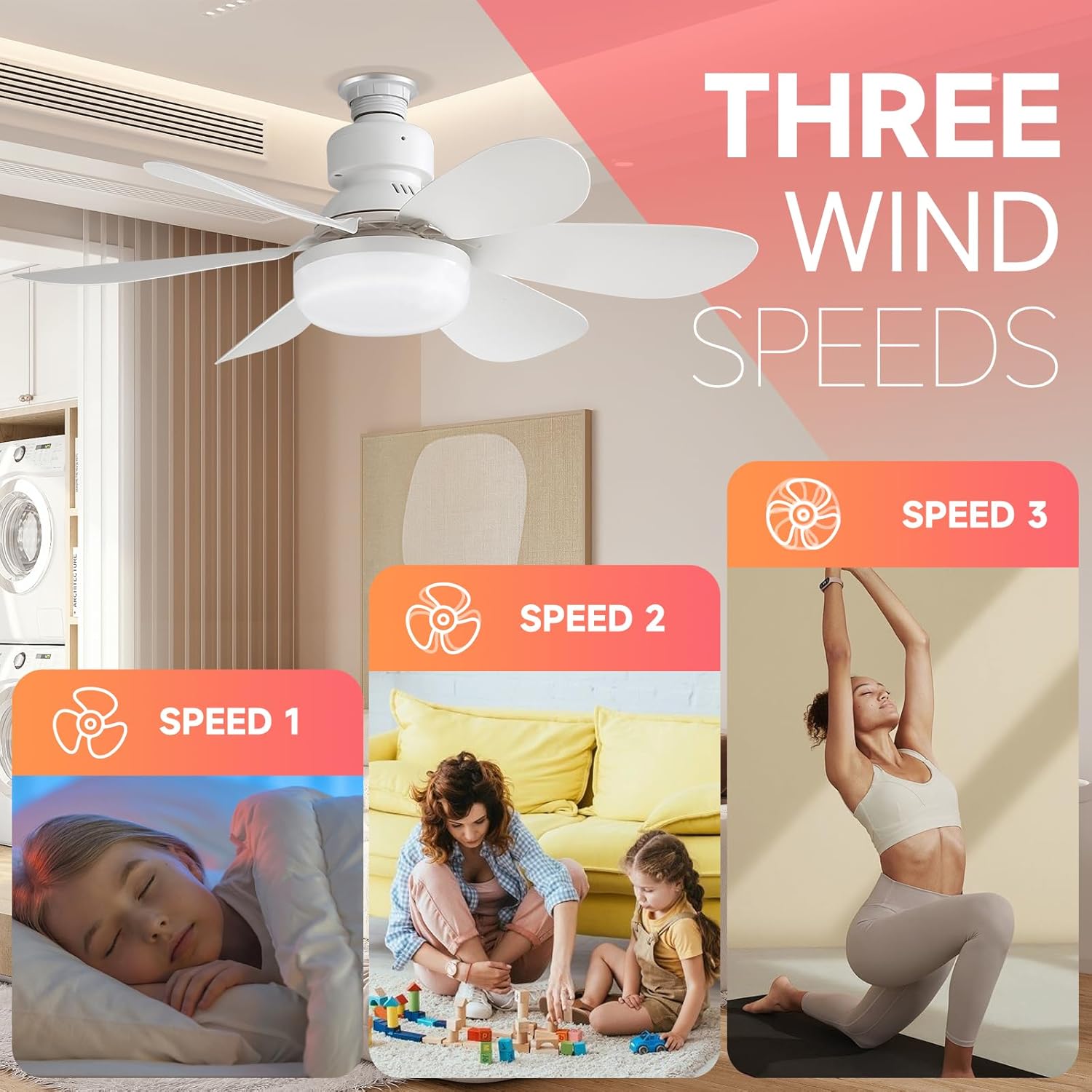
Figure 5.2: Adjustable Color Temperature and Brightness
- Fan ON/OFF: Press the Fan ON/OFF button to control only the fan function.
- Fan Speed Adjustment: Select from three wind speeds: Soft Wind (Speed 1), Medium Wind (Speed 2), and Strong Wind (Speed 3).

Figure 5.3: Three Wind Speeds
- Timing Function: Set the fan and/or light to turn off automatically after 1 hour, 2 hours, or 4 hours using the respective 1h, 2h, 4h buttons.
- Night Light: Activate a low-brightness night light mode.
Video 5.1: Demonstration of SAITX Socket Fan Light features, including powerful cooling, versatile lighting options, and convenient remote control operation with low noise.
6. Maintenance
To ensure the longevity and optimal performance of your SAITX Socket Fan Light, follow these simple maintenance guidelines:
- Cleaning: Before cleaning, ensure the power is turned OFF at the circuit breaker. Use a soft, dry cloth to wipe down the fan blades and light housing. Do not use abrasive cleaners or solvents.
- Non-Removable Fixture: The LED light source is integrated and non-removable. Do not attempt to replace the bulb.
- Regular Inspection: Periodically check that the unit is securely screwed into the socket.
7. Troubleshooting
If you encounter issues with your SAITX Socket Fan Light, refer to the following common problems and solutions:
| Problem | Possible Cause | Solution |
|---|---|---|
| Fan or Light does not turn on. | No power to the socket; Remote control batteries are dead or incorrectly inserted; Unit not screwed in properly. | Check circuit breaker; Replace remote batteries, ensuring correct polarity; Ensure unit is securely screwed into the socket. |
| Fan is noisy or wobbly. | Unit not securely installed; Blades are obstructed or damaged. | Ensure the unit is tightly screwed into the socket; Check for any obstructions around the blades; Inspect blades for damage. |
| Light is not working but fan is. | LED component failure. | As the LED is non-removable, if the light fails, the unit may need replacement. Contact customer support for warranty information. |
| Remote control is unresponsive. | Batteries are dead; Remote is too far from the unit; Signal interference. | Replace batteries; Move closer to the unit; Ensure no strong interference sources are nearby. |
| Unit does not remember last setting after power off at wall switch. | This is expected behavior for some models. | Use the remote control to set desired functions each time power is restored. |
8. Specifications
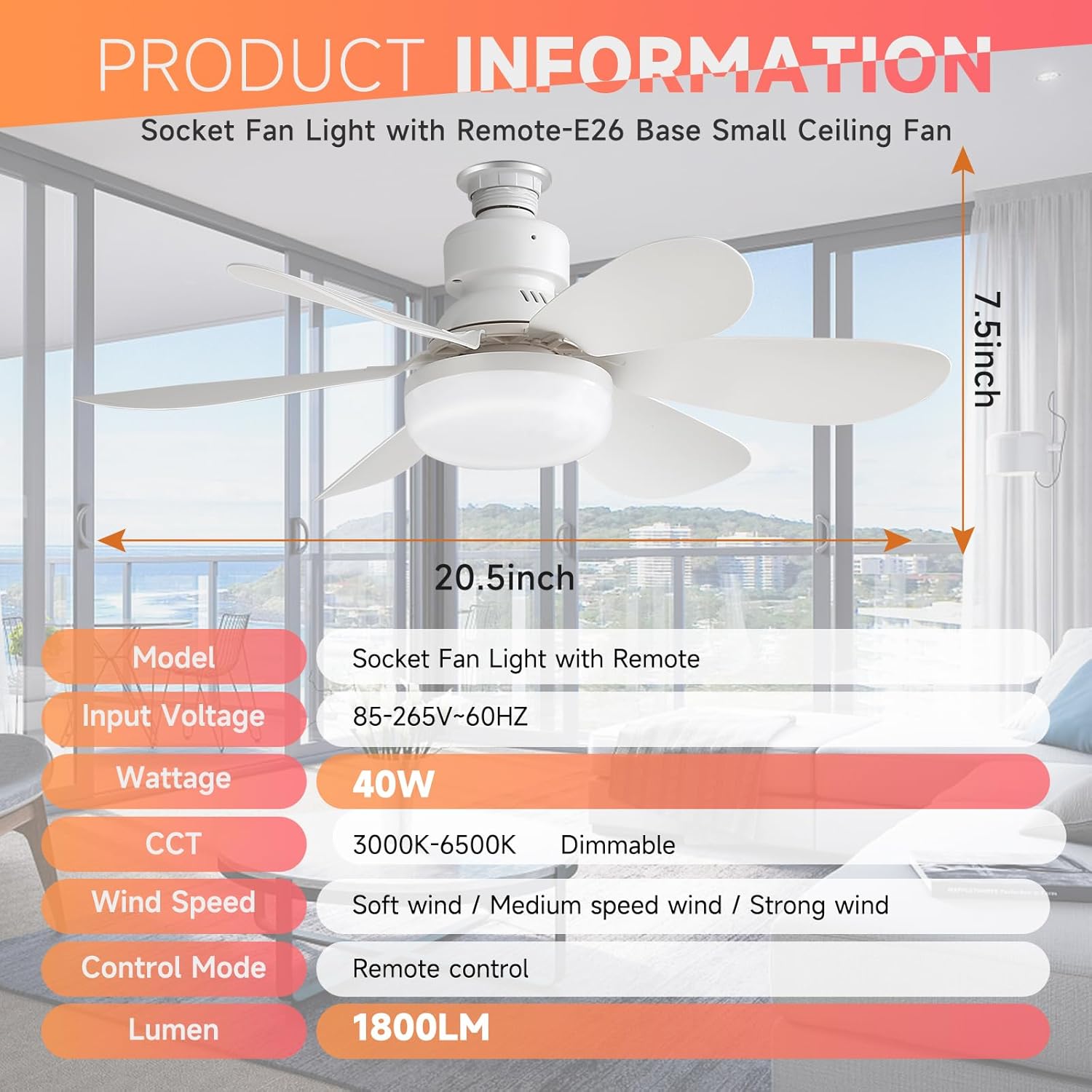
Figure 8.1: Product Dimensions and Key Specifications
| Specification | Value |
|---|---|
| Model Name | fan light socket (FAN_520_A) |
| Brand | SAITX |
| Product Dimensions | 20.5" (Diameter) x 7.5" (Height) |
| Item Weight | 1.63 pounds |
| Material | Plastic |
| Color | White |
| Power Source | Corded Electric |
| Voltage | 120 Volts (AC) |
| Wattage | 40 watts |
| Bulb Base | E26 |
| Light Source Type | LED |
| Brightness | 800 lumen (up to 1800LM as per image) |
| Color Temperature (CCT) | 3000K-6500K (Dimmable) |
| Control Method | Remote Control |
| Fan Speeds | 3 (Soft, Medium, Strong) |
| Indoor/Outdoor Usage | Indoor |
| Assembly Required | No (minor blade attachment may be needed) |
9. Warranty and Support
SAITX offers a 24-month free warranty for your Socket Fan Light. This warranty covers manufacturing defects and ensures your purchase is worry-free.
For any questions, technical assistance, or warranty claims, please contact our friendly customer service team. Refer to your purchase documentation or the retailer's website for specific contact details.
We are committed to providing excellent customer service and support.
Ask a question about this manual
Ask about setup, troubleshooting, compatibility, parts, safety, or missing instructions. Manuals+ will review the question and use this page’s manual context to help answer it.