
1. Introduction
This manual provides essential information for the safe and efficient operation of your HQ Screen 70 Liter Mini-Fridge, model BC-70. Please read these instructions carefully before installation and use, and retain them for future reference. This appliance is designed for cooling and storing beverages and quick meals in various environments such as bedrooms, offices, hotels, or clinics.
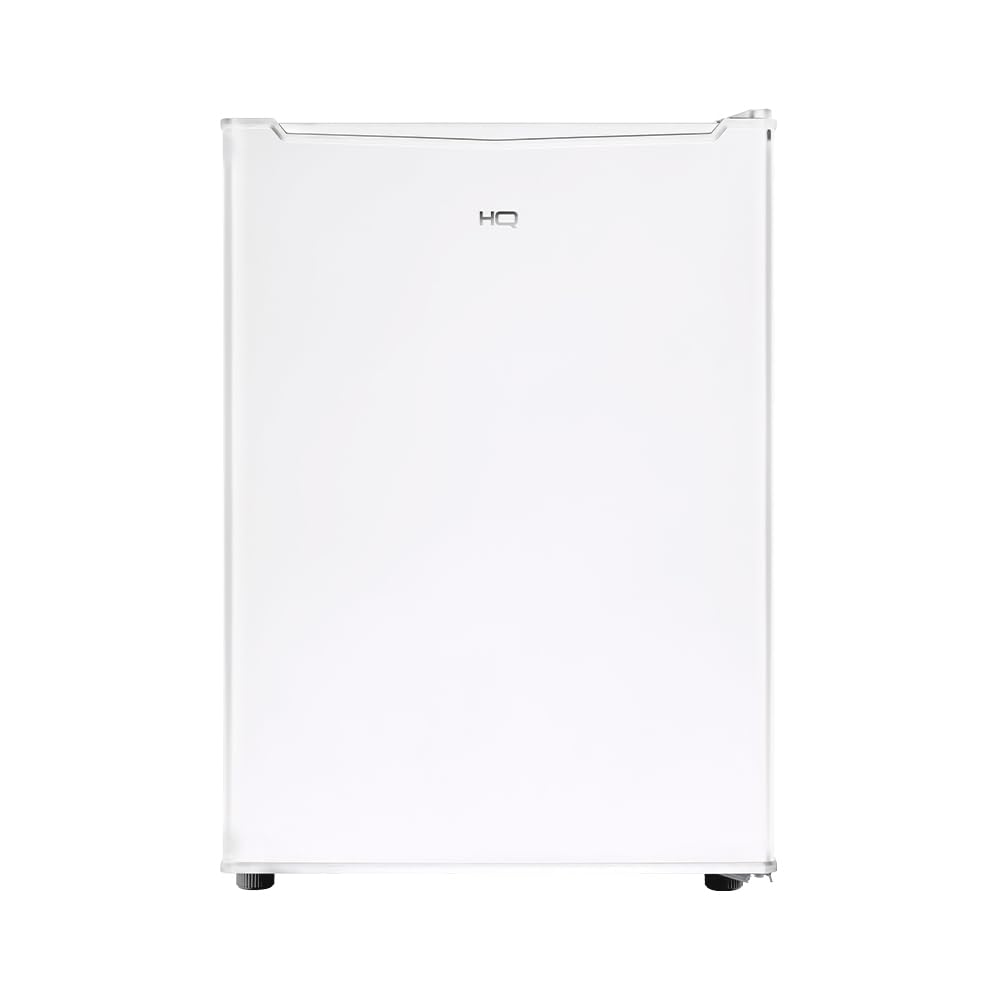
Image 1.1: Front view of the HQ Screen 70 Liter Mini-Fridge. This image shows the compact, white exterior of the appliance, highlighting its sleek design suitable for various room settings.
2. Safety Information
To reduce the risk of fire, electric shock, or injury when using your appliance, follow these basic precautions:
- Ensure the appliance is connected to a properly grounded 220V electrical outlet. Do not use extension cords or ungrounded adapters.
- Do not place the appliance in direct sunlight or near heat sources such as stoves, radiators, or heaters.
- Allow adequate ventilation around the appliance. Maintain a minimum distance of 10 cm (4 inches) from walls and other objects.
- Do not store explosive substances such as aerosol cans with flammable propellants in this appliance.
- Unplug the appliance before cleaning or performing any maintenance.
- Keep ventilation openings in the appliance enclosure or in the built-in structure clear of obstruction.
- This appliance uses R600a refrigerant, which is flammable. Handle with care and ensure proper ventilation during installation and servicing.
3. Setup
3.1 Unpacking
- Carefully remove all packaging materials, including foam and adhesive tape.
- Inspect the appliance for any damage during transit. If damage is found, do not operate and contact your retailer.
- Clean the interior and exterior of the appliance with a soft cloth and mild detergent before use.
3.2 Placement
- Place the mini-fridge on a firm, level surface to ensure stability and quiet operation.
- Ensure the appliance is not exposed to direct sunlight or placed near heat-emitting appliances.
- Allow sufficient space around the unit for proper air circulation. A minimum of 10 cm (4 inches) on the sides and back is recommended.

Image 3.1: Diagram illustrating the dimensions of the HQ Screen 70 Liter Mini-Fridge. The image shows the height (65.8 cm), width (44.4 cm), and depth (48.5 cm) of the appliance, useful for planning placement.
3.3 Electrical Connection
- Before plugging in, ensure the voltage indicated on the appliance's rating label matches your local power supply (220V).
- Plug the appliance into a dedicated, grounded 220V electrical outlet.
- After plugging in, allow the appliance to stand for at least 2-4 hours before loading it with food or beverages. This allows the refrigerant to settle.
4. Operating Instructions
4.1 Temperature Control
The mini-fridge features a manual temperature control with 7 adjustable levels, allowing you to set the internal temperature between 0°C and 8°C. Turn the thermostat dial to your desired setting. Higher numbers indicate colder temperatures.
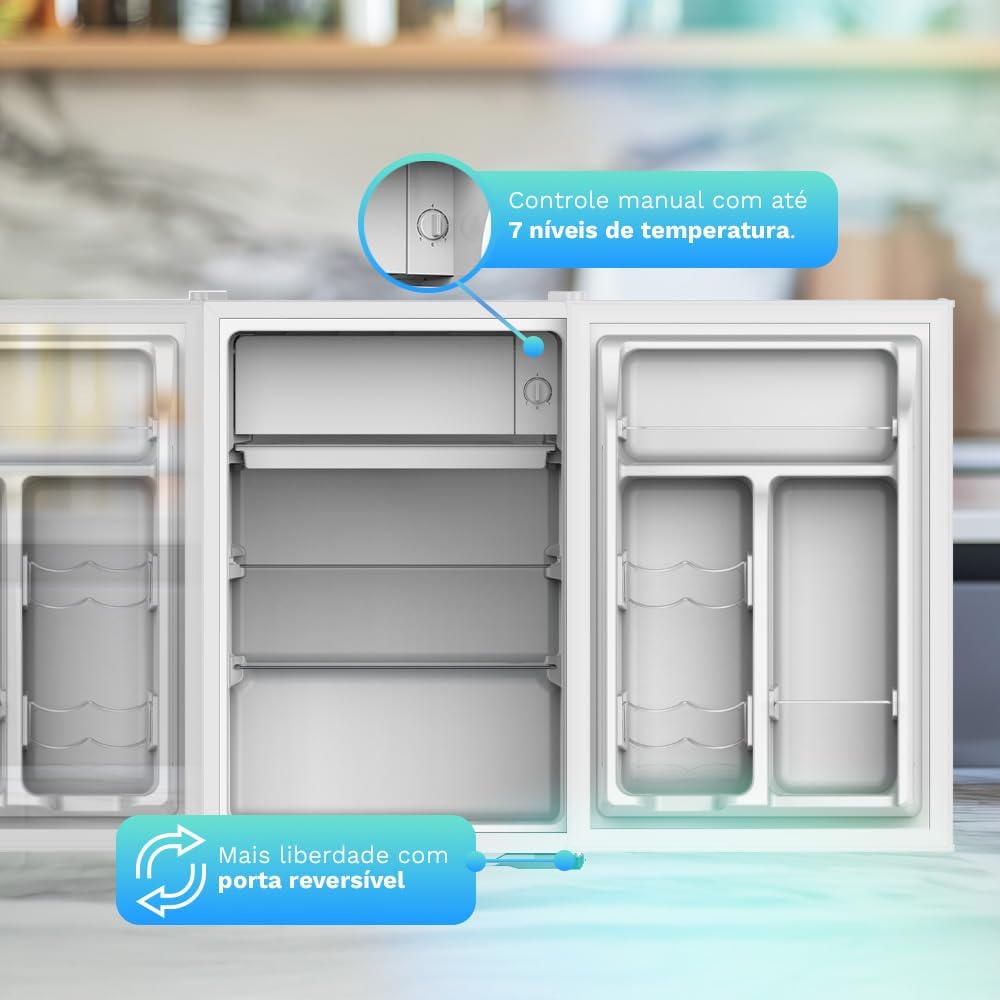
Image 4.1: Interior view of the mini-fridge highlighting the manual temperature control dial and the reversible door mechanism. This image demonstrates how to adjust the cooling settings and the flexibility of door installation.
4.2 Internal Organization
- The appliance includes removable shelves, allowing you to customize the internal space to accommodate items of various sizes.
- Door compartments are designed for cans and bottles, optimizing storage for beverages.

Image 4.2: Open mini-fridge showing its interior capacity filled with various food items and beverages. This illustrates the practical storage solutions, including removable shelves and door compartments for cans and bottles.
4.3 Reversible Door
The door of the mini-fridge is reversible, allowing it to open from either the left or right side. This feature provides flexibility to adapt the appliance to your specific space requirements. Refer to the detailed instructions in the full manual for changing the door hinge orientation.
4.4 Quiet Operation
The HQ Screen mini-fridge is designed for quiet operation, producing a noise level of approximately 42 dB. This makes it suitable for sensitive environments like bedrooms or offices where minimal disturbance is desired.

Image 4.3: The HQ Screen 70 Liter Mini-Fridge placed next to a bed in a bedroom, emphasizing its quiet operation. This image demonstrates the appliance's suitability for personal spaces due to its low noise level.
5. Maintenance
5.1 Defrosting
This appliance features manual defrosting. Frost will accumulate on the cooling plate. When the frost layer becomes too thick (approximately 5mm), it should be defrosted. To defrost:
- Unplug the mini-fridge from the power outlet.
- Remove all food and beverages and store them in another cool place.
- Leave the door open to allow the frost to melt naturally. Place a towel or shallow pan at the bottom to collect water.
- Do not use sharp objects or heating devices to remove frost, as this can damage the cooling system.
- Once defrosted, clean and dry the interior thoroughly before plugging it back in and returning items.
5.2 Cleaning
- Always unplug the appliance before cleaning.
- Clean the interior and exterior surfaces with a soft cloth dampened with a mild detergent solution.
- Do not use abrasive cleaners, scouring pads, or solvents, as these can damage surfaces.
- Regularly clean the door gasket to ensure a proper seal.
- Wipe all surfaces dry after cleaning.
6. Troubleshooting
Before contacting customer service, please check the following common issues and solutions:
| Problem | Possible Cause | Solution |
|---|---|---|
| Appliance does not operate | No power supply; power cord not plugged in; circuit breaker tripped. | Check power connection; ensure outlet is functional; reset circuit breaker. |
| Appliance is not cold enough | Temperature setting too high; door not closed properly; excessive door openings; warm items placed inside; poor ventilation. | Adjust thermostat to a colder setting; ensure door is sealed; reduce frequency of door openings; allow warm items to cool before placing inside; ensure adequate ventilation. |
| Excessive noise | Appliance not level; objects touching the back or sides; compressor noise (normal). | Adjust leveling feet; move appliance away from walls/objects; compressor noise is normal during operation. |
| Water on the floor | Drain hole blocked; excessive humidity; door left open. | Clear drain hole; ensure door is closed properly; reduce humidity in the room. |
7. Specifications
Detailed technical specifications for the HQ Screen 70 Liter Mini-Fridge (Model BC-70):
- Brand: HQ Screen
- Model: BC-70
- Total Capacity: 70 Liters
- Voltage: 220V
- Current: 0.5A (220V)
- Frequency: 60 Hz
- Energy Consumption: 18.3 kWh/month
- Defrost Type: Manual
- Temperature Adjustment: Mechanical, 7 levels
- Temperature Range: 0°C to 8°C
- Refrigerant Gas: R600a (20g) - Ecological
- Energy Efficiency Class: A
- Noise Level: 42 dB
- Product Dimensions (H x W x D): 65.8 cm x 44.4 cm x 48.5 cm
- Product Weight: 18.2 kg
- Special Features: Reversible door, removable shelf, can/bottle holders.

Image 7.1: Exterior view of the mini-fridge highlighting its sustainable and efficient operation with R600a gas. This image reinforces the environmental benefits and performance aspects of the appliance.
8. Warranty and Support
8.1 Warranty Information
Your HQ Screen mini-fridge comes with a 1-year warranty. This warranty includes 3 months of legal warranty and an additional 9 months of manufacturer's warranty against manufacturing defects. Please retain your proof of purchase for warranty claims.

Image 8.1: A woman opening the HQ Screen mini-fridge, with a graphic indicating a 1-year warranty. This image visually confirms the warranty period for the product.
8.2 Customer Support
For any questions, technical assistance, or warranty claims, please contact your retailer or the HQ Screen customer support channel. Refer to your purchase documentation for specific contact details.