
1. Introduction
Thank you for choosing the Aiwa AWS-PB-04 Party Box Bluetooth Speaker. This manual provides essential information for the safe and efficient operation of your device. Please read it thoroughly before use and retain it for future reference.
1.1. Package Contents
Ensure all items listed below are present in your package:
- 1 x Aiwa AWS-PB-04 Party Box Speaker
- 1 x Charging Cable
- 1 x Audio Cable (P2-P2)
- 1 x Instruction Manual
2. Important Safety Instructions
To ensure safe operation and prevent damage, please observe the following precautions:
- Do not expose the device to water, moisture, or extreme temperatures.
- Avoid placing the speaker near heat sources such as radiators, heat registers, stoves, or other apparatus (including amplifiers) that produce heat.
- Use only the charging cable provided by the manufacturer.
- Do not block any ventilation openings. Install in accordance with the manufacturer’s instructions.
- Protect the power cord from being walked on or pinched, particularly at plugs, convenience receptacles, and the point where they exit from the apparatus.
- Unplug this apparatus during lightning storms or when unused for long periods of time.
- Refer all servicing to qualified service personnel. Servicing is required when the apparatus has been damaged in any way, such as power-supply cord or plug is damaged, liquid has been spilled or objects have fallen into the apparatus, the apparatus has been exposed to rain or moisture, does not operate normally, or has been dropped.
3. Product Overview
The Aiwa AWS-PB-04 is a powerful Party Box speaker designed for high-quality audio and dynamic lighting effects. It features robust sound output, versatile connectivity, and portability.

Figure 3.1: Front view of the Aiwa AWS-PB-04 Party Box speaker with illuminated woofers.

Figure 3.2: Top control panel with inputs for microphones, instruments, USB, AUX, and Micro SD, along with volume and playback controls.
4. Setup
4.1. Charging the Battery
Before initial use, fully charge the speaker. Connect the provided charging cable to the speaker's power input and a suitable power outlet. The charging indicator will show the charging status. A full charge provides approximately 18 hours of playback, depending on usage conditions (e.g., volume level, light effects).
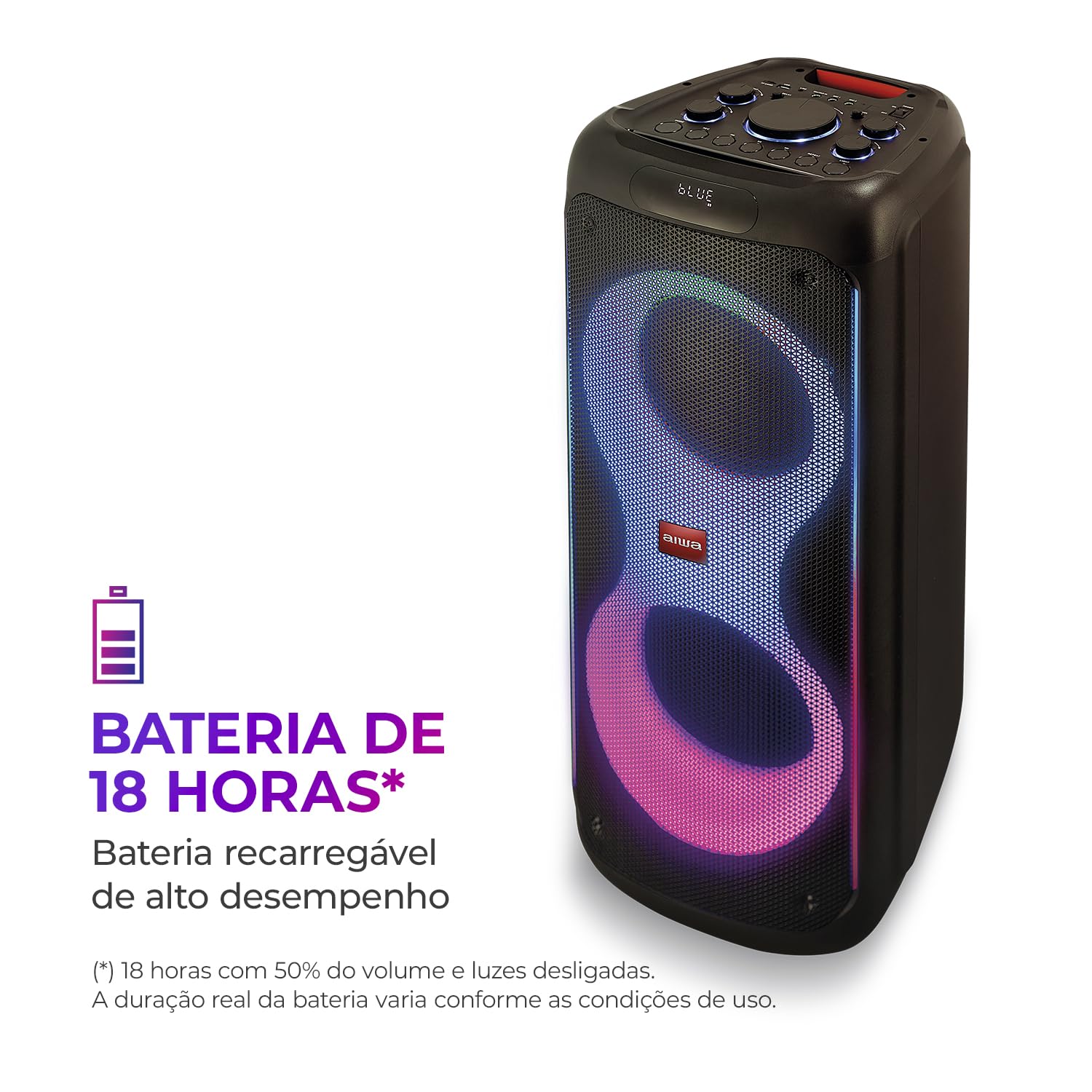
Figure 4.1: The Aiwa AWS-PB-04 offers up to 18 hours of battery life.
4.2. Powering On/Off
To power on the speaker, press and hold the power button located on the control panel. Repeat the action to power off the speaker.
5. Operating Instructions
5.1. Bluetooth Pairing
- Ensure the speaker is powered on and in Bluetooth mode. The Bluetooth indicator will flash.
- On your mobile device (smartphone, tablet, etc.), enable Bluetooth and search for available devices.
- Select "AWS-PB-04" from the list of devices.
- Once paired, the Bluetooth indicator on the speaker will stop flashing and remain solid. You can now play audio from your device.
The speaker uses Bluetooth version 5.3 for a stable and fast connection.

Figure 5.1: Bluetooth 5.3 connectivity and TWS function for connecting two speakers.
5.2. True Wireless Stereo (TWS) Function
The TWS function allows you to connect two Aiwa AWS-PB-04 speakers wirelessly for a stereo sound experience.
- Ensure both AWS-PB-04 speakers are powered on and in Bluetooth mode, but not yet paired with any device.
- On one of the speakers, press and hold the TWS button (refer to the control panel diagram in Section 3).
- The speakers will automatically search and connect to each other. A confirmation sound will indicate a successful TWS connection.
- Once connected via TWS, pair your mobile device to one of the speakers (the primary speaker) as described in Section 5.1. Audio will now play through both speakers in stereo.
5.3. Using the Aiwa Brazil App
For enhanced control, download the Aiwa Brazil app from your smartphone's app store (available on App Store and Google Play). The app allows you to control playlists, adjust volume, manage settings, and power off the device remotely.
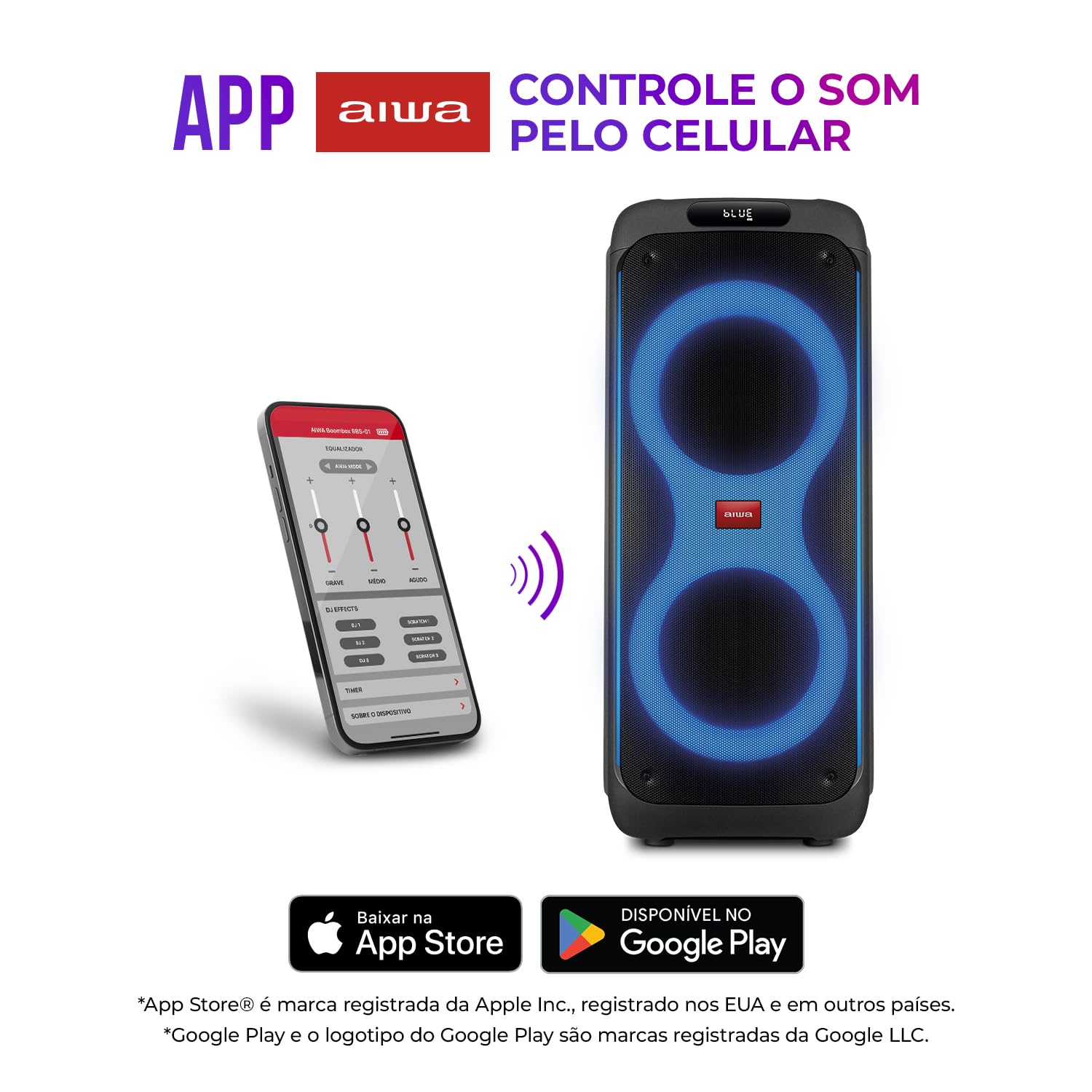
Figure 5.2: Control your Aiwa Party Box using the dedicated Aiwa Brazil app.
5.4. Audio Input Modes
The AWS-PB-04 supports multiple audio input sources:
- USB Port: Insert a USB flash drive containing MP3 audio files. The speaker will automatically switch to USB mode and begin playback.
- AUX Input: Connect an external audio device (e.g., MP3 player, laptop) using the provided P2-P2 audio cable to the AUX port. Select AUX mode on the speaker.
- Micro SD Input: Insert a Micro SD card with MP3 audio files. The speaker will switch to Micro SD mode and play the content.
- Microphone Inputs (x2): Connect up to two microphones for karaoke or public speaking.
- Instrument Input (x1): Connect an instrument, such as a guitar, to this port.
Use the 'Mode' button on the control panel to switch between different input sources.
5.5. RGB LED Lights
The speaker features dynamic RGB LED lights that create a vibrant visual effect. Use the dedicated light button on the control panel to cycle through different light modes or turn them off.

Figure 5.3: The speaker features dynamic RGB LED color lights.
5.6. Volume and Sound Control
Adjust the master volume using the large rotary knob on the control panel. Separate controls for bass and treble may also be available to fine-tune the sound output.
6. Portability
The Aiwa AWS-PB-04 is equipped with integrated carrying wheels, allowing for easy transportation. Tilt the speaker and use the handle to move it conveniently to your desired location, whether indoors or outdoors.

Figure 6.1: The integrated wheels allow for easy transport of the Party Box.
7. Maintenance
7.1. Cleaning
- Always power off and unplug the speaker before cleaning.
- Use a soft, dry cloth to wipe the exterior surfaces.
- Do not use liquid cleaners, aerosols, or abrasive chemicals, as they may damage the finish or internal components.
7.2. Storage
- Store the speaker in a cool, dry place away from direct sunlight and extreme temperatures.
- If storing for an extended period, ensure the battery is partially charged (around 50%) to prolong its lifespan.
8. Troubleshooting
If you encounter issues with your Aiwa AWS-PB-04, refer to the following common problems and solutions:
- No Power: Ensure the speaker is charged or connected to a power source. Check the power cable connection.
- No Sound: Check the volume level on both the speaker and your connected device. Ensure the correct input mode is selected. If using Bluetooth, ensure the device is properly paired.
- Bluetooth Not Connecting: Make sure the speaker is in Bluetooth pairing mode. Disable and re-enable Bluetooth on your device, then try pairing again. Ensure no other devices are currently connected to the speaker.
- TWS Not Working: Ensure both speakers are the same model (AWS-PB-04) and are not connected to any other Bluetooth device before initiating TWS pairing.
- Distorted Sound: Reduce the volume on both the speaker and your device. Check the audio source for quality issues.
If the problem persists, contact customer support.
9. Specifications
Detailed technical specifications for the Aiwa AWS-PB-04 Party Box speaker:

Figure 9.1: Physical dimensions and weight of the Aiwa AWS-PB-04.
| Feature | Specification |
|---|---|
| Model Number | AWS-PB-04 (78954-01) |
| Audio Power Output | 260W RMS |
| Speaker Configuration | 2 x 10-inch Woofers, 1 x Tweeter |
| Frequency Response | 45Hz - 20KHz |
| Bluetooth Version | 5.3 |
| Connectivity | Bluetooth, 2x Microphone Inputs, 1x Instrument Input, USB Port, AUX Input (P2), Micro SD Card Slot |
| Battery Life | Up to 18 hours (varies with usage) |
| Lighting | RGB LED Multi-color Lights |
| Control Method | On-device controls, Aiwa Brazil App |
| Special Features | True Wireless Stereo (TWS) Function, Carrying Wheels |
| Dimensions (LxWxH) | 34 x 36 x 84.5 cm |
| Weight | 13.65 kg |
| Material | Polypropylene (PP) |
| Power Source | Electrical Wire (for charging) |


10. Warranty and Support
Your Aiwa AWS-PB-04 Party Box is covered by a manufacturer's warranty. Please refer to the warranty card included in your package for specific terms and conditions. For technical support, service, or warranty claims, please contact Aiwa customer service through their official website or the contact information provided with your product.