
Introduction
This manual provides essential instructions for the safe and effective use of your Supreme Trimmer 3-in-1 Barber Kit. This kit includes the Vader Clipper (STC5098), Vader Trimmer (ST3778), and Crunch Foil Shaver (STF602). Please read all instructions carefully before initial use and retain this manual for future reference.
Safety Information
To reduce the risk of electric shock, injury, or damage, always follow these basic safety precautions:
- Do not submerge any part of the devices in water unless explicitly stated as waterproof for that specific component.
- Keep blades away from eyes and sensitive skin areas.
- Ensure the product is fully charged before first use to optimize battery life.
- Always inspect blades for damage before use. Do not use if blades are bent or broken.
- Keep out of reach of children.
- Use only with the provided charging accessories.
- Unplug the device from the power source before cleaning or maintenance.
Package Contents
Your Supreme Trimmer 3-in-1 Barber Kit includes:
- 1x Vader Clipper (STC5098)
- 1x Vader Trimmer (ST3778)
- 1x Crunch Foil Shaver (STF602)
- Charging cables (USB and Wall Charger)
- Charging stands for each device
- Cleaning brush
- Blade oil
- User Manual
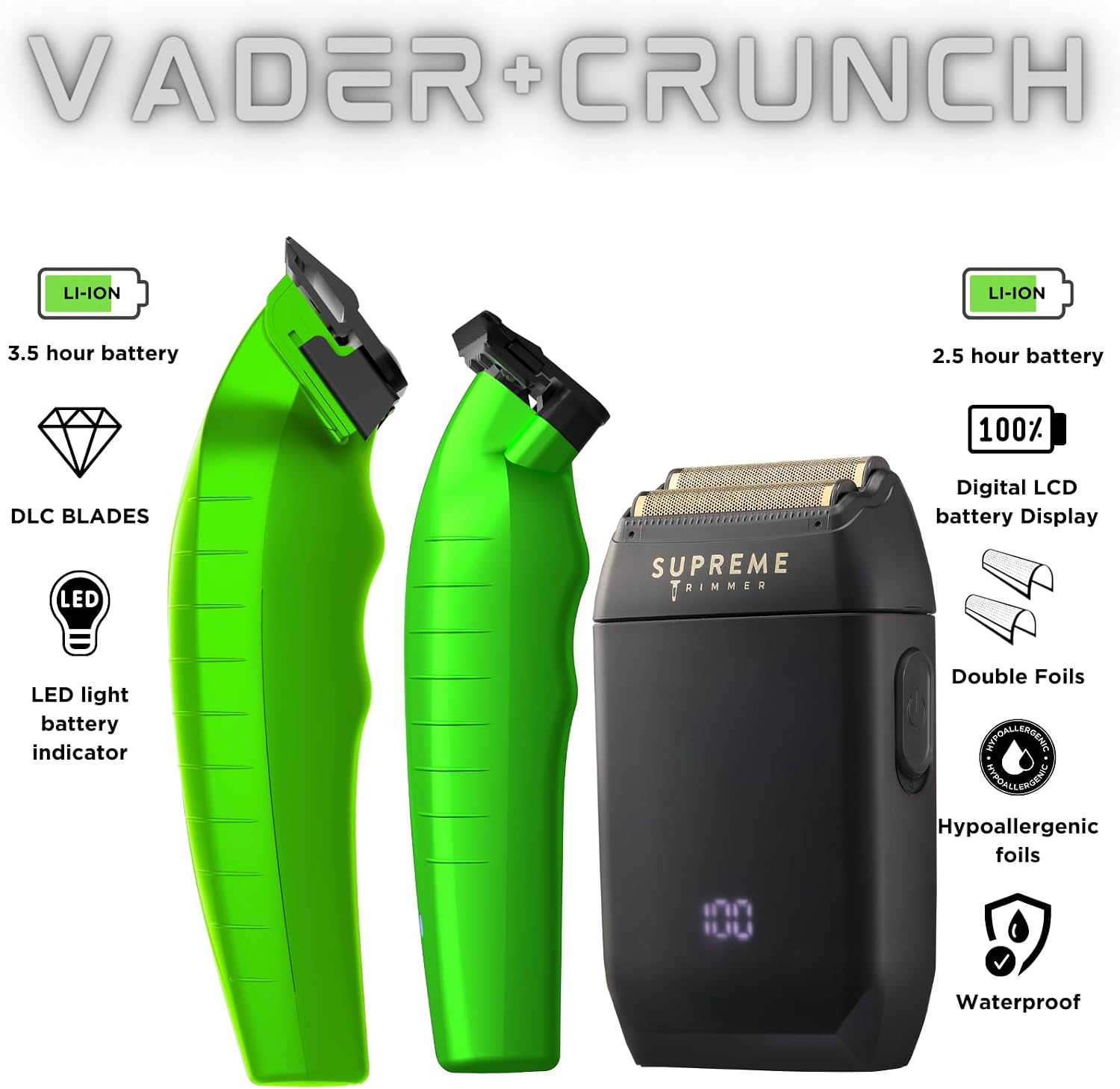
Image: The complete Supreme Trimmer 3-in-1 Barber Kit, highlighting the Vader Clipper, Vader Trimmer, and Crunch Foil Shaver, along with key features like battery life, DLC blades, and LED indicators.
Setup and Charging
Initial Charge
Before first use, fully charge each device. Charging times may vary. The LED display on the Vader Clipper and Crunch Foil Shaver indicates battery status.
- Vader Clipper (STC5098): Connect the USB charger or wall charger to the charging stand, then place the clipper on the stand. The LED display will show charging progress. Provides 210 minutes of cordless run-time.
- Vader Trimmer (ST3778): Connect the Type-C charger to the charging stand, then place the trimmer on the stand. Provides 210 minutes of cordless run-time.
- Crunch Foil Shaver (STF602): Connect the two-prong charger or USB charger to the charging stand, then place the shaver on the stand. The LED display will show charging progress. Provides 150 minutes of cordless run-time.

Image: Charging accessories for each tool in the kit, including two-prong and Type-C chargers, and charging stands.
Operating Instructions
Vader Clipper (STC5098)
The Vader Clipper is designed for efficient haircuts, fades, and tapers. It features a brushless motor pushing 7500 RPM and a 3-click lever for blade adjustment.
- Ensure the clipper is charged.
- Attach the desired guide comb (not explicitly listed in JSON, but implied for clippers).
- Turn on the clipper using the power button.
- Adjust the blade length using the 3-click lever as needed for your desired cut.
- Move the clipper against the direction of hair growth for an even cut.
- After use, turn off the clipper and clean the blades.
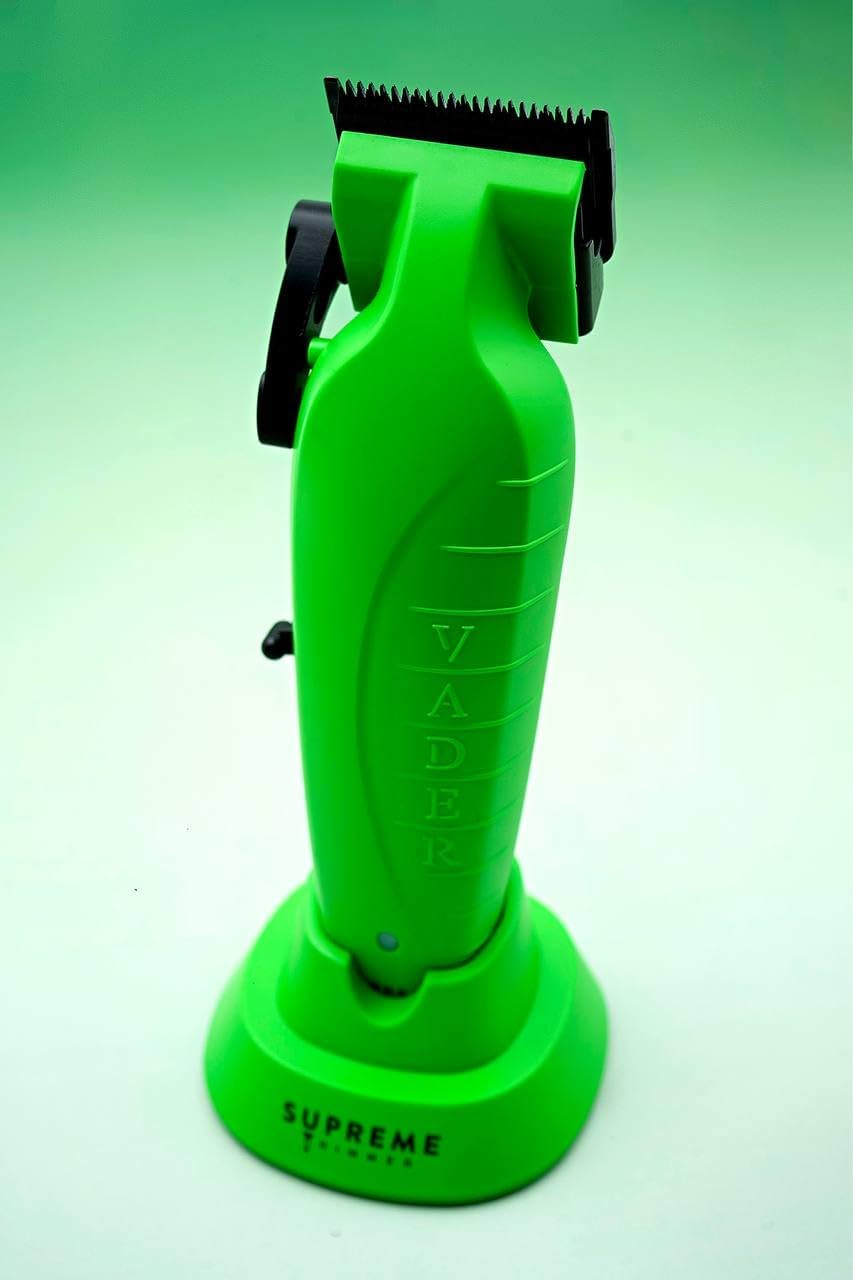
Image: The Vader Clipper on its charging stand, showcasing its design.
Vader Trimmer (ST3778)
The Vader Trimmer is ideal for sharp lines, designs, and precise detailing. It features DLC T-Blades and a DC motor with 7200 RPM.
- Ensure the trimmer is charged.
- Turn on the trimmer.
- Use the trimmer to create sharp outlines, clean up necklines, and perform detailed work.
- The DLC T-Blades are designed for precision and can be used for debulking.
- After use, turn off the trimmer and clean the blades.

Image: A hand holding the Vader Trimmer, highlighting its ergonomic design.
Video: Demonstration of the Vader Trimmer in use for precise hair cutting and detailing.
Crunch Foil Shaver (STF602)
The Crunch Foil Shaver provides a close, smooth shave with its dual hypoallergenic foils and magnetic rotary motor (7500 RPM). It is waterproof (IPX6 rated) for wet or dry use.
- Ensure the shaver is charged.
- Turn on the shaver.
- For best results, use on clean, dry skin. Can also be used wet.
- Gently glide the shaver over the skin, moving against the direction of hair growth.
- After use, turn off the shaver and clean the foils.

Image: The Crunch Foil Shaver being used to achieve a close shave on the neck.
Video: Professional barber demonstrating the use of Vader Clipper, Vader Trimmer, and Crunch Foil Shaver for a complete haircut.
Maintenance
Cleaning Blades and Foils
- Ensure the device is turned off and unplugged before cleaning.
- Use the provided cleaning brush to remove hair clippings from the blades (clipper/trimmer) or foils (shaver).
- For the Crunch Foil Shaver, the foils can be rinsed under running water as it is waterproof. Ensure it is completely dry before reassembly and storage.
- For the Vader Clipper and Trimmer, use a damp cloth to wipe the body, avoiding direct water contact with non-waterproof parts.
Oiling Blades
Regular oiling ensures optimal performance and longevity of your clipper and trimmer blades.
- Apply a few drops of the provided blade oil to the teeth of the clipper and trimmer blades after each use or as needed.
- Turn on the device for a few seconds to distribute the oil evenly.
- Wipe off any excess oil with a clean cloth.
Blade Replacement
Replacement blades are available for all devices to maintain cutting performance.
- Vader Clipper: Replacement blades (CBT828)
- Vader Trimmer: Replacement blades (TBD370)
- Crunch Foil Shaver: Replacement foils (SB63)

Image: Detailed view of the blades and foils for the Vader Clipper, Vader Trimmer, and Crunch Foil Shaver, indicating available replacement parts.
Troubleshooting
| Problem | Possible Cause | Solution |
|---|---|---|
| Device not turning on. | Low battery; power button not pressed correctly. | Charge the device fully. Press the power button firmly. |
| Reduced cutting performance. | Blades/foils are dull or clogged with hair; insufficient oiling. | Clean blades/foils thoroughly. Apply blade oil. Consider replacing blades/foils if dull. |
| Device gets hot during use. | Extended continuous use; blades need oiling. | Allow the device to cool down. Ensure blades are properly oiled. |
| Charging indicator not working. | Loose connection; faulty charger/cable. | Ensure all connections are secure. Try a different compatible charger/cable. |
Specifications
| Feature | Vader Clipper (STC5098) | Vader Trimmer (ST3778) | Crunch Foil Shaver (STF602) |
|---|---|---|---|
| Run-time | 210 minutes | 210 minutes | 150 minutes |
| Motor Speed | 7500 RPM (Brushless) | 7200 RPM (DC Motor) | 7500 RPM (Magnetic Rotary) |
| Voltage | 100-240V (Worldwide Dual Voltage) | 100-240V (Worldwide Dual Voltage) | 100-240V (Worldwide Dual Voltage) |
| Charging | USB Charger, Wall Charger, Charging Stand | Type-C Charger, Charging Stand | Wall Charger, USB Charger, Charging Stand |
| Blade Material | DLC Coated Stainless Steel | DLC Coated Stainless Steel | Hypoallergenic Foils |
| Waterproof | No (avoid submerging) | No (avoid submerging) | Yes (IPX6) |
General Specifications for the Kit:
- Model Number: Vader Kit
- UPC: 850055528994
- Manufacturer: Supreme Trimmer
- Package Dimensions: 11.77 x 11.22 x 5.47 inches
- Weight: 4.74 Pounds
- Hair Type: All
- Target Audience: Unisex-Adults
Warranty and Support
For warranty information or technical support, please contact Supreme Trimmer customer service. Our team is located in the USA and is available to answer any questions.
- Customer Service Hours: Monday - Friday, 8:00 AM - 3:00 PM (PST)
- Phone: (818) 626-8065
- Online Support: Visit the official Supreme Trimmer website for FAQs and further assistance.
