
Introduction
The RL LIVE YOUR LIGHT Gravity LED Ceiling Light, model R67693800, offers a modern lighting solution with a distinctive star effect. This ceiling light is designed for ease of use and energy efficiency, featuring adjustable brightness and color temperature via an included remote control. It is suitable for various indoor environments, including living rooms and bedrooms, providing adaptable illumination to suit your mood and needs.
Safety Instructions
- Always disconnect the main power supply before installation, maintenance, or cleaning.
- Installation should be performed by a qualified electrician if you are unsure about electrical wiring.
- Ensure the mounting surface can support the weight of the fixture.
- Do not expose the light fixture to excessive moisture or direct water spray.
- Keep the remote control batteries out of reach of children. Dispose of used batteries responsibly.
- This product contains an LED light source which is not user-replaceable. Do not attempt to disassemble the LED module.
Package Contents
Verify that all components are present before beginning installation:
- 1x Gravity LED Ceiling Light (Model R67693800)
- 1x Remote Control (batteries included)
- 1x Mounting Hardware Kit (screws, wall plugs)
- 1x Instruction Manual (this document)
Setup and Installation
Follow these steps for safe and proper installation:
- Turn off Power: Before starting, ensure the power supply to the installation area is switched off at the main circuit breaker.
- Prepare Mounting Surface: Mark the drilling points on the ceiling according to the light fixture's mounting bracket.
- Install Mounting Bracket: Drill holes, insert wall plugs, and securely attach the mounting bracket to the ceiling using the provided screws.
- Connect Wiring: Connect the household electrical wires to the light fixture's terminals. Ensure correct polarity (Live, Neutral, Earth) as per local electrical codes.
- Attach Light Fixture: Carefully align the light fixture with the mounting bracket and secure it in place. Ensure all connections are firm and the fixture is stable.
- Restore Power: Once the light is securely installed, restore power at the main circuit breaker.

Operating Instructions
The Gravity LED Ceiling Light is controlled using the included remote control.
Remote Control Functions:
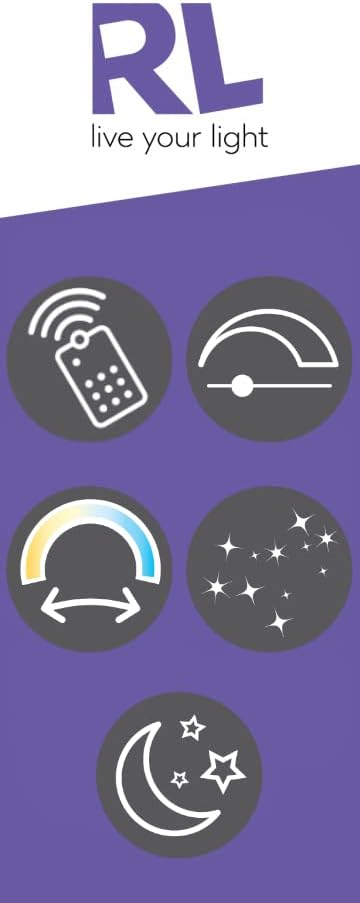
- Power On/Off: Press the power button to turn the light on or off.
- Brightness Adjustment: Use the dimmer buttons to continuously increase or decrease the light intensity.
- Color Temperature Adjustment: Adjust the light color continuously from 2700K (warm white) to 6500K (cool white) using the dedicated buttons.
- Night Light Mode: Activate the night light function for a very low, soft illumination, ideal for nighttime use.
- Memory Function: The light will remember the last brightness and color temperature setting when turned off and on again.
Maintenance
To ensure the longevity and optimal performance of your LED ceiling light, follow these maintenance guidelines:
- Cleaning: Disconnect power before cleaning. Use a soft, dry, or slightly damp cloth to wipe the surface of the light fixture. Avoid abrasive cleaners, solvents, or harsh chemicals, as these can damage the finish or plastic shade.
- LED Lifespan: The integrated LED module has an average lifespan of 30,000 hours and is not designed for user replacement.
- Remote Control Batteries: If the remote control stops responding, replace its batteries with new ones of the correct type. Ensure correct polarity when inserting new batteries.
Troubleshooting
If you encounter issues with your Gravity LED Ceiling Light, refer to the following common problems and solutions:
| Problem | Possible Cause | Solution |
|---|---|---|
| Light does not turn on. | No power supply; Loose wiring connection; Remote control battery depleted. | Check circuit breaker; Verify wiring connections (ensure power is off first); Replace remote control batteries. |
| Remote control not working. | Batteries depleted or incorrectly inserted; Obstruction between remote and light; Remote out of range. | Replace batteries, ensuring correct polarity; Remove any obstructions; Operate remote within effective range. |
| Light flickers or dims unexpectedly. | Unstable power supply; Loose wiring connection. | Consult an electrician to check power supply stability; Verify wiring connections (ensure power is off first). |
Specifications
Detailed technical specifications for the R67693800 Gravity LED Ceiling Light:
- Model Number: R67693800
- Brand: RL LIVE YOUR LIGHT
- Manufacturer: Reality Leuchten
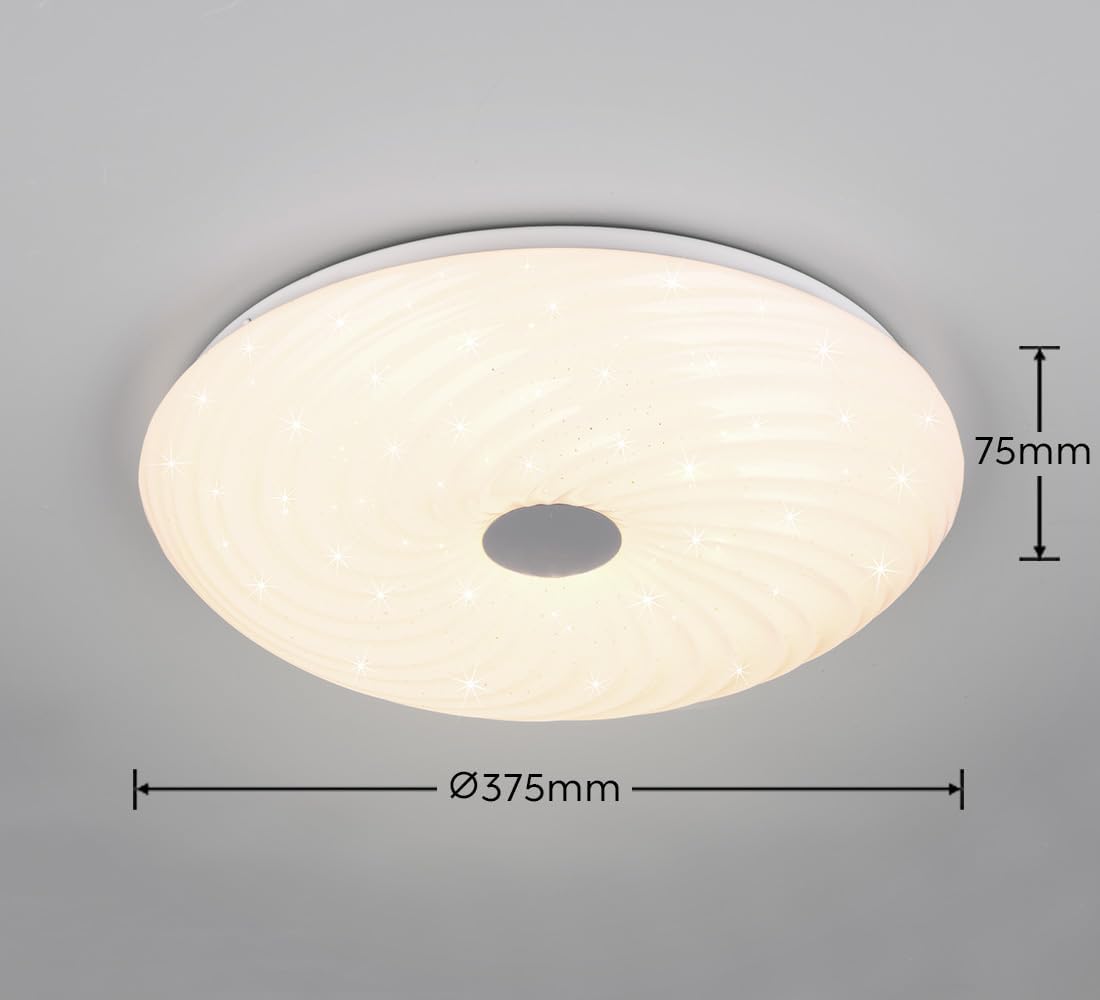
- Dimensions (L x W x H): 37.5 x 37.5 x 7.5 cm (14.76 x 14.76 x 2.95 inches)
- Weight: 640 grams (1.41 lbs)
- Material: Plastic
- Color: Matte White
- Light Source Type: Integrated LED
- Number of Light Sources: 1
- Power Consumption: 22 Watts
- Luminous Flux: 2600 lumens (max)
- Color Temperature: Continuously adjustable from 2700K (Warm White) to 6500K (Cool White)
- Special Features: Dimmable, Color Temperature Control, Night Light Mode, Star Effect, Energy Efficient
- Control Method: Remote Control
- Energy Efficiency Class: F
- Average Lifespan: 30,000 hours
- Power Source: Corded Electric
- Batteries Included: Yes (for remote control)
- Batteries Required: Yes (for remote control)
Warranty and Support
This product is covered by the standard manufacturer's warranty. Please retain your proof of purchase for any warranty claims.
For technical support, troubleshooting assistance beyond this manual, or warranty inquiries, please contact your retailer or the manufacturer directly. Information regarding spare parts availability is not provided.