
LMHSDTK gt06c
LMHSDTK GT06N GPS Tracker User Manual
Hard-Wired Tracking Device for Vehicles
1. Introduction
This manual provides comprehensive instructions for the installation, operation, and maintenance of your LMHSDTK GT06N GPS Tracker. This hard-wired device is designed for 24/7 real-time location monitoring of various vehicles, including cars, trucks, and vans, offering advanced security features and reliable tracking capabilities.
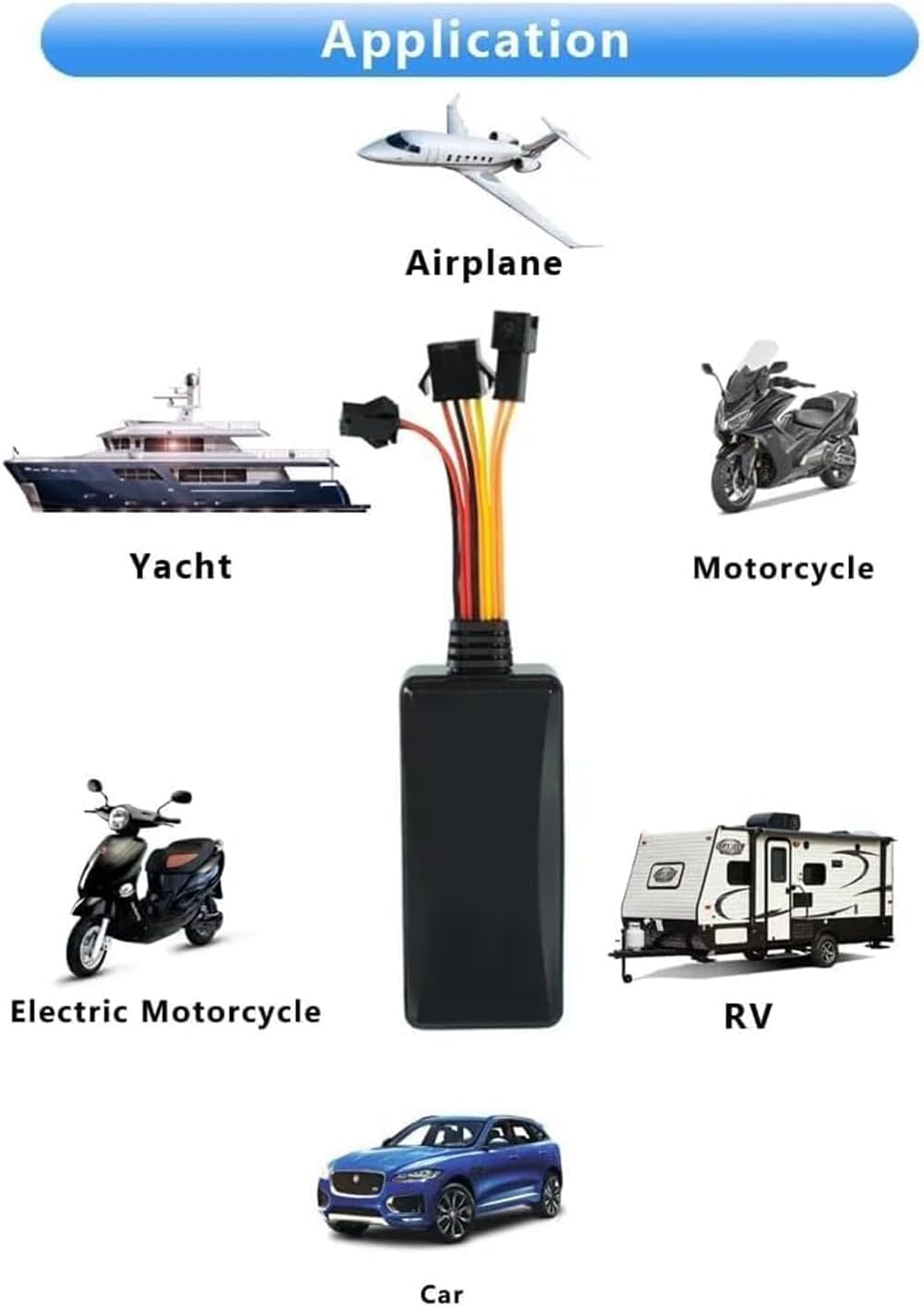
Figure 1.1: The GT06N GPS Tracker is suitable for a wide range of vehicles and applications.
2. Safety Information
- Ensure the device is installed by a qualified professional to prevent damage to the vehicle's electrical system or the device itself.
- Do not attempt to open or modify the device. This will void the warranty and may cause malfunction.
- Keep the device away from extreme temperatures, direct sunlight, and excessive moisture.
- Always disconnect the vehicle's battery before performing any electrical installation.
- The ignition kill function should be used responsibly and only when the vehicle is stationary and safe to do so. Improper use may cause accidents.
3. Package Contents
Please verify that all items listed below are included in your package:
- 1 x GT06N Vehicle GPS Tracker
- 1 x SOS Alarm Button
- 1 x Power Cord
- 1 x User Manual
- 1 x Microphone
- 1 x 4P Line (Power/ACC/Relay Control)
- Additional wiring harnesses (as shown in figures)

Figure 3.1: Unboxed components of the GT06N GPS Tracker.

Figure 3.2: Detailed view of all included accessories.
4. Product Overview
The GT06N GPS Tracker is a compact and robust device designed for reliable vehicle tracking. It features advanced GPS+BDS positioning for high accuracy, 4G LTE network compatibility for broad coverage, and a suite of security functions.

Figure 4.1: Key features and voice monitoring capability.
Key Features:
- Real-time Tracking: 24/7 monitoring of vehicle location.
- ACC Detection: Automatically detects vehicle ignition status.
- Geofencing: Set virtual boundaries and receive alerts upon entry/exit.
- Multiple Alarms: Ignition Detection, Movement Detection, Battery Voltage Reading, TOW alerts, Power Loss Alerts, Overspeed, Vibration, SOS.
- Remote Fuel/Power Cut-off: Enhanced vehicle security.
- Voice Monitoring: Listen to the vehicle's surroundings.
- History Trace Playback: Review past routes and events.
- Wide Voltage Range: Supports 9-95V vehicles.

Figure 4.2: GPS+BDS Accurate Positioning for precise location data.
5. Setup and Installation
Proper installation is crucial for the optimal performance of your GT06N GPS Tracker. It is highly recommended to have the device installed by a professional.
5.1. SIM Card Installation
The device requires a 4G LTE compatible SIM card (not included) for network connectivity. Ensure the SIM card has an active data plan and is inserted correctly.
Video 5.1: This video demonstrates the unboxing of the GT06N GPS Tracker and the correct procedure for inserting the SIM card into the device. It shows how to open the tracker casing and place the SIM card into its slot.
- Carefully open the casing of the GT06N tracker.
- Locate the SIM card slot.
- Insert the activated 4G LTE SIM card into the slot, ensuring it is oriented correctly.
- Close the casing securely.
5.2. Wiring and Device Placement
The GT06N is a hard-wired device. Connect the power cord to the vehicle's power supply (12V-24V DC). The device automatically detects ignition status via voltage changes. For optimal GPS signal reception, place the device with its front side facing the sky.
- Red Wire: Connect to the positive terminal of the vehicle's battery (+12V/24V).
- Black Wire: Connect to the negative terminal of the vehicle's battery (Ground).
- Orange Wire (ACC): Connect to the vehicle's ACC (Accessory) wire, which receives power when the ignition is on.
- Yellow Wire (Relay Control): Connect to the relay for remote fuel/power cut-off functionality.
- Green Wire (Microphone): Connect to the included microphone for voice monitoring.
- Blue Wire (SOS Button): Connect to the included SOS button for emergency alerts.

Figure 5.2: Recommended installation points for cars.

Figure 5.3: Recommended installation points for motorcycles.
After installation, visit the manufacturer's website for activation instructions and to download the user-friendly iOS or Android compatible app for monitoring on your computer, mobile phone, or tablet.
6. Operating Instructions
6.1. Real-Time Location Monitoring
Once activated, the GT06N provides 24/7 real-time location monitoring. Access the tracking platform via the mobile app or web interface to view your vehicle's current position on Google Maps.

Figure 6.1: Real-time tracking interface on a mobile device.

Figure 6.2: Comprehensive real-time tracking and platform features.
6.2. Geofencing
The geofencing feature allows you to define virtual boundaries on the map. You will receive notifications when the tracker enters or leaves these designated areas.
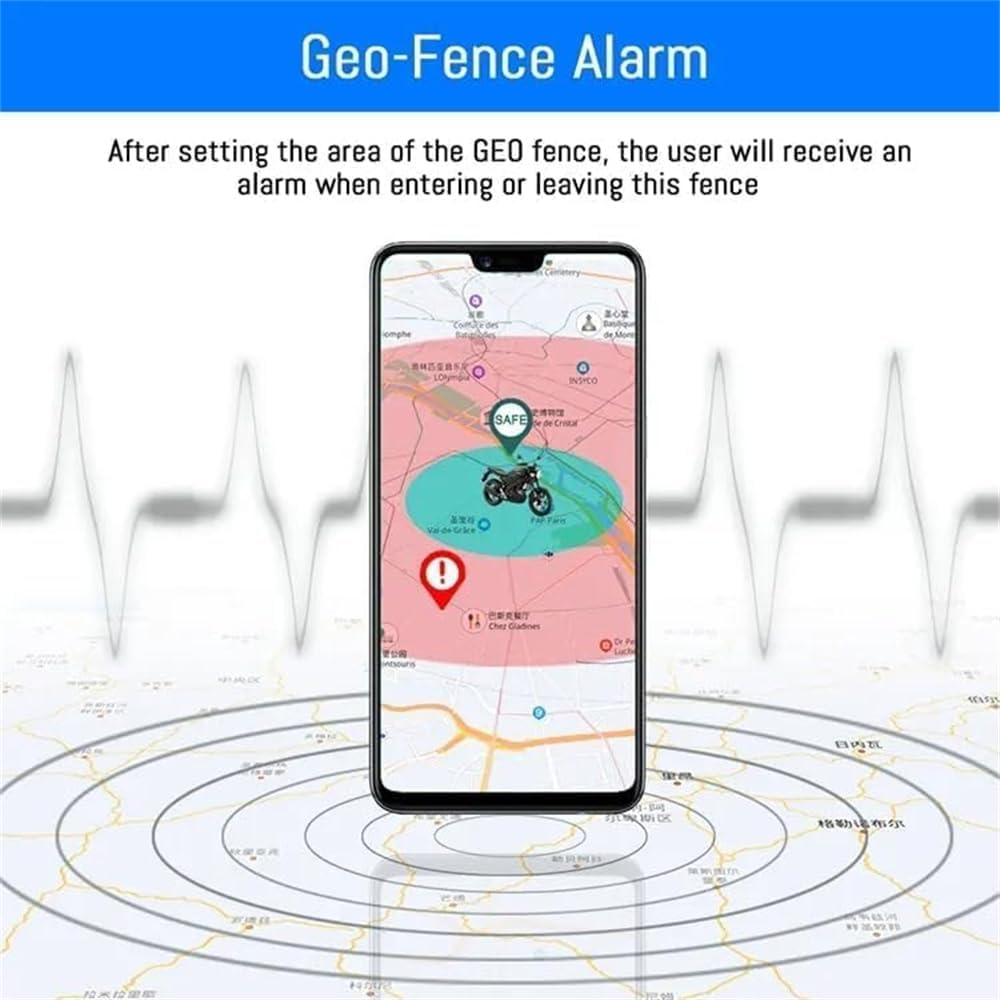
Figure 6.3: Geofence alarm setup and notification.
6.3. Alerts and Alarms
The GT06N provides various alerts to keep you informed about your vehicle's status and security:
- Ignition Detection: Notifies you when the vehicle's ignition is turned on or off.
- Movement Detection: Alerts you if the vehicle moves unexpectedly.
- Battery Voltage Reading: Provides information on the vehicle's battery status.
- TOW Alerts: Notifies you if the vehicle is being towed.
- Power Loss Alerts: Informs you if the device loses external power.
- Overspeed Alarm: Triggers an alert if the vehicle exceeds a preset speed limit.
- Vibrate Alarm: Alerts you if the device detects unusual vibrations.
- SOS Emergency Call: Activated via the SOS button, sends an emergency signal to pre-configured contacts.
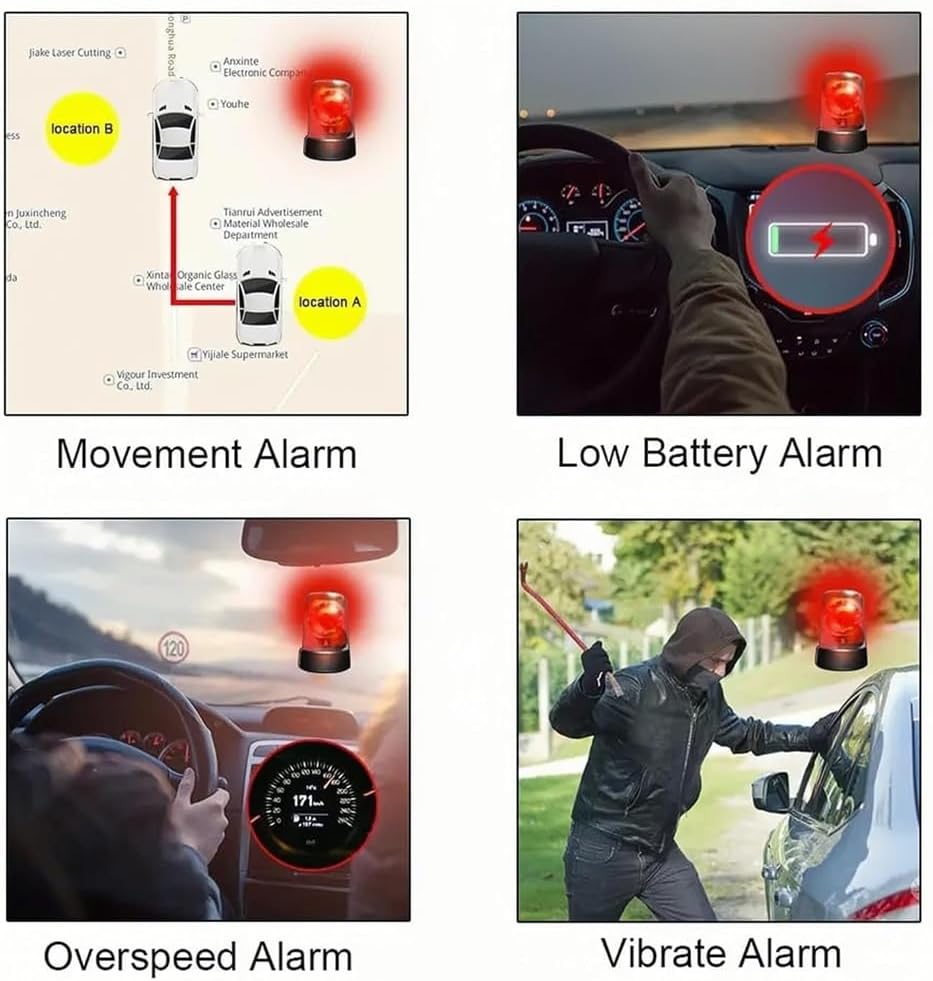
Figure 6.4: Visual representation of various alarm types.

Figure 6.5: Multiple alarm types and their corresponding notifications.

Figure 6.6: ACC Detection, History Trace Playback, and Over-Speed Alarm features.
6.4. Remote Control Functions
- Ignition Kill: Remotely disable the vehicle's ignition to prevent unauthorized use. This function should only be used when the vehicle is stationary and safe to do so.
- Remote Alarm/Horn: Remotely activate the vehicle's alarm or horn to deter potential theft.
6.5. Voice Monitoring
With the connected microphone, you can dial the device's SIM card number from a pre-authorized phone. The device will automatically switch to monitoring mode, allowing you to listen to the sounds around the tracker.
7. Maintenance
- Regularly check the device's connection points to ensure they are secure and free from corrosion.
- Keep the device clean and free from dust and debris. Use a soft, dry cloth for cleaning.
- Ensure the SIM card remains active and has sufficient data balance for continuous operation.
- Periodically check for software updates through the tracking platform or app to ensure optimal performance and access to new features.
8. Troubleshooting
| Problem | Possible Cause | Solution |
|---|---|---|
| Device not powering on. | Incorrect wiring; No power from vehicle battery; Blown fuse. | Check all wiring connections (Red to positive, Black to ground). Verify vehicle battery voltage. Check and replace fuse if necessary. |
| No GPS signal. | Device placed in a shielded location; Poor satellite reception. | Relocate the device to an area with a clear view of the sky (e.g., under the dashboard, near the windshield). Ensure the device's front side faces upwards. |
| No network connection (SIM card issue). | SIM card not inserted correctly; SIM card not activated; No data plan; Incorrect APN settings. | Reinsert SIM card. Verify SIM card is activated and has a valid data plan. Configure APN settings via the tracking platform or SMS commands (refer to online resources if needed). |
| Inaccurate location data. | Weak GPS signal; Interference. | Ensure device has clear sky view. Avoid placing near large metal objects or other electronic devices that may cause interference. |
| Alerts not received. | Alert settings not configured; Network issues. | Check alert settings in the mobile app/platform. Verify network connectivity of the device and your receiving device. |
If you encounter issues not covered here, please contact customer support for assistance.
9. Specifications
| Feature | Detail |
|---|---|
| Product Dimensions | 5.31 x 2.68 x 0.59 inches |
| Item Weight | 3.17 ounces |
| Item Model Number | gt06c |
| Batteries | 1 Lithium Polymer battery required (included) |
| Connectivity Technology | GSM (4G LTE compatible) |
| Supported Application | GPS Tracking Platform (iOS/Android app, Web) |
| Manufacturer | jiujiang zhengyao |
| Country of Origin | China |
| First Available Date | December 1, 2022 |
10. Warranty and Support
LMHSDTK is committed to delivering top-notch customer service. For any questions, technical assistance, or warranty claims, please refer to the contact information provided on the product packaging or the official LMHSDTK website. Our dedicated team, based in the United States, is ready to provide the support you need for a smooth and hassle-free experience.
Ask a question about this manual
Ask about setup, troubleshooting, compatibility, parts, safety, or missing instructions. Manuals+ will review the question and use this page’s manual context to help answer it.