1. Introduction
This manual provides detailed instructions for the installation, operation, and maintenance of your aosu C5L 3MP Outdoor Security Camera. Please read this manual thoroughly before using the product to ensure proper functionality and safety. Keep this manual for future reference.
2. Product Overview
The aosu C5L is a high-resolution 3MP outdoor security camera designed for comprehensive surveillance. It features 24-hour continuous recording, automatic human tracking, 360° PTZ (Pan-Tilt-Zoom) rotation, full-color night vision, two-way audio communication, and sound/light alarms. The camera is IP65 waterproof, making it suitable for various outdoor environments.
Key Features:
- 3MP High-Resolution Video: Captures clear and detailed images with 2304x1296 resolution.
- 24-Hour Continuous Recording: Power cord operation allows for constant surveillance.
- Automatic Human Tracking: Detects and tracks human movement, reducing false alarms.
- 360° PTZ Control: Remotely adjust the camera's pan (360°) and tilt (90°) for a complete view.
- Full-Color Night Vision: Equipped with 4 infrared LEDs and 4 white LEDs for clear color images at night.
- Sound & Light Alarm: Deters intruders with automatic sound and light alerts upon detection.
- Two-Way Audio: Communicate with visitors or deter intruders directly through the camera.
- Flexible Storage Options: Supports cloud storage (30-day free trial for new users) and local microSD card storage (up to 128GB, sold separately).
- 2.4Ghz WiFi Connectivity: Ensures stable and wide-range wireless connection.
- IP65 Waterproof & Dustproof: Designed to withstand various weather conditions.
Package Contents:
- aosu C5L Security Camera Unit
- Mounting Screw Pack
- Positioning Sticker (for camera)
- Power Adapter
- Japanese Instruction Manual
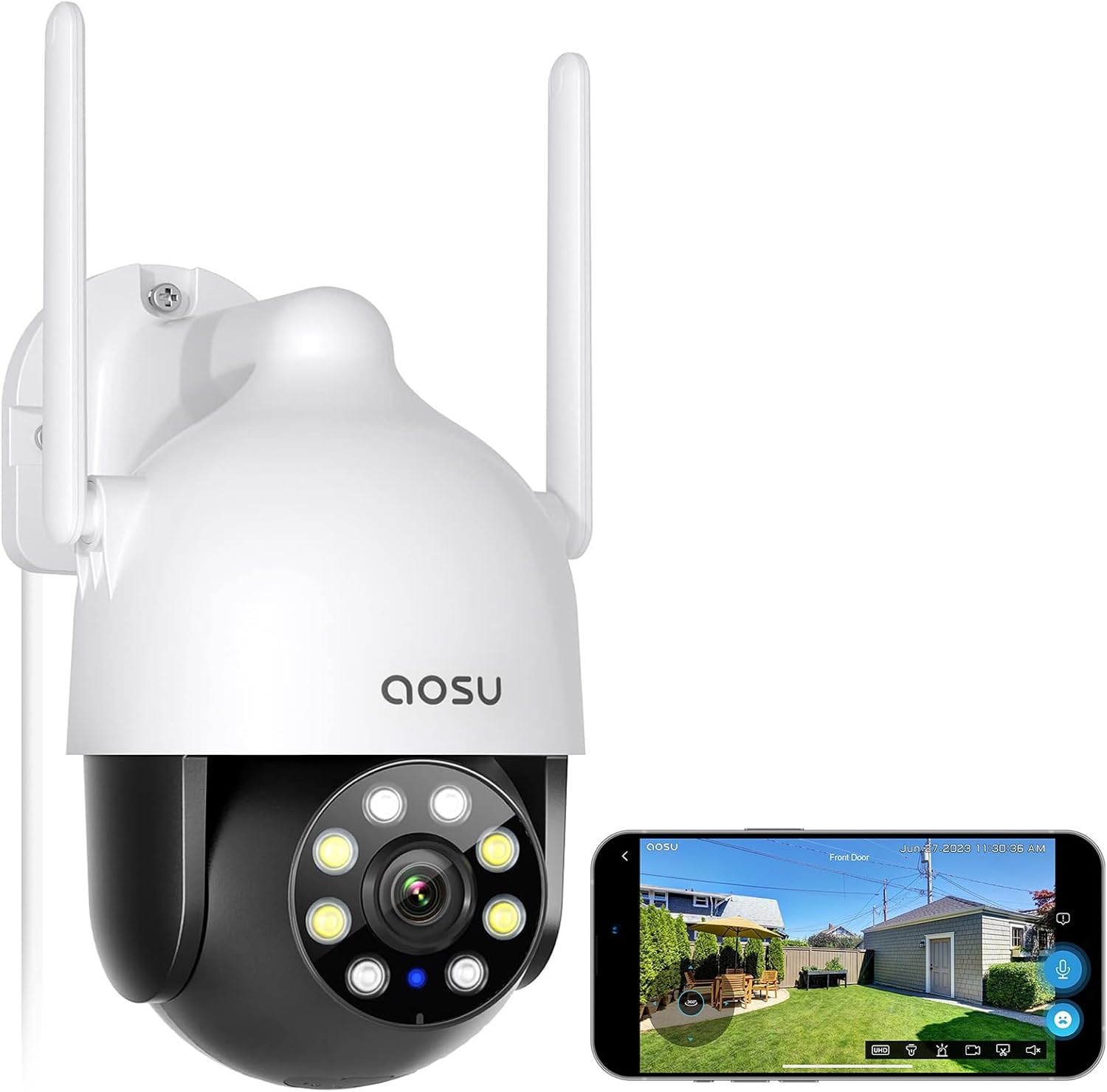
Image: aosu C5L Security Camera and included accessories.
3. Setup
3.1. Unboxing and Initial Power-Up
Before installation, it is recommended to fully charge the camera using the provided charging cable. The initial setup is straightforward and includes Japanese voice guidance.
Video: aosu Security Camera Outdoor Solar Unboxing and Usage Video. This video demonstrates the unboxing process and initial setup steps for an aosu outdoor camera.
3.2. Physical Installation
The camera can be mounted on a wall or other suitable surface. Use the positioning sticker to mark the drill holes accurately. Secure the mounting bracket with screws, then attach the camera to the bracket.

Image: The aosu C5L camera mounted on an exterior wall, demonstrating its 360-degree auto-patrol feature.
3.3. App Connection (2.4Ghz WiFi Only)
Download the official aosu app from your smartphone's app store. Ensure your smartphone is connected to a 2.4Ghz WiFi network. Follow the in-app instructions to add your camera. This typically involves scanning a QR code displayed on the camera or using Bluetooth pairing.

Image: A smartphone displaying the aosu app interface, illustrating remote control and monitoring capabilities.
4. Operating Instructions
4.1. Recording Modes
The camera supports 24-hour continuous recording, event-triggered recording, and scheduled recording. You can configure your preferred recording mode via the aosu app. Data is automatically overwritten based on time series and event classification, optimizing viewing time.
4.2. Motion Detection & Auto-Tracking
The camera features a high-sensitivity human sensor that distinguishes people from other objects for automatic tracking. This reduces unnecessary notifications. You can enable or disable this feature and adjust sensitivity in the app.

Image: The aosu C5L camera detecting and tracking a person, with a notification appearing on a smartphone.

Image: Illustration of the automatic tracking feature, showing the camera following a detected subject.
4.3. PTZ Control & Panoramic View
With 300 million high-definition pixels and 6x digital zoom, the camera offers a clear and vivid visual experience. You can remotely control the lens to rotate 360° horizontally (pan) and 90° vertically (tilt) to monitor any area of interest. The camera also supports automatic patrol every hour, returning to its original position afterward.

Image: The aosu C5L camera demonstrating its 3MP resolution by clearly capturing a car's license plate.

Image: The aosu C5L camera providing surveillance over a property, highlighting its monitoring capabilities.
4.4. Night Vision & Alarms
The camera is equipped with 4 infrared night vision units and 4 LED lights, providing excellent full-color night vision. In addition to clear night recording, the camera can detect abnormalities at night and activate automatic sound and light alarms to deter intruders. Siren volume can be adjusted during the day.

Image: Demonstrates the aosu C5L's full-color night vision, infrared night vision, and sound/light alarm features in a home setting.

Image: An illustration of the camera's crime prevention measures, showing an intruder being deterred by a light and sound alarm.
4.5. Two-Way Talk & Family Sharing
Monitor your home's status via your smartphone and engage in real-time two-way audio communication. The camera also supports family sharing through the app, allowing multiple users to view the surveillance feed.

Image: A user engaging in two-way audio communication via the aosu app on their smartphone.

Image: Multiple family members accessing the camera feed simultaneously through the family sharing feature.
4.6. Video Playback & Storage
Recorded videos are categorized by event, making them easy to review. Videos can be downloaded to your smartphone with a single click. The camera supports both cloud storage and microSD card storage (up to 128GB). New users receive a 30-day free trial for cloud storage.

Image: A smartphone screen showing video playback and event categorization within the aosu app.

Image: Icons indicating support for both SD card and cloud storage options for video saving.
5. Maintenance
- Cleaning: Regularly wipe the camera lens with a soft, dry cloth to ensure clear image quality. Do not use harsh chemicals.
- Firmware Updates: Check the aosu app periodically for firmware updates to ensure optimal performance and security.
- Power Connection: Ensure the power cord is securely connected and protected from environmental damage.
6. Troubleshooting
| Issue | Possible Cause | Solution |
|---|---|---|
| Camera not connecting to Wi-Fi | Incorrect Wi-Fi password, 5Ghz network, weak signal | Ensure 2.4Ghz Wi-Fi, check password, move camera closer to router. |
| No recording/storage | SD card full/faulty, cloud subscription expired | Replace/format SD card, renew cloud subscription, check recording settings. |
| False motion alerts | High motion sensitivity, environmental factors (e.g., swaying trees) | Adjust motion detection sensitivity in the app, define activity zones. |
| Poor night vision quality | Dirty lens, insufficient ambient light, camera too far from subject | Clean the lens, ensure adequate lighting for color night vision, adjust camera position. |
7. Specifications
| Feature | Detail |
|---|---|
| Model Name | C5L |
| Effective Still Resolution | 3 MP |
| Video Encoding Format | H.265 |
| Video Capture Format | MP4 |
| Frame Rate | 25 fps |
| Field of View | 360 degrees |
| Optical Zoom Ratio | 6 X |
| Digital Zoom Ratio | 6x |
| Connectivity Technology | 2.4Ghz WiFi only |
| Power Source | Power Corded |
| Waterproof Rating | IP65 |
| Night Vision Range | 10 meters |
| Night Vision Type | Color Night Vision |
| Infrared LEDs | 4 |
| Built-in Memory Type | microSD |
| Max Flash Memory Support | 128 GB |
| Product Dimensions | 12.8 x 10.8 x 18 cm |
| UPC | 699838037861 |
8. Warranty and Support
aosu provides a 1-year return and exchange period for this product. For any questions or concerns, please contact our online chat support team available within the aosu app. Our support team is available on weekdays from 10:30 AM to 7:30 PM (Japan Standard Time).
Alternatively, you can contact us through Amazon by navigating to your 'Order History' and selecting 'Contact Seller' for your purchase.


