
Introduction
This manual provides instructions for the setup, operation, and maintenance of your MANSNIX 15 Channel RF 433 Remote Controller. This remote is designed to control motorized Roman shades, roller shades, and honeycomb blinds.
Please read these instructions carefully before using the remote controller to ensure proper functionality and to avoid any issues.
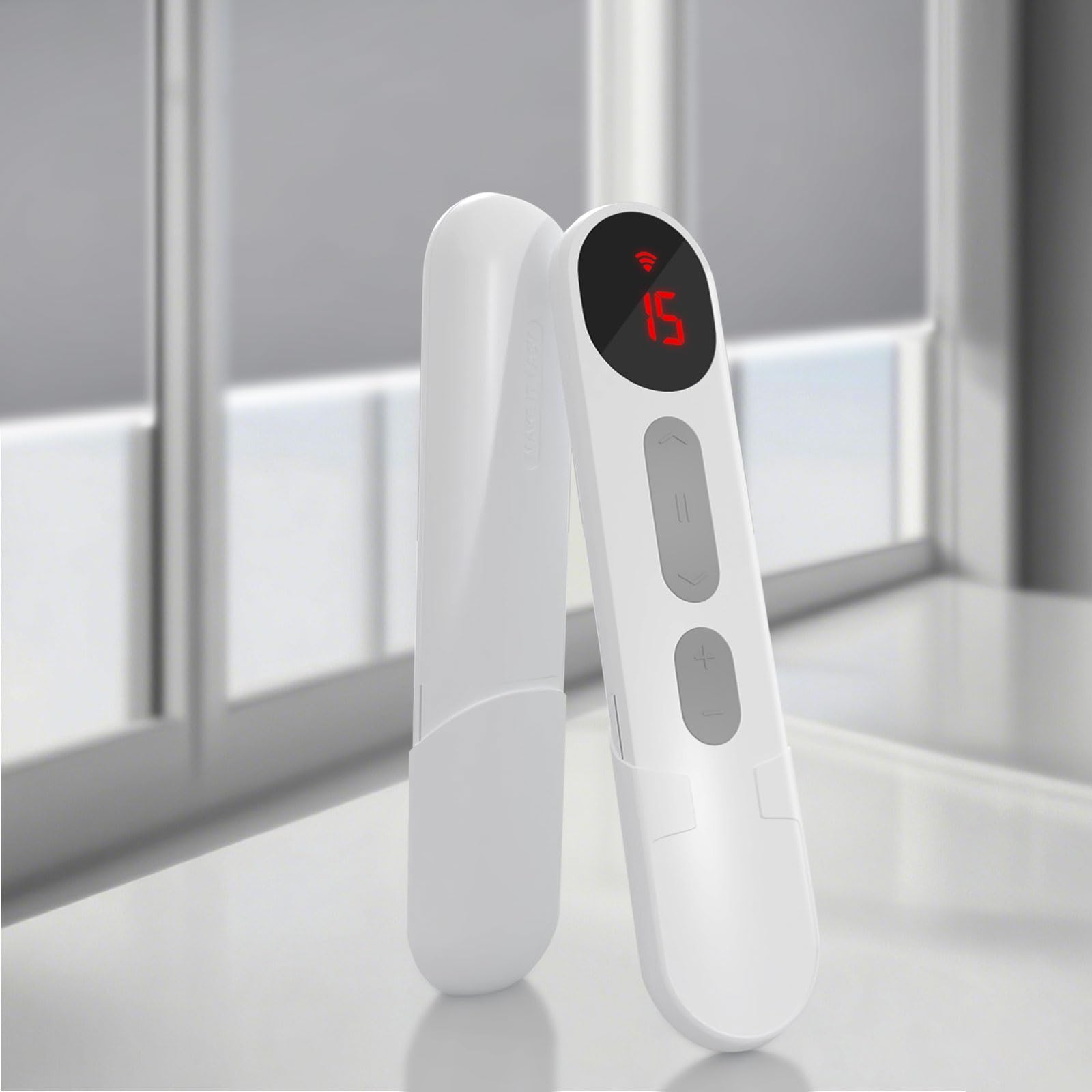
Image: Front view of the MANSNIX 15 Channel Remote Controller, displaying channel 15.
Setup and Pairing
Follow these steps to pair your remote controller with your motorized shades and set the upper and lower limits.
- Step 1: Activate Motor
Hold the "SET" key (typically located on the upper right of the shade motor) for approximately 3 seconds until the motor jogs forwards and backwards. This indicates activation.
- Step 2: Switch Remote to Admin State
Open the back cover of the remote controller. Locate the small switch inside and move it to the "admin" state.

Image: Rear view of the remote, illustrating the battery compartment and the admin/user switch.
- Step 3: Pair Remote and Shade
On the remote, hold the 'S' key. The shade motor will jog forwards and backwards once, confirming successful pairing between the remote and the shade.
- Step 4: Set Lowest Position
Use the down arrow button on the front of the remote to move the shade to your desired lowest position. Press the pause button to stop the shade. Then, hold the downward arrow button on the back of the remote for 2 seconds until the motor jogs once. This confirms and locks the lowest position.
- Step 5: Set Highest Position
Use the up arrow button on the front of the remote to move the shade to your desired highest upper position. Press the pause button to stop the shade. Then, hold the upward arrow button on the back of the remote for 2 seconds until the motor jogs once. This confirms and locks the highest upper position.
- Step 6: Switch Remote to User State
Open the back cover of the remote again and move the internal switch back to the "user" state for regular operation.
Setup Videos
Installation Video
Video: A detailed guide on installing and setting up the motorized shades and remote controller.
How to Match & Adjust
Video: Instructions on matching the remote to the shade and adjusting the upper and lower limits.
Operating Instructions
The MANSNIX 15 Channel Remote Controller allows you to control up to 15 individual shades or groups of shades.
- Channel Selection: Use the channel buttons (usually numbered 1-15) to select the specific shade or group of shades you wish to control. The current channel is displayed on the remote's screen.
- Up Button: Press the up arrow button to raise the shade.
- Down Button: Press the down arrow button to lower the shade.
- Pause/Stop Button: Press the pause button to stop the shade at its current position.
- Group Control: To control multiple shades simultaneously, assign them to the same channel during the pairing process.
Maintenance
- Cleaning: To clean the remote controller, use a soft, dry cloth. For stubborn marks, a slightly damp cloth can be used. Avoid using harsh chemicals or abrasive cleaners.
- Battery Replacement: When the remote's performance degrades or the display becomes dim, it is time to replace the batteries. Open the back cover of the remote (as done in Step 2 of Setup) and replace the old batteries with new ones of the same type. Ensure correct polarity.
- Storage: Store the remote in a dry place, away from direct sunlight and extreme temperatures.
Troubleshooting
| Problem | Possible Cause | Solution |
|---|---|---|
| Remote not responding to shades. |
|
|
| Shade does not stop at desired upper/lower limits. | Limits are not set or incorrectly set. | Follow "Step 4: Set Lowest Position" and "Step 5: Set Highest Position" in the "Setup and Pairing" section to reset limits. |
| Remote display is dim or blank. | Low or dead batteries. | Replace batteries. |
Specifications
- Brand: MANSNIX
- Model Number: eec7e2fa-5228-4ec6-8280-315b2aba4a62
- Channels: 15
- Frequency: RF 433 MHz
- Color: White
- Control Type: Remote
- Included Components: Batteries
Warranty Information
Specific warranty details for the MANSNIX 15 Channel RF 433 Remote Controller are not provided in this manual. For warranty information, please refer to the product packaging or contact MANSNIX customer support directly.
Customer Support
If you encounter any issues or have questions regarding your MANSNIX 15 Channel RF 433 Remote Controller, please contact MANSNIX customer support. You may also visit the official MANSNIX store on Amazon for additional resources and contact information.
MANSNIX Store: Visit MANSNIX Store


