
Introduction
The BoxWave DualTip Capacitive Stylus Pen is designed to enhance your interaction with touchscreen devices. It features two distinct tips: a FiberMesh tip for smooth navigation and a FineTouch disc tip for precise input. This manual provides essential information on how to use and maintain your stylus.

Image: The BoxWave DualTip Capacitive Stylus Pen, showcasing its sleek design and dual functionality.
Product Features
- Dual Tip Design: Equipped with both a FiberMesh tip and a FineTouch disc tip to suit various tasks.
- FiberMesh Soft Tip: A tightly woven conductive fabric mesh providing a soft, durable, and pressure-sensitive feel for general navigation and scrolling.
- FineTouch Pinpoint Accuracy: Features a clear disc tip that allows for precise contact point visibility, ideal for detailed writing, drawing, and small selections.
- Universal Compatibility: Works with all capacitive touchscreen devices, requiring no pairing or special software.
- Ergonomic Design: Crafted from metallic aluminum, offering a comfortable grip and balanced weight for extended use.
- Integrated Metal Clip: Allows for easy attachment to pockets, notebooks, or cases for convenient portability.

Image: A close-up view highlighting the FiberMesh tip and the FineTouch clear disc tip, demonstrating the stylus's dual functionality.
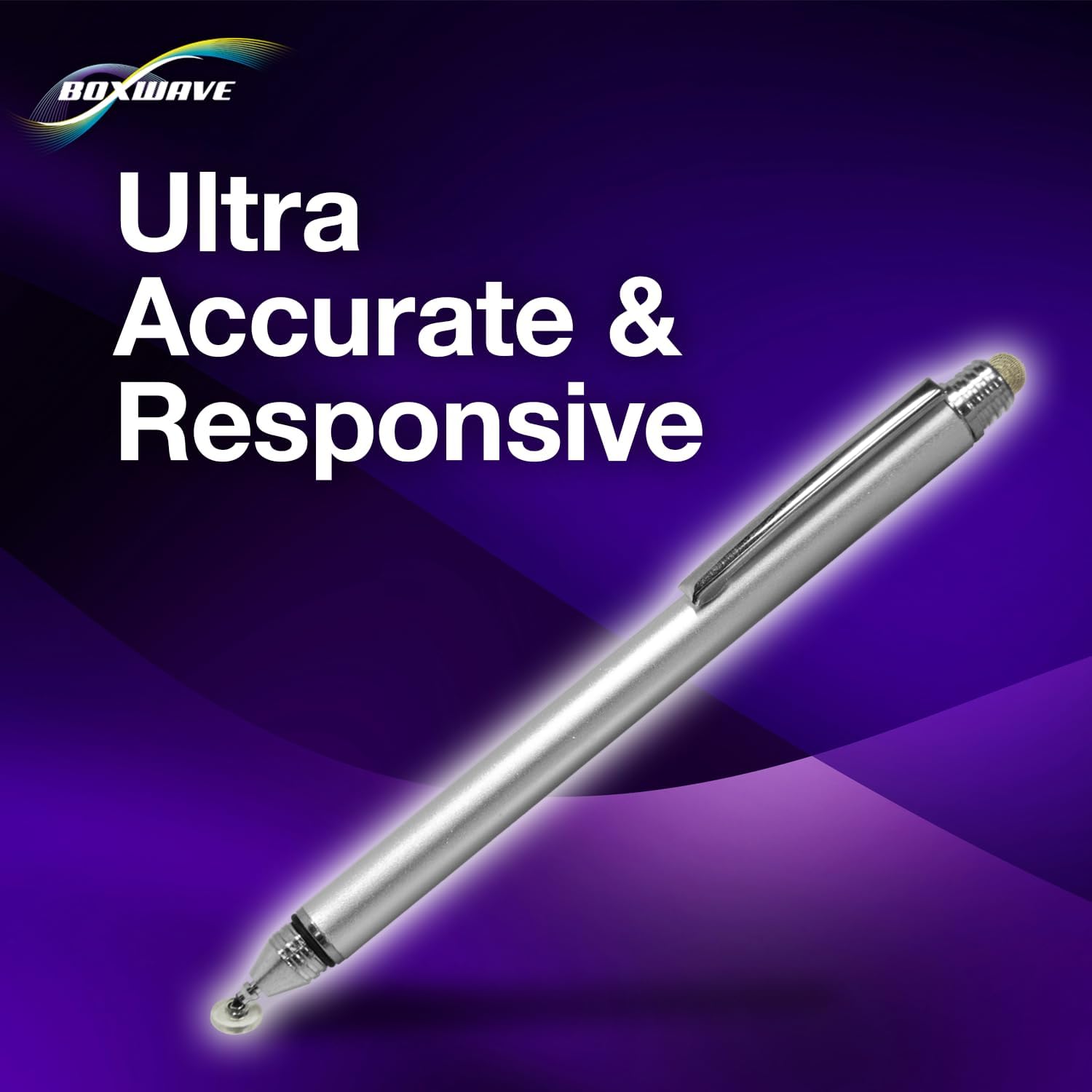
Image: The stylus positioned to illustrate its ultra-accurate and responsive performance on a digital screen.

Image: A hand holding the stylus, emphasizing its natural and comfortable feel during use.
Setup
The BoxWave DualTip Capacitive Stylus requires no setup, pairing, or charging. It is ready for immediate use upon removal from its packaging.
- Unpack: Carefully remove the stylus from its packaging.
- Remove Cap: Unscrew the threaded cap to reveal the FineTouch disc tip. The FiberMesh tip is exposed at the opposite end.
- Begin Use: Simply touch either tip to your device's touchscreen to begin interacting.

Image: A user demonstrating the stylus in action on a tablet screen, illustrating its ease of use.
Operating Instructions
The DualTip Capacitive Stylus offers versatility for various touchscreen interactions.
Using the FiberMesh Tip
- Hold the stylus comfortably.
- Gently touch the FiberMesh tip to the screen for general navigation, scrolling, tapping icons, and swiping.
- The soft tip provides a smooth, fluid experience, similar to using your finger but with more precision and without leaving smudges.
Using the FineTouch Disc Tip
- Unscrew the protective cap to expose the clear disc tip.
- Position the clear disc flat against the screen. The disc is designed to provide stability and allow you to see exactly where your input is registered.
- Use this tip for tasks requiring high precision, such as drawing, writing notes, editing photos, or selecting small elements on the screen.
- The disc tip works effectively from any angle, ensuring consistent accuracy.
Maintenance
Proper care will extend the life and performance of your stylus.
- Keep Tips Clean: Periodically wipe both tips with a soft, dry, lint-free cloth to remove dust, oils, or debris that may affect performance.
- Protect the FineTouch Tip: Always replace the threaded cap over the FineTouch disc tip when not in use to prevent damage or loss of the disc.
- Avoid Extreme Conditions: Do not expose the stylus to extreme temperatures, direct sunlight for prolonged periods, or harsh chemicals.
- Storage: Store the stylus in a safe place where it will not be bent or damaged. The integrated metal clip can be used to secure it.

Image: A detailed view of the threaded cap, demonstrating its function in protecting the FineTouch disc tip when not in use.
Troubleshooting
If you experience issues with your stylus, consider the following:
- Unresponsive Tip: Ensure the screen of your device is clean and free of smudges or debris. Wipe the stylus tip and the screen with a clean, soft cloth.
- Inaccurate Input: For the FineTouch disc tip, ensure the clear disc is lying flat against the screen. For both tips, ensure your device's screen protector (if any) is properly installed and not interfering with touch sensitivity.
- Stylus Not Working: As this is a passive stylus, it does not require power. If it's not working, try it on another capacitive touchscreen device to rule out a device-specific issue.
- Damaged Tip: If a tip appears visibly damaged or worn, its performance may be affected. Replacement tips may be available from BoxWave support.
Specifications
| Item Weight | 1.3 ounces |
| ASIN | B0CXRXXGHD |
| Manufacturer | BoxWave |
Warranty and Support
For warranty information, product support, or to inquire about replacement parts, please visit the official BoxWave website or contact their customer service directly. Refer to your purchase documentation for specific warranty terms and conditions.
BoxWave Official Website: www.boxwave.com