
1. Introduction and Overview
The Theworld R35 is a versatile device designed to detect various hidden surveillance equipment. It combines three primary detection functions: hidden camera detection, wireless bug detection, and GPS tracker detection. This device helps protect your personal privacy and confidential information by identifying unauthorized recording or tracking devices.
Its compact size, high sensitivity, and long battery life make it suitable for both personal and professional use in various environments.
2. Product Features
- Multi-Function 3-in-1 Detection: Capable of detecting hidden cameras, wireless eavesdropping devices, and GPS trackers.
- Accurate Hidden Camera Detection: Utilizes a professional optical filter and infrared light to identify camera lenses, even when devices are powered off.
- Wide Frequency Range RF Detection: Detects wireless signals from 1MHz to 6.5GHz, covering most wireless bugs, 2G/3G/4G/5G mobile phone SIM card bugs, and wireless GPS trackers.
- Magnetic Field Detection: Specifically designed to locate magnetic GPS trackers often found in vehicles.
- Adjustable Sensitivity: Features 6 levels of sensitivity adjustment to precisely locate signal sources and avoid false positives.
- Long-Lasting Battery: Equipped with a 650mAh lithium battery, providing up to 36 hours of continuous use and up to 60 days of standby time on a full charge.
- Portable Design: Small and lightweight (approximately 11.4cm x 4cm x 0.98cm), making it easy to carry in a pocket or bag.
3. Package Contents
Please ensure all items are present in the package:
- Theworld R35 Bug Detector Unit
- USB Charging Cable
- Magnetic Probe
- User Manual (Japanese)
4. Device Layout and Controls

Image 1: The R35 detector showing its compact size and key components including the Infrared Detection Viewfinder, RF Antenna, Hidden Camera Searchlight, Signal Strength Indicator, Magnetic Detection Light, Charging Light, Mode Button, Signal Strength Adjustment Button, and ON/OFF switch.
- Infrared Detection Viewfinder: Used to look through when searching for hidden camera lenses.
- RF Antenna: Extends for detecting wireless signals.
- Hidden Camera Searchlight: Emits red infrared light to illuminate camera lenses for detection.
- Signal Strength Indicator: A series of LEDs that light up to indicate the strength of detected signals.
- Magnetic Detection Light: Illuminates when a magnetic field is detected.
- Charging Light: Indicates charging status.
- Mode Button: Cycles through different detection modes.
- Signal Strength Adjustment Button: Adjusts the sensitivity of RF detection.
- ON/OFF Button: Powers the device on or off.
5. Setup and Charging
5.1 Initial Charging
Before first use, fully charge the device. Connect the provided USB charging cable to the charging port on the detector and to a standard USB power adapter (not included). The charging light will indicate the charging status and turn off when fully charged.
5.2 Powering On/Off
Press and hold the ON/OFF Button for a few seconds to power the device on or off.
6. Operating Instructions
6.1 Hidden Camera Detection Mode
This mode is used to find wired or wireless hidden cameras by detecting their lenses.
- Power on the device.
- Press the Mode Button until the hidden camera detection mode is active (usually indicated by the Hidden Camera Searchlight turning on).
- Look through the Infrared Detection Viewfinder.
- Slowly scan the area where you suspect a hidden camera might be. Camera lenses will appear as bright red reflective spots through the viewfinder.

Image 2: Illustrates the process of detecting hidden cameras. The device emits infrared light, and the user looks through the viewfinder to spot reflective camera lenses, which appear as red dots.
6.2 RF Wireless Signal Detection Mode
This mode detects wireless signals emitted by eavesdropping devices, wireless cameras, and other RF transmitting bugs.
- Power on the device.
- Extend the RF Antenna.
- Press the Mode Button to activate RF detection mode.
- Adjust the sensitivity using the Signal Strength Adjustment Button. Start with lower sensitivity and increase if no signals are detected.
- Slowly move the device around the area. The Signal Strength Indicator LEDs will light up, and an audible alert may sound, indicating the presence and strength of a wireless signal. More LEDs lit means a stronger signal, indicating proximity to the source.
- Reduce sensitivity as you get closer to pinpoint the exact location of the signal source.
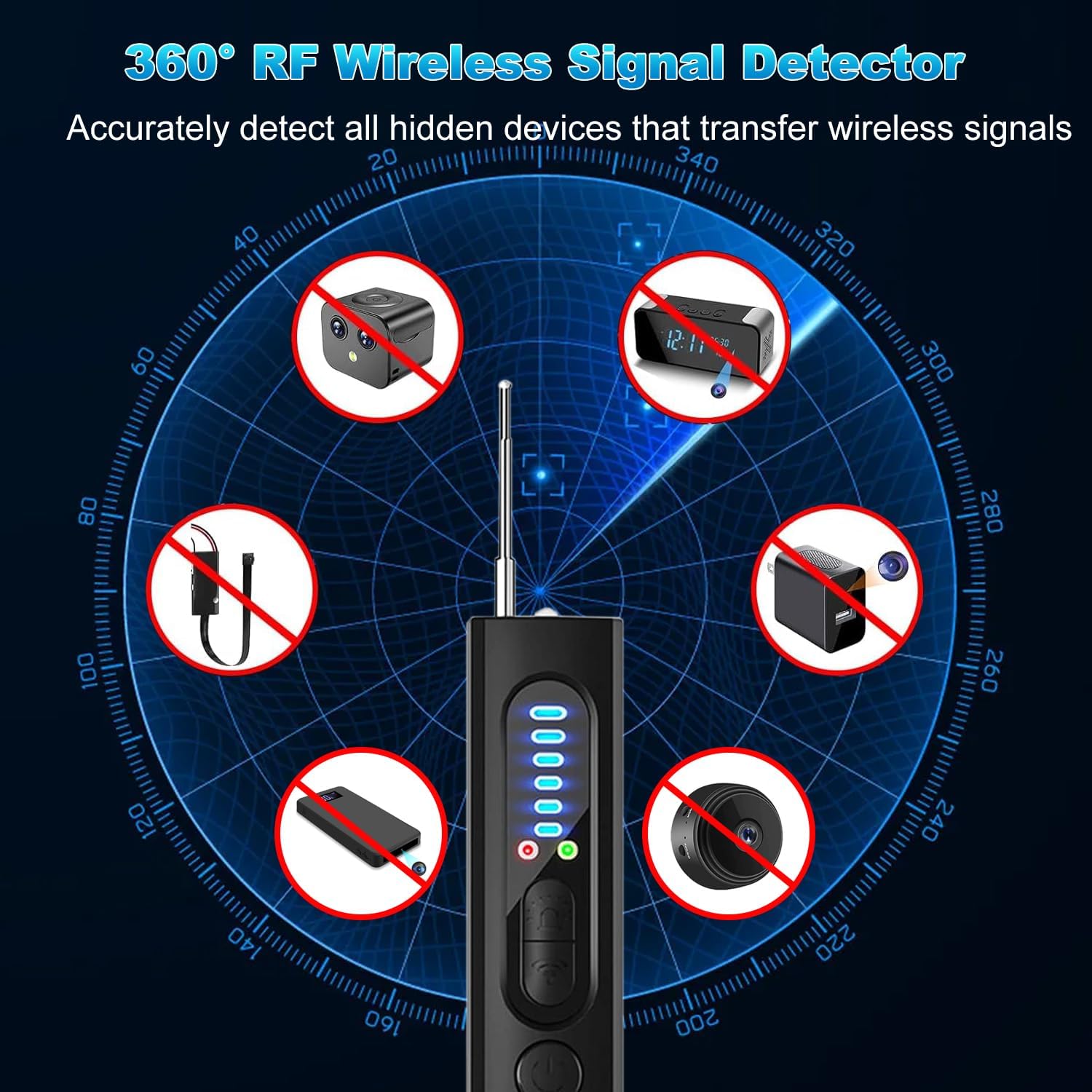
Image 3: Depicts the 360° RF wireless signal detection capability, showing the device detecting various types of hidden wireless devices such as mini cameras, audio bugs, and GPS trackers.
6.3 Magnetic Field Detection Mode (GPS Tracker Detection)
This mode is specifically for detecting magnetic GPS trackers, commonly attached to vehicles.
- Power on the device.
- Attach the Magnetic Probe to the designated port on the detector.
- Press the Mode Button to activate magnetic detection mode. The Magnetic Detection Light will be active.
- Slowly sweep the magnetic probe over surfaces where a magnetic tracker might be hidden, such as under a car, inside bumpers, or in luggage.
- The Magnetic Detection Light will illuminate and an audible alert will sound when a magnetic field is detected, indicating the presence of a magnetic tracker.

Image 4: Shows the device being used to detect a GPS locator inside a car. The magnetic probe helps pinpoint hidden magnetic tracking devices.
6.4 Applicable Scenarios
The R35 detector can be used in various situations to protect privacy:
- Meeting Rooms: To ensure confidential discussions remain private.
- Locker Rooms: To detect hidden cameras.
- Bathrooms: To detect hidden cameras.
- Hotels/Rental Properties: To check for hidden cameras or listening devices.
- Car Positioning: To detect unauthorized GPS trackers on vehicles.
- Phone Monitoring: To detect suspicious signals from mobile phones.

Image 5: Illustrates various environments where the R35 detector can be effectively used, such as meeting rooms, locker rooms, bathrooms, hotels, cars, and for personal phone security.
7. Maintenance
- Keep the device clean and dry. Avoid exposure to water or extreme temperatures.
- Store the device in a cool, dry place when not in use.
- Charge the device regularly, even if not in frequent use, to maintain battery health.
- Do not attempt to disassemble or repair the device yourself. Contact customer support for assistance.

Image 6: Highlights the long-lasting battery performance of the R35 detector, indicating up to 28 hours of continuous use on a single charge.
8. Troubleshooting
- Device not powering on: Ensure the device is fully charged. If the issue persists, contact support.
- No signal detection: Check if the RF antenna is extended. Adjust sensitivity levels. Ensure you are in the correct detection mode.
- False alarms in RF mode: Reduce the sensitivity level. Move away from common household electronics that emit RF signals (e.g., Wi-Fi routers, cordless phones).
- Cannot find hidden cameras: Ensure the Hidden Camera Searchlight is on. Scan the area slowly and thoroughly, looking through the viewfinder for red reflections.
- Magnetic detection not working: Ensure the magnetic probe is securely attached and you are in magnetic detection mode.
9. Specifications
| Specification | Value |
|---|---|
| Model Number | R35 (Manufacturer Model: X13) |
| Brand | Theworld |
| Product Dimensions (L x W x H) | 10 x 4 x 1.5 cm |
| Weight | Approx. 30g |
| RF Detection Frequency Range | 1MHz - 6.5GHz |
| Battery Capacity | 650mAh Lithium Battery |
| Continuous Use Time | Up to 36 hours |
| Standby Time | Up to 60 days |
| Charging Method | USB Charging |
| Compatible Devices | Various hidden cameras, wireless bugs, GPS trackers, smartphones |
| UPC | 716709239787 |
| ASIN | B0CXPWQH3D |
10. Warranty and Support
This product comes with a 2-year warranty from the date of purchase. If you encounter any quality issues with the product within 30 days of purchase, you are eligible for a free product exchange.
For warranty claims, technical support, or any inquiries regarding the product, please contact our customer service team through the retailer where you purchased the device. Please have your purchase receipt and product model number (R35) ready when contacting support.