Introduction
This manual provides detailed instructions for setting up, operating, and maintaining your SWGOTA Smart Watch for Women. Please read this manual thoroughly to ensure proper use and to fully utilize all features of your device.

The SWGOTA Smart Watch for Women, featuring a sleek purple band and a vibrant round display.
Official product video showcasing the features and design of the SWGOTA Smart Watch for Women.
What's in the Box
Upon opening your SWGOTA Smart Watch package, you should find the following items:
- SWGOTA Smart Watch (with pre-attached watch band)
- Charging Cable
- User Manual
Please inspect all components for any damage. If any items are missing or damaged, contact customer support immediately.
Setup
1. Charging the Device
Before first use, fully charge your smartwatch. Connect the magnetic charging cable to the charging points on the back of the watch and plug the USB end into a compatible power adapter (not included) or a computer USB port. A full charge typically takes approximately 2 hours.
2. App Installation
To unlock the full potential of your smartwatch, download the companion app. The app is named "FitCloudPro" and is available on both the Google Play Store for Android devices and the Apple App Store for iOS devices.
- Turn on the Bluetooth function on your smartphone.
- Open the "FitCloudPro" app or your phone's "App Store".
- Search for "FitCloudPro" and download it.
3. Bluetooth Pairing
Follow these steps to pair your smartwatch with your smartphone via Bluetooth:
- Open the FitCloudPro app and click "Find" to bind your device.
- On your smartwatch, open the drop-down menu and light up the "Call" function icon.
- On your phone, go to "Settings" and enter the "Bluetooth" interface.
- Find "S81" (or similar device name) and click to connect it.
- Once connected, you can use the watch to answer/make calls anytime.

Visual guide for connecting your SWGOTA Smart Watch to your phone via Bluetooth.
Operating Instructions
1. Display & Customization
Your smartwatch features a vibrant display and offers extensive customization options.
- Screen: 1.39-inch HD AMOLED touch screen with 466x466 resolution and a 65Hz refresh rate for clear and smooth visuals.
- Watch Faces: Choose from over 200 customizable watch faces to personalize your device. You can also upload your own photos.
- Brightness: Adjust screen brightness for optimal viewing in various lighting conditions.
- Always-On Display: The HD AMOLED display supports an always-on feature, making it easy to check the time at a glance in any environment.

Details of the 1.39-inch AMOLED screen, emphasizing its visual quality.

The Always-On Display feature offers both analog and digital clock styles for continuous time visibility.

Explore over 200 watch faces and customize your smartwatch with personal photos via the app.
2. Health Monitoring
The smartwatch provides 24/7 continuous monitoring of various health metrics:
- Heart Rate Monitoring: Tracks your heart rate throughout the day.
- Blood Oxygen Tracking: Measures your blood oxygen levels.
- Blood Pressure Measurement: Provides blood pressure readings.
- Sleep Tracking: Monitors your sleep stages (deep sleep, light sleep, awake time) to help you understand and improve your sleep quality.
- Women's Health Tracking: Features an innovative sensor to help track your monthly period, ovulation cycle, and fertility windows.
- Sedentary Reminders: Notifies you to move after periods of inactivity to promote a healthier lifestyle.

Overview of the smartwatch's all-day health monitoring capabilities, including sleep, heart rate, blood oxygen, blood pressure, and women's health tracking.

The smartwatch tracks your sleep quality through awake, light, and deep sleep stages, allowing you to check results directly on the device.

An innovative sensor helps track your monthly period, ovulation cycle, and fertility windows.

The smartwatch allows you to take on-demand readings of your blood oxygen levels throughout the day and night.
3. Communication & Connectivity
Stay connected with your phone directly from your wrist:
- Bluetooth Calling: Make and receive calls directly from your watch thanks to the built-in microphone and speaker.
- Message Notifications: Receive alerts for incoming messages from various apps directly on your wrist.
- Social Media Alerts: Get notifications from your favorite social media platforms.

The smartwatch supports Bluetooth calls, message notifications, and social media alerts for seamless communication.

Enjoy hands-free calling by dialing numbers or answering incoming calls directly from your watch via Bluetooth.

Receive message alerts and never miss an important notification, with support for various messaging and social media apps.
4. Fitness Tracking
The smartwatch is equipped with over 110 sports modes to help you track your workouts and achieve your fitness goals.
- 110+ Sports Modes: Track various activities like running, cycling, walking, and more.
- Activity Metrics: Monitor distance, calories burned, steps taken, and heart rate during your workouts.
- Sports Data at a Glance: Set goals, accomplish them, and get daily exercise data for intelligent management and scientific training.
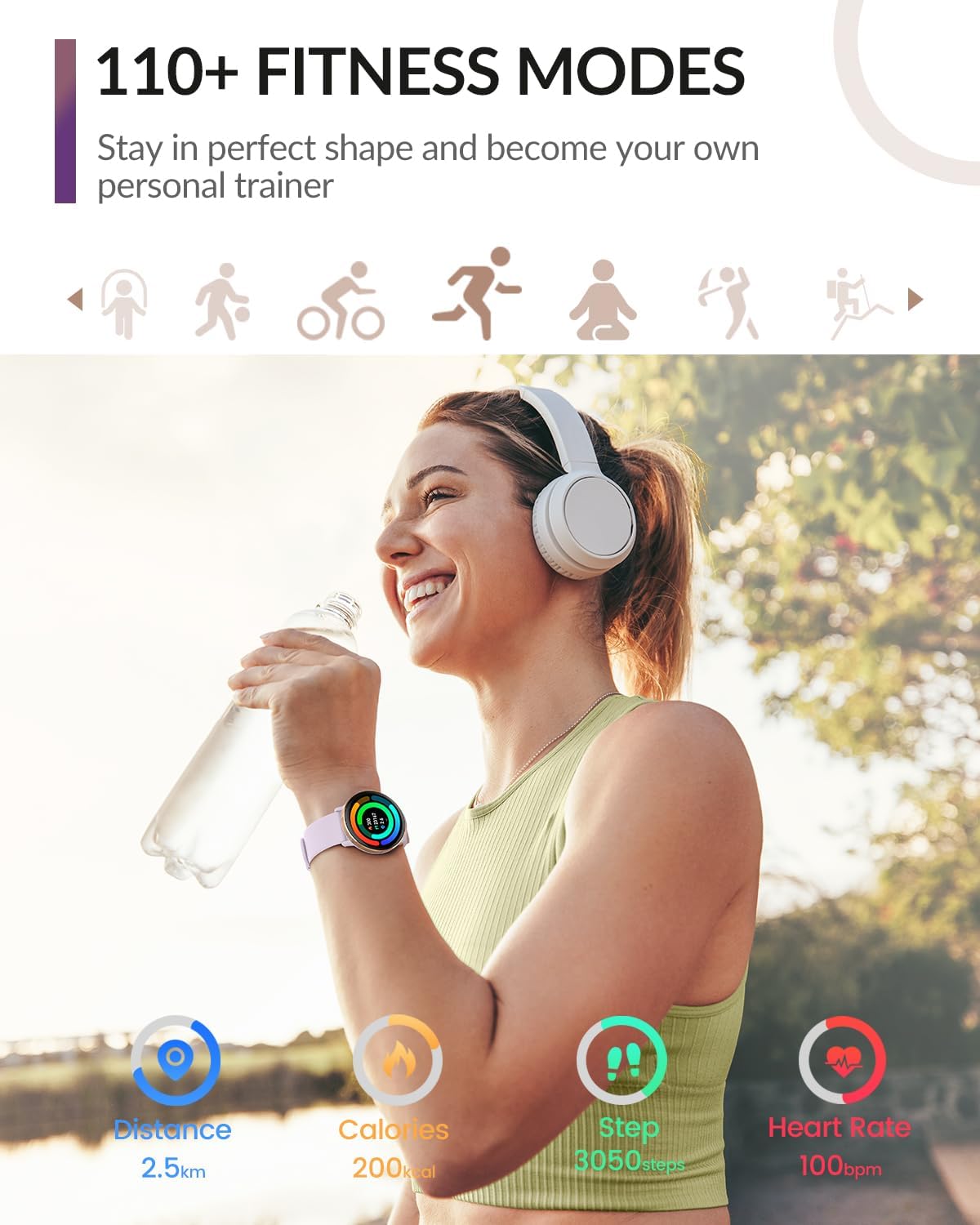
The smartwatch offers over 110 fitness modes to help you stay in perfect shape and track your personal training progress.

View your sports data at a glance, helping you manage your exercise and training scientifically.
5. Smart Features
Beyond health and fitness, your smartwatch offers several convenient smart features:
- AI Voice Assistant: Carry out functions like opening a sports mode or playing music via voice command, hands-free.
- Music Control: Control music playback on your connected smartphone.
- Camera Control: Remotely control your phone's camera for easy photo taking.
- Find Phone Function: Helps you locate your misplaced smartphone.
- Calculator: A convenient calculator for quick computations.
- Calendar: Keep track of your schedule and important dates.
- Flashlight: A simple flashlight function for low-light situations.
- Timer & Alarm: Set timers and alarms for various needs.

Utilize the offline voice assistant to control various functions hands-free.
Maintenance
1. Waterproofing
The SWGOTA Smart Watch has an IP68 waterproof rating, meaning it is protected against dust and can withstand immersion in water up to 1.5 meters for up to 30 minutes. This makes it suitable for daily use, including hand washing, rain, and light splashes. However, it is not recommended for hot showers, saunas, or diving, as steam and hot water can damage the seals.

The IP68 waterproof rating ensures the smartwatch is protected against water splashes and sudden rain.
2. Cleaning
To keep your smartwatch in optimal condition:
- Wipe the screen and band regularly with a soft, damp cloth.
- Avoid using harsh chemicals or abrasive materials.
- Ensure the charging contacts are clean and dry before charging.
3. Battery Life & Charging
The smartwatch is equipped with a 300 mAh battery, offering impressive endurance:
- Daily Usage: Up to 14 days.
- Heavy Usage: Up to 7 days.
- Always-On Usage: Up to 2 days.
- Standby Time: Up to 50 days.
- Charging Time: Approximately 2 hours for a full charge.

The 300mAh battery provides extended usage, from 2 days with always-on display to 50 days in standby mode.
Troubleshooting
If you encounter any issues with your SWGOTA Smart Watch, please refer to the following common solutions:
- Device not turning on/charging: Ensure the charging cable is securely connected to both the watch and the power source. Try a different USB port or power adapter. If the battery is completely drained, it might take a few minutes for the charging indicator to appear.
- Bluetooth connection issues: Make sure Bluetooth is enabled on both your phone and watch. Ensure the watch is within the Bluetooth range of your phone. Try unpairing and re-pairing the device in the FitCloudPro app and your phone's Bluetooth settings.
- Inaccurate health data: Ensure the watch is worn snugly on your wrist, not too tight or too loose. Clean the sensors on the back of the watch regularly. Note that the data is for reference only and not for medical diagnosis.
- Notifications not appearing: Check app notification settings in the FitCloudPro app and your phone's system settings to ensure they are enabled for the watch. Ensure the app is running in the background.
- Screen unresponsive: Try restarting the watch. If the issue persists, ensure the screen is clean and dry.
If the problem persists after trying these steps, please contact SWGOTA customer support for further assistance.
Specifications
Key technical specifications for your SWGOTA Smart Watch:
| Feature | Specification |
|---|---|
| Model Name | Smart Watch for Women |
| Brand | SWGOTA |
| Screen Size | 1.39 Inches |
| Display Type | HD AMOLED Touch Screen |
| Resolution | 466x466 |
| Refresh Rate | 65Hz |
| Battery Capacity | 300 mAh |
| Charging Time | Approx. 2 hours |
| Waterproof Rating | IP68 |
| Connectivity Technology | Bluetooth 5.3, USB |
| Operating System | Wear OS 3.0 (Compatible with Android 5.0+ and iOS 9.0+) |
| Item Weight | 5.6 ounces (approx. 158.7 grams) |
| Watch Face Diameter | 45mm |
| Thickness | 10.9mm |
| Watch Band Width | 22mm |
| Bezel Material | Aerospace Aluminum |

Detailed dimensions of the smartwatch and its band for proper fit and understanding of its size.
Warranty and Support
Your SWGOTA Smart Watch is covered by a manufacturer's warranty against defects in materials and workmanship. For specific warranty terms and conditions, please refer to the warranty card included in your product packaging or visit the official SWGOTA website.
For technical support, troubleshooting assistance, or any inquiries regarding your product, please contact SWGOTA customer service through the contact information provided on the official website or within the FitCloudPro application.


