
1. Introduction
Thank you for choosing the KORKIE 750W Pure Sine Wave Inverter. This device is designed to convert 12V DC power from your vehicle's battery or other 12V DC sources into stable 110V AC power, suitable for a wide range of electronic devices and appliances. Its pure sine wave output ensures compatibility and extends the lifespan of your sensitive electronics. This manual provides essential information for the safe and efficient operation of your inverter.
2. Product Features
- Pure Sine Wave Output: Provides clean and stable power, ideal for sensitive electronics like laptops, medical equipment, and audio systems.
- Powerful Output: Delivers 750W continuous power (1500W peak) with 2 AC outlets and 4 USB ports (1 PD, 1 QC 3.0, 2 standard 5.2V/2.4A) for simultaneous charging.
- Wide Compatibility: Powers various devices including televisions, refrigerators, and is compatible with AGM, lithium-ion, and lead-acid batteries.
- Advanced Safety Protections: Built-in safeguards against overload, over-temperature, short-circuit, reverse polarity, low voltage, and over-voltage.
- Smart Dual Cooling Fans: Temperature-controlled fans ensure efficient heat dissipation, quieter operation, and extended product life.
- Durable Construction: Features an aluminum alloy shell for enhanced durability and heat management.

Figure 2.1: Inverter with multiple output ports for various devices.

Figure 2.2: Wide range of compatible devices for the inverter.
3. Package Contents
Please check the package for the following items:
- KORKIE 750W Pure Sine Wave Inverter Unit
- Battery Clamp Cables (Red and Black)
- Cigarette Lighter Adapter Cable
- Spare Fuses
- User Manual (this document)
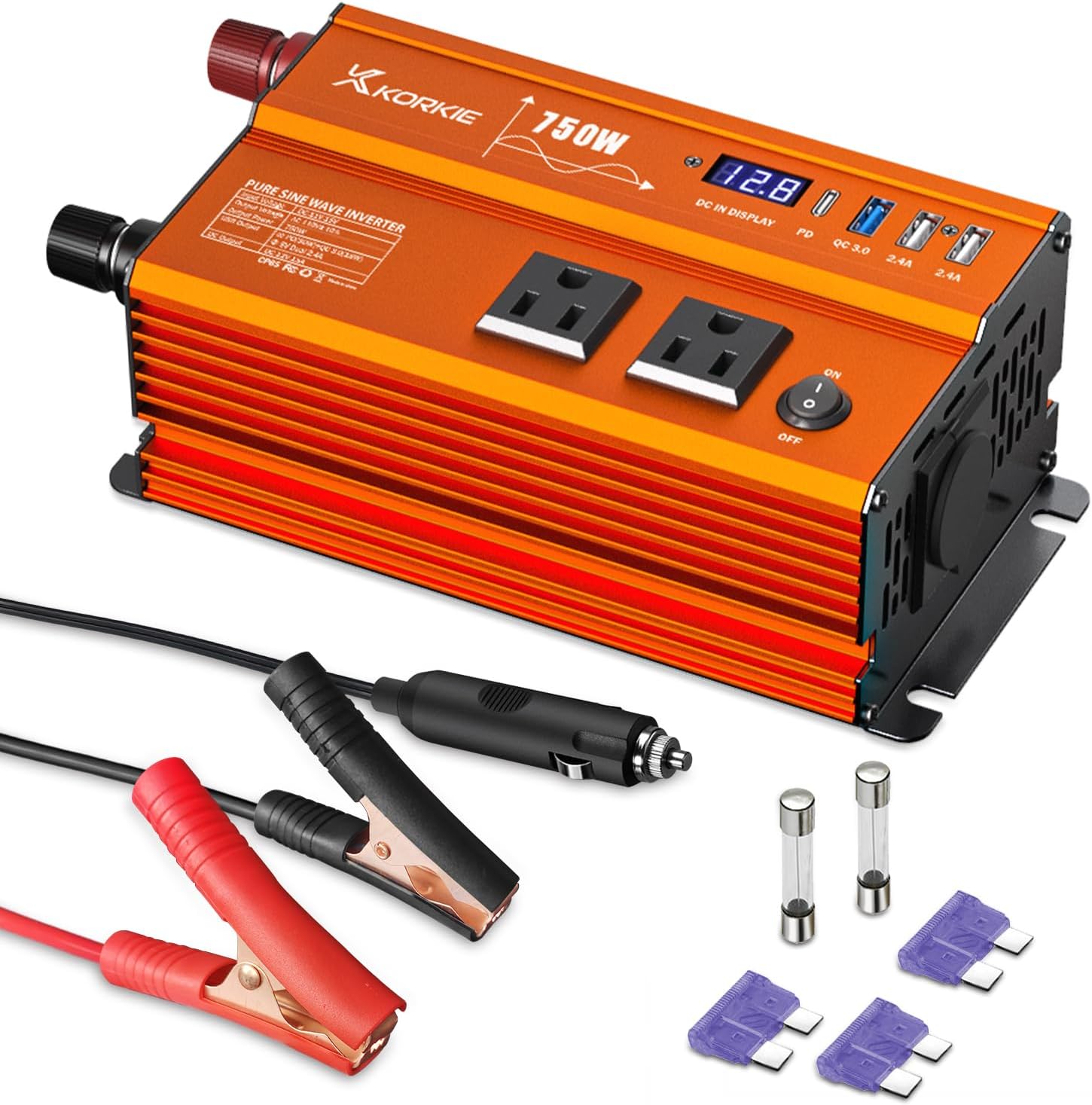
Figure 3.1: Inverter unit and included accessories.
4. Important Safety Instructions
Read all instructions carefully before operating the inverter. Failure to follow these instructions may result in electric shock, fire, or serious injury.
- Ventilation: Ensure the inverter is placed in a well-ventilated area. Do not block the ventilation openings.
- Environment: Do not expose the inverter to rain, moisture, direct sunlight, or extreme temperatures. Keep it away from flammable materials.
- Connections: Always connect the inverter to a 12V DC power source. Ensure correct polarity (red to positive, black to negative). Incorrect connection can damage the inverter and battery.
- Load Capacity: Do not exceed the inverter's rated power output (750W continuous). Overloading can cause damage and trigger safety protections.
- Children: Keep the inverter out of reach of children.
- Maintenance: Do not attempt to disassemble or modify the inverter. Refer all servicing to qualified personnel.
- Built-in Protections: The inverter includes overload, over-temperature, short-circuit, and reverse polarity protection to ensure device safety.

Figure 4.1: Inverter's internal structure and safety protections.
5. Setup Guide
Follow these steps to set up your KORKIE 750W Pure Sine Wave Inverter:
- Choose a Location: Place the inverter on a flat, stable surface in a dry, well-ventilated area, away from direct sunlight, heat sources, and moisture. Ensure there is adequate space around the inverter for air circulation.
- Connect to 12V DC Power Source:
- Using Battery Clamp Cables (for direct battery connection): Connect the red clamp to the positive (+) terminal of your 12V battery and the black clamp to the negative (-) terminal. Ensure a secure connection.
- Using Cigarette Lighter Adapter (for vehicle cigarette lighter socket): Insert the adapter firmly into your vehicle's 12V cigarette lighter socket. Note that the cigarette lighter adapter is typically suitable for loads up to 150W-200W. For higher power devices, use the battery clamp cables.
- Ensure Polarity: Double-check that the positive (+) terminal of the inverter is connected to the positive (+) terminal of the battery/power source, and the negative (-) terminal of the inverter is connected to the negative (-) terminal of the battery/power source.
- Power Off Inverter: Ensure the inverter's power switch is in the "OFF" position before connecting any AC devices.
6. Operating Instructions
Once the inverter is properly set up, follow these steps for operation:
- Turn On the Inverter: Flip the power switch on the inverter to the "ON" position. The digital display will illuminate, showing the DC input voltage.
- Connect AC Devices: Plug your 110V AC devices into the AC outlets on the inverter. For USB charging, connect your devices to the appropriate USB ports (PD, QC 3.0, or standard 2.4A).
- Monitor Power Consumption: Keep an eye on the total wattage of the devices connected to ensure it does not exceed the inverter's continuous power rating of 750W. The inverter's display may show output information.
- Turn Off After Use: When you are finished using the inverter, first turn off all connected AC and USB devices, then switch the inverter's power button to the "OFF" position.
- Disconnect Power Source: Disconnect the inverter from the 12V DC power source (battery or cigarette lighter socket).
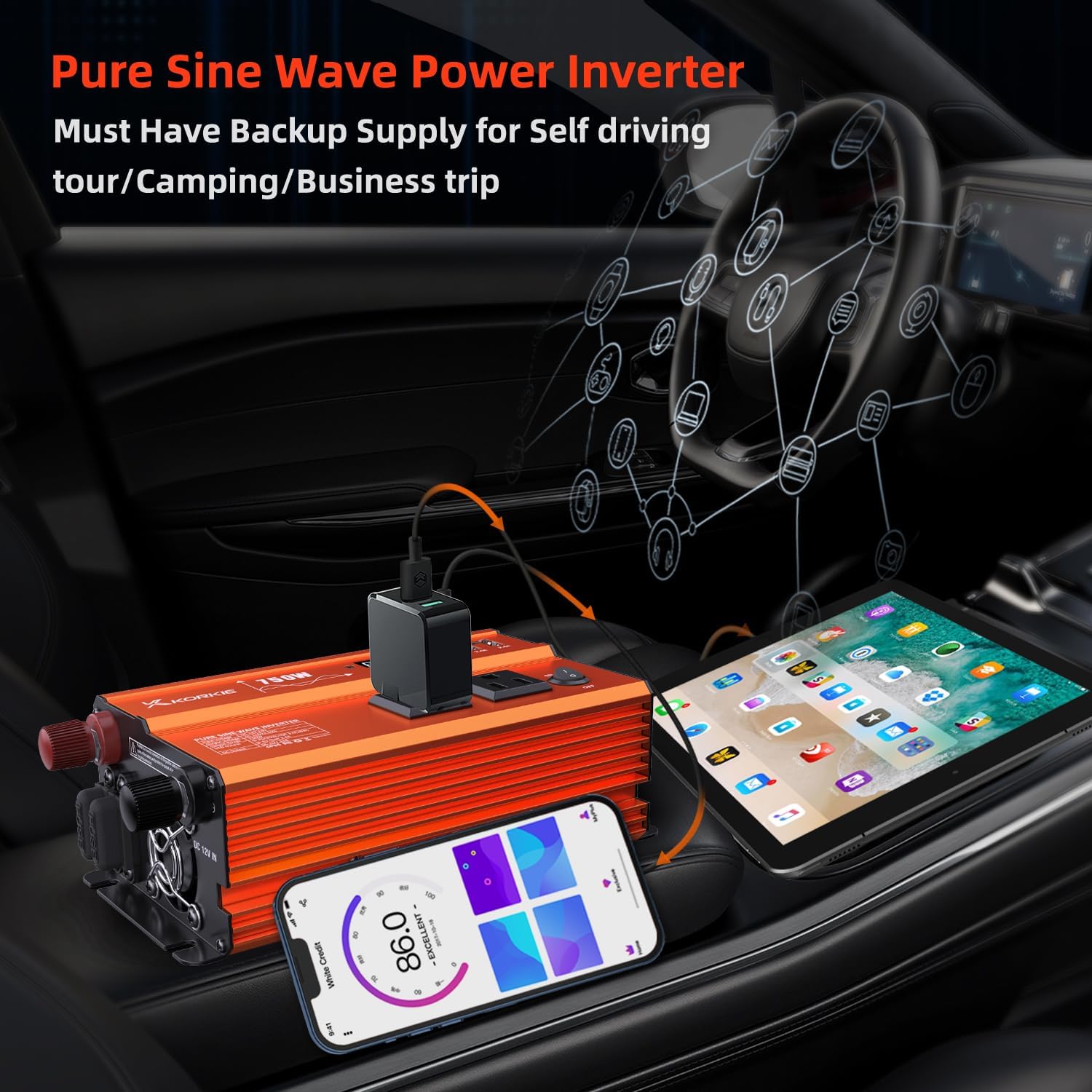
Figure 6.1: Inverter in a vehicle environment.

Figure 6.2: Versatile applications of the inverter.
7. Maintenance
Proper maintenance ensures the longevity and optimal performance of your inverter:
- Cleaning: Periodically clean the exterior of the inverter with a soft, dry cloth. Do not use abrasive cleaners or solvents. Ensure ventilation openings are free of dust and debris.
- Fan Maintenance: The intelligent cooling fans are designed for low maintenance. If you notice excessive noise or reduced airflow, ensure the fan vents are clear. Do not attempt to lubricate or disassemble the fans.
- Fuse Replacement: The inverter is equipped with internal fuses for protection. If the inverter stops working and troubleshooting does not resolve the issue, it may indicate a blown fuse. Refer to qualified service personnel for fuse replacement. Do not attempt to replace internal fuses yourself.
- Storage: When not in use for extended periods, store the inverter in a cool, dry place, away from direct sunlight and extreme temperatures. Disconnect it from all power sources.
8. Troubleshooting
If you encounter issues with your inverter, refer to the table below for common problems and solutions:
| Problem | Possible Cause | Solution |
|---|---|---|
| No power output / Inverter not turning on | Loose battery connection; Low battery voltage; Blown fuse; Inverter switch off. | Check all connections; Charge battery; Check/replace fuses (professional service); Turn inverter switch to 'ON'. |
| Overload alarm / Inverter shuts down | Connected device wattage exceeds 750W; Surge power too high. | Reduce total load; Disconnect high-power devices; Restart inverter. |
| Over-temperature alarm / Inverter shuts down | Poor ventilation; High ambient temperature; Blocked fan. | Move inverter to a cooler, well-ventilated area; Clear fan vents; Allow inverter to cool down. |
| Low voltage alarm / Inverter shuts down | Battery voltage is too low (below 10.5V). | Recharge or replace the 12V battery. |
| Fan not running | Inverter is not hot enough to activate fans; Fan malfunction. | Fans are temperature-controlled and will only run when needed. If inverter is hot and fans are not running, contact support. |
If the problem persists after trying these solutions, please contact customer support.
9. Technical Specifications
| Feature | Specification |
|---|---|
| Brand | KORKIE |
| Model Name | 750W Pure Sine Wave Car Power Inverter |
| Rated Power | 750 Watt-hours (Continuous) |
| Peak Power | 1500W |
| DC Input Voltage | 12V DC |
| AC Output Voltage | 110V AC |
| AC Outlets | 2 |
| USB Ports | 1x PD, 1x QC 3.0, 2x 5.2V/2.4A |
| Power Source | Battery Powered |
| Recommended Uses | Vehicle, Home, Camping, RV, Truck |
| Weight | Approximately 3 lb |
| Shell Material | Aluminium alloy |

Figure 9.1: Inverter dimensions and weight.
10. Warranty and Customer Support
KORKIE provides a 12-Month Warranty for this pure sine wave power inverter, covering manufacturing defects and malfunctions under normal use. We are committed to ensuring your satisfaction with our product.
For any questions, concerns, or technical assistance, our dedicated customer service team is available 24/7 to provide immediate support and solutions. Please do not hesitate to contact us if you are not satisfied with your purchase or require any help.
Contact Information:
Please refer to the contact details provided on the product packaging or the official KORKIE website for the most up-to-date customer support channels.