
LAMJAD LC-H228
LAMJAD Electric Toothbrush
User Manual
Model: LC-H228
1. Introduction
Thank you for choosing the LAMJAD Electric Toothbrush. This sonic electric toothbrush is designed to provide an effective and comfortable brushing experience, promoting optimal oral hygiene. This manual provides essential information on how to set up, operate, maintain, and troubleshoot your new toothbrush. Please read it thoroughly before first use and keep it for future reference.
2. Package Contents
Please check the package contents to ensure all items are present:
- 1 x LAMJAD Electric Toothbrush Handle
- 4 x Toothbrush Heads
- 1 x USB Charging Cable
- 1 x User Manual

Image: Overview of the LAMJAD Electric Toothbrush and its included accessories, such as the main unit, multiple brush heads, and a USB charging cable.
3. Specifications
| Feature | Detail |
|---|---|
| Brand | LAMJAD |
| Model Number | LC-H228 |
| Power Source | Battery Powered |
| Cleaning Modes | 5 (Soft, Comfort, Standard, Strong, Super Strong) |
| Special Features | Timer for brushing |
| Waterproof Rating | IPX6 |
| Item Firmness Description | Soft |
| Color | Black |
| Age Range Description | Adult |
4. Safety Information
Please read and understand all safety instructions before using this product. Failure to follow these instructions may result in injury or damage to the product.
- This appliance is intended for cleaning teeth, gums, and tongue only. Do not use it for any other purpose.
- Consult your dentist before using this product if you have severe periodontal disease or oral surgery.
- Keep out of reach of children. This product is not a toy.
- Do not immerse the charging base in water or any other liquid. The toothbrush handle is IPX6 waterproof, but the charging cable and adapter are not.
- Do not modify or attempt to repair the product yourself. Contact customer support for assistance.
- Ensure the USB charging cable is fully inserted into the charging port to prevent electrical hazards.
5. Setup
- Unpack the Toothbrush: Carefully remove all components from the packaging.
- Charge the Toothbrush: Before first use, fully charge the toothbrush. Connect the provided USB charging cable to the charging port at the bottom of the toothbrush handle and plug the other end into a compatible USB power source (e.g., wall adapter, computer USB port, power bank). The indicator lights will show charging status. A full charge typically takes several hours.
- Attach a Brush Head: Align the brush head with the metal shaft on the toothbrush handle and push it down firmly until it clicks into place. Ensure it is securely attached.
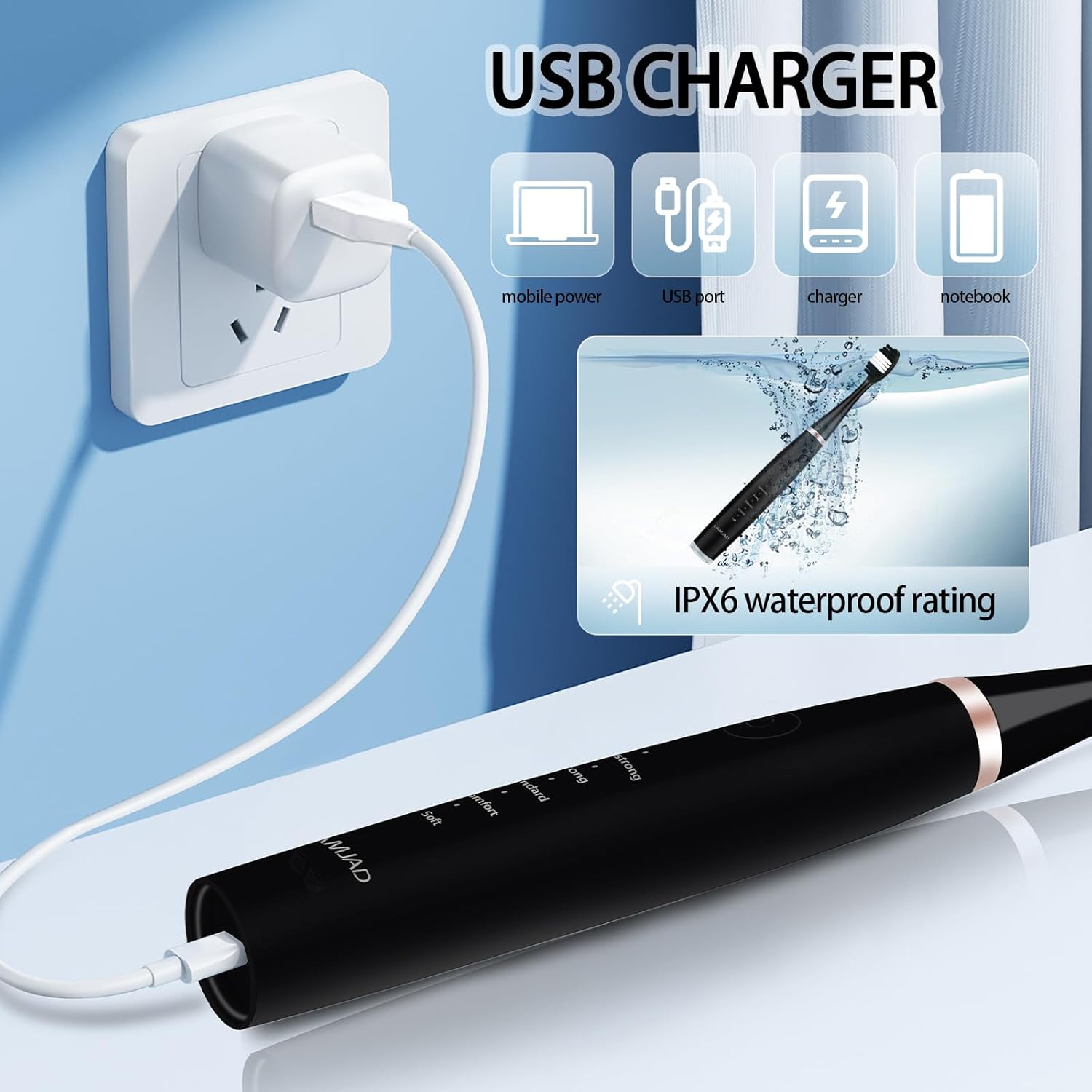
Image: The LAMJAD Electric Toothbrush connected to a USB charger, illustrating its USB charging capability and IPX6 waterproof design.
6. Operating Instructions
Follow these steps for effective brushing:
- Wet Brush Head and Apply Toothpaste: Wet the bristles of the brush head and apply a small amount of toothpaste.
- Power On: Press the power button to turn on the toothbrush. It will start in the lowest intensity mode.
- Select Cleaning Mode: Press the power button repeatedly to cycle through the 5 cleaning modes. Each press will advance to the next mode.
- Soft: For sensitive teeth and gums.
- Comfort: For light tooth stains.
- Standard: For daily cleaning and removal of smoke/tea/wine stains.
- Strong: For cleaning large plaque.
- Super Strong: For stubborn tartar and stains.
- Brushing Technique: Place the bristles against your teeth at a slight angle towards the gumline. Gently move the brush slowly across each tooth, allowing the sonic vibrations to do the cleaning. Do not scrub aggressively.
- Built-in Timer: The toothbrush features a built-in timer to ensure you brush for the dentist-recommended 2 minutes. It will automatically pause briefly every 30 seconds to signal you to move to another quadrant of your mouth.
- Power Off: After brushing, press and hold the power button to turn off the toothbrush.

Image: A close-up of the LAMJAD Electric Toothbrush handle, highlighting the five distinct cleaning modes and their recommended uses.
7. Maintenance and Cleaning
Proper maintenance ensures the longevity and hygiene of your toothbrush:
- After Each Use: Rinse the brush head thoroughly under running water to remove any toothpaste residue and debris.
- Clean the Handle: Wipe the toothbrush handle with a damp cloth. Do not use abrasive cleaners or immerse the handle in water for extended periods.
- Store Properly: Store the toothbrush in a dry, well-ventilated area.
- Replace Brush Heads: Dentists recommend replacing brush heads every 3 months, or sooner if the bristles become frayed. To replace, simply pull the old brush head off and push a new one onto the shaft until it clicks.

Image: An illustration of the different cleaning attachments available for the LAMJAD Electric Toothbrush, including a standard brush head and specialized cleaning tools.
8. Troubleshooting
If you encounter any issues with your LAMJAD Electric Toothbrush, please refer to the following common problems and solutions:
- Toothbrush not turning on or vibrating weakly:
- Ensure the toothbrush is fully charged. Connect it to the USB charging cable and allow sufficient time for charging.
- Check if the brush head is securely attached. A loose brush head can affect vibration. - Battery not holding a charge:
- Ensure the USB charging cable and power source are functioning correctly. Try a different cable or adapter.
- If the issue persists after trying a different charging setup, the battery may be faulty. Please contact customer support. - Unusual noise during operation:
- Check if the brush head is properly attached. Re-attach it firmly.
- If the noise continues, the internal mechanism might be affected. Discontinue use and contact customer support.
9. Warranty and Support
LAMJAD is committed to providing high-quality products. For any warranty claims, technical support, or inquiries not covered in this manual, please contact LAMJAD customer service through the retailer where you purchased the product or visit the official LAMJAD website for contact information. Please have your model number (LC-H228) and purchase details ready when contacting support.
Ask a question about this manual
Ask about setup, troubleshooting, compatibility, parts, safety, or missing instructions. Manuals+ will review the question and use this page’s manual context to help answer it.