
Discover Your Mobility Falcon
Falcon Portable Wheelchair User Manual
Model: Falcon | Brand: Discover Your Mobility
1. Introduction
This manual provides essential information for the safe and effective operation, maintenance, and troubleshooting of your Falcon Portable Wheelchair. Please read this manual thoroughly before using the wheelchair to ensure proper function and user safety. Keep this manual for future reference.

Figure 1.1: The Falcon Portable Wheelchair, showcasing its compact, foldable design.
2. Safety Information
Always prioritize safety when operating the Falcon Portable Wheelchair. Failure to follow these guidelines may result in injury or damage to the product.
2.1 General Safety Precautions
- Ensure all components are securely locked in place before use.
- Do not exceed the maximum weight capacity of 400 lbs.
- Avoid operating the wheelchair on steep inclines or uneven terrain.
- Keep hands and clothing clear of moving parts.
- Always engage the brakes when stationary.
- Consult a healthcare professional for guidance on proper wheelchair use if you have specific medical conditions.
2.2 Battery Safety
- Use only the charger provided by the manufacturer.
- Do not expose the battery to extreme temperatures or moisture.
- Do not attempt to open or modify the battery pack.
- Charge the battery in a well-ventilated area.
3. Components Overview
Familiarize yourself with the main parts of your Falcon Portable Wheelchair.

Figure 3.1: Front view of the Falcon Portable Wheelchair.
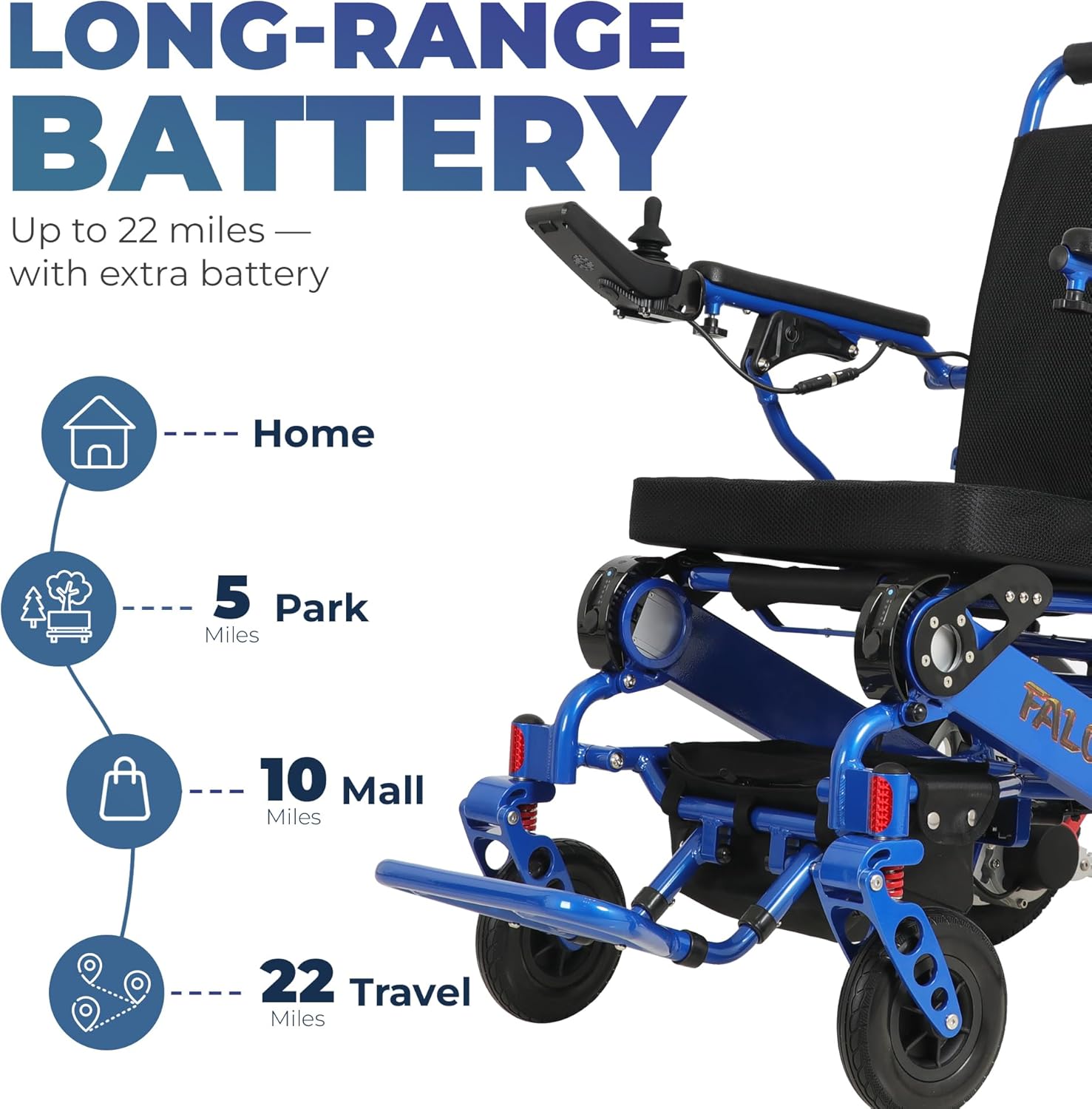
Figure 3.2: Side view of the Falcon Portable Wheelchair.

Figure 3.3: Rear view of the Falcon Portable Wheelchair.
Key Components:
- Joystick Controller: For directional control and speed adjustment.
- Reclining Backrest: Adjustable for user comfort.
- Footrests: Adjustable and removable for user support and transport.
- Drive Wheels: Rear wheels providing propulsion.
- Caster Wheels: Front wheels for steering and stability.
- Battery Pack: Provides power to the motors.
- Frame: Lightweight aluminum construction.

Figure 3.4: Included accessories with the Falcon Portable Wheelchair.
4. Setup and Assembly
The Falcon Portable Wheelchair comes largely pre-assembled. Follow these steps for initial setup.
4.1 Unfolding the Wheelchair
- Place the folded wheelchair on a flat, stable surface.
- Grasp the top of the backrest and gently pull upwards.
- Simultaneously, push down on the seat rails until the frame locks into place. Ensure all locking mechanisms are engaged.
- Lower the footrests into position.

Figure 4.1: The wheelchair's foldable design for easy transport.
4.2 Battery Installation and Charging
- Locate the battery compartment, typically under the seat.
- Insert the battery pack, ensuring it clicks securely into place.
- Connect the charger to the charging port on the joystick or battery.
- Plug the charger into a standard electrical outlet. The charging indicator light will show the charging status.
- A full charge typically takes approximately 1 hour.

Figure 4.2: Easy battery swap mechanism.
5. Operating Instructions
Learn how to control and maneuver your Falcon Portable Wheelchair.
5.1 Joystick Controller Functions

Figure 5.1: Joystick Controller Layout.
- Power Button: Press to turn the wheelchair ON/OFF.
- Joystick: Push forward, backward, left, or right to move the wheelchair in the desired direction.
- Speed Adjustment: Use the '+' and '-' buttons to increase or decrease speed.
- Digital Screen: Displays speed, battery level, and other indicators.
5.2 Reclining Backrest Adjustment

Figure 5.2: Adjusting the reclining backrest.
To adjust the backrest angle, locate the adjustment levers on the sides of the backrest. Pull the levers and recline the backrest to your desired position, then release the levers to lock it in place.
5.3 Folding for Transport
To fold the wheelchair for transport or storage:
- Ensure the power is OFF and the brakes are engaged.
- Remove the battery pack.
- Lift the seat upwards, then push the backrest forward until the wheelchair folds compactly.
- Secure any locking pins or straps if present.
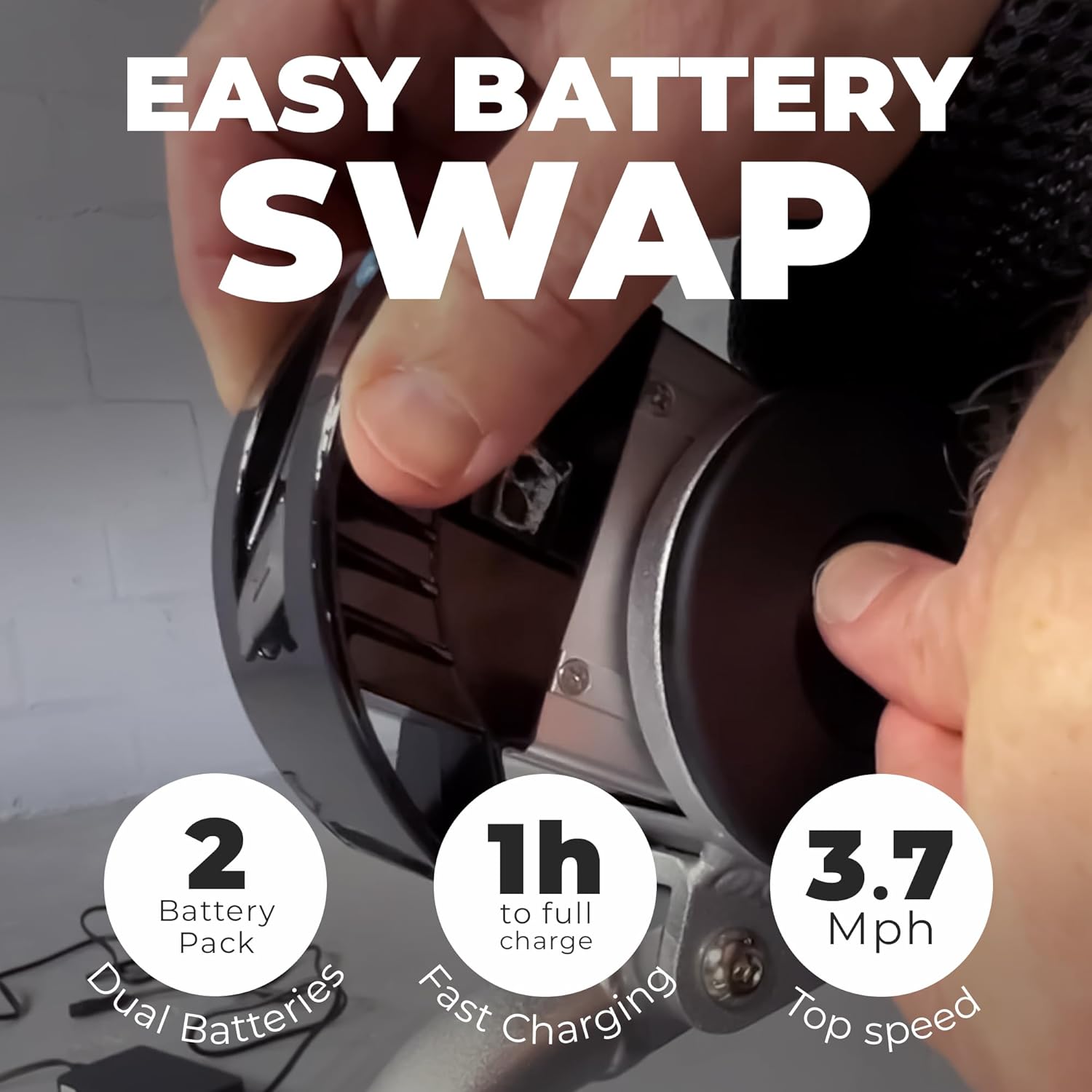
Figure 5.3: The wheelchair in a folded position.

Figure 5.4: Transporting the folded wheelchair with a travel bag.
6. Maintenance and Care
Regular maintenance ensures the longevity and optimal performance of your wheelchair.
6.1 Cleaning
- Wipe down the frame and seat with a damp cloth and mild detergent.
- Avoid using abrasive cleaners or solvents.
- Ensure all electrical components remain dry.
6.2 Battery Care
- Charge the battery regularly, even if not in frequent use, to maintain battery health.
- Store the battery in a cool, dry place.
6.3 Wheel and Tire Inspection
- Periodically check tires for wear and tear.
- Ensure wheels spin freely and are not obstructed.
7. Troubleshooting
Refer to this section for common issues and their solutions.
| Problem | Possible Cause | Solution |
|---|---|---|
| Wheelchair does not power on. | Battery not installed correctly or discharged. | Ensure battery is fully inserted. Charge the battery. |
| Wheelchair moves slowly or erratically. | Low battery charge; joystick malfunction. | Recharge battery. Check joystick connection. |
| Brakes not engaging properly. | Brake mechanism obstructed or damaged. | Clear any obstructions. Contact customer support if damaged. |
| Unusual noises during operation. | Loose components; motor issue. | Inspect for loose parts. If noise persists, contact support. |
8. Specifications
Detailed technical specifications for the Falcon Portable Wheelchair.

Figure 8.1: Key dimensions of the Falcon Portable Wheelchair.
| Feature | Specification |
|---|---|
| Model Name | Falcon |
| Brand | Discover Your Mobility |
| Material | Aluminum |
| Item Weight | 50 Pounds |
| Seat Height | 24 Inches |
| Weight Capacity | Up to 400 lbs |
| Battery Range | Up to 22 miles (with extra battery) |
| Battery Charge Time | Approx. 1 hour for full charge |
| Top Speed | 3.7 Mph |

Figure 8.2: Battery range capabilities.
9. Warranty and Support
For warranty information, technical support, or to order replacement parts, please contact Discover Your Mobility customer service. Refer to the product packaging or the official Discover Your Mobility website for the most current contact details.
Legal Disclaimer: Statements regarding dietary supplements have not been evaluated by the FDA and are not intended to diagnose, treat, cure, or prevent any disease or health condition. This product is a mobility aid and not a medical device for diagnosis or treatment.
Ask a question about this manual
Ask about setup, troubleshooting, compatibility, parts, safety, or missing instructions. Manuals+ will review the question and use this page’s manual context to help answer it.