
PROFI CARE PC-VL3067WM
PROFI CARE PC-VL3067WM Retro Design Fan User Manual
Model: PC-VL3067WM | Brand: PROFI CARE
Introduction
This user manual provides essential information for the safe and efficient operation, maintenance, and troubleshooting of your PROFI CARE PC-VL3067WM Retro Design Fan. Please read this manual thoroughly before using the appliance and keep it for future reference.
Important Safety Instructions
When using electrical appliances, basic safety precautions should always be followed to reduce the risk of fire, electric shock, and injury to persons, including the following:
- Read all instructions before using this fan.
- Do not operate any fan with a damaged cord or plug. Discard fan or return to an authorized service facility for examination and/or repair.
- Do not run cord under carpeting. Do not cover cord with throw rugs, runners, or similar coverings. Do not route cord under furniture or appliances. Arrange cord away from traffic area and where it will not be tripped over.
- Always unplug the fan from the power outlet when not in use, when moving the fan from one location to another, and before cleaning.
- Do not insert or allow fingers or foreign objects to enter any ventilation or exhaust opening as this may cause an electric shock or fire, or damage the fan.
- Do not block air openings or operate with any openings blocked. Keep openings free of lint, hair, and the like.
- This fan is intended for household use only.
- Ensure the fan is placed on a stable, flat surface to prevent tipping. The sturdy metal base provides high stability.
- Keep children and pets away from the fan during operation. The metal protective grille helps prevent accidental contact with the blades.

Image: The fan's protective grille and stable rubber feet are designed for safe operation, preventing accidental contact with blades and ensuring stability.
Product Overview
The PROFI CARE PC-VL3067WM is a retro-designed floor fan built for powerful and quiet air circulation. Key components include:
- Metal Protective Grille: Front and rear grilles for safety.
- Fan Blades: Durable metal blades for efficient airflow.
- Motor Housing: Robust metal construction.
- Control Panel: Located on the rear of the motor housing, featuring speed selection.
- Adjustable Tilt Mechanism: Allows for directing airflow.
- Sturdy Metal Base: Ensures stability during operation.
- Power Cord: Integrated with cable winding for neat storage.
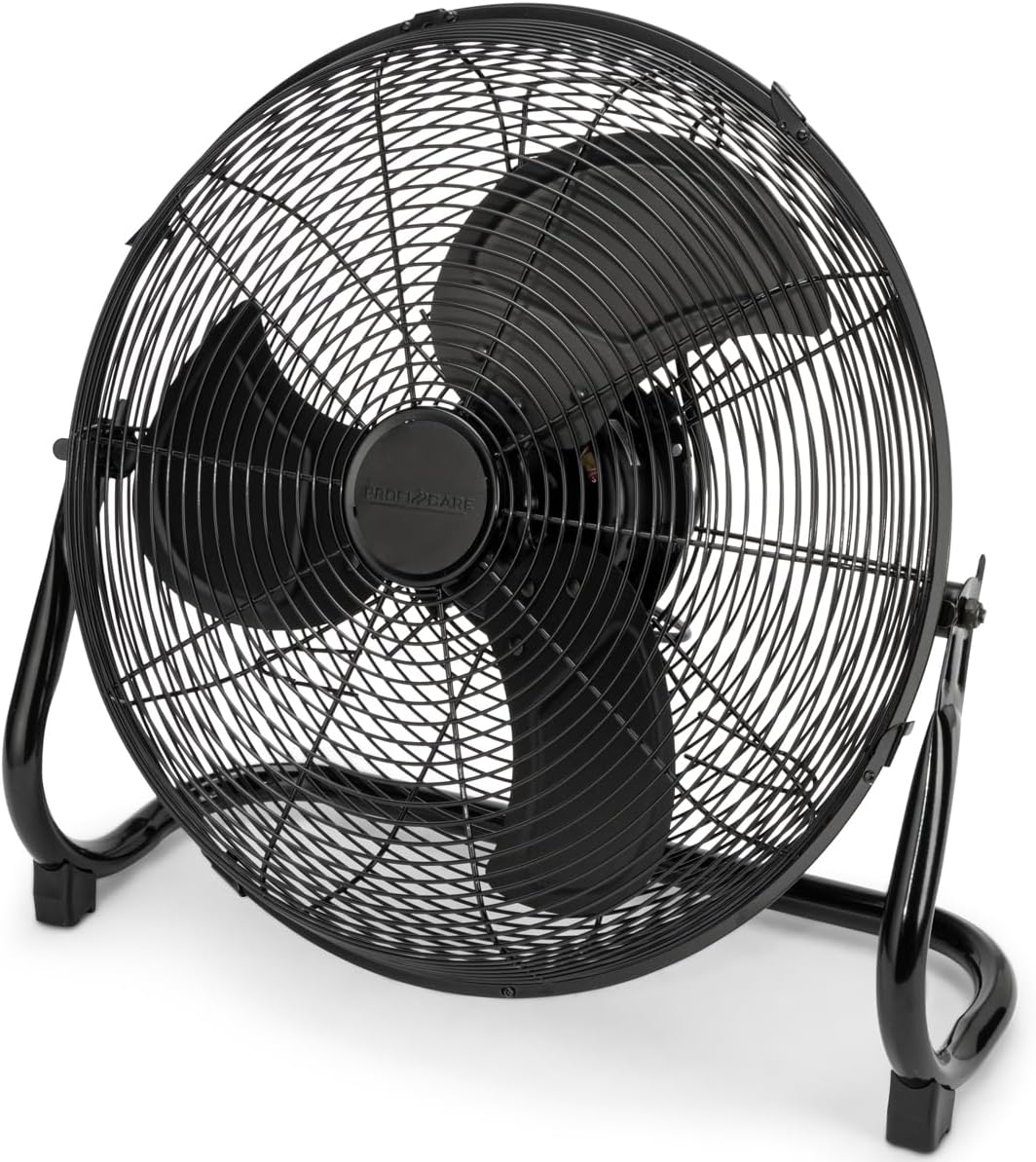
Image: The overall design of the PROFI CARE Retro Design Fan, highlighting its robust metal construction and classic aesthetic.
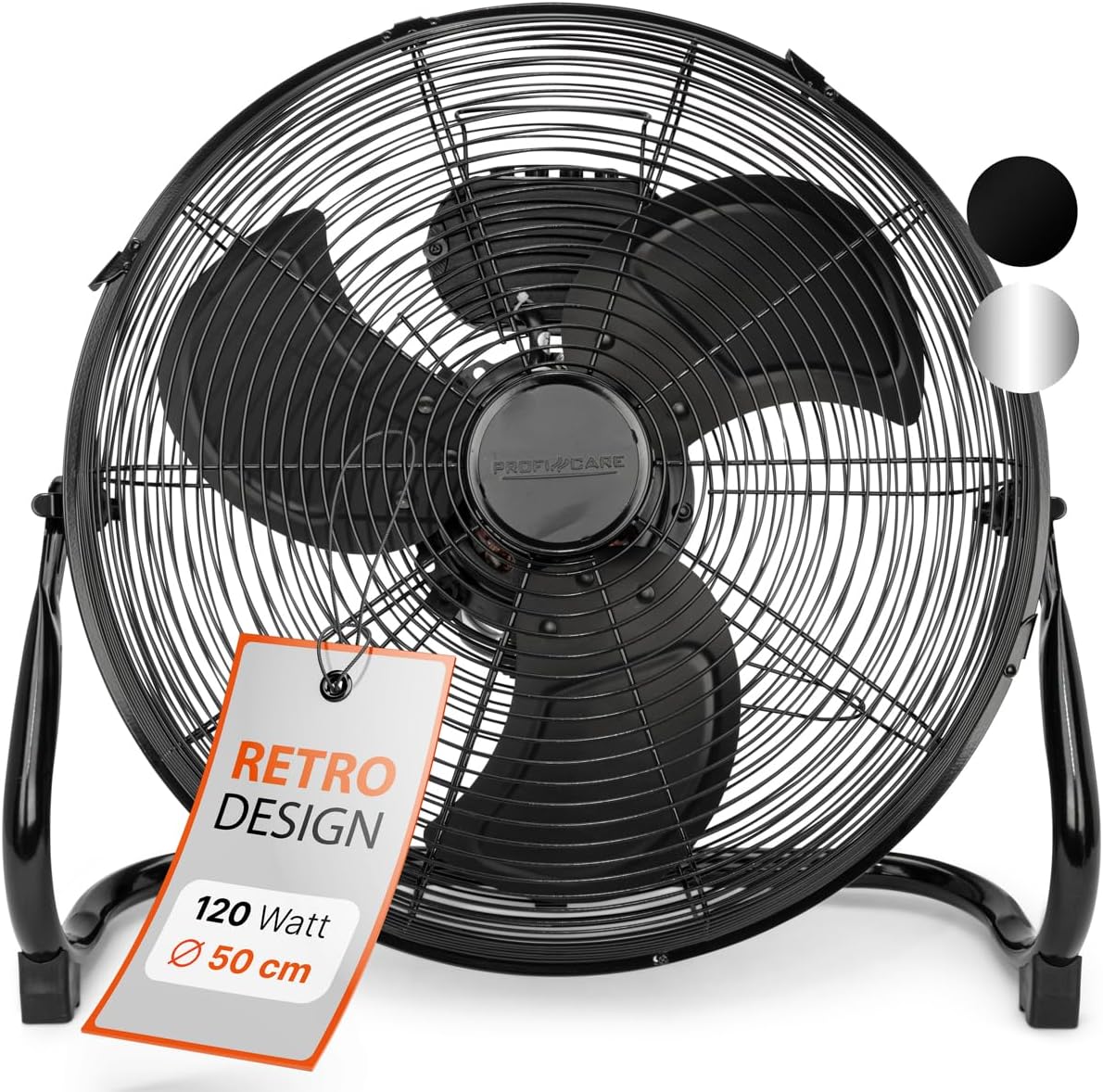
Image: Detailed view of the fan's operational components, including the 3-speed control knobs, integrated handle, and stable rubber feet.
Setup
- Unpacking: Carefully remove the fan from its packaging. Retain packaging for storage or future transport.
- Placement: Place the fan on a firm, level surface where it cannot tip over. Ensure there is adequate space around the fan for proper air circulation. Avoid placing it directly against walls or furniture that could obstruct airflow.
- Power Connection: Ensure the fan's power switch is in the "OFF" (0) position before plugging it into a standard 220-240V, 50/60Hz electrical outlet.

Image: The fan positioned in a typical room, illustrating appropriate placement for optimal air distribution.
Operating Instructions
- Power On/Off: Locate the rotary switch on the rear of the fan's motor housing. Turn the switch to position '1', '2', or '3' to turn the fan on and select a speed. Turn to '0' to turn the fan off.
- Speed Selection:
- 0: Off
- 1: Low Speed (Gentle breeze)
- 2: Medium Speed (Moderate airflow)
- 3: High Speed (Powerful airflow)
- Adjusting Tilt Angle: The fan head can be manually tilted up or down to direct the airflow as desired. Loosen the adjustment knobs on either side of the fan head, set the desired angle, and then tighten the knobs securely to lock the position.

Image: Visual guide demonstrating how to adjust the fan's tilt angle and the location of the speed control switch.
Maintenance
Regular cleaning and maintenance will ensure the longevity and optimal performance of your fan.
- Cleaning:
- Always unplug the fan before cleaning.
- Use a soft, damp cloth to wipe the exterior surfaces of the fan. Do not use abrasive cleaners or solvents.
- To clean the fan blades, the front grille may need to be removed. Refer to the assembly instructions if available, or carefully unclip the grille if designed for removal. Use a soft brush or vacuum cleaner to remove dust and debris from the blades and inside the grille.
- Ensure all parts are completely dry before plugging the fan back in.
- Storage: When not in use for extended periods, store the fan in a cool, dry place. Use the integrated cable winding feature to neatly store the power cord.
Troubleshooting
| Problem | Possible Cause | Solution |
|---|---|---|
| Fan does not turn on. | No power supply. Fan switch is off. | Check if the power cord is securely plugged into a working outlet. Turn the speed control switch to position '1', '2', or '3'. |
| Reduced airflow. | Dust accumulation on blades/grille. Obstruction in front or behind the fan. | Unplug the fan and clean the blades and grilles. Ensure clear space around the fan. |
| Fan is unusually noisy. | Loose parts or debris. Fan not on a level surface. | Unplug and inspect for any loose components or foreign objects. Place the fan on a stable, flat surface. |
Specifications
- Model: PC-VL3067WM
- Brand: PROFI CARE
- Type: Floor Fan
- Design: Retro
- Material: Stainless Steel / Metal
- Diameter: Approx. 50 cm (19.69 inches)
- Height: Approx. 56.5 cm (22.24 inches)
- Width: Approx. 57 cm (22.44 inches)
- Power: 120 Watts
- Voltage: 220-240V~, 50/60Hz
- Speed Levels: 3 (0-1-2-3 switch)
- Features: Adjustable Tilt Angle, Metal Protective Grille, Metal Base, Cable Winding
- Operation: Designed for quiet operation, with a maximum noise level of 79 dB.
- Item Weight: 5.2 Kilograms (11.44 pounds)

Image: Technical specifications and dimensions of the fan, including its 50 cm diameter, 120 Watt power, and maximum noise level.
Warranty and Support
For warranty information or technical support, please refer to the warranty card included with your product or contact PROFI CARE customer service directly. Keep your proof of purchase for any warranty claims.
Manufacturer: ProfiCare
Date First Available: April 4, 2025
Related Documents - PC-VL3067WM
 |
ProfiCare Rasierer & Haarschneider: Sicherheitshinweise für NiMH Geräte Umfassende Sicherheitshinweise für ProfiCare Rasiergeräte und Haarschneidemaschinen mit NiMH-Akkus. Erfahren Sie, wie Sie Ihr Gerät sicher verwenden, warten und Gefahren vermeiden. |
 |
ProfiCare PC-DVL 3078 Deckenventilator Bedienungsanleitung und Garantie Umfassende Bedienungsanleitung und Garantieinformationen für den ProfiCare Deckenventilator PC-DVL 3078. Enthält Montageanleitungen, technische Daten, Sicherheitshinweise und Garantiebedingungen. |
 |
Safety Instructions for Rechargeable Battery Vacuum Cleaner with Lithium-Ion Batteries This document provides comprehensive safety instructions for the rechargeable battery vacuum cleaner with lithium-ion batteries, covering safe handling, charging, storage, and disposal of the device and its battery. |
 |
ProfiCare PC-BMG 3121 Oberarm-Blutdruckmessgerät - Produktübersicht Entdecken Sie das ProfiCare PC-BMG 3121 Oberarm-Blutdruckmessgerät. Präzise Messungen, einfache Bedienung, WHO-Indikator und Arrhythmie-Erkennung für Ihre Gesundheit. |
 |
ProfiCare PC-PO 3104 Pulse Oximeter User Manual User manual for the ProfiCare PC-PO 3104 Pulse Oximeter, detailing its features, operation, safety instructions, technical specifications, and troubleshooting. |
 |
ProfiCare PC-HSM/R 3143 Appliance Lock and Unlock Instructions Instructions for locking and unlocking the ProfiCare PC-HSM/R 3143 appliance upon delivery. Learn how to use the lock symbol and button. |