
1. Introduction
Thank you for choosing the PIXPEAK Tempered Glass Screen Protector for your T181-EEA Tablet. This high-quality screen protector is designed to safeguard your device's display from scratches, impacts, and daily wear, while maintaining optimal touch sensitivity and visual clarity.
Compatibility: This screen protector is specifically designed for the PIXPEAK T181-EEA 10.36-inch tablet. Please verify your tablet's model number in its settings before proceeding with installation to ensure perfect fit and functionality.
2. Package Contents
Please check the package to ensure all items are present:
- 1 x PIXPEAK T181-EEA Tempered Glass Screen Protector
- 1 x Cleaning Kit (typically includes alcohol wipe, microfiber cloth, dust removal sticker)
3. Setup and Installation Guide
Follow these steps carefully for a bubble-free installation. A clean, dust-free environment is recommended.
- Clean the Tablet Screen: Use the provided alcohol wipe to thoroughly clean your tablet's screen. Ensure all dirt, oil, and fingerprints are removed.
- Dry the Screen: Use the microfiber cloth to dry the screen completely. Make sure no lint or streaks remain.
- Remove Dust: Use the dust removal sticker to dab the screen and pick up any remaining dust particles. This step is crucial for preventing bubbles.
- Align the Screen Protector: Carefully peel off the protective film from the adhesive side of the tempered glass. Hold the screen protector by its edges and align it precisely with your tablet's screen, paying attention to cutouts for the camera and sensors.
- Apply the Protector: Once aligned, gently lower the screen protector onto the tablet screen. It will start to adhere automatically.
- Remove Bubbles: If any small bubbles appear, gently push them towards the edges of the screen using the microfiber cloth or a soft card. Most small bubbles will disappear within 24-48 hours.
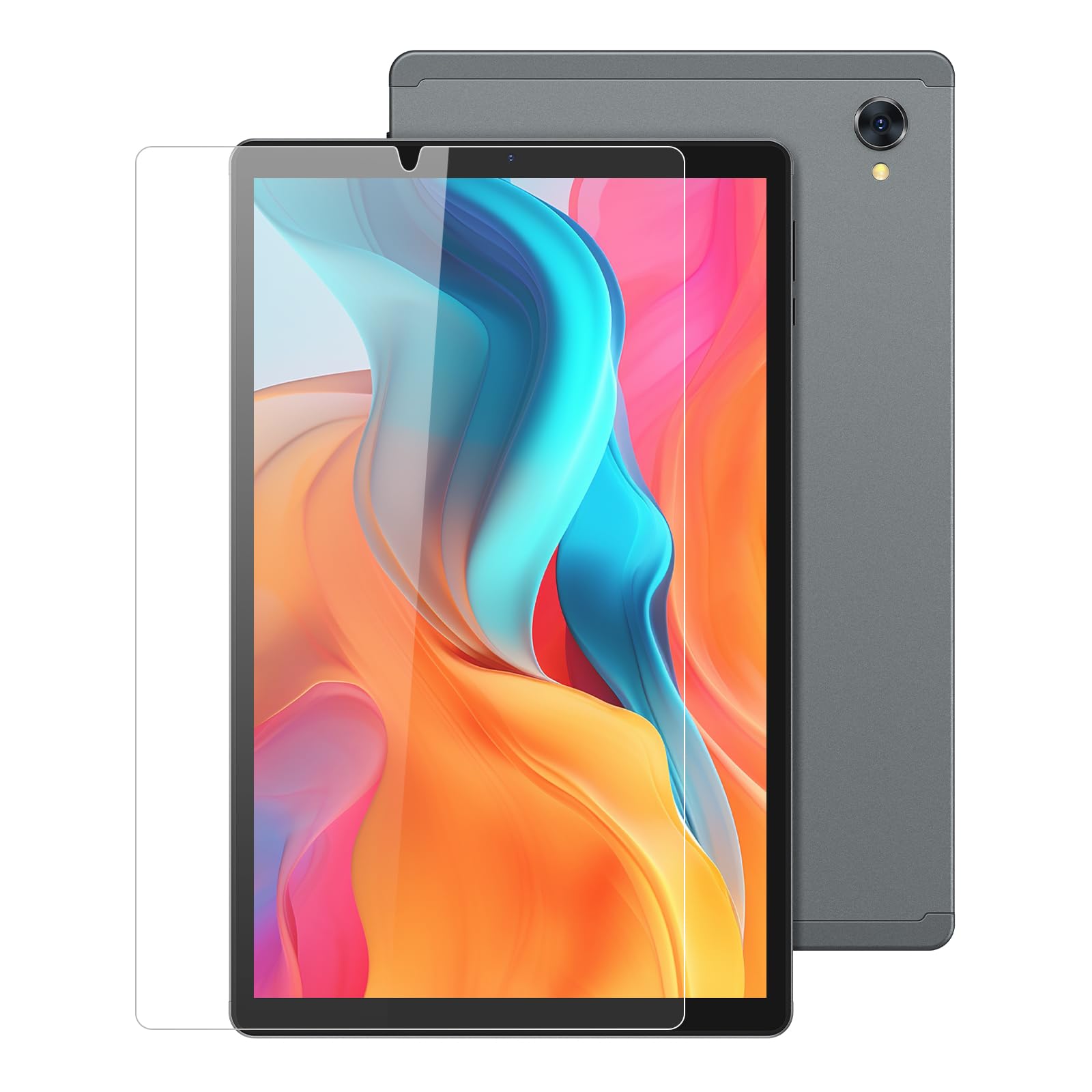
Figure 1: Illustration of the screen protector installation process. Ensure proper alignment and a dust-free screen for best results.
4. Operating and Usage
Once installed, your PIXPEAK T181-EEA Tempered Glass Screen Protector provides enhanced protection without compromising your tablet's functionality.
- Scratch Resistance: The 9H hardness rating protects your screen from scratches caused by keys, coins, and other sharp objects in daily use.
- High Definition Clarity: Enjoy crystal-clear viewing with the protector's high transparency, ensuring your tablet's display quality is maintained.
- High Touch Sensitivity: The ultra-thin design ensures quick and accurate response to every touch and tap, providing a seamless user experience.
- Anti-Fingerprint Coating: The oleophobic coating helps resist fingerprints and smudges, keeping your screen cleaner for longer.
5. Maintenance and Care
To keep your screen protector in optimal condition and maintain its clarity:
- Cleaning: Use a soft, lint-free microfiber cloth to gently wipe the screen protector. For stubborn smudges, slightly dampen the cloth with water or a screen cleaner specifically designed for electronics.
- Avoid Harsh Chemicals: Do not use abrasive cleaners, alcohol (other than the initial cleaning wipe), or solvents, as these can damage the oleophobic coating.
- Protection: While the screen protector offers significant protection, avoid placing your tablet face down on rough surfaces or exposing it to extreme pressure.
6. Troubleshooting
Here are solutions to common issues you might encounter:
- Air Bubbles After Installation:
- Small Bubbles: Most small bubbles will naturally disappear within 24-48 hours as the adhesive settles.
- Large Bubbles/Dust Particles: If a large bubble persists or you see a dust particle, gently lift the nearest corner of the screen protector with a fingernail or a thin card. Use a dust removal sticker to carefully lift the dust particle, then re-apply the protector slowly.
- Screen Protector Not Sticking Properly:
- Ensure the screen was thoroughly cleaned and free of oil, dirt, or moisture before application.
- Check if the protective film was fully removed from the adhesive side.
- If the edges are not adhering, gently press them down for a few seconds. If the issue persists, the protector might be damaged or misaligned, and a replacement may be needed.
- Reduced Touch Sensitivity:
- Ensure the screen protector is correctly installed and there are no air gaps.
- Sometimes, adjusting the touch sensitivity settings on your tablet (if available) can help.
7. Specifications
| Product Name | PIXPEAK T181-EEA Tablet Tempered Glass Screen Protector |
| Model Number | T181-EEA |
| Compatibility | PIXPEAK T181-EEA 10.36-inch Tablet |
| Material | Tempered Glass |
| Hardness | 9H |
| Screen Size | 10.36 Inches |
| Special Features | Anti-scratch, HD Clarity, High Sensitivity, Anti-fingerprint, Polished Edges |
| Product Dimensions | 26 x 19 x 1.27 cm |
| Product Weight | 200 g |
8. Warranty Information
Specific warranty details for this product may vary depending on your region and retailer. Please refer to the packaging or contact your point of purchase for information regarding warranty coverage and terms. Keep your proof of purchase for any warranty claims.
9. Customer Support
If you encounter any issues or have questions not covered in this manual, please contact PIXPEAK customer support or your retailer for assistance. Provide your product model number (T181-EEA) and a detailed description of the issue for faster service.
For more information, you may visit the official PIXPEAK website (if available) or consult the product listing where you made your purchase.