
1. Introduction
This manual provides comprehensive instructions for the installation, operation, and maintenance of your Glooglitter 2.5 Inch LED Trailer Marker Lights. These lights are designed for various 12V automotive applications, including trucks, trailers, buses, vans, cars, and boats, enhancing visibility and safety.

Figure 1: Glooglitter 2.5 Inch LED Trailer Marker Lights in red and amber, installed on a truck.
2. Product Features
- Quantity: Package includes 12 LED marker lights (6 red, 6 amber).
- Voltage: Designed for 12V systems.
- High Brightness: Each light features 4 integrated SMD LEDs with a specially designed polycarbonate lens for enhanced visibility.
- Extensive Compatibility: Suitable for various vehicles including trucks, trailers, buses, vans, caravans, semi-trailers, cargo trailers, boat trailers, and pickup trucks.
- Durable and Waterproof: Crafted from quality plastic materials, these lights are waterproof, dustproof, and securely sealed to withstand harsh weather conditions (wind, frost, rain, snow).
- Easy Installation: Features a built-in 2-pin female plug base for simple plug-and-play connection.

Figure 2: High brightness LEDs for improved safety.
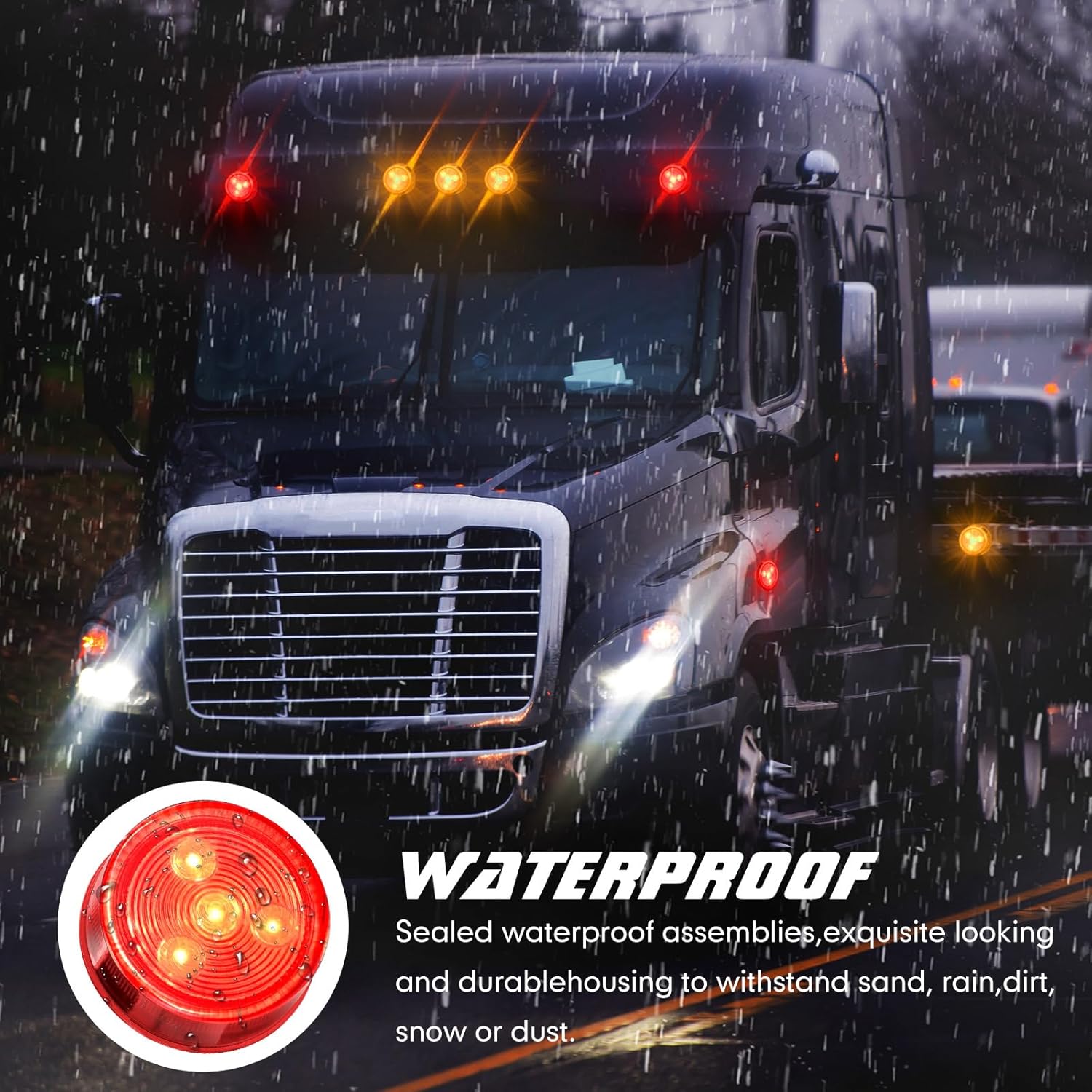
Figure 3: Waterproof design ensures durability in various weather conditions.
3. Package Contents
- 12 x LED marker lights (6 red, 6 amber)
Note: Plug and grommet are not included and must be acquired separately for installation.
4. Specifications
| Attribute | Value |
|---|---|
| Brand | Glooglitter |
| Model Number | JEI-Glooglitter-0882 |
| Item Weight | 15 ounces |
| Package Dimensions | 7.87 x 5.31 x 2.52 inches |
| Voltage | 12 Volts |
| Special Features | Waterproof |
| Color | Amber, Red |
| Item Package Quantity | 12 |

Figure 4: Dimensions of the 2.5 inch LED marker light.
5. Installation
These LED marker lights are designed for straightforward installation. They feature a built-in 2-pin female plug base. Please note that the plug and grommet are not included with this package and must be sourced separately.
- Prepare Mounting Location: Ensure the mounting surface is clean and has a suitable opening for the 2.5-inch round light.
- Insert Grommet (if applicable): If using a grommet, insert it into the mounting hole.
- Insert Light into Grommet: Press the LED marker light firmly into the grommet until it is securely seated.
- Connect Wiring: The light has a 2-pin connector. Connect the positive wire (typically red) to the vehicle's 12V power supply and the negative/ground wire (typically black) to a suitable ground point on the vehicle chassis. Ensure connections are secure and insulated.
- Test Functionality: Before final assembly, test the lights to ensure they illuminate correctly.

Figure 5: Installation diagram showing the light, grommet, and 2-pin plug (not included).
Installation Video Reference
Video 1: This video demonstrates the assembly of a similar round marker light with a rubber grommet and 2-prong plug. It shows how the light fits into the grommet and the plug connects to the light's terminals. This is for illustrative purposes for the installation process.
Video 2: This video provides a general overview of round trailer marker lights, including their components and a demonstration of their brightness and waterproof capabilities. It can serve as a visual aid for understanding the product's features and basic wiring.
6. Operating Instructions
Once properly installed and wired to your vehicle's 12V electrical system, the LED marker lights will operate automatically with your vehicle's lighting system. They function as side marker lights, clearance lights, auxiliary parking tail turn signal lights, or external safety signals.
- Red Lights: Typically used for rear and side marker applications, indicating the vehicle's presence and dimensions.
- Amber Lights: Commonly used for front and side marker applications, and can also function as turn signals or clearance lights.

Figure 6: High brightness ensures visibility during nighttime operation.

Figure 7: These lights are widely used across various vehicle types.
Operation Video Reference
Video 3: This video demonstrates the illumination of a 2.5 inch red side marker light, showcasing its brightness and color output when powered.
Video 4: This video displays a 2.5 inch round LED marker light in red, highlighting its visual appearance and brightness when active.
Video 5: This video displays 16 pieces of round clearance lights, demonstrating both amber and red illumination in various applications on a vehicle.
Video 6: This video showcases 2.5 inch round clearance lights, illustrating their function and brightness in both red and amber colors.
Video 7: This video demonstrates the amber light output of a 2.5 inch dual-color LED light. While this product offers red and amber, this video illustrates the amber illumination.
7. Maintenance
These LED marker lights are designed for minimal maintenance due to their durable and sealed construction. Follow these guidelines to ensure optimal performance:
- Regular Cleaning: Periodically clean the lens with a soft cloth and mild soap to remove dirt, dust, and road grime that may obstruct light output. Avoid abrasive cleaners.
- Inspect Wiring: Annually inspect all wiring connections for corrosion, fraying, or loose contacts. Ensure all connections remain secure and properly insulated.
- Check for Damage: Regularly check the lights for any physical damage, such as cracks in the lens or housing. Replace damaged lights promptly to maintain safety and functionality.
- Verify Illumination: Periodically test all marker lights to ensure they are functioning correctly (illuminating brightly and consistently).
8. Troubleshooting
| Problem | Possible Cause | Solution |
|---|---|---|
| Light does not illuminate | No power, loose connection, faulty wiring, or damaged light. | Check power supply to the light. Ensure all wiring connections are secure. Inspect wires for damage. If all else fails, the light may be faulty and require replacement. |
| Light flickers or is dim | Poor electrical connection, insufficient voltage, or corrosion. | Verify stable 12V power supply. Clean and secure all electrical connections. Check for corrosion on terminals. |
| Water inside the lens | Improper installation of grommet or damaged seal. | Ensure the light is correctly seated in the grommet. Inspect the light's seal for damage. Replace if necessary. |
9. Warranty and Support
Information regarding warranty coverage and customer support for Glooglitter products is typically provided at the point of purchase or on the manufacturer's official website. Please refer to your purchase documentation or contact the seller for specific details regarding warranty periods and how to obtain support for your LED marker lights.
For general inquiries or technical assistance, please consult the Glooglitter brand information available through your retailer.