
Introduction
This manual provides comprehensive instructions for the setup, operation, and maintenance of your Amztoy M1 Self-Cleaning Cat Litter Box. Please read this manual thoroughly before using the product to ensure proper function and safety for your pet.
Safety Information
Your Amztoy M1 litter box is designed with multiple safety features to protect your cat. Adhere to the following guidelines:
- Sensor Protection: The unit is equipped with sensors that detect your cat's presence. The cleaning cycle will not initiate if a cat is detected inside the globe.
- Delay Mechanism: A delay mechanism prevents the cleaning cycle from starting immediately after your cat exits, ensuring sufficient time for the cat to clear the area.
- Weight Sensors: Four weight sensors monitor your cat's weight, contributing to accurate operation and safety.
- Radar Sensor: A radar sensor stops operation if a cat approaches during a cleaning cycle.
- Top Cover Sensor: The unit stops working if the top cover is opened, preventing accidental operation during maintenance.
- Do not allow children to play with or operate the litter box.
- Ensure the power cord is not damaged and is placed where it cannot be tripped over or chewed by pets.
- Use only the specified power adapter.
- Do not immerse the main unit in water. Clean with a damp cloth.

Image: Overview of the Amztoy M1's integrated safety sensors, including top cover, infrared, radar, and weight sensors, designed to ensure pet safety during operation.
Package Contents
Verify that all items are present in the package:
- Amztoy M1 Self-Cleaning Cat Litter Box Main Unit
- Waste Collection Bin
- Power Adapter
- Cat Litter Scoop
- Cleaning Brush
- 2 Rolls of Cat Litter Bags
- User Manual (this document)
Product Overview
The Amztoy M1 is an automatic self-cleaning litter box designed for convenience and hygiene. It features a rotating globe for waste separation and a sealed waste bin for odor control.
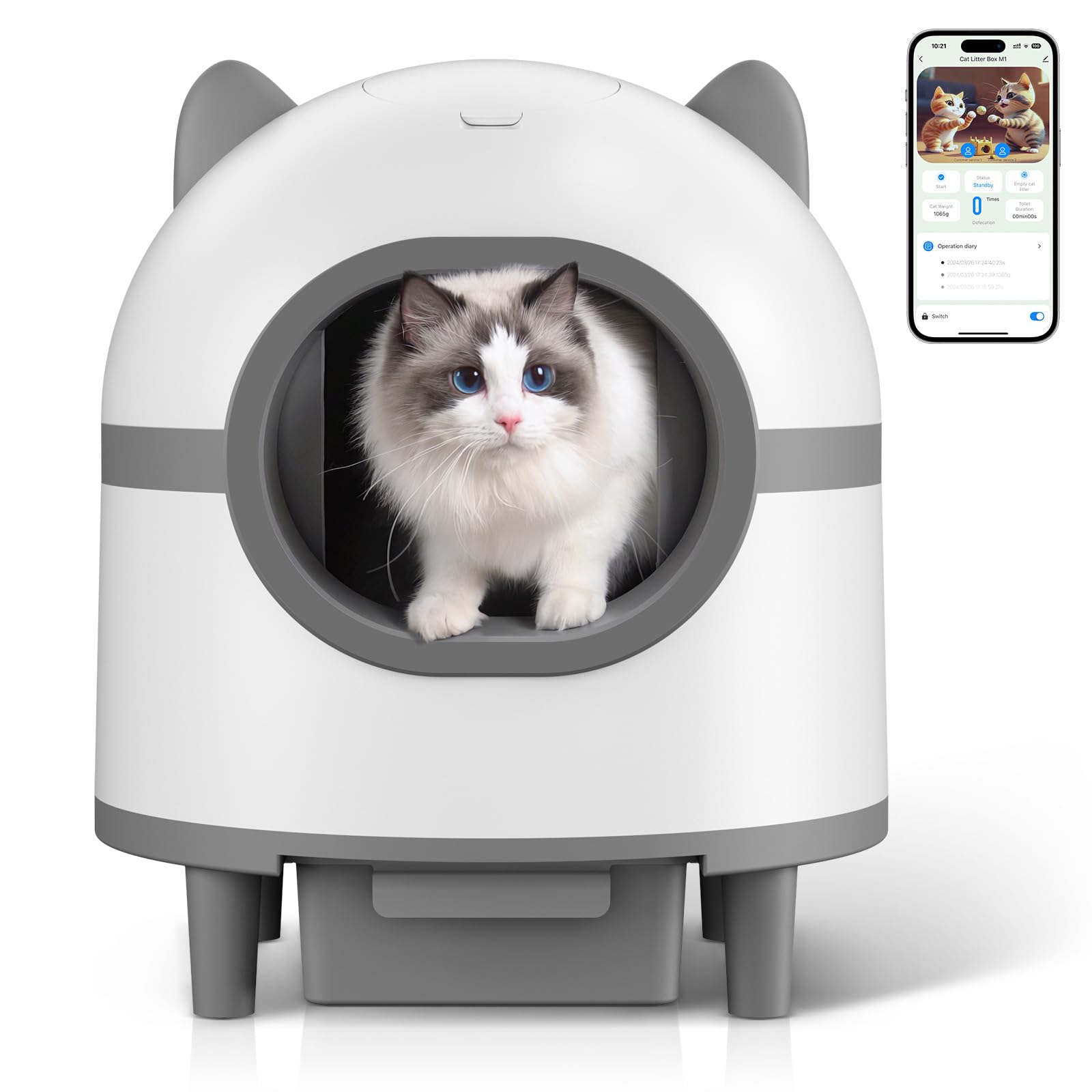
Image: The Amztoy M1 litter box, highlighting its 68L internal capacity and 10L waste bin, along with dimensions (approximately 21.26" x 21.26" x 24.6") and recommended cat weight range (2.2-24.2 lbs).
Setup
- Unpack and Assemble: Carefully remove all components from the packaging. Place the main unit on a flat, stable surface. Ensure the waste collection bin is correctly inserted into its designated slot at the base of the unit.
- Add Cat Litter: Fill the globe with a suitable amount of cat litter. The Amztoy M1 is compatible with various types of cat litter, including bentonite, tofu, and mixed litters. Do not overfill.
- Connect Power: Plug the power adapter into the litter box and then into a wall outlet.
- Initial Calibration: The unit may perform an initial calibration cycle upon first power-on. Allow it to complete this process.
- App Connection (Optional):
- Download the Amztoy app from your smartphone's app store.
- Create an account or log in.
- Follow the in-app instructions to connect your litter box to your home's 2.4GHz Wi-Fi network. The device only supports 2.4GHz WiFi band connectivity.

Image: The Amztoy M1 is compatible with various cat litter types, including bentonite, tofu, and mixed litters, offering flexibility for cat owners.

Image: The Amztoy app interface for the M1 litter box, demonstrating remote monitoring capabilities such as cat weight tracking and cleaning cycle status. Note: The device requires a 2.4GHz Wi-Fi connection.
Operating Instructions
Automatic Cleaning
The Amztoy M1 automatically detects when your cat uses the litter box. After a set delay (to ensure your cat has left), the internal globe will rotate, sifting clean litter and depositing waste into the sealed waste bin below. This ensures a fresh bed of litter for each use.
Manual Cleaning (via App)
You can initiate a cleaning cycle manually at any time through the Amztoy app. This is useful for immediate cleaning or before performing maintenance.
Odor Management
The sealed waste bin and integrated odor elimination system work together to neutralize unpleasant smells, maintaining a fresh environment in your home.
Quiet Operation
The Amztoy M1 operates at a low noise level (≤32dB), designed to not disturb your household or your cat.

Image: The Amztoy M1 litter box demonstrating its quiet operation (≤32dB), allowing for peaceful use even in quiet environments like a bedroom.
Maintenance
Emptying the Waste Bin
The waste bin should be emptied regularly, typically every 7-10 days for a single cat, or more frequently for multiple cats. The app can provide notifications when the bin is full.
- Ensure the unit is in standby mode or powered off.
- Pull out the waste collection bin from the base of the unit.
- Seal the used litter bag and dispose of it responsibly.
- Insert a new litter bag into the waste bin and place the bin back into the unit.
Cleaning the Globe and Interior
For thorough cleaning, the globe and internal components can be easily detached.
- Power off and unplug the unit.
- Follow the instructions to detach the upper globe section from the base.
- Remove any remaining litter.
- Clean the interior of the globe and the sifting mechanism with mild soap and water. Do not use harsh chemicals or abrasive cleaners.
- Wipe down the exterior of the base unit with a damp cloth. Do not submerge the base in water.
- Ensure all parts are completely dry before reassembling.

Image: The Amztoy M1's design allows for fast detachment of the upper globe from the base, facilitating easy and thorough cleaning of all components.
Troubleshooting
| Problem | Possible Cause | Solution |
|---|---|---|
| Unit not powering on. | Power adapter not connected; power outlet issue. | Ensure power adapter is securely plugged into the unit and a working wall outlet. Test the outlet with another device. |
| Cleaning cycle not starting. | Cat detected inside; waste bin full; sensor obstruction. | Check if a cat is inside or near the unit. Empty the waste bin. Clean sensors for any obstructions. |
| Odor persists. | Waste bin needs emptying; poor quality litter; unit needs cleaning. | Empty the waste bin more frequently. Consider using a higher quality, odor-controlling cat litter. Perform a thorough cleaning of the unit. |
| App not connecting to Wi-Fi. | Incorrect Wi-Fi band; weak signal; incorrect password. | Ensure your router is broadcasting a 2.4GHz Wi-Fi signal. Move the unit closer to the router. Double-check Wi-Fi password. |
| Litter not sifting properly. | Litter type incompatible; litter level too high/low; mechanism obstruction. | Ensure compatible litter is used. Adjust litter level. Check for clumps or foreign objects obstructing the sifting mechanism. |
Specifications
- Model: M1
- Brand: Amztoy
- Product Dimensions: 54L x 54W x 62.5H cm (approx. 21.26L x 21.26W x 24.6H inches)
- Item Weight: 9.48 kg (approx. 20.9 lbs)
- Material: Polypropylene (PP)
- Litter Box Type: Automated Self-Cleaning Litter Box
- Internal Capacity: 68L (approx.)
- Waste Bin Capacity: 10L (approx.)
- Noise Level: ≤32dB
- Connectivity: 2.4GHz Wi-Fi
- Compatible Cat Weight: 2.2 - 24.2 lbs (approx.)
Warranty and Support
Amztoy provides after-sale service for this product. For any questions, technical support, or warranty claims, please contact Amztoy customer service through the contact information provided with your purchase or on the official Amztoy website. Please retain your proof of purchase for warranty purposes.