
Blue Star IC518TNUR
Blue Star 1.5 Ton 5-in-1 Convertible Inverter Split AC (IC518TNUR) User Manual
1. Introduction
This manual provides essential information for the safe and efficient operation, installation, and maintenance of your Blue Star 1.5 Ton 5-in-1 Convertible Inverter Split Air Conditioner, model IC518TNUR. Please read this manual thoroughly before using the appliance and retain it for future reference.
2. Safety Information
Always follow basic safety precautions to reduce the risk of fire, electric shock, or injury. This appliance is not intended for use by persons (including children) with reduced physical, sensory, or mental capabilities, or lack of experience and knowledge, unless they have been given supervision or instruction concerning use of the appliance by a person responsible for their safety.
- Ensure the power supply matches the rating label on the unit.
- Do not operate the unit with wet hands.
- Do not insert objects into the air outlet.
- Turn off the power supply before cleaning or maintenance.
- Keep children away from the unit.
- Installation must be performed by qualified personnel.
3. Package Contents
Verify that all components are present in the package:
- 1 x Indoor Unit
- 1 x Outdoor Unit
- 1 x Copper tube (3 meters)
- 1 x Inter Connecting wire (3.5 meters)
- 1 x Remote Control
- 1 x User Manual (this document)
4. Product Overview
The Blue Star IC518TNUR is a 1.5 Ton 5-Star rated Inverter Split Air Conditioner designed for efficient cooling. It features advanced technologies for enhanced comfort and energy savings.
Indoor Unit

Figure 4.1: Front view of the indoor unit, showing the sleek design and Blue Star branding.

Figure 4.2: Angled view of the indoor unit, highlighting its compact form factor.
Outdoor Unit

Figure 4.3: Front view of the outdoor unit, showing the protective grille and Blue Star logo.

Figure 4.4: View of the outdoor unit, clearly showing the fan assembly.
Key Features
- AI Pro: Senses ambient and indoor temperatures to optimize cooling and fan speed for maximum comfort.
- Turbo Cool: Pre-set mode for rapid cooling during high temperatures.
- 5-in-1 Convertible Cooling: Allows operation at 5 different capacities to match comfort needs and optimize power usage.
- 4-Way Swing: Motorized horizontal and vertical swing ensures even cooling distribution.
- DigiQ Hepta Sensors: Intelligent digital sensors with advanced microcontrollers for precise cooling and component protection.
- Hexa Inverter Technology: Adjusts compressor frequency based on room temperature and occupancy for superior cooling and energy efficiency.
- Smart Ready: Compatible with Blue Star's Smart App and voice commands via Amazon Alexa or Google Home (requires additional activation).
- Anti-Corrosive Blue Fins: Protects condenser and evaporator coils from corrosion, enhancing efficiency and lifespan.

Figure 4.5: Illustration of the DigiQ Hepta Sensors, including ambient, discharge, condenser, and indoor unit sensors.
5. Setup and Installation
Installation of this split air conditioner requires specialized tools and knowledge. It is strongly recommended that installation be performed by a certified Blue Star service technician or a qualified professional. Improper installation can lead to electric shock, fire, water leakage, and damage to the unit.
Pre-Installation Checks
- Ensure the installation site is structurally sound to support the weight of both indoor and outdoor units.
- Verify adequate space for air circulation around both units.
- Confirm that the electrical wiring meets local codes and the unit's power requirements.
Installation Steps (Overview)
- Mount the indoor unit securely on the wall, ensuring proper drainage.
- Install the outdoor unit on a stable, level surface, away from direct sunlight or obstructions.
- Connect the copper refrigerant pipes and electrical wiring between the indoor and outdoor units.
- Perform vacuuming and refrigerant charging as per manufacturer specifications.
- Conduct a test run to ensure proper operation and check for leaks.
6. Operating Instructions
Your Blue Star AC is designed for user-friendly operation. Use the provided remote control to access various functions.
Remote Control Functions
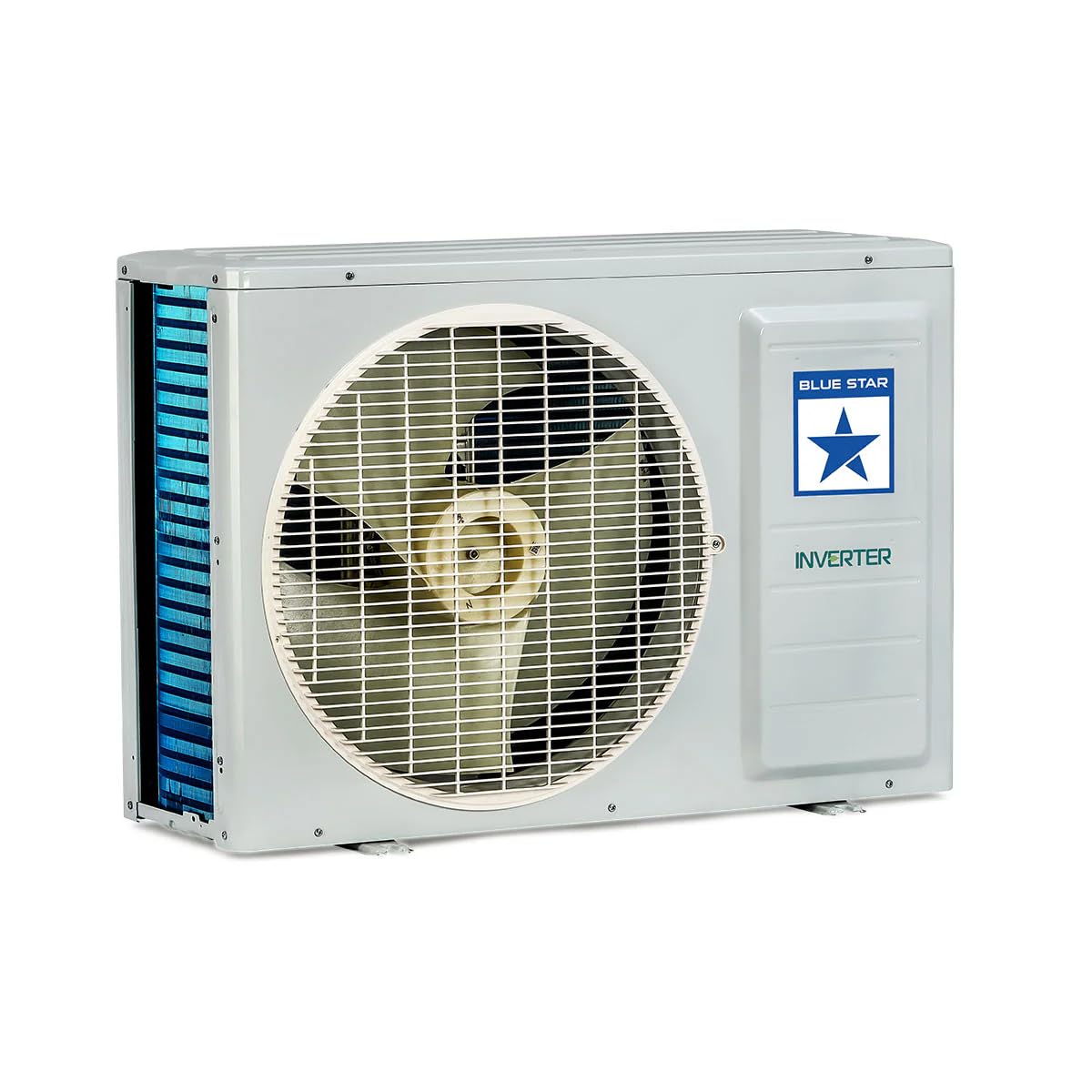
Figure 6.1: Layout of the remote control, showing various buttons for mode selection, temperature adjustment, and special features.
- Power Button: Turns the unit ON/OFF.
- Mode Button: Cycles through operating modes (Cool, Fan, Dry, Auto).
- Temperature Buttons (Up/Down): Adjusts the desired temperature.
- Fan Speed Button: Selects fan speed (Auto, Low, Medium, High).
- Swing Button: Activates/deactivates the 4-Way Swing function.
- 5-in-1 Convertible Button: Cycles through the 5 different cooling capacities.
- Turbo Button: Activates rapid cooling.
- Sleep Mode Button: Adjusts temperature and fan speed for comfortable sleep.
Using 5-in-1 Convertible Cooling
This feature allows you to adjust the cooling capacity of the AC to suit your needs, saving energy when full capacity is not required.

Figure 6.2: Visual representation of the 5-in-1 Convertible Cooling modes, showing capacity adjustments from 40% to 110% (Turbo).
Press the '5-in-1' button on the remote control repeatedly to cycle through the available capacity settings (e.g., 100%, 80%, 60%, 40%, and 110% for Turbo Cool).
AI Pro Mode
The AI Pro feature intelligently adjusts cooling and fan speed based on both indoor and outdoor ambient conditions, providing optimal comfort with minimal manual intervention.

Figure 6.3: An illustration of the AC unit effectively cooling a room, demonstrating the AI Pro feature's intelligent air distribution.
Smart Ready Functionality
To enable smart features like app control and voice commands (Amazon Alexa, Google Home), an additional activation charge is required. Once activated, you can control your AC remotely and integrate it into your smart home ecosystem.

Figure 6.4: A user relaxing while controlling the AC via a voice assistant, illustrating the Smart Ready feature.
7. Maintenance
Regular maintenance ensures optimal performance and extends the lifespan of your air conditioner. Always disconnect power before performing any maintenance.
Air Filter Cleaning
Clean the air filters every two weeks, or more frequently if the unit is used in a dusty environment. Clogged filters reduce cooling efficiency and airflow.
- Open the front panel of the indoor unit.
- Remove the air filters.
- Wash the filters with lukewarm water and a mild detergent.
- Rinse thoroughly and allow them to dry completely in a shaded area.
- Reinstall the dry filters and close the front panel.
Indoor Unit Surface Cleaning
Wipe the indoor unit's surface with a soft, dry cloth. For stubborn dirt, use a damp cloth with a neutral detergent, then wipe dry. Do not use harsh chemicals, abrasives, or solvents.
Outdoor Unit Maintenance
Periodically check the outdoor unit for any obstructions (leaves, debris) around the fan and coils. Clean the outdoor coil fins gently with a soft brush or vacuum cleaner. For thorough cleaning, contact a qualified service technician.

Figure 7.1: Close-up view of the indoor unit's evaporator coil with Anti-Corrosive Blue Fins, designed for durability and protection against environmental factors.
8. Troubleshooting
Before contacting customer service, refer to the following table for common issues and their solutions.
| Problem | Possible Cause | Solution |
|---|---|---|
| Unit does not start | No power supply; Remote control batteries low; Timer function active. | Check power connection and circuit breaker; Replace remote batteries; Cancel timer setting. |
| Insufficient cooling | Dirty air filters; Blocked outdoor unit; Room too large; Doors/windows open; Temperature setting too high. | Clean air filters; Clear obstructions from outdoor unit; Close doors/windows; Lower temperature setting. |
| Unusual noise | Loose parts; Unit not level; Fan obstruction. | Check for loose parts; Ensure unit is level; Remove any fan obstructions. If noise persists, contact service. |
| Water leakage from indoor unit | Clogged drain pipe; Improper installation. | Clear drain pipe; Contact service for inspection of installation. |
If the problem persists after attempting these solutions, please contact Blue Star customer support.
9. Specifications
Detailed technical specifications for the Blue Star IC518TNUR model.
| Feature | Specification |
|---|---|
| Brand | Blue Star |
| Model | IC518TNUR |
| Capacity | 1.5 Tons |
| Energy Efficiency | 5 Star (High Efficiency) |
| Annual Energy Consumption | 783.33 Kilowatt Hours Per Year |
| Noise Level (Indoor Unit) | 37 Decibels |
| Installation Type | Split System |
| Form Factor | Mini-Split |
| Voltage | 230 Volts |
| Wattage | 1300 Watts |
| Material | Metal, Plastic |
| Item Weight | 41 kg 500 g |
| Item Dimensions (LxWxH) | 95 x 22.3 x 31.7 Centimeters (Indoor Unit) |

Figure 9.1: Diagram showing the dimensions of the indoor unit (Length: 95cm, Depth: 22.3cm, Height: 31.7cm).

Figure 9.2: Energy Savings Guide label for the Blue Star IC518TNUR, indicating an ISEER of 5.05 and 5-star rating.
10. Warranty and Support
Warranty Information
Your Blue Star IC518TNUR Air Conditioner comes with a standard manufacturer's warranty. Please refer to the warranty card included with your product for specific terms, conditions, and duration. Keep your purchase receipt as proof of purchase for warranty claims.
Customer Support
For technical assistance, service requests, or any queries regarding your Blue Star AC, please contact Blue Star customer support. You can find contact details on the official Blue Star website or on your warranty card.
Note: Unauthorized repairs or modifications may void your warranty.