
RWRAPS MS600 Series
RWRAPS MS600 Series Switching Power Supply User Manual
Model: MS-600-36 (0-48V 0-12.5A)
1. Introduction
This manual provides essential information for the safe and efficient operation of your RWRAPS MS600 Series Switching Power Supply. The MS600 series offers various voltage and current configurations, including 0-12V, 0-24V, 0-36V, 0-48V, 0-60V, 0-72V, 0-80V, 0-110V, and 0-220V, all rated at 600W. This power supply features adjustable output current and voltage, and is cooled by free air convection.
2. Safety Information
Please read and understand all safety instructions before operating the device. Failure to follow these instructions may result in electric shock, fire, or serious injury.
- Automatic Overload Cut-off: The power supply is equipped with an automatic overload cut-off mechanism to prevent damage from excessive current draw.
- Over Voltage Cut-off: An over voltage cut-off feature protects connected devices from damage due to voltage spikes.
- Automatic Thermal Cut-off: The unit includes an automatic thermal cut-off to prevent overheating.
- Short Circuit Protection: Built-in short circuit protection safeguards the power supply and connected equipment.
- Ensure proper grounding of the power supply before connecting any loads.
- Do not operate the power supply in wet or damp conditions.
- Do not open the casing of the power supply. There are no user-serviceable parts inside.
- Always disconnect power before making or changing connections.
3. Product Overview
The RWRAPS MS600 Switching Power Supply is designed for stable and reliable power delivery. It features a compact design with high stability, low ripple noise, and low power consumption.

Figure 3.1: Overall view of the RWRAPS MS600 Switching Power Supply. This image shows the compact form factor of the unit.

Figure 3.2: Rear view of the power supply, highlighting the built-in cooling fan and a notice regarding its temperature-controlled operation. The fan automatically adjusts based on working temperature.
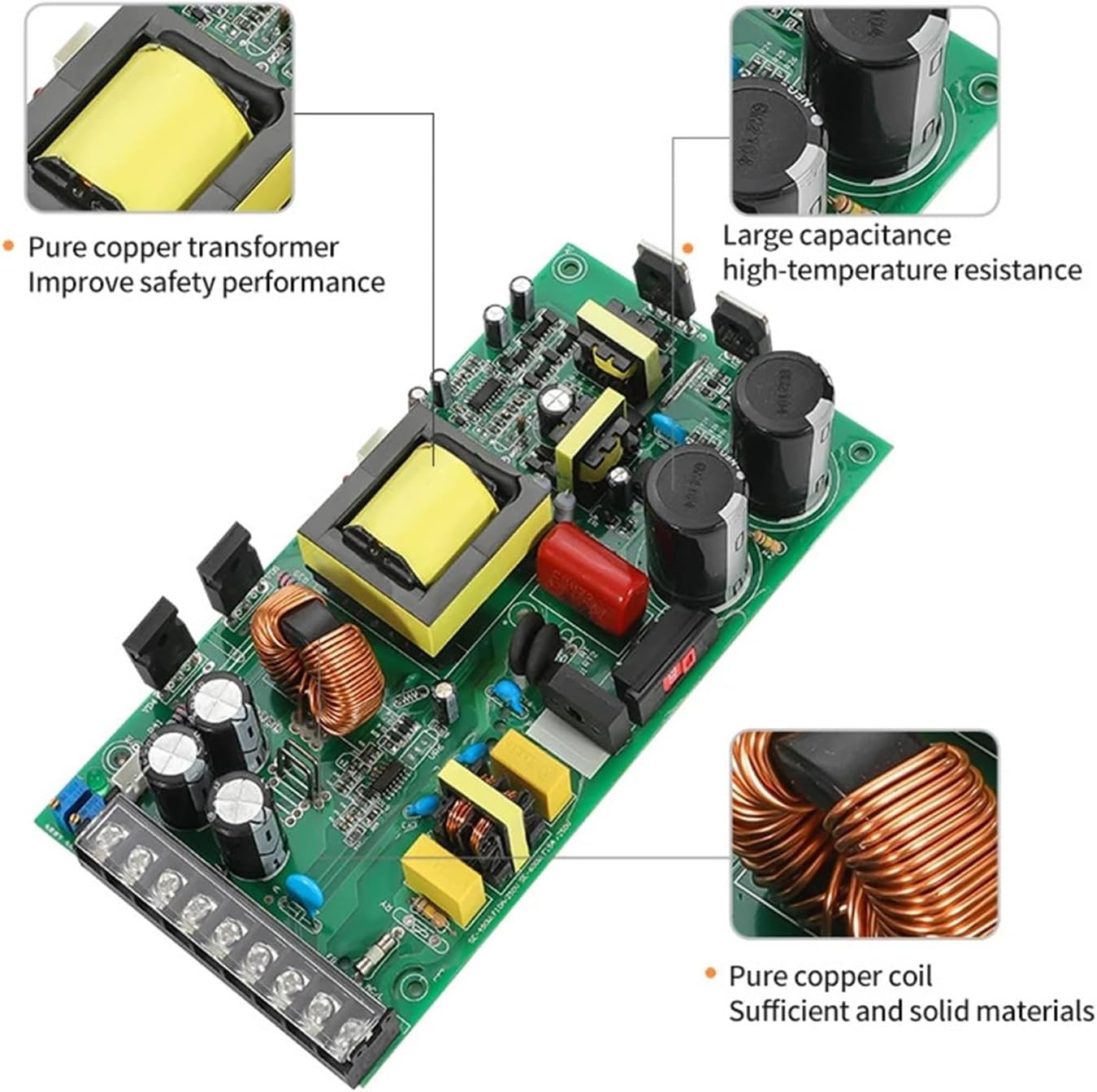
Figure 3.3: Detailed view of the terminal block, showing input (N, L, Ground) and output (+V, -V) connections, along with adjustment potentiometers for voltage and current. This is where all electrical connections are made.
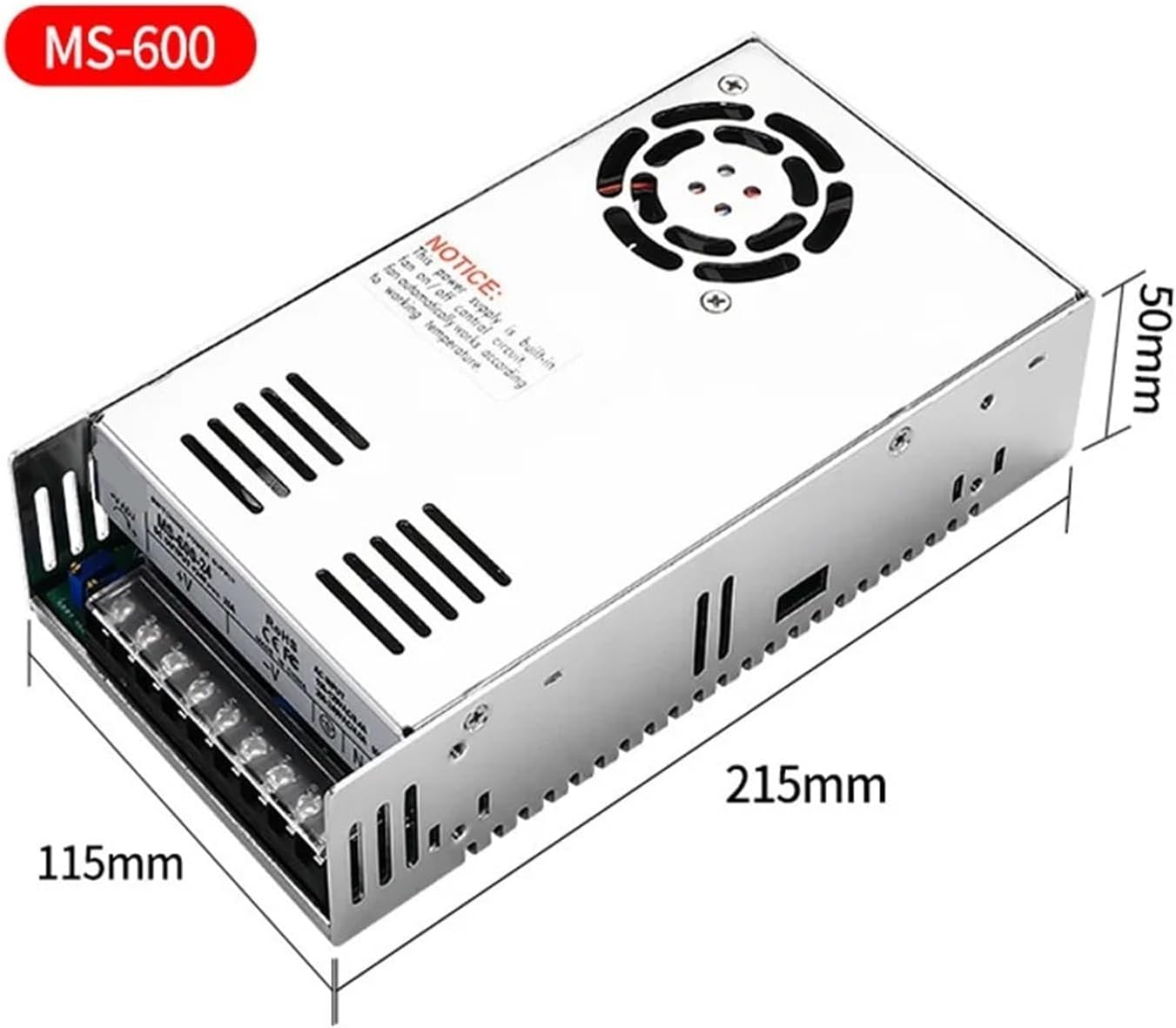
Figure 3.4: Internal view of the power supply's circuit board, showcasing the pure copper transformer, large capacitance high-temperature resistance components, and pure copper coils, all contributing to safety and performance.

Figure 3.5: Dimensions of the MS600 power supply, indicating approximate measurements of 215mm length, 115mm width, and 50mm height for installation planning.
4. Setup and Installation
- Mounting: Ensure the power supply is mounted in a well-ventilated area to allow for proper heat dissipation. Maintain adequate clearance around the unit.
- Input Power Connection (AC):
- Connect the Live (L) wire to the 'L' terminal.
- Connect the Neutral (N) wire to the 'N' terminal.
- Connect the Ground wire to the '⊗' (Ground) terminal.
- Ensure input voltage matches the power supply's rating (100-120VAC/8.4A or 200-240VAC/4.0A, 50/60Hz).
- Output Power Connection (DC):
- Connect the positive (+) terminal of your load to the '+V' terminal.
- Connect the negative (-) terminal of your load to the '-V' terminal.
- Ensure correct polarity to prevent damage to the connected device.
- Initial Check: Before applying power, double-check all connections for tightness and correct polarity.
5. Operating Instructions
The MS600 series allows for adjustment of both output voltage and current.
- Power On: Once all connections are secure, apply AC input power to the unit.
- Voltage Adjustment:
- Locate the '+V ADJ' potentiometer on the terminal block (refer to Figure 3.3).
- Using a small screwdriver, carefully turn the potentiometer clockwise to increase voltage or counter-clockwise to decrease voltage.
- Monitor the output voltage with a multimeter to set it to the desired level.
- Current Adjustment:
- Locate the 'current Adjust the' potentiometer (labeled as 'current Adjust the' in Figure 3.3, typically 'A ADJ' or similar).
- Turn this potentiometer to set the maximum output current limit. This acts as a current limiting feature to protect your load.
- Voltage Consistency: The power supply is designed to maintain stable voltage output with no significant fluctuations during power on, transmit, receive, or power off cycles.
6. Maintenance
The RWRAPS MS600 power supply requires minimal maintenance. Adhering to the following guidelines will ensure optimal performance and longevity:
- Cleaning: Periodically clean the exterior of the unit with a soft, dry cloth. Do not use liquid cleaners or solvents.
- Ventilation: Ensure that the cooling fan and ventilation slots are free from dust and obstructions. Blocked vents can lead to overheating.
- Cooling Fan: The built-in cooling fan operates automatically based on the internal temperature. Ensure it is not obstructed.
- Inspection: Regularly inspect power cables and connections for any signs of damage or wear.
- Storage: When not in use for extended periods, store the power supply in a cool, dry place away from direct sunlight and extreme temperatures.
7. Troubleshooting
This section addresses common issues you might encounter with your power supply.
| Problem | Possible Cause | Solution |
|---|---|---|
| No output voltage/power |
|
|
| Output voltage fluctuates |
|
|
| Unit is hot to touch / Fan not running |
|
|
For issues not listed above, or if troubleshooting steps do not resolve the problem, please contact RWRAPS customer support.
8. Specifications
| Feature | Detail |
|---|---|
| Brand | RWRAPS |
| Model Series | MS-600 Series |
| Rated Power | 600W |
| Input Voltage | 100-120VAC / 200-240VAC (50/60Hz) |
| Output Voltage Range (Adjustable) | 0-12V, 0-24V, 0-36V, 0-48V, 0-60V, 0-72V, 0-80V, 0-110V, 0-220V (model dependent) |
| Output Current Range (Adjustable) | 0-50A, 0-25A, 0-16.6A, 0-12.5A, 0-10A, 0-8.3A, 0-7.5A, 0-5.4A, 0-2.7A (model dependent) |
| Cooling | Built-in fan, free air convection |
| Safety Features | Overload cut-off, Over Voltage cut-off, Thermal cut-off, Short circuit protection |
| Dimensions (Approx.) | 215mm x 115mm x 50mm (8.46 x 4.53 x 1.97 inches) |
| Item Weight | 1.76 pounds (800 Grams) |
| Country of Origin | China |
9. Warranty and Support
For warranty information, please refer to the terms and conditions provided at the time of purchase or contact your retailer. RWRAPS offers protection plans for extended coverage, which can be purchased separately.
For technical support, product inquiries, or assistance with troubleshooting, please contact RWRAPS customer service through the official channels provided with your product or on the manufacturer's website.
Contact Information: Please refer to your product packaging or the official RWRAPS website for the most current contact details.
Ask a question about this manual
Ask about setup, troubleshooting, compatibility, parts, safety, or missing instructions. Manuals+ will review the question and use this page’s manual context to help answer it.