
Dakexiong KK-82MS-D
Dakexiong KK-82MS-D Scientific Calculator User Manual
Model: KK-82MS-D | Brand: Dakexiong
Introduction
This manual provides comprehensive instructions for the proper use and maintenance of your Dakexiong KK-82MS-D Scientific Calculator. Designed for students, teachers, and professionals, this portable calculator offers 240 functions to support various mathematical, algebraic, fractional, statistical, and accounting calculations. Please read this manual thoroughly to ensure optimal performance and longevity of your device.
Product Overview
Key Features
- 240 Functions: Comprehensive set for various calculations.
- Dual-Line Display: Shows both input formula and results simultaneously for clarity.
- Portable Design: Compact and lightweight with a protective slide cover.
- Durable Buttons: Silicone buttons for comfortable and reliable input.
- Battery Powered: Operates on a Lithium-ion battery (included).
Components

Image Description: A detailed view of the Dakexiong KK-82MS-D scientific calculator highlighting its key components. It shows the dual-line large screen display, the location of the button cell, various functional keys, the protective slide cover, and the silicone buttons.

Image Description: A diagram illustrating the functional description of the calculator. Labels point to the large screen, 2-line display, input mode button, turn on button, combination arrangement keys, input limit, delete button, clear button, and number keys.
Setup
Powering On/Off
- To turn on the calculator, press the ON button.
- To turn off the calculator, press SHIFT then AC (OFF).
Battery Installation
The calculator is powered by one Lithium-ion battery (included). If the display becomes dim or unresponsive, replace the battery. Refer to the diagram for battery compartment location.
Image Description: A close-up view of the calculator's back, indicating the location of the button cell compartment for battery replacement.
Operating Instructions
Basic Calculations
Enter numbers using the numeric keypad and perform operations using the +, -, ×, ÷ buttons. Press = to display the result.
Scientific Functions (240 Functions)
The calculator supports 240 functions, including trigonometric, logarithmic, exponential, and more. Many functions are accessed by pressing the SHIFT key followed by the desired function key.
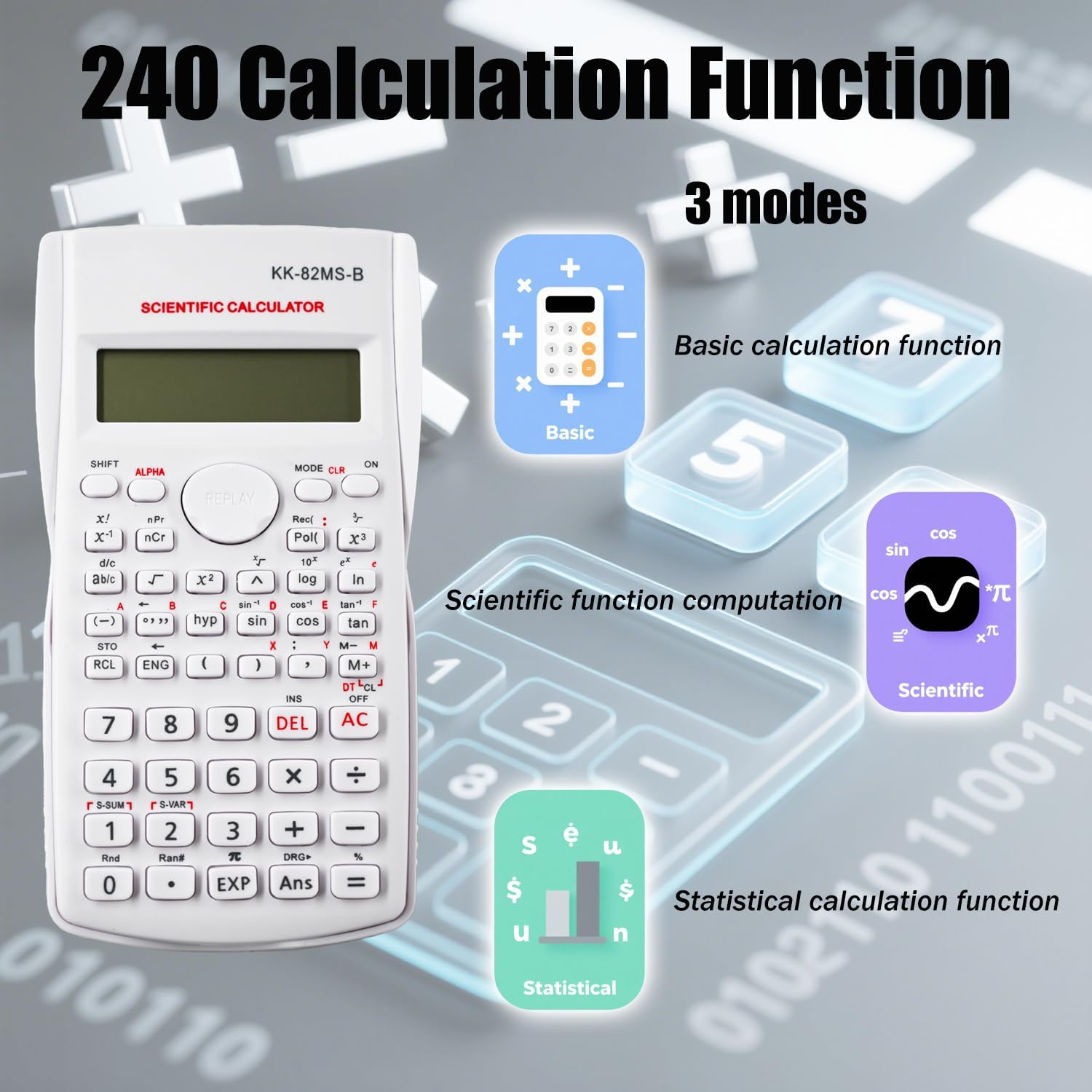
Image Description: An image illustrating the three main calculation modes available on the calculator: Basic calculation function, Scientific function computation, and Statistical calculation function.
Statistical Calculations
To enter statistical mode, press MODE and select the appropriate statistical option. Input your data points and use the dedicated statistical function keys to perform calculations such as mean, standard deviation, and regression analysis.
Fraction Calculations
Use the fraction key (a b/c) to input and calculate with fractions. The dual-line display will show fractions in a clear, natural format.
Display and Input
Dual-Line Display
The calculator features a dual-line display. The top line shows the input expression or formula, while the bottom line displays the calculation result. This allows for easy verification of input and results.

Image Description: A close-up of the calculator's screen demonstrating its clear and concise dual-line display, with the formula on the top line and the results on the bottom line.
Button Layout
The calculator's buttons are logically arranged for ease of use. Numeric keys are at the bottom, with common arithmetic operations. Scientific functions are located above, often requiring the SHIFT key for secondary functions.
Maintenance
- Keep the calculator clean by wiping it with a soft, dry cloth.
- Avoid exposing the calculator to extreme temperatures, humidity, or direct sunlight.
- Store the calculator with its protective slide cover when not in use to prevent damage to the keys and screen.
- Do not attempt to disassemble the calculator.
Image Description: The Dakexiong KK-82MS-D scientific calculator with its protective slide cover, emphasizing the importance of using it for maintenance and protection.
Specifications
| Feature | Detail |
|---|---|
| Brand | Dakexiong |
| Model Number | DK_HanShuJiSuanQi_Bai |
| Color | White |
| Screen Size | 5 Centimeters |
| Display Type | LCD |
| Number of Functions | 240 |
| Power Source | Battery Powered (1 Lithium-ion battery included) |
| Material | Plastic |
| Product Dimensions | 20L x 10l millimeters |

Image Description: A visual representation of the calculator's dimensions, indicating its length, width, and thickness.
Troubleshooting
Display is blank or dim
- Check the battery. Replace the Lithium-ion battery if necessary.
- Ensure the calculator is turned on by pressing the ON button.
Incorrect calculation results
- Verify the input values and the sequence of operations.
- Check the current mode (e.g., DEG/RAD for angles, statistical mode). Adjust using the MODE button.
- Clear all memory and reset settings by pressing SHIFT then CLR.
Warranty and Support
This product comes with a 3-year manufacturer's warranty. For warranty claims or technical support, please contact Dakexiong customer service through the retailer where the product was purchased. Please retain your proof of purchase for warranty validation.
Ask a question about this manual
Ask about setup, troubleshooting, compatibility, parts, safety, or missing instructions. Manuals+ will review the question and use this page’s manual context to help answer it.