
Introduction
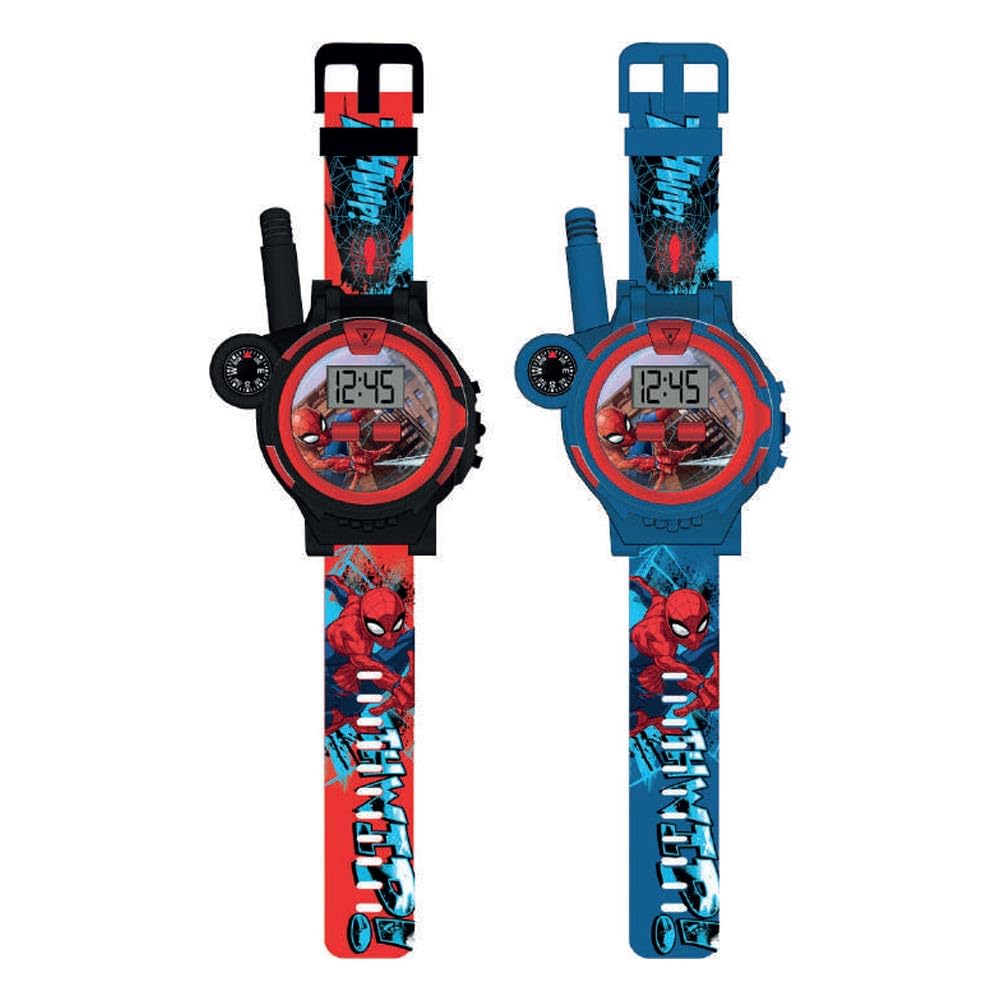
Thank you for choosing the Kids Licensing Spider-Man Walkie Talkie Watch Set, model SPD40156. This set provides an exciting way for children to communicate over short distances while enjoying a fun Spider-Man themed accessory. This manual provides essential information for the safe and effective use of your new walkie-talkie watches.
The set includes two wrist-worn walkie-talkie units, allowing for two-way communication with a range of up to 80 meters in optimal conditions. Each watch also features a digital time display.
Product Features
- Two-Way Communication: Enables real-time voice communication between two users.
- Digital Time Display: Each watch functions as a digital timepiece.
- Wrist-Worn Design: Comfortable and convenient for children to wear.
- Extended Range: Communicate up to 80 meters (approximately 260 feet) in open areas.
- Spider-Man Theme: Features popular Spider-Man character branding.
- Durable Construction: Designed for active play.
Package Contents
Please ensure all items are present in the package:
- 2 x Spider-Man Walkie Talkie Watches (Model SPD40156)
- 1 x USB Charging Cable (for both units)
- 1 x Instruction Manual (this document)
Setup
- Unboxing: Carefully remove all components from the packaging. Retain the packaging for future reference or storage.
- Charging the Watches:
- Locate the charging port on each walkie-talkie watch.
- Connect the provided USB charging cable to each watch.
- Plug the other end of the USB cable into a standard USB power adapter (not included) or a computer USB port.
- Allow approximately 2-3 hours for a full charge. An indicator light (if present) will typically change color or turn off when charging is complete.
- Powering On: Press and hold the Power button (usually located on the side of the watch) for a few seconds until the digital display illuminates. Repeat for the second watch.
The image shows the Kids Licensing Spider-Man Walkie Talkie Watch Set, model SPD40156, packaged in a blue box. Two red and blue walkie-talkie watches with Spider-Man branding are visible through a clear plastic window. The watches feature digital displays and wrist straps. A charging cable is also visible in the packaging. The box art includes Spider-Man graphics and images of children using the watches.
Operating Instructions
- Setting the Time:
- With the watch powered on, locate the "Mode" or "Set" button (refer to watch face or side buttons).
- Press the "Mode" button repeatedly until the time display starts flashing or enters time-setting mode.
- Use the "Adjust" or "Select" button to change the hours, minutes, and possibly AM/PM.
- Press "Mode" again to confirm and exit time-setting mode.
- Using the Walkie-Talkie Function:
- Ensure both watches are powered on and within range of each other.
- To transmit, press and hold the "Talk" or "PTT" (Push-To-Talk) button, usually located on the side of the watch.
- Speak clearly into the microphone (small hole near the display) while holding the button.
- Release the "Talk" button to listen for a response.
- The other watch will receive your transmission automatically if it is on the same channel (if applicable) and within range.
- Optimizing Range: For best communication range, use the watches in open outdoor areas with minimal obstructions. Walls, buildings, and dense foliage can reduce the effective range.
Maintenance
- Cleaning: Wipe the watches with a soft, dry cloth. Do not use abrasive cleaners or immerse in water.
- Battery Care:
- Charge the watches fully before first use.
- Recharge when the battery indicator is low or performance decreases.
- Avoid overcharging for extended periods.
- If storing for a long time, charge the batteries partially (around 50%) and store in a cool, dry place. Recharge every few months to maintain battery health.
- Storage: Store the watches in a clean, dry environment away from direct sunlight and extreme temperatures.
Troubleshooting
| Problem | Possible Cause | Solution |
|---|---|---|
| Watch does not power on. | Low or depleted battery. | Charge the watch fully using the provided USB cable. |
| Cannot communicate with the other watch. |
|
|
| Poor sound quality or static. |
|
|
| Digital time display is incorrect. | Time not set correctly. | Refer to "Setting the Time" in the Operating Instructions section. |
Specifications
- Model Number: SPD40156
- Brand: Kids Licensing
- Display Type: Digital
- Battery Type: 1 Lithium Ion (included, per watch)
- Communication Range: Up to 80 meters (approx. 260 feet) in open conditions
- Clasp Type: Buckle with mouse design
- Band Material: Faux Leather
- Case Material: Aluminum
- Crystal Material: Plastic
- Case Diameter: 35 mm
- Band Width: 2 cm
- Case Thickness: 5 mm
- Age Range: Kid
Warranty and Support
Kids Licensing products are designed for quality and enjoyment. For any questions, technical support, or warranty inquiries, please refer to the contact information provided on the product packaging or visit the official Kids Licensing website. Please retain your proof of purchase for warranty claims.