
1. Introduction
Thank you for choosing the Lonzuer Dream Portable Bluetooth Speaker. This manual provides essential information for setting up, operating, and maintaining your speaker to ensure optimal performance and longevity. Please read this manual thoroughly before using the product.

Image: The Lonzuer Dream speaker in a home setting, demonstrating its retro design and ease of use.
2. What's in the Box
Carefully unpack all items and ensure you have received the following components:
- 1 × Bluetooth Speaker Body
- 1 × Power Adapter
- 1 × AUX Audio Cable
- 1 × User Manual (this document)
- 1 × Security Warning

Image: The Lonzuer Dream speaker, power adapter, and AUX audio cable as included in the package.
3. Product Overview
3.1 Front Panel
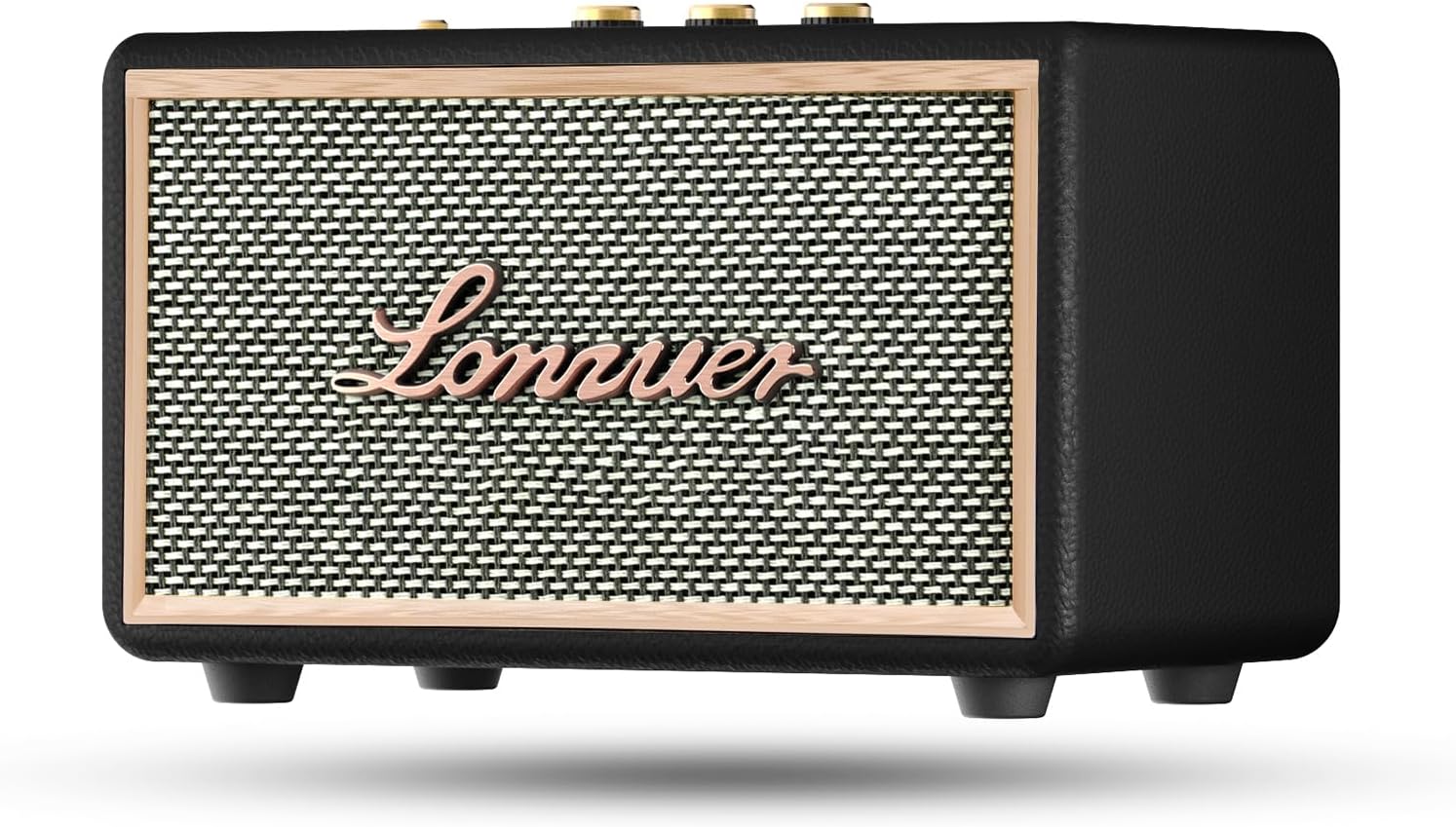
Image: Front view of the Lonzuer Dream speaker, featuring a retro wooden design with a fabric grille and the Lonzuer brand name.
3.2 Top Control Panel
The top panel features various controls for power, volume, audio adjustments, and playback.

Image: Detailed view of the speaker's top panel, showing the Power/AUX switch, Volume, Bass, and Treble rotary knobs, along with playback control buttons (Previous, Play/Pause, Next, Mode).
- Power/AUX Switch: Toggles power ON/OFF and switches to AUX input mode.
- Volume Knob: Adjusts the overall sound volume.
- Bass Knob: Adjusts the bass level.
- Treble Knob: Adjusts the treble level.
- Previous Track Button: Skips to the previous song.
- Play/Pause Button: Plays or pauses the current track.
- Next Track Button: Skips to the next song.
- Mode Button (M): Switches between Bluetooth, AUX, USB, and SD card modes.
3.3 Rear Panel Ports
The rear panel provides connectivity options for charging and external media.

Image: Back panel of the Lonzuer Dream speaker, displaying the DC 15V charging input, USB port, TF/SD card slot, and Bluetooth indicator.
- DC IN (15V): Power input for charging the speaker.
- USB Port: For playing audio from a USB flash drive.
- TF/SD Card Slot: For playing audio from a TF or SD memory card.
- Bluetooth Indicator: Lights up when Bluetooth is active.
4. Setup
4.1 Charging the Speaker
Before first use, fully charge the speaker. Connect the provided power adapter to the DC IN (15V) port on the rear panel and plug it into a power outlet. The charging indicator (if present, usually near the power switch or DC IN port) will illuminate during charging and turn off or change color when fully charged. A full charge provides approximately 12-24 hours of playback depending on volume level.
4.2 Powering On/Off
To power on the speaker, rotate the Power/AUX Switch on the top panel to the ON position. To power off, rotate it to the OFF position.
5. Operating Instructions
5.1 Bluetooth Pairing
- Ensure the speaker is powered on and in Bluetooth mode (indicated by the Bluetooth indicator light). If not, press the Mode (M) button to switch to Bluetooth.
- On your smart device (phone, tablet, etc.), enable Bluetooth and search for available devices.
- Select "Dream" from the list of devices.
- Once paired, the speaker will emit a confirmation sound, and the Bluetooth indicator will remain solid.
- You can now play audio from your device through the speaker. The speaker supports Bluetooth 5.3 for a stable connection up to 33 feet.
5.2 AUX Input Mode
- Connect one end of the provided 3.5mm AUX audio cable to the AUX port on the speaker (often integrated with the Power/AUX switch).
- Connect the other end to the audio output jack of your external device.
- Rotate the Power/AUX Switch to the AUX position.
- The speaker will now play audio from your connected device.
5.3 USB/SD Card Playback
- Insert a USB flash drive into the USB Port or an SD/TF card into the TF/SD Card Slot on the rear panel.
- Press the Mode (M) button to switch to USB or SD card mode. The speaker will automatically detect and begin playing compatible audio files (MP3/MP4).
- Use the Previous/Next/Play/Pause buttons on the top panel to control playback.
5.4 Adjusting Audio (Bass/Treble)
Use the Bass Knob and Treble Knob on the top panel to fine-tune the audio output to your preference. Rotate clockwise to increase and counter-clockwise to decrease the respective levels.
5.5 TWS (True Wireless Stereo) Pairing
For an enhanced stereo experience, you can pair two Lonzuer Dream speakers together.

Image: Step-by-step guide for TWS pairing, showing two speakers, the double short press action on the Play/Pause button, and the final Bluetooth connection on a smartphone.
- Turn on both Lonzuer Dream speakers simultaneously.
- On one of the speakers, double short press the Play/Pause Button.
- Listen for a prompt indicating that TWS pairing mode is successful. The speakers will connect to each other.
- Once paired, search for "Dream" in your smart device's Bluetooth settings and connect. Audio will now play in stereo through both speakers.
6. Maintenance
- Cleaning: Use a soft, dry cloth to clean the speaker's exterior. Avoid using abrasive cleaners or solvents.
- Storage: Store the speaker in a cool, dry place away from direct sunlight and extreme temperatures when not in use for extended periods.
- Water Resistance: This speaker is not waterproof. Avoid exposure to water or high humidity.
- Battery Care: To prolong battery life, avoid fully discharging the battery frequently. Charge the speaker regularly, even if not in use, to maintain battery health.
7. Troubleshooting
| Problem | Possible Cause | Solution |
|---|---|---|
| Speaker does not power on. | Battery is depleted. | Connect the speaker to the power adapter and charge it. |
| Cannot pair via Bluetooth. | Speaker is not in pairing mode; device Bluetooth is off; too far from speaker. | Ensure speaker is in Bluetooth mode. Turn on device Bluetooth. Move device closer to speaker (within 33 feet). Forget "Dream" on your device and try pairing again. |
| No sound from speaker. | Volume too low; incorrect input mode; audio source issue. | Increase speaker volume and device volume. Ensure correct input mode (Bluetooth, AUX, USB/SD). Check if the audio source is playing correctly. |
| TWS pairing fails. | Incorrect pairing steps; speakers too far apart. | Ensure both speakers are Lonzuer Dream models. Follow TWS pairing steps precisely. Place speakers close to each other during pairing. |
| Speaker not charging. | Faulty power adapter or cable; charging port issue; internal battery issue. | Ensure the power adapter and cable are securely connected and functional. Try a different compatible power adapter if available. If the issue persists, contact customer support. |
8. Specifications
- Model: Dream
- Brand: Lonzuer
- Output Wattage: 80 Watts (Peak)
- Battery: 10000mAh Lithium Polymer (included)
- Playtime: 12-24 hours (at 30%-100% volume)
- Bluetooth Version: 5.3
- Wireless Range: Up to 33 feet (10 meters)
- Input Voltage: DC 15V
- Connectivity: Bluetooth, AUX (3.5mm), USB, SD/TF Card
- Product Dimensions: 5.89 x 10.2 x 6.3 inches
- Item Weight: 5.08 pounds
- Material: Leather, Metal, Plastic, Wood
- Compatible Devices: iPhone, Android, Samsung Galaxy, Windows, Notebook, Google Pixel, Motorola, OnePlus, PC, MP3, MP4, and other Bluetooth-enabled devices.
- ASIN: B0CX828SHT
- Manufacturer: Lonzuer
- Date First Available: March 6, 2024
9. Warranty and Support
Lonzuer products are designed for quality and reliability. For warranty information, technical support, or customer service inquiries, please refer to the contact information provided on the product packaging or visit the official Lonzuer website.
You can also visit the Lonzuer Store on Amazon for additional product information and support resources.