
1. Introduction
This manual provides essential information for the safe and effective use of the inShareplus DC 24V 8.5A 200W Switching Power Supply. This unit is designed to convert AC 110-250V input to a stable 24V DC output, making it suitable for various applications such as LED strip lights, security cameras, industrial automation, and other 24V DC devices. It features multiple protection functions and an efficient, fanless design for quiet operation.

Image 1.1: Overview of the inShareplus DC 24V 200W Switching Power Supply.
2. Safety Information
This device operates with electrical current. Improper installation or use can lead to electric shock, fire, or other hazards. Always adhere to the following safety guidelines:
- Professional Installation: If you are unfamiliar with electrical wiring, installation should be performed by qualified personnel.
- Proper Grounding: Always ensure proper grounding of the unit and follow all local electrical codes and regulations.
- Indoor Use Only: This unit is designed for indoor use. Do not expose it to moisture, rain, or extreme temperatures.
- Ventilation: Ensure adequate ventilation around the unit. Do not cover the power supply or block its hollow heat dissipation design.
- Load Capacity: Do not exceed 85% of the power supply's rated capacity to ensure optimal performance and longevity. For this 200W unit, the recommended maximum load is 170W.
- No User-Serviceable Parts: Do not open the casing of the power supply. There are no user-serviceable parts inside.
- Disconnect Power: Always disconnect power before making any connections or performing maintenance.
3. Setup and Wiring
Follow these steps for proper installation and wiring of the power supply:
- Mounting: Securely mount the power supply using its surface mount design in a location that allows for adequate ventilation.
- AC Input Connection: Connect the AC input wires to the designated terminals.
- Connect the Live (L) wire to the 'L' terminal.
- Connect the Neutral (N) wire to the 'N' terminal.
- Connect the Ground wire to the '⏚' (Ground) terminal.
- DC Output Connection: Connect the DC output wires to your 24V DC device.
- Connect the Negative (V-) wire to the 'V-' terminal.
- Connect the Positive (V+) wire to the 'V+' terminal.
- Verify Connections: Double-check all connections to ensure they are secure and that correct polarity is observed for the DC output. Loose connections can cause overheating or malfunction.

Image 3.1: Detailed wiring diagram for the DC 24V 200W LED Power Supply.
Note: The power supply is designed for universal AC input from 110V to 250V. No manual voltage selection is required.
4. Operation
Once properly installed and wired, the inShareplus DC 24V 200W Switching Power Supply will automatically convert the AC input to a stable 24V DC output for your connected devices. The unit operates silently due to its fanless design.
- Power On: Apply AC power to the input terminals. The power supply will begin providing 24V DC output.
- Load Management: Ensure the total power consumption of all connected devices does not exceed 85% of the power supply's rated capacity (170W for this 200W model) to prevent overload and ensure stable operation.
5. Maintenance
The inShareplus DC 24V 200W Switching Power Supply is designed for low maintenance. Its hollow heat dissipation design eliminates the need for a cooling fan, contributing to its longevity and quiet operation.
- Cleaning: Periodically inspect the unit for dust accumulation, especially on the ventilation holes. Gently clean with a soft, dry cloth or compressed air to ensure optimal airflow.
- Inspection: Regularly check the wiring connections for any signs of wear, corrosion, or looseness. Tighten connections if necessary.
- Environment: Ensure the operating environment remains within specified temperature and humidity ranges, and free from excessive dust or corrosive substances.
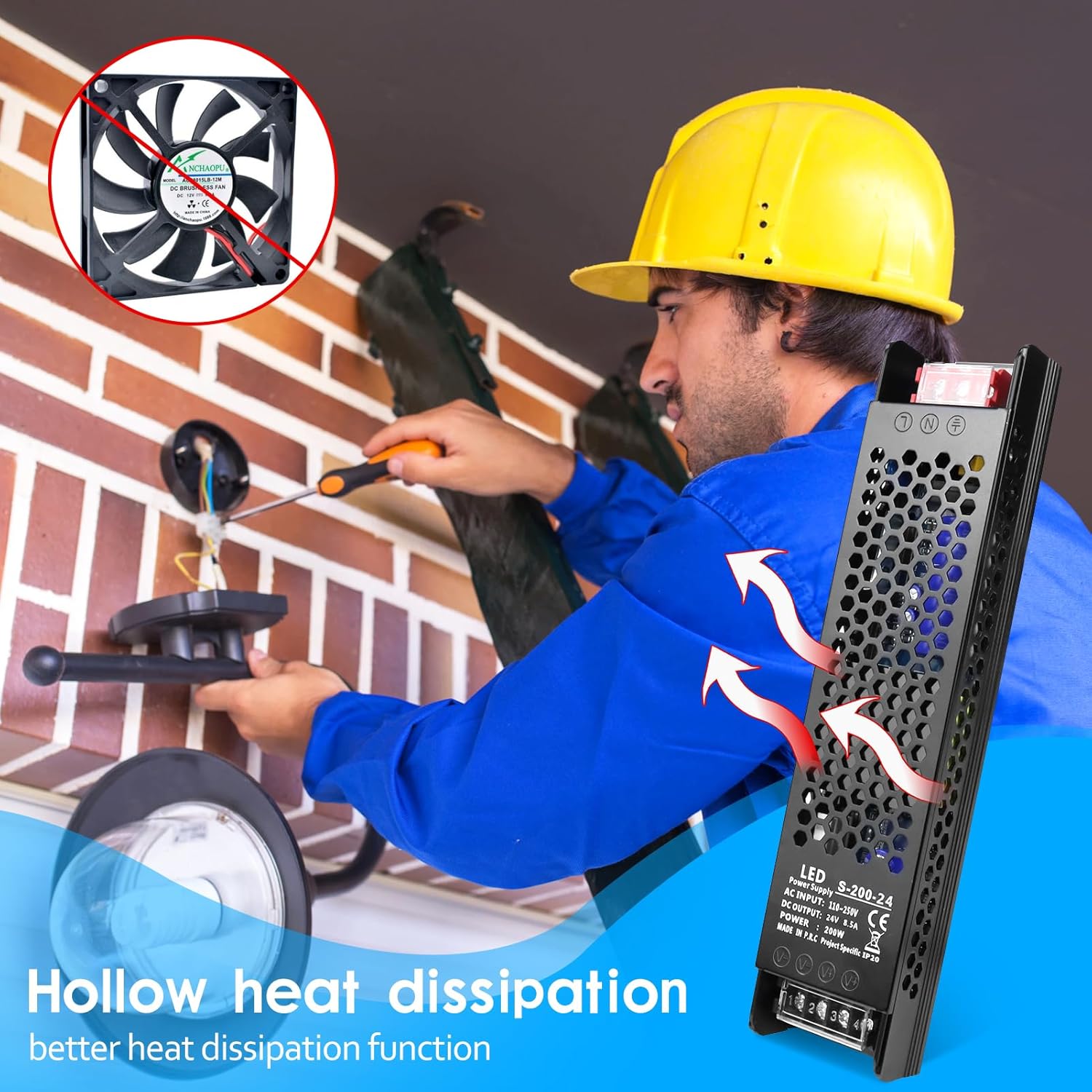
Image 5.1: The hollow design facilitates efficient, fanless heat dissipation.
6. Troubleshooting
The power supply incorporates multiple protection functions to ensure safety and reliability. If the unit stops functioning, refer to the following common issues and solutions:

Image 6.1: Overview of the power supply's built-in protection features.
- No Output Power: The unit may have entered a protection mode (overload, overvoltage, overcurrent, short circuit, or high temperature).
- Solution: Disconnect the load from the power supply. Check for any faults in the connected device or wiring (e.g., short circuits, excessive load). Once the fault is cleared, reconnect the load. The unit is designed for automatic recovery after fault elimination.
- Overheating: The unit feels excessively hot.
- Solution: Ensure adequate ventilation around the unit. Remove any obstructions blocking the hollow heat dissipation design. Reduce the connected load if it exceeds the recommended 85% capacity.
- Intermittent Power: Output power is unstable or cuts out occasionally.
- Solution: Check all wiring connections for looseness. Verify that the input AC voltage is stable and within the 110-250V range. Ensure the connected load is not fluctuating or exceeding the power supply's capacity.
If problems persist after following these troubleshooting steps, contact customer support.
7. Specifications
| Feature | Specification |
|---|---|
| Model Number | ISP-US-XX-KGDY-24V200W |
| Input Voltage | AC 110-250V |
| Output Voltage | DC 24V |
| Output Current | 8.5A |
| Output Power | 200W |
| Protection Functions | Overvoltage, Overcurrent, Overload, High Temperature, Short Circuit |
| Dimensions (L x W x H) | 22 x 4.78 x 3 cm (8.66 x 1.88 x 1.18 inches) |
| Weight | 0.3 kg (0.66 lbs) |
| Mounting Type | Surface Mount |
| Compliance | UL (Specification Met) |
| Manufacturer | inShareplus |
8. Warranty and Support
For warranty information, technical assistance, or customer support regarding your inShareplus DC 24V 200W Switching Power Supply, please refer to the documentation provided with your purchase or contact inShareplus customer service directly through the platform where the product was acquired.