
Wireless Express PK
Portable Bluetooth Karaoke Microphone Speaker User Manual
Model: PK | Brand: Wireless Express
Introduction
This user manual provides essential information for the safe and effective operation of your Portable Bluetooth Karaoke Microphone Speaker. This versatile device combines a high-quality microphone with a powerful speaker, designed for both singing practice and entertainment. It offers wireless connectivity via Bluetooth, a built-in rechargeable battery for extended use, and features like echo effects for enhanced vocal performance. Please read this manual thoroughly before using the product to ensure optimal performance and longevity.
Package Contents
Please check the package carefully to ensure all items are present and in good condition.
- Portable Bluetooth Karaoke Microphone Speaker (Teal)
- Power Cable (Micro USB)
- User Manual (this document)

Image: The Portable Bluetooth Karaoke Microphone and Speaker in Teal color, showing both components side-by-side.
Product Features
- Portable Bluetooth Karaoke Microphone: Equipped with a high-sensitive pickup and a cardioid condenser microphone for clear and accurate voice capture. Features a built-in rechargeable battery for extended use.
- Bluetooth Speaker: Integrated speaker with a powerful bass driver delivers crystal-clear sound. Connects wirelessly to smartphones, tablets, or computers via Bluetooth for playing music and karaoke tracks. Includes a microphone input for duets or group performances.
- Dual Functionality: The microphone and speaker can be used together for karaoke or separately, allowing the microphone for solo singing and the speaker for music playback.
- Easy to Use: Simple controls for volume, microphone mute, and Bluetooth pairing. Lightweight and portable design for convenient transport and use anywhere.
- Compact and Stylish: Designed for portability and aesthetic appeal, suitable for home use, parties, or on-the-go entertainment.
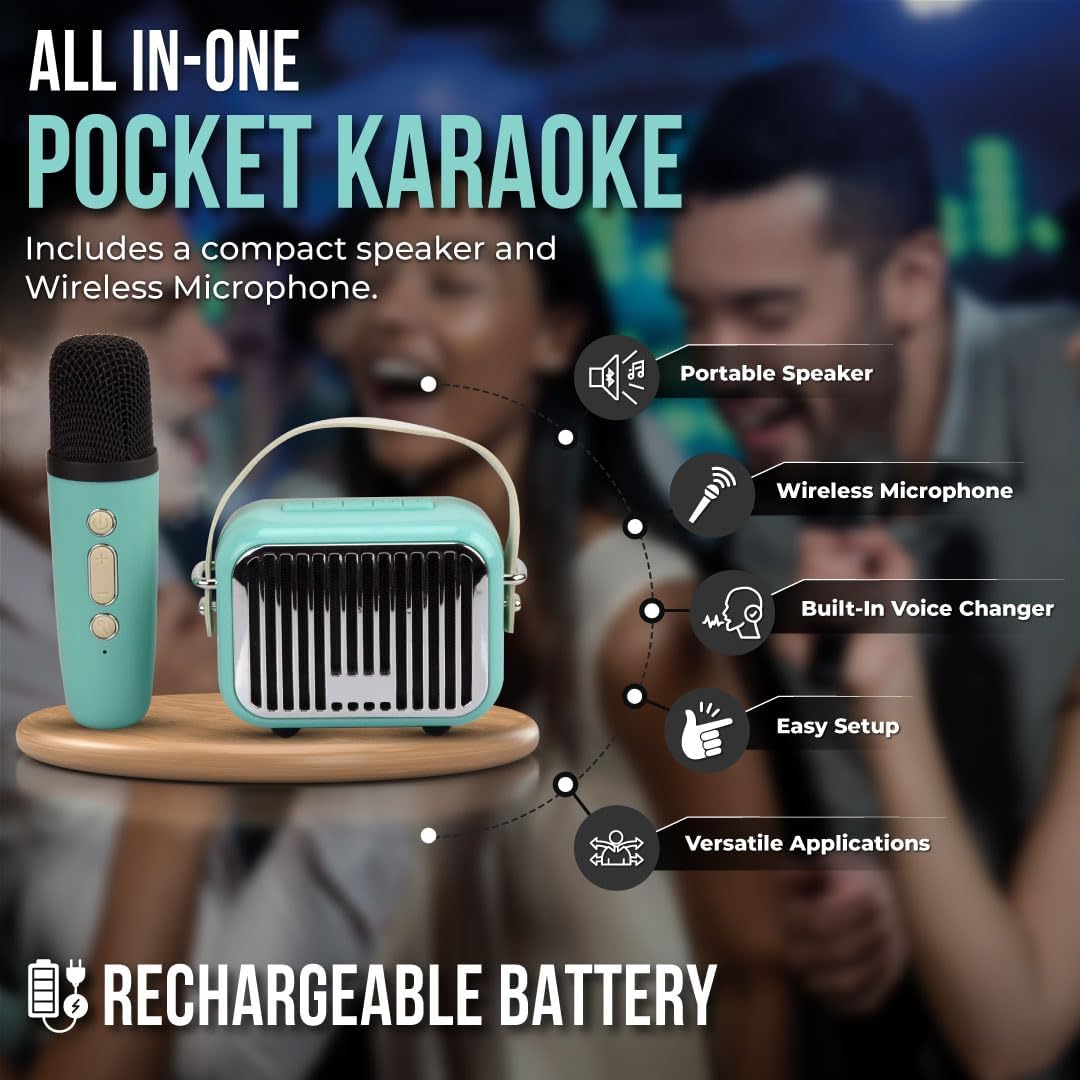
Image: An illustrative diagram highlighting key features of the product, including Portable Speaker, Wireless Microphone, Built-in Voice Changer, Easy Setup, and Versatile Applications, all powered by a Rechargeable Battery.
Setup
Initial Charging
Before first use, fully charge the device. Connect the provided Micro USB power cable to the charging port on the speaker and the other end to a USB power adapter (not included) or a computer's USB port. The charging indicator light will illuminate during charging and turn off or change color when fully charged. A full charge typically takes 2-3 hours.
Powering On/Off
- To Power On: Press and hold the Power button on both the microphone and the speaker until the indicator light illuminates and you hear a power-on prompt.
- To Power Off: Press and hold the Power button on both the microphone and the speaker until the indicator light turns off and you hear a power-off prompt.
Operating Instructions
Bluetooth Pairing
- Ensure both the microphone and speaker are powered on.
- On your smartphone, tablet, or computer, navigate to the Bluetooth settings.
- Search for available devices. The device will appear as "Wireless Express PK" or similar.
- Select the device name to initiate pairing. You will hear a confirmation sound once successfully paired.
- Once paired, you can play music from your device through the speaker and use the microphone for singing.
Microphone Functions
- Volume Control: Use the '+' and '-' buttons on the microphone to adjust your vocal volume.
- Echo Effect: The microphone features a built-in echo effect. Press the dedicated echo button (if available) or cycle through modes to activate/deactivate or adjust the echo level.
- Voice Changer: Some models may include a voice changer function. Refer to the microphone's specific buttons for activation.
Speaker Functions
- Music Playback: Once paired via Bluetooth, control music playback (play, pause, skip tracks) directly from your connected device.
- Speaker Volume: Adjust the overall speaker volume using the controls on the speaker unit or your connected device.
- Microphone Input: The speaker has a dedicated input for the wireless microphone. Ensure the microphone is powered on and paired for vocal output through the speaker.

Image: A detailed view of the microphone and speaker, highlighting their compact design and control buttons.
Maintenance and Care
- Cleaning: Wipe the device with a soft, dry cloth. Do not use abrasive cleaners or solvents.
- Storage: Store the device in a cool, dry place away from direct sunlight and extreme temperatures.
- Battery Care: To prolong battery life, avoid fully discharging the battery frequently. Charge the device regularly, even if not in use for extended periods.
- Water Exposure: This device is not waterproof. Avoid exposure to water or high humidity.
Troubleshooting
| Problem | Possible Cause | Solution |
|---|---|---|
| Device does not power on. | Low battery or no charge. | Charge the device fully using the provided power cable. |
| No sound from speaker. | Volume too low; device not paired; incorrect input source. | Increase volume on both speaker and connected device. Ensure Bluetooth is paired correctly. |
| Microphone not working. | Microphone not powered on; microphone volume too low; microphone not paired with speaker. | Ensure microphone is powered on. Increase microphone volume. Re-pair microphone with speaker if necessary. |
| Cannot pair via Bluetooth. | Device too far; Bluetooth not enabled on source device; interference. | Ensure devices are within 10 meters. Enable Bluetooth on your phone/tablet. Turn off other Bluetooth devices nearby. |
Specifications
| Feature | Detail |
|---|---|
| Brand | Wireless Express |
| Model Number | PK |
| Connectivity Technology | Bluetooth |
| Power Source | Battery Powered |
| Connector Type | Micro USB |
| Compatible Devices | Tablet, Smartphone, Karaoke Machine |
| Item Dimensions (L x W x H) | 6.5 x 6.5 x 3 inches |
| Item Weight | 1.2 pounds |
| Color | Teal |
| Frequency Response | 10 KHz |
| Microphone Form Factor | Handheld |
| Polar Pattern | Unidirectional |
| UPC | 850030392824 |
Warranty and Support
For warranty information or technical support, please contact Wireless Express customer service. Details can typically be found on the product packaging or the official Wireless Express website. Please retain your proof of purchase for warranty claims.
Note: Specific warranty terms and conditions may vary by region and retailer.
Related documentsPK


Ask a question about this manual
Ask about setup, troubleshooting, compatibility, parts, safety, or missing instructions. Manuals+ will review the question and use this page’s manual context to help answer it.