
1. Introduction
This manual provides essential information for the safe and effective operation, maintenance, and troubleshooting of your YesRight ARC200S Stick Welder Machine. Please read this manual thoroughly before operating the machine to ensure proper usage and to prevent injury or damage.
1.1 General Safety Warnings
- Electric Shock: Welding equipment can cause electric shock. Ensure proper grounding and insulation. Never touch live electrical parts.
- Fumes and Gases: Welding produces fumes and gases hazardous to health. Work in a well-ventilated area or use an approved respirator.
- Arc Rays: Arc rays can burn eyes and skin. Always wear a welding helmet with appropriate shade and protective clothing.
- Fire and Explosion: Welding sparks and hot metal can cause fires. Keep flammable materials away from the welding area.
- Burns: Hot metal and electrodes can cause severe burns. Wear protective gloves and clothing.
2. Product Overview
The YesRight ARC200S is a portable 110V, 200A MMA (Manual Metal Arc) stick welding machine designed for various applications including outdoor repairs, farm work, and home DIY projects. It features advanced IGBT inverter technology for stable arc performance.

Figure 2.1: YesRight ARC200S Stick Welder Machine and included accessories.
2.1 Key Features
- Powerful Output: Up to 200 Amp output, suitable for 6010, 6011, 6013, and 7018 welding rods.
- Digital Display: Clear LED display shows current, electrode dimension, function mode, and welding mode.
- IGBT Inverter Technology: Provides stable welding current and allows for microsecond output current adjustment.
- Smart Functions: Built-in Hot-start for easy arc ignition and Arc-force for stable welding current.
- Safety Protections: Equipped with over-heating, over-current, and over-loading protection.
- Efficient Cooling: High-performance fan with 360° heat dissipation extends service life.
- Portable Design: Compact and lightweight (approximately 4.1 lbs / 1.86 kg) with a carrying handle for easy transport.
2.2 Panel Introduction

Figure 2.2: Front panel of the ARC200S welder.
- Output Current Adjustment Knob: Used to set the desired welding current.
- Toggle Button: For switching between different functions or modes (if applicable to this model).
- Digital Display: Shows current settings, voltage (110V for this model), and other operational data.
2.3 Included Accessories and Dimensions

Figure 2.3: ARC200S dimensions and standard accessories.
The package typically includes the ARC200S welding machine, an electrode holder, a ground clamp, and a wire brush/chipping hammer. The machine dimensions are approximately 10.6 inches (length) x 4.17 inches (width) x 5.51 inches (height).
3. Setup
Before starting any welding operation, ensure the machine is properly set up and all safety precautions are observed.
- Unpacking and Inspection: Carefully remove the welder and all accessories from the packaging. Inspect for any signs of damage during transit. Do not operate a damaged machine.
- Connect Electrode Holder: Insert the cable connector of the electrode holder into the positive (+) terminal on the front panel and twist to secure.
- Connect Ground Clamp: Insert the cable connector of the ground clamp into the negative (-) terminal on the front panel and twist to secure.
- Power Connection: Connect the welder's power cord to a standard 110V AC power outlet. Ensure the outlet is properly grounded and can supply sufficient current for the welder (200A max output). Note that the power cord is relatively short; consider using an appropriate extension cord if necessary, ensuring it is rated for the welder's power requirements.
- Electrode Selection: Choose an appropriate welding electrode (rod) for your material and application. The ARC200S is compatible with 6010, 6011, 6013, and 7018 rods, typically with diameters between 2.5mm and 3.2mm. Insert the electrode into the electrode holder.
- Prepare Work Area: Ensure the welding area is clean, dry, well-ventilated, and free of flammable materials. Secure the workpiece with the ground clamp, ensuring good electrical contact.
4. Operating Instructions
Follow these steps for safe and effective welding with your ARC200S machine.
4.1 Powering On and Current Adjustment
- Turn on the power switch located on the rear of the machine. The digital display on the front panel will illuminate.
- Use the Output Current Adjustment Knob (01 in Figure 2.2) to set the desired welding current. The digital display will show the selected amperage. Refer to electrode manufacturer specifications for recommended current ranges.
- The display may show voltage options (110V, 220V, 380V); for the ARC200S model, the machine operates on 110V AC input as specified.
4.2 Welding Process
- Arc Striking: The built-in Hot-start feature provides an initial surge of current to make arc ignition easier. Lightly scratch the electrode against the workpiece to strike an arc.
- Maintaining Arc: The Arc-force feature helps maintain a stable arc, preventing the electrode from sticking, especially during short arc welding. Maintain a consistent arc length and travel speed.
- Electrode Angle: Hold the electrode at an angle of approximately 10-20 degrees from vertical in the direction of travel.
- Duty Cycle: Be aware of the machine's duty cycle. This refers to the amount of time a welding machine can be operated at a given output current within a 10-minute period before needing to cool down. Exceeding the duty cycle can trigger the over-heating protection. Allow the machine to cool if the protection system activates.
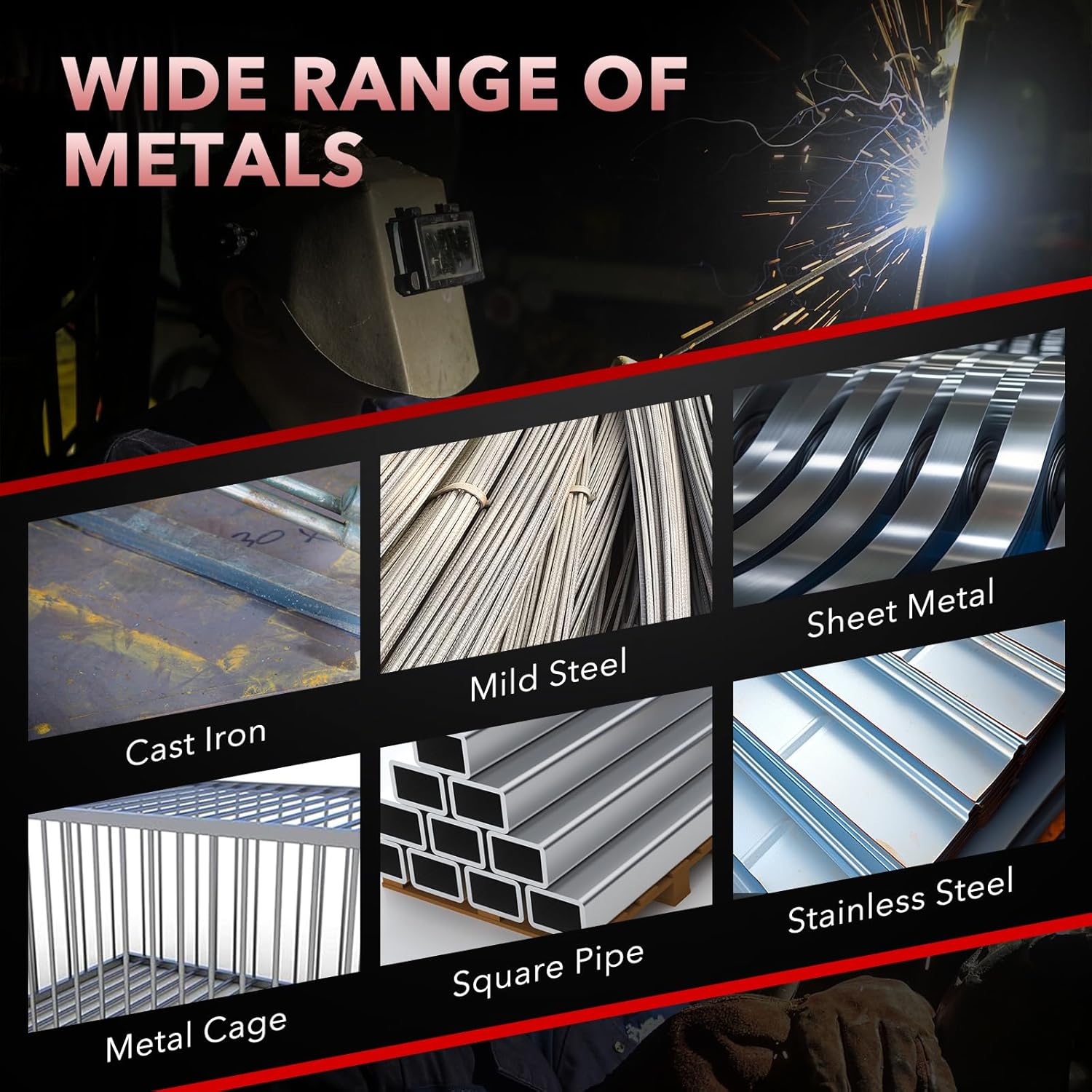
Figure 4.1: Wide range of metals suitable for welding with the ARC200S.

Figure 4.2: Examples of applications for the ARC200S welder.
5. Maintenance
Regular maintenance ensures the longevity and optimal performance of your welding machine.
- Cleaning: Periodically clean the machine's exterior and ventilation openings to prevent dust and debris buildup. Use compressed air to clear the internal components, ensuring the machine is unplugged before cleaning.
- Fan Inspection: The high-performance cooling fan (Figure 5.1) is crucial for heat dissipation. Ensure it is free from obstructions and operating correctly.
- Cable and Connection Check: Regularly inspect the welding cables, electrode holder, and ground clamp for damage, fraying, or loose connections. Replace any damaged components immediately.
- Storage: Store the welder in a dry, clean environment, away from direct sunlight and extreme temperatures.

Figure 5.1: The ARC200S features a fast and efficient cooling system.
6. Troubleshooting
This section addresses common issues you might encounter with your ARC200S welder.
| Problem | Possible Cause | Solution |
|---|---|---|
| Welder does not power on. | No power supply; Power switch off; Internal fault. | Check power cord and outlet; Ensure power switch is ON; Contact support if problem persists. |
| Difficulty striking an arc. | Improper electrode; Low current setting; Poor ground connection; Electrode damp. | Use correct electrode type and size; Increase current; Ensure good ground contact; Dry electrodes if necessary. The Hot-start feature should assist. |
| Electrode sticks to workpiece. | Low current setting; Incorrect arc length; Electrode type. | Increase current; Adjust arc length; The Arc-force and Anti-Stick features are designed to minimize this. |
| Welder stops during operation (Overheat/Overload). | Exceeded duty cycle; Insufficient ventilation; Over-current/Over-load condition. | Allow machine to cool down; Ensure proper ventilation; Reduce welding current or duration. The machine has built-in protection systems (Figure 6.1). |
| Poor weld quality. | Incorrect current; Improper technique; Contaminated workpiece. | Adjust current; Practice welding technique; Clean workpiece thoroughly. |

Figure 6.1: The ARC200S is equipped with multiple safety protection systems.
7. Specifications
Technical specifications for the YesRight ARC200S Stick Welder Machine.
| Feature | Specification |
|---|---|
| Model Number | YESR-MMA200S |
| Style | ARC200S |
| Input Voltage | 110V AC |
| Max Output Current | 200A |
| Item Weight | 6.74 pounds (approximately 3.06 kg) |
| Package Dimensions | 11.97 x 7.32 x 7.24 inches |
| Material | Metal |
| Power Source | AC |
| Included Components | MMA Welding Machine |
8. Warranty and Support
For warranty information and technical support, please contact YesRight directly. Keep your purchase receipt as proof of purchase.
- Manufacturer: YesRight
- Contact: Refer to the official YesRight website or your product packaging for the most current contact information.
- Protection Plans: Extended protection plans may be available from your retailer. These are separate from the manufacturer's warranty.