
1. Introduction
Thank you for choosing the BodyHush Mini Portable Sound White Noise Machine. This compact device is designed to provide a soothing audio environment, promoting relaxation and improving sleep quality for babies, children, and adults. Its portable design makes it ideal for use at home, in the office, or while traveling.

Image: The BodyHush Mini Portable Sound Machine, demonstrating its small, portable design.

Image: The sound machine attached to a backpack, emphasizing its suitability for travel.
2. Safety Information
- This product is a battery-powered noise machine.
- Ensure it is not used near water.
- Keep out of reach of children.
- Do not open the device casing.
- Unplug when not in use.
- Use appropriate batteries and do not mix types.
- Follow all instructions in this user manual.
3. Package Contents
- BodyHush Mini Portable Sound White Noise Machine
- USB Charging Cable
- Lanyard (for portability)
- User Manual
4. Product Features
- Compact and Portable: Smallest white noise machine on the market, easy to fit in bags or pockets.
- 30 Soothing Sounds: Includes white noise, brown noise, pink noise, fan sounds, rain, lullabies, sea waves, train, brook, piano, singing birds, campfire, and other natural sounds.
- 32 Volume Levels: Adjustable volume to effectively mask outside noise for various environments.
- Rechargeable Battery: Provides up to 22 hours of continuous play on a single charge.
- Auto-Off Timer: Customizable timer settings for 30, 60, or 90 minutes, or continuous play.
- Memory Function: Automatically remembers the last sound, volume, and timer settings used.

Image: Visual representation of the 30 available soothing sounds.

Image: Details on the loudspeaker volume and noise-masking capabilities.
5. Controls and Indicators
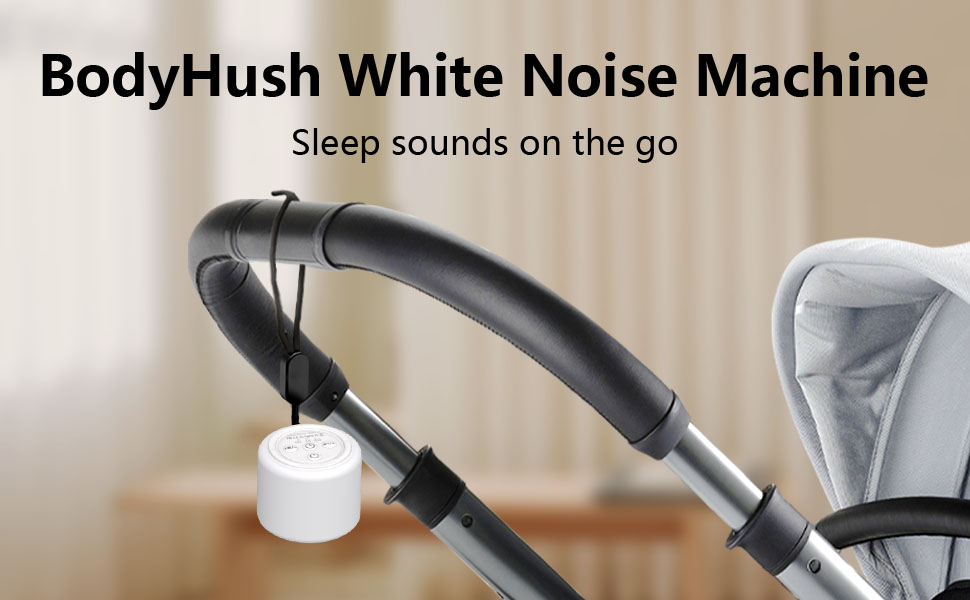
Image: Overview of the device's control buttons.
- Power Button: Press and hold to turn the device ON/OFF.
- Sound Selection Buttons (+/-): Short press to change sound tracks.
- Volume Buttons (+/-): Long press to adjust volume levels.
- Timer Button: Press to cycle through timer options (30, 60, 90 minutes, or continuous play).
- Indicator Lights: Small LEDs indicate selected timer setting and battery status.
6. Setup
- Unpack: Carefully remove the sound machine and all accessories from the packaging.
- Initial Charge: Before first use, fully charge the device using the provided USB cable. Connect the cable to the charging port on the device and a compatible USB power source (e.g., computer, wall adapter). The indicator light will show charging status.
- Attach Lanyard (Optional): If desired, attach the lanyard to the designated loop on the device for easy carrying.
7. Operating Instructions
7.1 Power On/Off
- To turn ON the device, press and hold the Power Button for 2-3 seconds.
- To turn OFF the device, press and hold the Power Button for 2-3 seconds.
7.2 Sound Selection
- While the device is ON, short press the '+' button to go to the next sound track.
- Short press the '-' button to go to the previous sound track.
7.3 Volume Adjustment
- While the device is ON, long press the '+' button to increase the volume.
- Long press the '-' button to decrease the volume.
- There are 32 distinct volume levels.
7.4 Timer Settings
- Press the Timer Button to cycle through the available auto-off timer options: 30 minutes, 60 minutes, 90 minutes, or continuous play.
- The corresponding indicator light will illuminate to show the selected timer duration.

Image: Illustration of the available timer settings.
8. Charging
The BodyHush Mini Portable Sound White Noise Machine is equipped with a rechargeable Lithium Polymer battery. Use the provided USB charging cable to power the device.
- Connect the small end of the USB cable to the charging port on the device.
- Connect the larger end of the USB cable to a standard USB power source (e.g., computer, USB wall adapter, power bank).
- A full charge provides approximately 22 hours of continuous use.
- The device can also be used while plugged in.

Image: The device being charged, showing its compact dimensions.
9. Maintenance
- Clean the device with a soft, dry cloth. Do not use liquid cleaners or aerosols.
- Avoid exposing the device to extreme temperatures or direct sunlight.
- Store in a cool, dry place when not in use for extended periods.
10. Troubleshooting
| Problem | Possible Solution |
|---|---|
| Device does not turn on. | Ensure the device is charged. Connect to a power source and try again. |
| No sound or low volume. | Increase the volume using the '+' button. Ensure the device is not muted. |
| Sound stops unexpectedly. | Check the timer setting. The device may have reached the end of its set timer. Ensure the battery is charged. |
| Buttons are unresponsive. | The device might be in a locked state (if applicable, though not explicitly mentioned for this model). Try restarting the device. |
11. Specifications
- Model Name: HA2
- Item Model Number: BWM-HA2
- Power Source: Battery Powered (1 Lithium Polymer battery included)
- Material: Metal, Plastic
- Package Dimensions: 3.94 x 3.35 x 1.77 inches
- Item Weight: 4.66 ounces
- Certifications: FCC, CE, RoHS
12. Warranty and Support
The BodyHush Mini Portable Sound White Noise Machine comes with an 18-month warranty from the date of purchase.
If you have any questions, encounter issues, or require support, please contact BodyHush customer service. Refer to the contact information provided in your product packaging or visit the official BodyHush website for assistance.