
Introduction
Thank you for choosing the Toozey Dog Nail Grinder MJQ002. This device is designed to provide a safe, efficient, and comfortable nail grooming experience for your pets. Featuring 3 adjustable speeds, integrated LED lighting, and a quiet motor, it is suitable for small, medium, and large dogs and cats. Please read this manual thoroughly before use to ensure proper operation and maintenance.
Safety Information
- Always use the device with the dust cap attached to prevent nail dust from flying into your or your pet's eyes.
- Do not place your fingers or any other body part near the rotating bit to avoid injury.
- When using the LED light, ensure it is pointed away from your and your pet's eyes to prevent eye injury.
- Keep out of reach of children.
- Do not immerse the device in water or other liquids.
- Do not attempt to disassemble or repair the device yourself. Contact customer support if issues arise.
Product Overview & Components
The Toozey Dog Nail Grinder MJQ002 package includes the following items:
- Toozey Dog Nail Grinder (MJQ002) x1
- Dust Cap x1
- Extra Grinding Head x1
- USB-C Charging Cable (1.5 meters) x1
- User Manual x1

Image: Toozey Dog Nail Grinder with its components and a dog.
Setup
1. Charging the Device
Before first use, fully charge the nail grinder. The device features a Type-C port for convenient charging.
- Connect the provided USB-C cable to the grinder and a compatible USB power source (e.g., power bank, phone charger, laptop).
- The LED indicator light will show red during charging.
- Once fully charged (approximately 2 hours), the LED indicator will turn green.
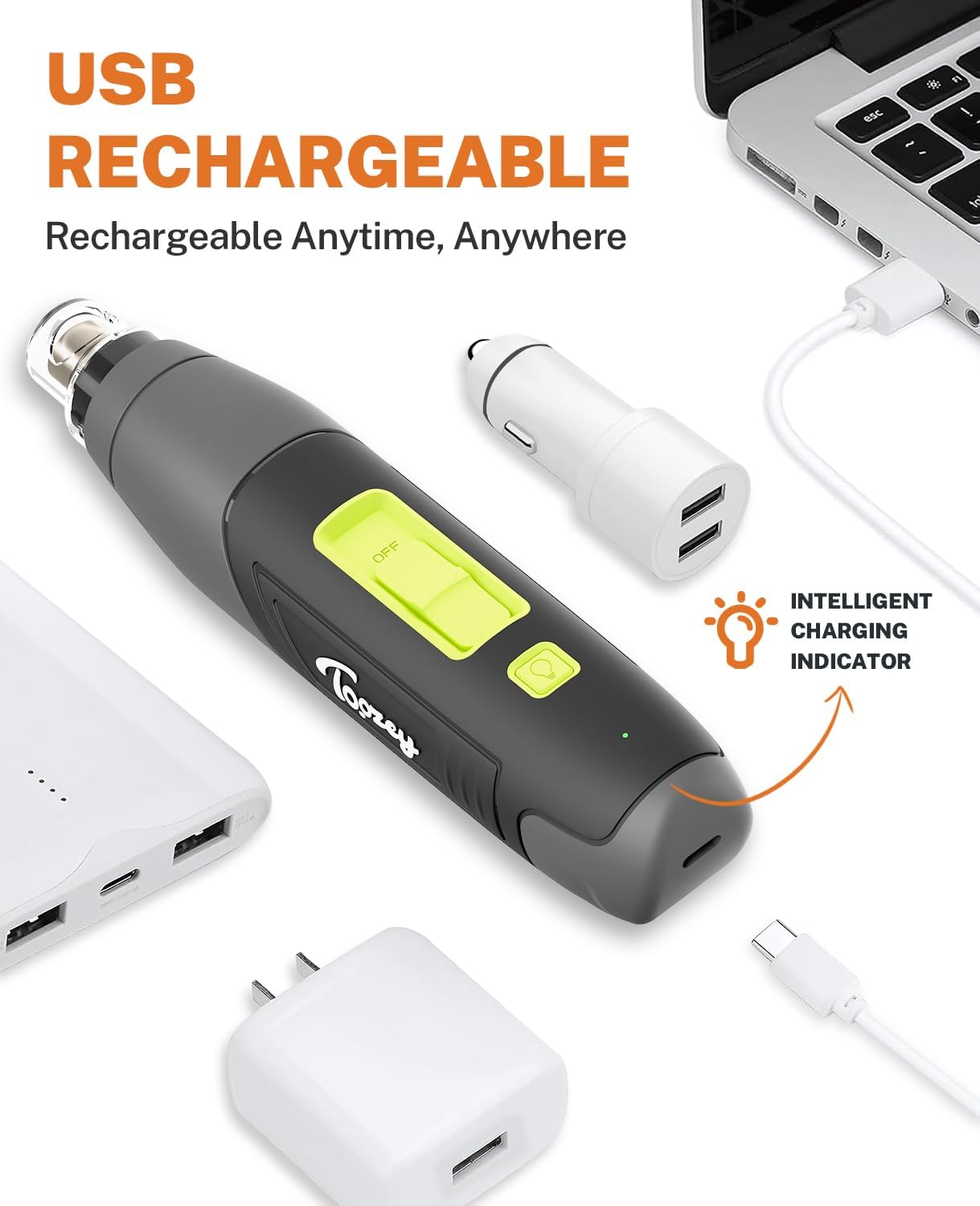
Image: USB Rechargeable feature, showing connection to various power sources.
2. Attaching the Dust Cap
The transparent dust cap helps collect nail dust and prevents it from scattering. It also provides a guide for safe grinding.
- Align the dust cap with the grinding head.
- Gently push and twist until it securely clicks into place.
- For larger nails that do not fit the cap's openings, the cap can be removed. However, caution should be exercised to prevent dust and debris from entering the pet's eyes.

Image: Dust Collection feature with the protective sleeve.
Operating Instructions
1. Acclimating Your Pet
It is crucial to acclimate your pet to the nail grinder to ensure a stress-free experience. Start with short sessions and positive reinforcement.
- Allow your pet to sniff and investigate the grinder while it's off. Reward them with treats.
- Turn the grinder on the lowest speed setting (8,000 RPM) near your pet, but do not touch their paws. Reward them for calm behavior.
- Gradually introduce the grinder to their paws, starting with brief touches to the nails. Continue to reward them.
- Increase the duration and pressure as your pet becomes more comfortable.
2. Power On/Off and Speed Adjustment
The grinder features a simple slide switch for power and speed control.
- Slide the switch to position '1' for the lowest speed (8,000 RPM), ideal for first-time users or small dogs.
- Slide to position '2' for medium speed (10,000 RPM) for enhanced grinding efficiency.
- Slide to position '3' for high speed (12,000 RPM) for fast grinding or large dogs.
- To turn off the device, slide the switch to the 'OFF' position.

Image: 3-Speed Level settings for various pet sizes.
3. Using the LED Light
The integrated LED light illuminates the nail, making it easier to see the quick and prevent over-grinding.
- The LED light automatically activates when the grinder is turned on.
- Position the light to clearly view your pet's nail during the grinding process.
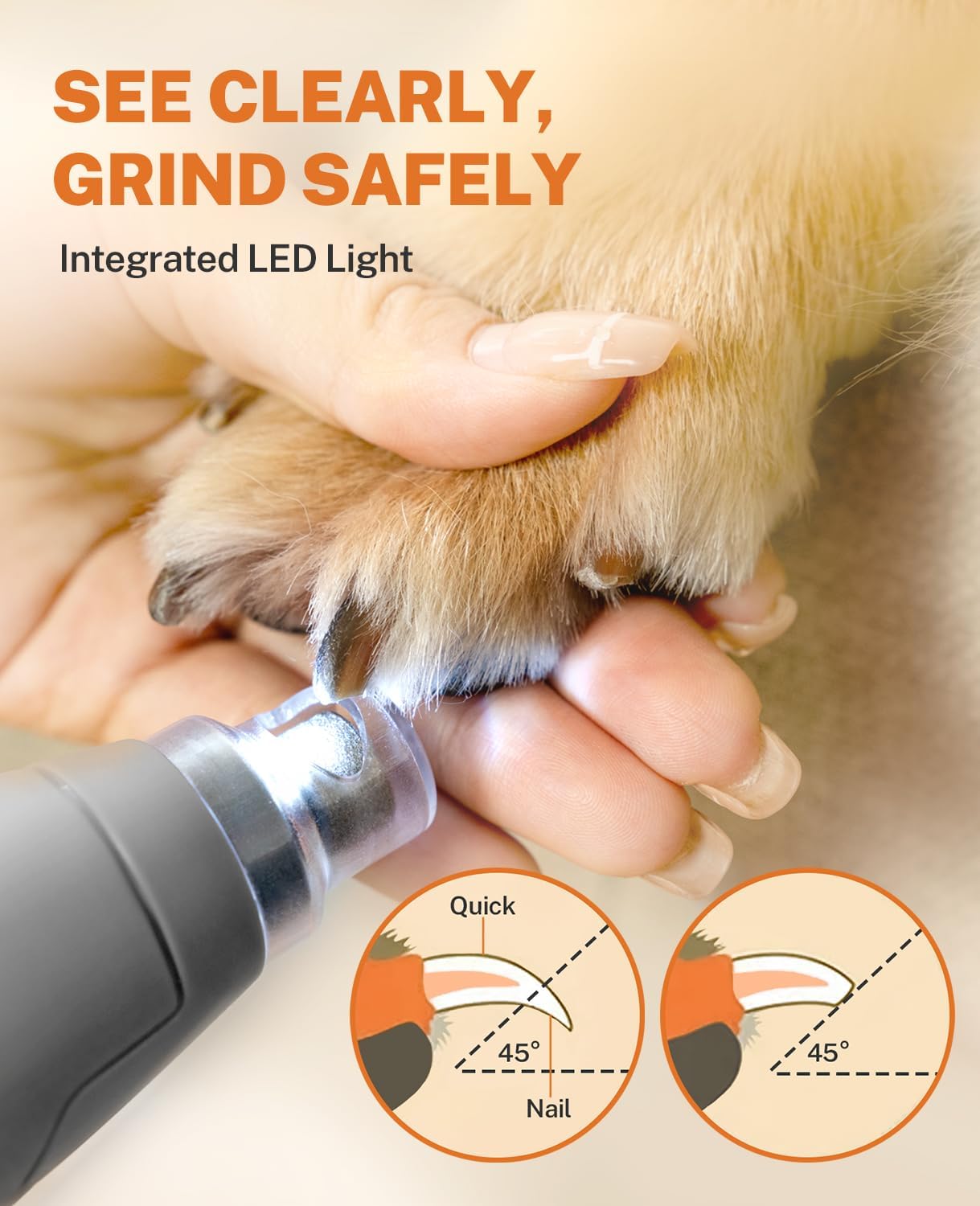
Image: Integrated LED Light for precise and safe grinding.
4. Grinding Technique
Hold your pet's paw gently and follow these steps:
- Hold the grinder at a 45-degree angle to the nail.
- Grind for no more than 2 seconds at a time, then disengage. This prevents the nail from overheating and causing discomfort.
- Repeat the process until the desired nail length and smoothness are achieved.
- Always be mindful of the quick (the pink part of the nail containing blood vessels and nerves) to avoid injury.

Image: Proper grinding technique with angle and duration guidelines.
5. Official Product Video
Video: Official Toozey demonstration of the dog nail grinder, showcasing its features and usage.
Maintenance
1. Cleaning the Grinding Head
Regular cleaning ensures optimal performance and hygiene.
- After each use, remove the dust cap.
- Use a soft cloth or brush to gently wipe away any accumulated nail dust from the grinding head and inside the cap.
- Do not use water or harsh chemicals to clean the grinding head.
2. Replacing the Grinding Head
The device comes with one grinding head for long-term use, and an additional spare grinding head is included for your convenience.
- Ensure the device is turned off.
- Gently twist and pull the existing grinding head upwards to remove it.
- Align the new grinding head and push it down firmly until it clicks into place.
Troubleshooting
| Problem | Possible Cause | Solution |
|---|---|---|
| Grinder does not turn on. | Low battery or device is off. | Ensure the device is charged. Check the power switch position. |
| Grinding efficiency is low. | Grinding head is worn out or clogged with dust. | Clean the grinding head. Replace with a new grinding head if worn. |
| Device stops unexpectedly. | Low battery. | Recharge the device. |
| Excessive vibration or noise. | Grinding head not properly installed or damaged. | Reinstall the grinding head securely. Replace if damaged. |
Specifications
- Model Name: dog nail grinder 002
- Item Model Number: MJQ002
- Brand: Toozey
- Power Source: Battery Powered
- Battery: 2000mAh Lithium Battery
- Charging Time: Approximately 2 hours
- Operating Time: Up to 2.5 hours
- Speed Settings: 8,000 RPM / 10,000 RPM / 12,000 RPM
- Features: Integrated LED Lighting, LED Indicator Light, USB-C Charging Port, Enhanced Stability with Unique Bearing
- Material: Metal
- Color: Gray
- Item Weight: 9.12 ounces
- Product Dimensions: 1.57 x 1.38 x 7.09 inches
Warranty and Support
The Toozey Dog Nail Grinder MJQ002 comes with a 1-year warranty from the date of purchase. This warranty covers manufacturing defects and malfunctions under normal use.
For warranty claims, technical support, or any questions regarding your product, please contact Toozey customer service. Keep your purchase receipt as proof of purchase.