
1. Introduction
Thank you for choosing the HOVVIDA RGB LED Strip Light. This manual provides essential information for the safe and efficient use of your LED strip lights. Please read it thoroughly before installation and operation, and retain it for future reference.
This LED strip light system features high-density RGB LEDs, offering 16 million colors, music synchronization, and timer functions, controllable via a dedicated app or remote control. It is designed to enhance the ambiance of various indoor spaces.
2. Safety Information
- Ensure the power supply is disconnected before installation or maintenance.
- Use only the provided power adapter. Using an incompatible adapter may damage the product or pose a fire hazard.
- Do not expose the LED strips to water or moisture. This product is designed for indoor use only.
- Avoid bending the LED strip sharply, as this can damage the circuit board and LEDs.
- Keep out of reach of children.
- Do not cover the LED strips with flammable materials when in operation.
- If any part of the product is damaged, discontinue use immediately and contact support.
3. Package Contents
Verify that all items listed below are included in your package:
- 30m LED Strip (2 x 15m rolls)
- Controller Box
- Power Adapter
- 44-Key Remote Control
- User Manual

Image: The HOVVIDA RGB LED Strip Light package contents, showing the LED strip rolls, controller, power adapter, remote control, and a smartphone interface for app control.
4. Product Features
- High LED Density: Features 30 LEDs per meter, totaling 900 LEDs for 30 meters (2 rolls x 15m), providing a balanced and bright illumination suitable for both decorative and functional purposes.
- 16 Million Colors: The RGB LEDs offer a vast spectrum of 16 million colors, allowing for extensive customization via the HiLighting application.
- Music and Microphone Mode: Equipped with a built-in sensitive microphone, the LED strip can dynamically change colors and patterns in sync with music rhythm, creating an immersive audio-visual experience for parties or relaxation.
- Dual Control Methods: Control your LED strip lights conveniently using either the HiLighting smartphone application or the included 44-key infrared remote control.
- Timer Mode: Program specific schedules to automatically turn the lights on or off. This feature helps automate your lighting setup, conserve energy, and create a welcoming atmosphere.
- Wide Application Range: Ideal for various indoor settings including bedrooms, living rooms, kitchens, offices, and commercial spaces like bars and restaurants, enhancing ambiance and highlighting specific areas.

Image: A visual comparison highlighting the higher density of 30 LEDs per meter on the HOVVIDA strip compared to a standard 16 LEDs per meter strip, resulting in brighter and more uniform light.

Image: A living room setup demonstrating the Music & Mic Mode, where LED lights change color in response to music playing on a screen.
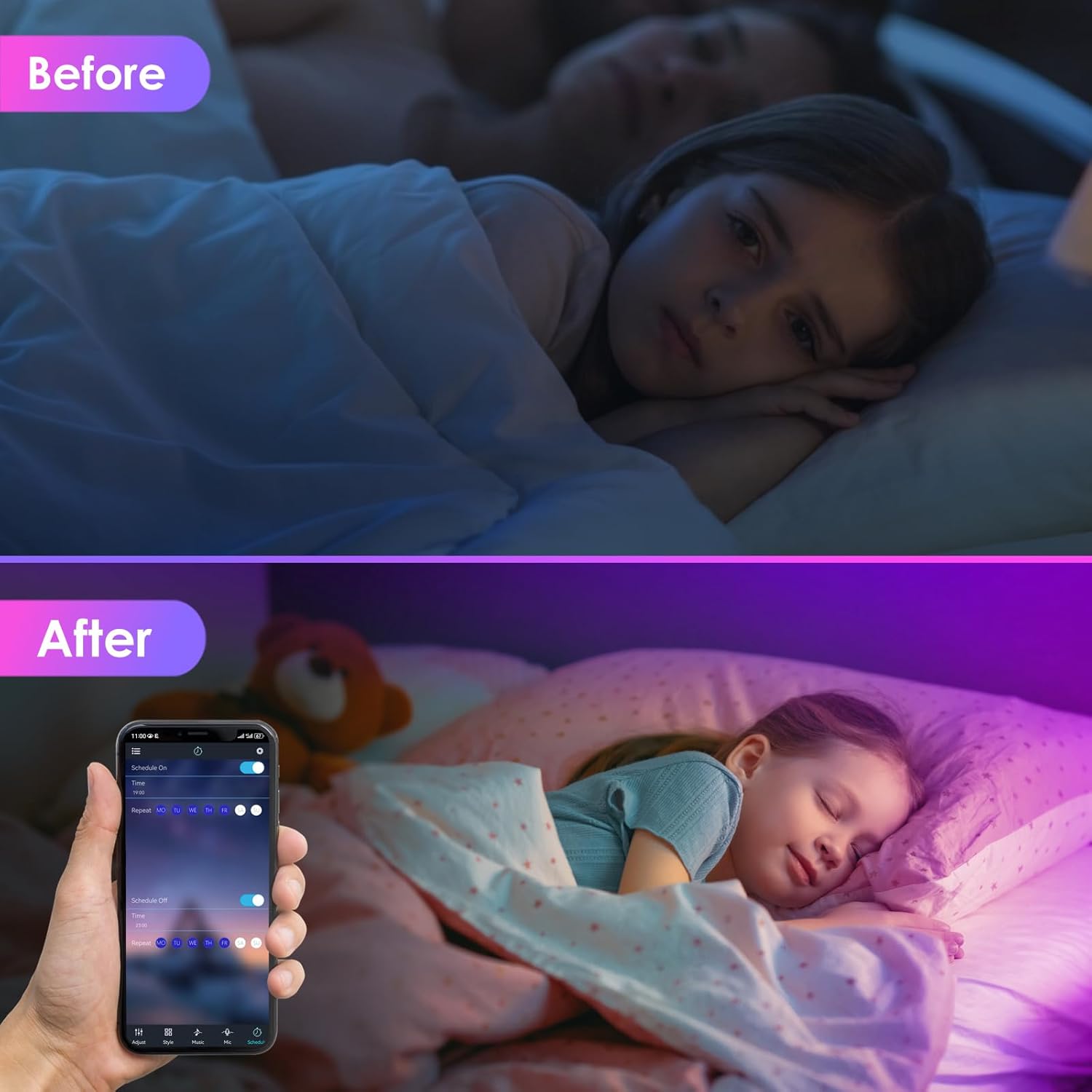
Image: A 'before and after' comparison illustrating the timer mode, showing a child's bedroom transitioning from dim to softly lit with colorful LEDs, controlled via a smartphone app.
5. Setup Instructions
- Prepare the Surface: Choose a clean, dry, and smooth surface for installation. Dust, oil, or moisture can affect the adhesive. Clean the surface thoroughly with a dry cloth.
- Measure and Cut (Optional): If necessary, measure the desired length and cut the LED strip only at the designated cut marks (usually indicated by a copper pad and scissor icon). Do not cut elsewhere, as this will damage the strip.
- Attach the LED Strip: Peel off the protective backing from the adhesive tape on the back of the LED strip. Carefully press the strip onto the prepared surface, ensuring firm contact along its entire length.
- Connect the Controller: Connect the end of the LED strip to the controller box. Ensure the arrows on the strip connector and controller are aligned.
- Connect Power: Plug the power adapter into the controller box, then plug the power adapter into a standard electrical outlet.
- Download the App (Optional): For app control, scan the QR code in the manual or on the controller box to download the 'HiLighting' app from your smartphone's app store.
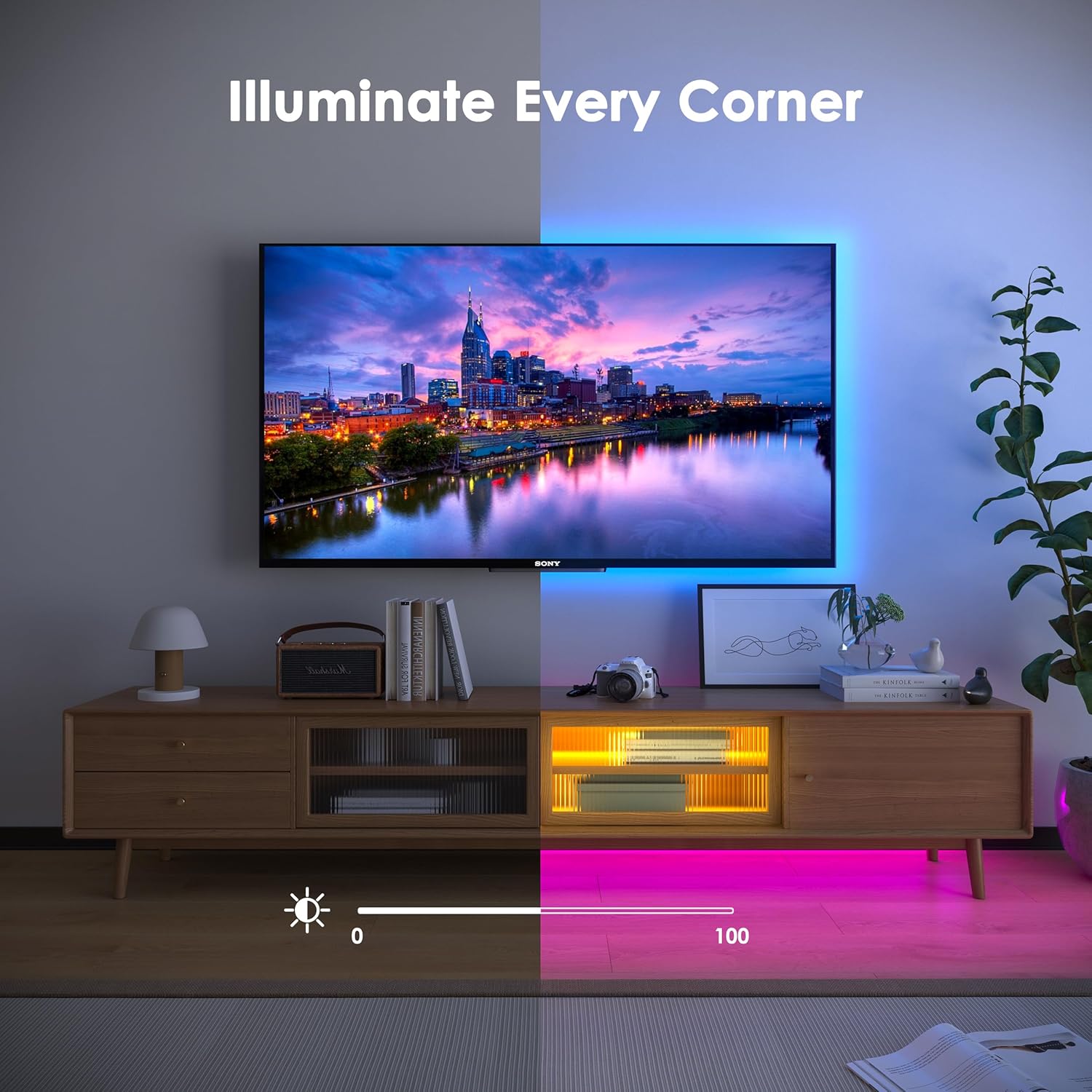
Image: An example of LED strip installation behind a television and under a media console, demonstrating how the lights can illuminate corners and create ambient lighting.
6. Operating Instructions
6.1. Remote Control Operation
The 44-key remote control allows for basic functions:
- Power On/Off: Press the red button to turn the lights on or off.
- Brightness Adjustment: Use the ▲ and ▼ buttons to increase or decrease brightness.
- Color Selection: Select from preset static colors using the color buttons.
- Dynamic Modes: Choose from various dynamic modes (e.g., flash, strobe, fade) using the mode buttons.
- Speed Adjustment: Adjust the speed of dynamic modes using the 'SPEED+' and 'SPEED-' buttons.
6.2. App Control (HiLighting App)
For advanced features and greater control, use the 'HiLighting' app:
- Download and Install: Download the 'HiLighting' app from your device's app store.
- Bluetooth Connection: Ensure Bluetooth is enabled on your smartphone. Open the app, and it should automatically detect and connect to your LED strip controller. If not, follow the in-app instructions to add the device.
- Color Customization: Access the color wheel to select from 16 million colors. You can also save custom colors.
- Music Mode: Activate the music mode. The app uses your phone's microphone to pick up sounds, and the lights will synchronize with the rhythm.
- Scene Modes: Choose from various pre-programmed scene modes for different moods or occasions.
- Timer Function: Set specific times for the lights to turn on or off, or to change modes.
- Brightness and Saturation: Adjust brightness and color saturation directly within the app.

Image: An illustration of the dual control methods, showing a smartphone with the HiLighting app and the physical remote control, used to manage the LED strip lights illuminating a modern home.

Image: A desktop environment showcasing the 16 million color options of the LED strip lights, creating a vibrant and customizable workspace ambiance.
7. Maintenance
- Cleaning: Gently wipe the LED strips with a soft, dry cloth to remove dust. Do not use liquid cleaners or abrasive materials.
- Storage: If storing the LED strips for an extended period, ensure they are clean, dry, and rolled loosely to prevent damage to the adhesive or internal wiring.
- Adhesive: The adhesive is designed for a single application. Repeated removal and reapplication may reduce its effectiveness.
8. Troubleshooting
| Problem | Possible Cause | Solution |
|---|---|---|
| LED strip does not light up. | No power, loose connection, damaged strip. | Check power adapter connection. Ensure controller is properly connected to the strip. Verify power outlet is functional. |
| Remote control not working. | Battery depleted, remote not pointed at receiver, obstruction. | Replace remote battery. Point remote directly at the controller box. Remove any obstructions between remote and controller. |
| App cannot connect to the device. | Bluetooth off, device too far, app issue. | Ensure Bluetooth is enabled on your phone. Move closer to the controller. Restart the app or your phone. Re-pair the device in the app if necessary. |
| Colors are incorrect or inconsistent. | Incorrect connection, damaged LEDs. | Check the connection between the strip and controller, ensuring arrows are aligned. If a section is permanently discolored, it may indicate damage. |
9. Specifications
| Feature | Specification |
|---|---|
| Brand | HOVVIDA |
| Model Number | 30M-30LED-BT |
| LED Type | RGB 5050 |
| LED Quantity | 900 LEDs (30 LEDs/meter) |
| Total Length | 30 meters (2 x 15m rolls) |
| Voltage | 24 Volts |
| Control Methods | HiLighting App, 44-Key Remote Control |
| Special Features | Dimmable, Music Mode, Timer Mode |
| Indoor/Outdoor Use | Indoor |
| Item Weight | 340 grams |
| Package Dimensions | 20.5 x 14 x 5.1 cm |
10. Warranty & Support
Specific warranty information is not provided in the product details. Please refer to your purchase documentation or contact the retailer for details regarding warranty coverage.
For technical support, product inquiries, or assistance with troubleshooting, please contact HOVVIDA customer service through the contact information provided on your product packaging or the official HOVVIDA website.


