
Select Sound DW-02
Select Sound Beatmix TWS Wireless Earbuds User Manual
Model: DW-02
Brand: Select Sound
Introduction
Thank you for choosing the Select Sound Beatmix TWS Wireless Earbuds. These earbuds are designed to provide a superior audio experience with advanced technology, comfort, and convenience. Enjoy true wireless freedom with stable Bluetooth connectivity, clear sound, and intuitive touch controls. This manual will guide you through the setup, operation, and maintenance of your new earbuds.

Image: The Select Sound Beatmix TWS Wireless Earbuds, black, resting inside their matching black charging case. The earbuds are visible, showcasing their in-ear design and sleek appearance.
Package Contents
Before you begin, please ensure all items are present in the package:
- Select Sound Beatmix TWS Wireless Earbuds (Left and Right)
- Charging Case
- USB Charging Cable
- User Manual (this document)
Setup
1. Charging the Earbuds and Case
For first-time use, fully charge the earbuds and the charging case. The charging case provides multiple recharges for the earbuds, extending their usage time.
- Place the earbuds into the charging case, ensuring they are correctly seated in their respective slots.
- Connect the USB charging cable to the charging port on the case and the other end to a USB power source (e.g., computer, wall adapter).
- The indicator light on the charging case will show the charging status. Once fully charged, the light will change or turn off.
A full charge provides approximately 5 hours of playback time for the earbuds. The charging case has capacity for 4 recharges.
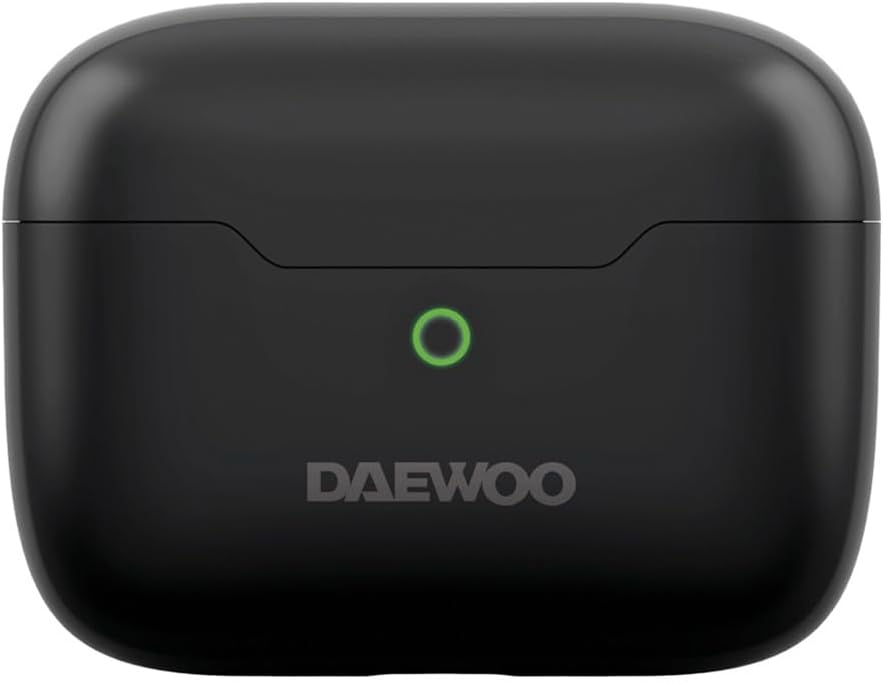
Image: Top view of the black charging case for the Select Sound Beatmix TWS earbuds, showing the lid and the charging indicator light.
2. Bluetooth Pairing
Pair your earbuds with your device (smartphone, tablet, laptop) to begin listening.
- Ensure the earbuds are charged and inside the charging case.
- Open the charging case lid. The earbuds will automatically enter pairing mode, indicated by a flashing light on the earbuds.
- On your device, go to Bluetooth settings and turn Bluetooth on.
- Search for available devices. You should see "Beatmix" or "Select Sound Beatmix" in the list.
- Select "Beatmix" to connect. Once connected, the earbud indicator lights will stop flashing.
- If prompted for a passcode, enter "0000" (four zeros).
The earbuds will automatically reconnect to the last paired device when taken out of the case, if Bluetooth is enabled on the device.
Operating Instructions
Wearing the Earbuds
The ergonomic in-ear design ensures a comfortable and secure fit. Gently insert each earbud into your ear canal and rotate slightly until it feels snug and stable. This provides optimal sound quality and passive noise isolation.

Image: A woman wearing the black Select Sound Beatmix TWS Wireless Earbuds, demonstrating their comfortable and discreet fit during outdoor use.
Touch Controls
The Beatmix earbuds feature intuitive touch controls on each earbud for easy management of music and calls.
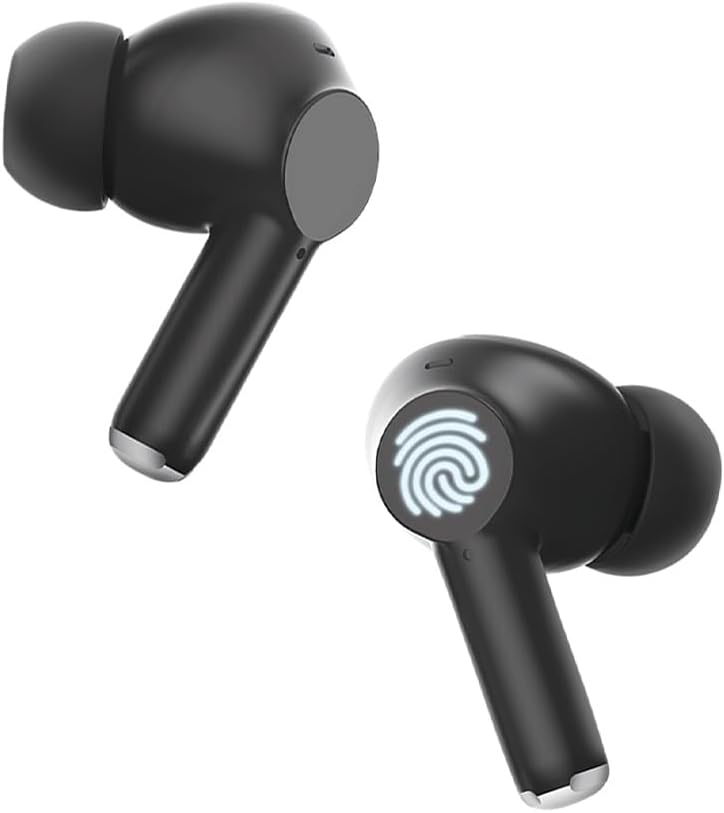
Image: A close-up view of the Select Sound Beatmix TWS earbuds, highlighting the touch-sensitive area on the side of each earbud, indicated by a fingerprint icon.
| Action | Control |
|---|---|
| Play/Pause Music | Single tap on either earbud |
| Next Track | Double tap on the Right earbud |
| Previous Track | Double tap on the Left earbud |
| Answer/End Call | Single tap on either earbud |
| Reject Call | Press and hold either earbud for 2 seconds |
| Activate Voice Assistant | Triple tap on either earbud |
Maintenance
Proper care will extend the life of your earbuds.
- Cleaning: Regularly clean the earbuds, especially the ear tips and charging contacts, with a soft, dry, lint-free cloth. Do not use harsh chemicals or abrasive materials.
- Storage: When not in use, store the earbuds in their charging case to protect them from dust and damage.
- Battery Care: Avoid fully discharging the battery frequently. Charge the earbuds and case regularly, even if not in constant use, to maintain battery health.
- Avoid Water: These earbuds are not waterproof. Avoid exposure to water, moisture, or extreme temperatures.
Troubleshooting
If you encounter any issues, try the following solutions:
| Problem | Solution |
|---|---|
| Earbuds not pairing with device |
|
| No sound from earbuds |
|
| Earbuds not charging |
|
| Connection drops frequently |
|
Specifications
Detailed technical specifications for your Select Sound Beatmix TWS Wireless Earbuds:
| Feature | Detail |
|---|---|
| Model Name | Beatmix |
| Model Number | DW-02 |
| Connectivity Technology | Bluetooth, Wireless |
| Wireless Communication Technology | Bluetooth |
| Bluetooth Range | Up to 10 meters (33 feet) |
| Included Components | Charging Case |
| Control Type | Touch Control |
| Ear Placement | In-Ear |
| Form Factor | In-Ear |
| Impedance | 32 Ohm |
| Noise Control | None (Passive noise isolation from in-ear design) |
| Average Battery Life (Earbuds) | 5 Hours per charge |
| Charging Case Capacity | Provides capacity for 4 recharges |
| Special Features | Lightweight, Hands-Free Function |
| Package Dimensions | 17.1 x 10.5 x 3.7 cm; 150 g |

Image: The black charging case for the Select Sound Beatmix TWS earbuds, with overlaid measurements indicating its dimensions: 5.7 cm width, 4.4 cm height, and 2.2 cm depth.
Warranty and Support
While specific warranty details are not provided in this manual, please retain your proof of purchase for any warranty claims. For product support, technical assistance, or further inquiries, please visit the official Select Sound brand store or contact their customer service.
You can visit the Select Sound Store on Amazon for more information and support.
Ask a question about this manual
Ask about setup, troubleshooting, compatibility, parts, safety, or missing instructions. Manuals+ will review the question and use this page’s manual context to help answer it.