
BANLVS A-57-K
BANLVS Smartwatch Model A-57-K User Manual
Comprehensive Guide for Your BANLVS Smartwatch
1. Product Overview
1.1 What's in the Box
Your BANLVS Smartwatch package includes:
- 1 x BANLVS Smartwatch (Black)
- 1 x Black Silicone Strap
- 1 x Charging Cable
- 1 x User Manual

Image 1.1: BANLVS Smartwatch A-57-K with its accessories, highlighting its robust design and water resistance.
1.2 Key Features
- 1.43" AMOLED Display: Ultra-thin touchscreen with 466x466 resolution, Always-On functionality, high contrast, and vibrant colors.
- 24/7 Health Monitoring: Continuous tracking of heart rate, blood oxygen (SpO2), blood pressure, and automatic sleep detection.
- Long Battery Life: Integrated 450 mAh battery provides 10-15 days of normal use and up to 45 days of standby time, with a 1-hour fast charge.
- 70+ Sports Modes: Supports various activities including cycling, running, fishing, climbing, skiing, tennis, and football, with GPS tracking via the companion app.
- IP68 Waterproof Rating: Designed for daily use, resistant to splashes and brief immersion.
- Efficient Communication: Bluetooth calling for answering/rejecting calls, real-time notifications from social apps, AI voice assistant, multi-language support, and customizable watch faces.
2. Setup Guide
2.1 Charging the Smartwatch
Before initial use, fully charge your smartwatch. Connect the provided charging cable to the charging contacts on the back of the watch and plug the USB end into a power adapter (not included) or a computer's USB port. The watch features a 450 mAh battery and supports a 1-hour fast charge.

Image 2.1: Visual representation of the smartwatch's 450 mAh battery and charging specifications.
2.2 Pairing with Your Smartphone
To unlock the full functionality of your BANLVS Smartwatch, pair it with your smartphone via Bluetooth:
- Download the companion app (refer to the manual for app name and QR code) on your smartphone.
- Ensure Bluetooth is enabled on your smartphone.
- Open the app and follow the on-screen instructions to search for and connect to your BANLVS Smartwatch.
- Once connected, you can enable Bluetooth calling and receive real-time notifications from various social applications.

Image 2.2: The smartwatch interface showing successful Bluetooth connection and notification alerts.
3. Operating Instructions
3.1 Display and Navigation
The smartwatch features a 1.43-inch AMOLED touchscreen with a high resolution of 466x466 pixels. Swipe across the screen to navigate through menus and tap to select options. The Always-On display allows you to check the time easily with a wrist movement.

Image 3.1: Close-up of the smartwatch's AMOLED display, illustrating its clarity and Always-On capability.
3.2 Health Monitoring
The BANLVS Smartwatch provides comprehensive health tracking:
- Heart Rate: Monitors your heart rate 24/7 and provides real-time warnings for unusual activity.
- Blood Oxygen (SpO2): Tracks your blood oxygen levels.
- Blood Pressure: Measures your blood pressure for reference.
- Sleep Tracking: Automatically detects and analyzes your sleep patterns, including light and deep sleep stages.
For accurate readings, ensure the watch is worn snugly on your wrist.

Image 3.2: The smartwatch interface displaying various health metrics like heart rate, blood oxygen, and blood pressure.
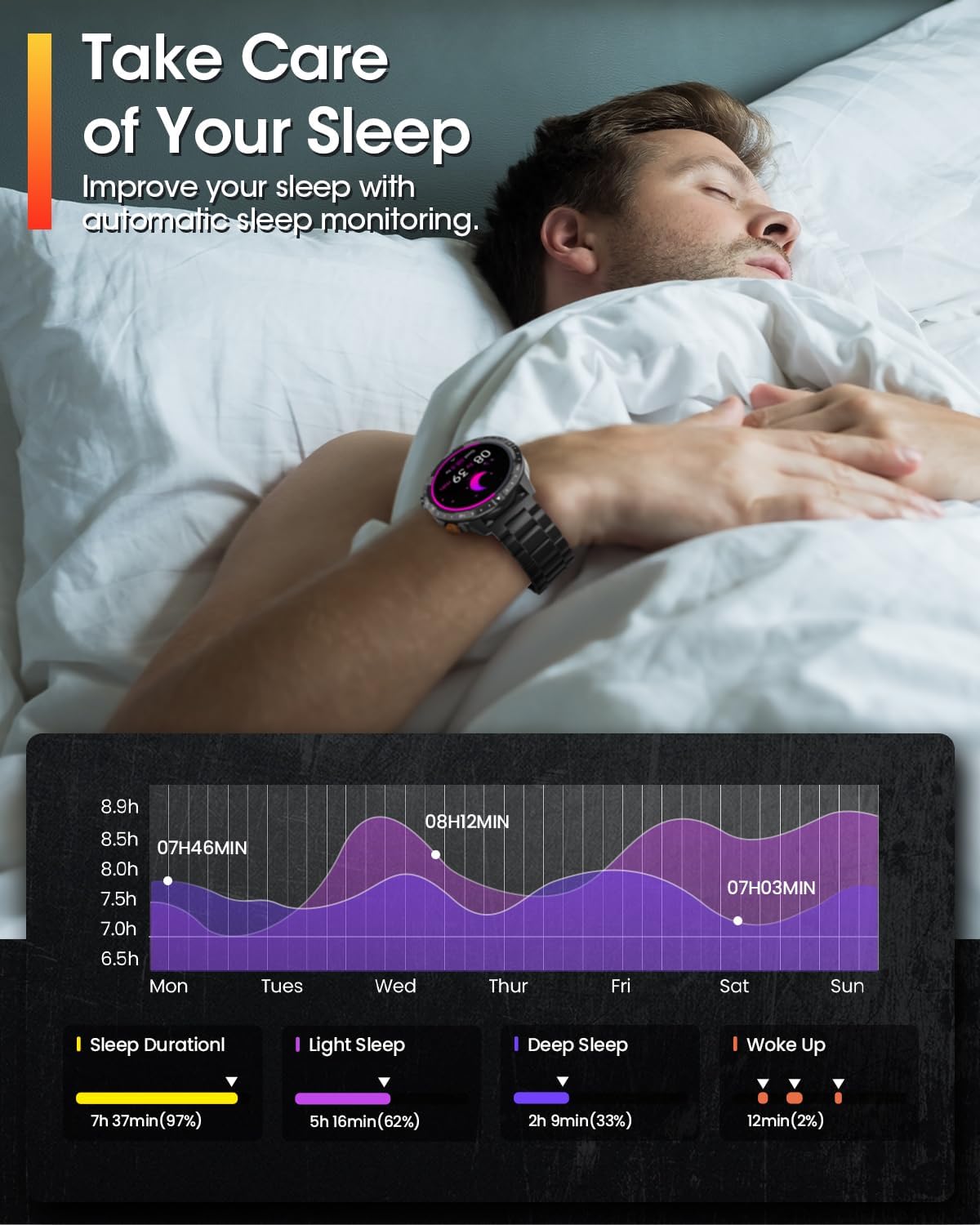
Image 3.3: A detailed view of the sleep tracking data provided by the smartwatch.
3.3 Sports Modes
The smartwatch integrates over 70 sports modes to track your physical activity. These include, but are not limited to, cycling, running, fishing, climbing, skiing, tennis, and football. When combined with your smartphone's GPS via the app, the watch can provide precise route tracking and detailed sports data for your reference.

Image 3.4: The smartwatch interface showing various sports modes and activity metrics.
3.4 Communication Features
Once paired with your smartphone, the smartwatch enhances your communication:
- Bluetooth Calling: Answer or reject incoming calls directly from your wrist.
- Notifications: Receive real-time alerts from major social applications such as WhatsApp, Instagram, and Facebook.
- AI Voice Assistant: Utilize the integrated AI voice assistant for various commands.
- Multi-language Support: The system supports multiple languages.
- Customizable Watch Faces: Choose from 152 online watch faces or personalize your display with custom images.
4. Maintenance
4.1 Water Resistance
The BANLVS Smartwatch has an IP68 waterproof rating. This means it is resistant to dust and can withstand immersion in water up to 1.5 meters for up to 30 minutes. It is suitable for daily use, such as washing hands or light rain, but it is not recommended for swimming, diving, or hot showers.
4.2 Cleaning and Care
To maintain your smartwatch, follow these guidelines:
- Wipe the watch screen and strap regularly with a soft, dry, lint-free cloth.
- Avoid using harsh chemicals, abrasive cleaners, or solvents, as these can damage the watch's finish and seals.
- Ensure the charging contacts are clean and dry before charging to prevent corrosion.
5. Troubleshooting
If you encounter issues with your BANLVS Smartwatch, try the following solutions:
- Watch Not Turning On: Ensure the watch is fully charged. Connect it to the charging cable and a power source for at least 10 minutes.
- Bluetooth Connection Issues:
- Ensure Bluetooth is enabled on both your smartwatch and smartphone.
- Make sure the watch is within the Bluetooth range of your smartphone (typically 10 meters).
- Try restarting both your smartwatch and smartphone.
- Unpair and re-pair the watch through the companion app.
- Inaccurate Health Data: Ensure the watch is worn snugly on your wrist, not too loose or too tight. Clean the sensors on the back of the watch.
- Notifications Not Appearing: Check your smartphone's app permissions to ensure the companion app has access to notifications. Verify that notifications are enabled within the smartwatch app settings.
- Short Battery Life: Reduce screen brightness, disable unnecessary features like Always-On display if not needed, and limit background app refresh.
If problems persist, consult the official BANLVS support channels.
6. Specifications
| Feature | Specification |
|---|---|
| Brand | BANLVS |
| Model Number | A-57-K |
| Color | Black |
| Operating System | Wear OS |
| Screen Size | 1.43 Inches |
| Display Type | AMOLED |
| Connectivity Technology | Bluetooth |
| Special Features | Call, Notification, Activity Tracking, Multi-sport Tracking, Touch Screen |
| Compatible Devices | Smartphone |
| Battery Composition | Lithium-polymer |
| Rechargeable Battery | Yes |
| Battery Capacity | 450 mAh |
| Memory Storage Capacity | 128 MB |
| GPS | GPS via smartphone |
| Shape | Round |
| Water Resistance | IP68 |

Image 6.1: Detailed product dimensions of the BANLVS Smartwatch and its interchangeable straps.
7. Warranty and Support
7.1 Warranty Information
The BANLVS Smartwatch typically includes a one-year warranty covering manufacturing defects for replacement or repair. Please retain your proof of purchase for warranty claims. Specific terms and conditions may vary; refer to the warranty card included with your product.
7.2 Customer Support
For technical assistance, troubleshooting, or any product-related inquiries, please contact BANLVS customer support. Support is often available 24/7. Refer to the contact information provided in your product packaging or visit the official BANLVS website for support channels.
Related Documents - A-57-K
 |
Manuel d'utilisation BANLVS Smartwatch : Paramètres, Fonctionnement et Connexion Guide complet pour la montre connectée BANLVS. Découvrez les paramètres du produit, les instructions d'utilisation des boutons et de l'écran, la charge, la connexion à l'application H Band, les appels Bluetooth, les fonctions de santé et les questions fréquentes. |
 |
P111S Smart Sports Watch User Manual and Guide Comprehensive user manual for the BANLVS P111S Smart Sports Watch. Covers setup, app connection (FitCloudPro), features like Bluetooth calls, health monitoring (heart rate, SpO2, sleep), sports modes, and troubleshooting. Compatible with iOS and Android. |
 |
Trevi T-Fit 510 A Smartwatch User Manual Comprehensive user manual for the Trevi T-Fit 510 A smartwatch, covering setup, functions, technical specifications, warnings, and troubleshooting. Learn how to connect, use features like heart rate monitoring, sports tracking, notifications, and more. |
 |
ChiBear Smartwatch User Manual: Features, Operation, and FAQs Comprehensive user manual for the ChiBear smartwatch, detailing its features, charging, connection, operation, health monitoring (heart rate, blood pressure, SpO2), sports modes, sleep tracking, and frequently asked questions. Designed for Android and iOS users. |
 |
Kendall + Kylie Smartwatch User Manual: Setup, Features, and Care Guide Comprehensive user manual for the Kendall + Kylie Smartwatch. This guide covers initial setup, navigation, core features like notifications, activity tracking, heart rate monitoring, sports modes, music and camera control, additional settings, firmware updates, and essential wear and care instructions. |