
1. Introduction
Welcome to the user manual for your Narcid P95 Smartwatch. This guide provides detailed instructions on how to set up, operate, and maintain your device. The P95 Smartwatch features a 2.0-inch HD display, Bluetooth calling, IP68 waterproofing, and comprehensive health monitoring capabilities including SpO2, sleep, and heart rate tracking. It also supports over 100 sports modes and offers customizable watch faces.
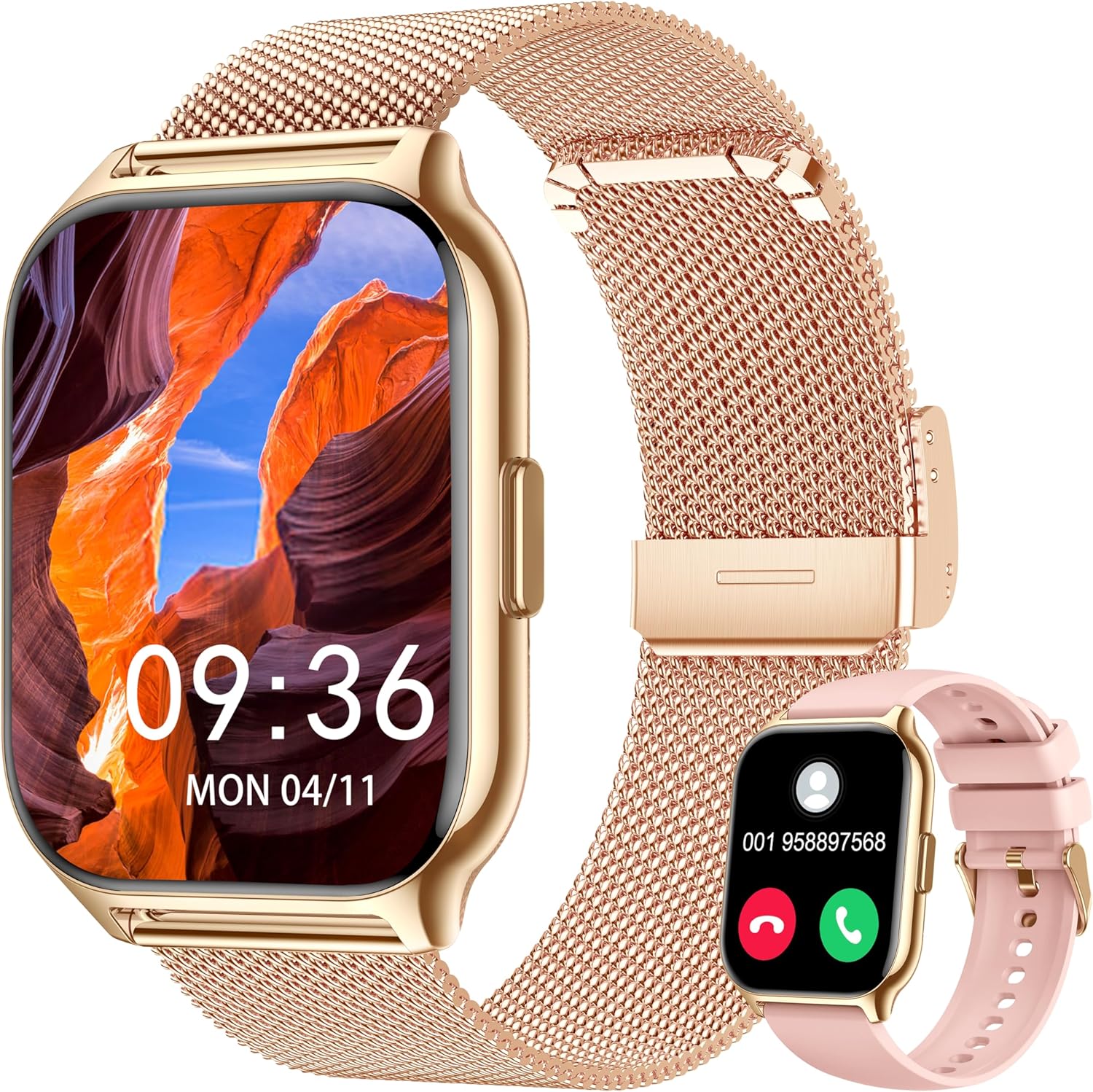
Figure 1.1: Narcid P95 Smartwatch with interchangeable straps.
2. Setup Guide
2.1 Unboxing and Initial Inspection
Upon opening the package, ensure all components are present:
- Narcid P95 Smartwatch
- Charging Cable
- User Manual (this document)
- Additional Strap (e.g., silicone or mesh, depending on package)
2.2 Charging the Smartwatch
Before first use, fully charge your smartwatch. Connect the magnetic charging cable to the charging points on the back of the watch and plug the USB end into a standard USB power adapter (not included) or a computer's USB port.
- Charging Time: Approximately 2 hours for a full charge.
- Battery Life: Up to 7-10 days of normal usage, 15 days in power-saving mode, and 30 days standby time.

Figure 2.1: Charging the Narcid P95 Smartwatch.
2.3 App Installation and Pairing
To unlock the full functionality of your smartwatch, download and install the FitCloudPro application on your smartphone.
- Download App: Search for "FitCloudPro" in your smartphone's app store (Google Play Store for Android or Apple App Store for iOS) and install it.
- Enable Bluetooth: Ensure Bluetooth is enabled on your smartphone.
- Open App: Launch the FitCloudPro app and follow the on-screen instructions to create an account or log in.
- Add Device: In the app, navigate to the "Device" or "Add Device" section. The app will search for available smartwatches.
- Select Smartwatch: Select "P95" or the corresponding device name from the list. Confirm the pairing request on both your smartphone and the smartwatch.
- Permissions: Grant necessary permissions (e.g., notifications, location, contacts) to the app for optimal performance.
3. Operating Instructions
3.1 Basic Navigation
The Narcid P95 Smartwatch features a full touch HD display for easy navigation.
- Swipe Up/Down: Access quick settings or notifications.
- Swipe Left/Right: Navigate through widgets and main functions (e.g., activity, heart rate, weather).
- Tap: Select an item or open an application.
- Press Side Button: Return to the home screen or access the app menu.
3.2 Communication Features
With Bluetooth connectivity, your smartwatch allows for seamless communication.
- Bluetooth Calling: Make and receive calls directly from your wrist after pairing with your phone.
- Notifications: Receive alerts for incoming calls, SMS messages, and app notifications (e.g., social media, email).
- Smart Voice Assistant: Interact with your phone's voice assistant through the smartwatch.

Figure 3.1: Communication and Smart Features.
3.3 Customizing Watch Faces
Personalize your smartwatch with various watch faces.
- Pre-installed Faces: The system offers over 100 watch faces.
- DIY Dial: Use the FitCloudPro app to upload your own photos (family, pets, etc.) to create custom watch faces.
3.4 Sports Modes and Activity Tracking
The smartwatch supports over 100 sports modes to track your physical activity.
- Access Modes: Navigate to the sports section on your watch or through the FitCloudPro app.
- Tracking: The watch records data such as calories burned, steps, distance, and heart rate during workouts.
- Data Sync: All activity data is synchronized with the FitCloudPro app for detailed analysis and progress tracking.
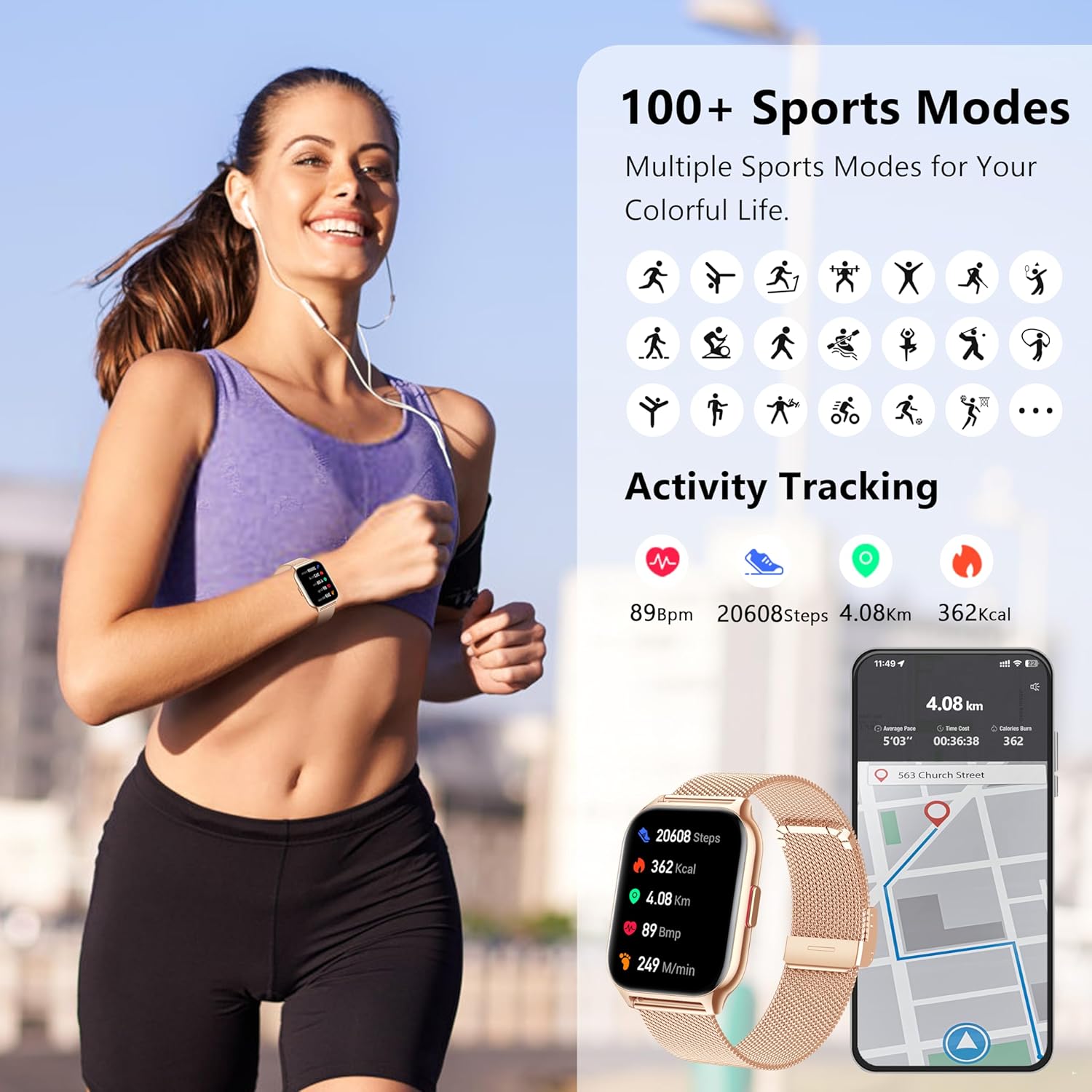
Figure 3.2: Sports Modes and Activity Tracking.
3.5 Health Monitoring
Monitor your health metrics directly from your wrist.
- Heart Rate: Continuous 24/7 heart rate monitoring. Tap to initiate a manual measurement.
- Sleep Monitoring: Tracks sleep patterns, including awake, light sleep, and deep sleep stages.
- Blood Oxygen (SpO2): Measures the oxygen saturation level in your blood.
- Blood Pressure: Provides an estimate of your blood pressure.

Figure 3.3: Heart Rate and Sleep Tracking.

Figure 3.4: Blood Oxygen and Blood Pressure Monitoring.
3.6 Additional Smart Features
The Narcid P95 Smartwatch includes a variety of useful tools:
- Alarm Clock: Set alarms directly on the watch.
- Women's Health: Track menstrual cycles and related data (requires app setup).
- Weather: View current weather conditions (requires app sync).
- Timer & Stopwatch: Basic timing functions.
- Music Control: Control music playback on your connected smartphone.
- Breath Training: Guided breathing exercises for relaxation.
- Business Card: Store and display digital business cards.
- Sedentary Reminder: Alerts you to move after periods of inactivity.
- Watch Password: Set a password for enhanced privacy.
- Drinking Reminder: Reminds you to hydrate.
- Find Phone: Locate your paired smartphone by making it ring.

Figure 3.5: Multifunctional Smartwatch Features.
4. Maintenance
4.1 Water Resistance (IP68)
The Narcid P95 Smartwatch is IP68 waterproof, meaning it is resistant to dust and can withstand immersion in water up to 1.5 meters for up to 30 minutes. This makes it suitable for daily use, hand washing, and light rain. However, it is not recommended for hot showers, saunas, or diving, as steam and hot water can compromise the seal.
4.2 Cleaning Your Smartwatch
To keep your smartwatch clean and functioning optimally:
- Wipe the screen and body with a soft, lint-free cloth.
- For stubborn dirt, slightly dampen the cloth with water.
- Avoid using harsh chemicals, abrasive cleaners, or solvents.
- Ensure the charging contacts are clean and dry before charging.
4.3 Battery Care
To prolong battery life:
- Avoid extreme temperatures.
- Do not leave the watch fully discharged for extended periods.
- Charge the watch regularly, but avoid overcharging.
5. Troubleshooting
If you encounter issues with your Narcid P95 Smartwatch, refer to the following common solutions:
- Watch not turning on: Ensure the watch is fully charged. Connect it to the charger for at least 10 minutes.
- Cannot pair with phone:
- Ensure Bluetooth is enabled on your phone and the watch.
- Make sure the watch is within range of your phone.
- Restart both your phone and the smartwatch.
- Try unpairing and re-pairing the device through the FitCloudPro app.
- Notifications not received:
- Check if notification permissions are granted to the FitCloudPro app on your phone.
- Ensure the app is running in the background.
- Verify that "Do Not Disturb" mode is not active on either the watch or phone.
- Inaccurate health data:
- Ensure the watch is worn snugly on your wrist, about one finger's width above the wrist bone.
- Avoid excessive movement during measurements.
- Note that smartwatch health data is for reference only and not for medical diagnosis.
- App not syncing data:
- Check your phone's internet connection.
- Ensure the FitCloudPro app is up to date.
- Restart the app and the watch.
6. Specifications
| Feature | Detail |
|---|---|
| Brand | Narcid |
| Model Number | P95 |
| Display Size | 2.0 Inches |
| Connectivity | Bluetooth |
| Water Resistance | IP68 |
| Special Features | Voice Call, Voice Control, Notification, Activity Tracker, Heart Rate Monitor, SpO2 Monitor, Sleep Monitor, Blood Pressure Monitor, 100+ Sports Modes |
| Battery Composition | Lithium-polymer |
| Battery Life (Normal Use) | 7-10 Days |
| Charging Time | Approx. 2 Hours |
| Target Audience | Men, Women |
| Compatible OS | Android, iOS |
7. Warranty & Support
For warranty information and customer support, please refer to the documentation provided with your purchase or contact Narcid customer service directly. Details regarding specific warranty periods and support channels are typically available on the manufacturer's official website or through your retailer.
Please retain your proof of purchase for any warranty claims.