
FREEFISH S09-BLACK-US-Y
FREEFISH S09-BLACK-US-Y Alarm Clock with Wireless Charging Station User Manual
Model: S09-BLACK-US-Y | Brand: FREEFISH
Introduction
The FREEFISH S09-BLACK-US-Y is an all-in-one solution designed to simplify your bedside experience. This multifunctional device integrates a dual alarm clock, Bluetooth speaker, FM radio, dimmable night light, and a wireless charging station for your smartphone, smartwatch, and wireless earbuds. It aims to reduce cable clutter and save space, offering both functionality and an aesthetic design for your bedroom or nightstand.

Figure 1: The FREEFISH S09-BLACK-US-Y Alarm Clock with Wireless Charging Station.

Figure 2: Overview of the 6-in-1 multi-functional features including 3-in-1 wireless charging, Bluetooth TimeSync, alarm clock, and 3-speed night light.
Package Contents
Before you begin, please ensure all items are present in the package:
- 1 x Wireless Charging Station (6-in-1 unit)
- 1 x 18W Power Adapter
- 1 x 3.3ft Type-C Cable
- 1 x User Manual

Figure 3: All components included in the product package.
Setup Guide
Follow these steps to set up your FREEFISH S09-BLACK-US-Y:
- Connect Power: Insert the Type-C cable into the charging station's power input port. Connect the other end of the cable to the provided 18W power adapter, then plug the adapter into a standard wall outlet. The device will power on and the digital clock display will illuminate.
- Initial Clock Setting: Upon first power-on, the clock may display a default time. Refer to the "Setting the Clock" section under Operating Instructions to set the correct time.
- Positioning: Place the charging station on a flat, stable surface such as a nightstand or desk. Ensure there is adequate space around the device for proper heat dissipation.
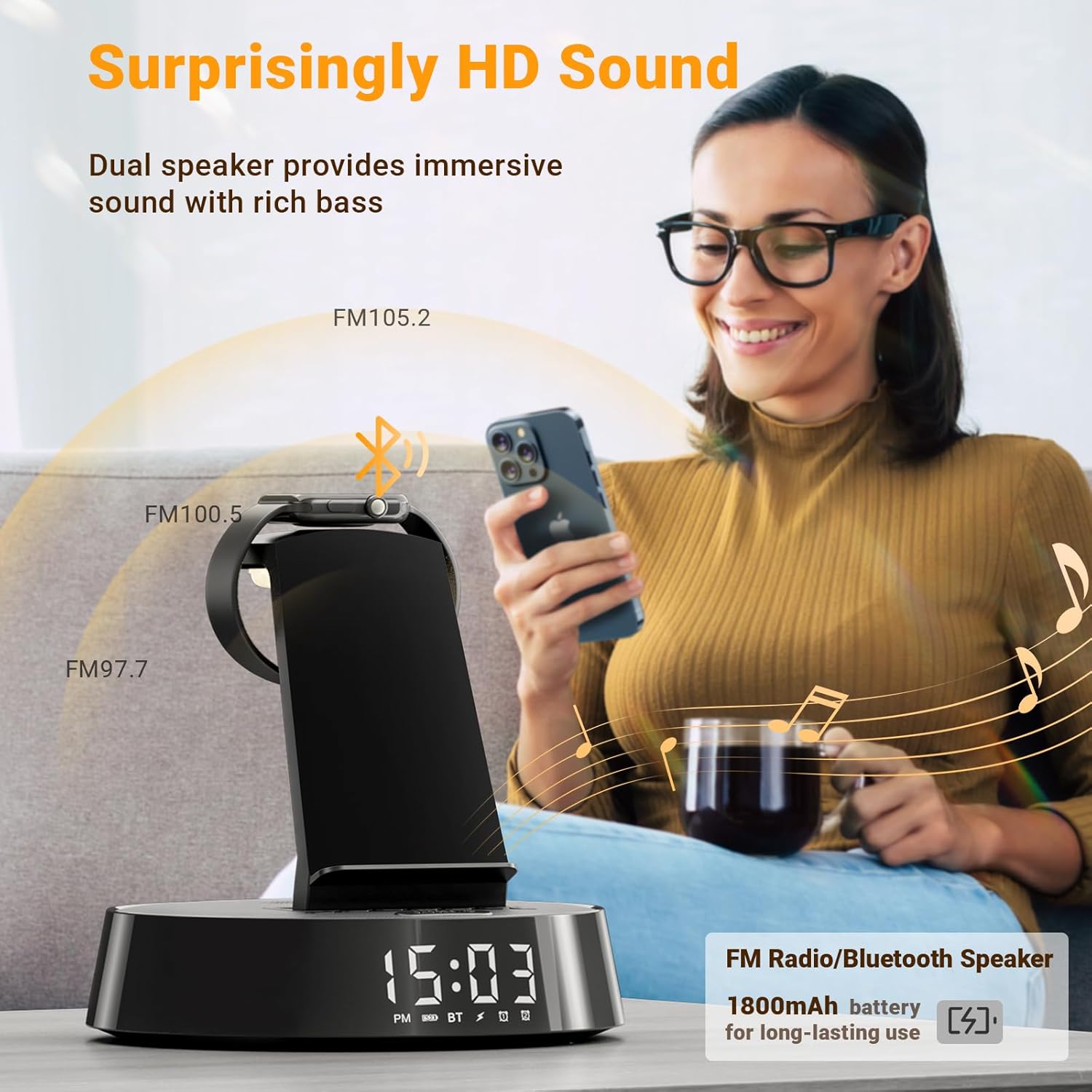
Figure 4: Illustration of connecting the power adapter and placing devices for charging.
Operating Instructions
Clock and Alarm Functions
The digital alarm clock features clear visibility and a smart chip with a built-in battery for memory function, retaining settings during power outages.
- Time Display: Choose between 12-hour (AM/PM) or 24-hour modes.
- Dual Alarms: Set two independent alarms.
- Snooze Function: Each alarm allows for an extra 5 minutes of slumber, limited to three snoozes per alarm.
Setting the Clock
Detailed instructions for setting the time will be found in the included user manual. Generally, look for dedicated "Time Set" or "Clock" buttons on the device.
Setting Alarms
To set Alarm 1 or Alarm 2, press the corresponding alarm button. Use the adjustment buttons (often labeled +/- or arrows) to set the desired alarm time. Confirm your selection. When an alarm sounds, press the "Snooze" button for a temporary pause, or any other button to turn off the alarm.

Figure 5: Controls for setting dual alarms and using the snooze function.

Figure 6: Visual representation of setting and using the two alarm clock settings.
Wireless Charging Station
The integrated wireless charging station supports simultaneous charging of a smartphone, Apple Watch, and AirPods. It is designed for universal compatibility with Qi standard wireless charging devices.
- Smartphone Charging: Compatible with iPhone 8-16 Series (and any series after iPhone 8), Samsung Galaxy F05/M05/A06/Z Fold6/S24/S23/S22 Ultra/C55/M55/A55/A35, Google Pixel 9/8 Pro/7/6a, and other Qi-enabled phones. Place your phone vertically on the charging stand.
- Apple Watch Charging: Compatible with Apple Watch 10/9/8/7/6/5/4/3/2/SE/Ultra. Place your Apple Watch on the designated magnetic charging area.
- Earbuds Charging: Compatible with AirPods 3/Pro. Place your earbuds case on the flat charging pad.
- Case Friendly: Supports phone cases up to 3mm thick (non-metal cases).

Figure 7: Dedicated charging areas for smartphone, Apple Watch, and wireless earbuds.

Figure 8: Chart detailing wide compatibility with iPhone, Google, Samsung phones, Apple Watch, and AirPods.

Figure 9: Illustration of the fast heat dissipation and safety features for phone battery protection.
Bluetooth Speaker Function
The built-in Bluetooth speaker delivers immersive sound with rich bass, enhancing your audio experience.
- Pairing: Turn on the device. Activate Bluetooth on your smartphone or other audio device. Search for "FREEFISH S09" (or similar name indicated on the device/manual) in your device's Bluetooth settings and select to pair.
- Playback: Once paired, audio from your device will play through the speaker. Adjust volume using the controls on the charging station or your connected device.

Figure 10: The device functioning as a superior Bluetooth speaker.
FM Radio Operation
Enjoy your favorite radio stations with the integrated FM radio.
- Switch to FM Mode: Press the "Mode" button (or similar) to cycle through available modes until "FM" is displayed.
- Scan Stations: Use the "Scan" or "Tune" buttons to automatically search for and save available FM stations.
- Select Station: Use the navigation buttons to select a saved station or manually tune to a frequency.
- Volume Control: Adjust the volume from 0 to 16 levels using the dedicated volume buttons.

Figure 11: A user enjoying the FM radio mode with adjustable volume levels.
Dimmable Night Light
The night light offers adjustable brightness levels to create a soothing ambiance without disrupting your sleep.
- Brightness Levels: Customize the night light brightness from 0% (off), 30%, 70%, to 100%.
- Adjustment: Use the dedicated night light button or controls to cycle through the brightness settings.

Figure 12: Visual guide to adjusting the night light brightness from off to super bright.

Figure 13: A user adjusting the 3-speed brightness of the night light for a cozy atmosphere.
Maintenance
To ensure the longevity and optimal performance of your FREEFISH S09-BLACK-US-Y, follow these simple maintenance guidelines:
- Cleaning: Use a soft, dry, lint-free cloth to wipe the surface of the device. Do not use abrasive cleaners, waxes, or solvents as they may damage the finish.
- Avoid Liquids: Keep the device away from water and other liquids. If liquid spills on the device, immediately unplug it and allow it to dry completely before reconnecting power.
- Ventilation: Ensure the heat dissipation holes on the back of the charging station are not obstructed to prevent overheating.
- Storage: When not in use for extended periods, store the device in a cool, dry place away from direct sunlight and extreme temperatures.
Troubleshooting
If you encounter any issues with your FREEFISH S09-BLACK-US-Y, please refer to the following common problems and solutions:
| Problem | Possible Cause | Solution |
|---|---|---|
| Device not powering on. | Power cable not connected properly; power outlet issue. | Ensure the Type-C cable is securely connected to both the device and the 18W adapter. Try plugging the adapter into a different working power outlet. |
| Wireless charging is slow or intermittent. | Phone case too thick or metallic; device not properly aligned; insufficient power from adapter. |
|
| Bluetooth speaker not connecting. | Device not in pairing mode; Bluetooth off on source device; already connected to another device. |
|
| Alarm not sounding or too quiet. | Alarm volume set too low; alarm not activated. | Check the alarm volume settings (0-16 levels). Ensure the alarm is set and activated for the correct time. |
If the problem persists after trying these solutions, please contact customer support.
Specifications
| Feature | Detail |
|---|---|
| Product Dimensions | 7 x 1.5 x 7 inches |
| Item Weight | 2.53 pounds |
| Model Number | S09-BLACK-US-Y |
| Color | Black |
| Connectivity Technology | USB |
| Connector Type | USB Type C |
| Special Features | Wireless Charging, Bluetooth Speaker, FM Radio, Dimmable Night Light, Dual Alarm Clock |
| Compatible Devices | Headphones (AirPods), Cellular Phones (iPhone, Google, Samsung), Smartwatches (Apple Watch) |
| Input Voltage | 120 Volts |
| Manufacturer | FREEFISH |
| Country of Origin | China |
Warranty and Support
FREEFISH is committed to providing high-quality products and excellent customer service.
- Warranty: This product comes with a one-year quality warranty from the date of purchase. Please retain your proof of purchase for warranty claims.
- Customer Support: For any questions, concerns, or technical assistance, please contact FREEFISH customer service. We aim to provide the best solution within 24 hours.
- Contact Information: Refer to the contact details provided in the product packaging or on the official FREEFISH website for the most up-to-date support channels.