
Ezify PX-TS001
Ezify 40-inch Tower Fan (Model PX-TS001) Instruction Manual
1. Introduction
Thank you for choosing the Ezify 40-inch Tower Fan, Model PX-TS001. This instruction manual provides essential information for the safe and efficient operation, maintenance, and troubleshooting of your new fan. Please read this manual thoroughly before use and retain it for future reference.

Image Description: A white Ezify 40-inch tower fan is shown with a remote control. Blue lines illustrate the airflow emanating from the fan's grille, indicating its cooling function.
2. Important Safety Instructions
To reduce the risk of fire, electric shock, or injury, always follow these basic safety precautions:
- Read all instructions before using this fan.
- Always unplug the fan from the power outlet before cleaning, servicing, or moving it.
- Do not operate any fan with a damaged cord or plug. Discard the fan or return it to an authorized service facility for examination and/or repair.
- Do not run cord under carpeting. Do not cover cord with throw rugs, runners, or similar coverings. Arrange cord away from traffic area and where it will not be tripped over.
- Do not insert or allow foreign objects to enter any ventilation or exhaust opening as this may cause an electric shock or fire, or damage the fan.
- Do not use the fan in wet or damp locations such as bathrooms or laundry areas.
- Close supervision is necessary when any appliance is used by or near children.
- The fan features child-safe narrow grilles to prevent finger access.

Image Description: A white Ezify tower fan is shown in a living room setting with a cat nearby. An overlay highlights the narrow grilles on the fan, emphasizing its child-safe design to prevent fingers from entering.
3. Package Contents
Please check the package for the following items:
- Tower Fan Body x 1
- Front Fan Base x 1
- Rear Fan Base x 1
- Remote Control x 1 (Battery Included)
- User Manual x 1
4. Setup
4.1 Base Assembly
- Align the two pieces of the fan base (front and rear) and press them together until you hear a "click" indicating they are securely connected.
- Pass the power cord through the center hole of the assembled base. Align the base with the positioning column at the bottom of the tower fan body.
- Rotate the base to the right until it clicks into place, securing it to the fan body. To unlock, lightly press the unlock button and rotate the base to the left.
- Place the power cord into the designated slot on the base for stability.

Image Description: A four-panel image illustrating the assembly of the fan base. Panel 1 shows aligning the two base halves. Panel 2 shows routing the power cord and aligning the base with the fan. Panel 3 shows rotating the base to lock it. Panel 4 shows securing the power cord in its slot.
4.2 Remote Control Battery Installation
The remote control comes with a battery included. If the remote is unresponsive, you may need to activate or replace the battery.
- Open the battery cover on the back of the remote control.
- Remove any plastic insulating sheet if present, or replace the old battery with a new CR2025 lithium battery. Ensure correct polarity (+/-).
- Close the battery cover securely.

Image Description: A four-panel image demonstrating remote control battery installation. Panel 1 shows opening the battery cover. Panel 2 shows removing a plastic sheet. Panel 3 shows the battery correctly placed. Panel 4 shows closing the battery cover.
5. Operating Instructions
Your Ezify Tower Fan can be operated using the control panel on top of the unit or the included remote control.
5.1 Control Panel and Remote Control Functions
The control panel and remote control feature buttons for Power, Mode, Speed, Oscillation, and Timer. Refer to the icons on the device and remote for specific functions.

Image Description: A white Ezify tower fan is shown in a living room, with blue lines indicating a 90-degree oscillation pattern. A remote control is visible in the foreground, suggesting remote operation.
5.2 Operating Modes
The fan offers 4 distinct operating modes:
- Normal Mode: Provides a consistent, steady airflow at your selected speed.
- Natural Mode: Simulates a natural breeze by cycling through varying fan speeds.
- Sleep Mode: Automatically reduces wind speed to level 1 (approx. 30dB) and dims the display after 20 seconds of inactivity to ensure a quiet and undisturbed sleep environment.
- Auto Mode: Adjusts fan speed automatically based on the ambient room temperature.
5.3 Speed Settings
The fan features 6 adjustable speed settings, allowing you to customize the airflow intensity from a gentle breeze to a powerful current.
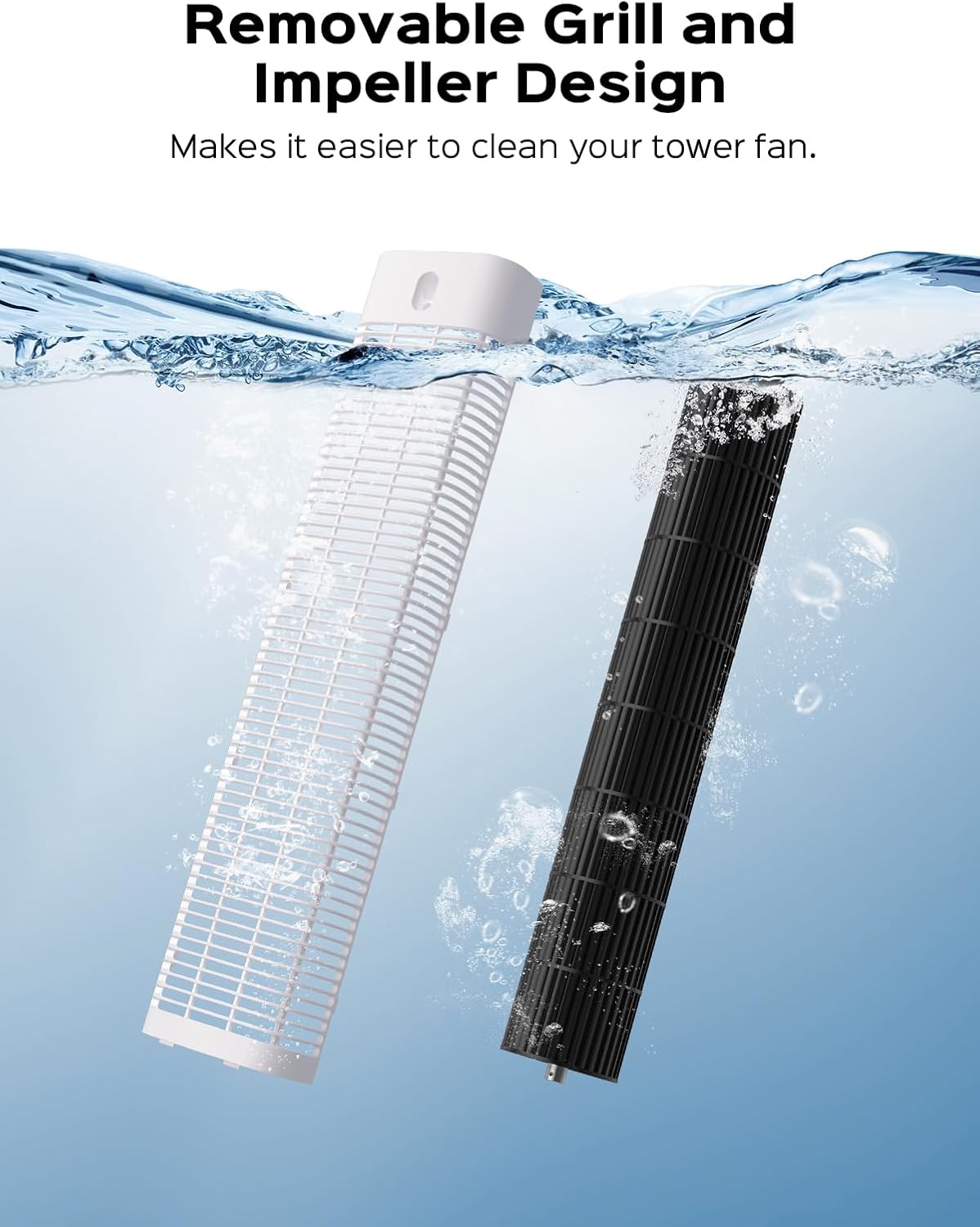
Image Description: A white Ezify tower fan is shown with an overlay illustrating its features. Icons represent 4 modes (Normal, Natural, Sleep, Auto) and a vertical bar graph shows 6 speed levels, indicating customizable comfort.
5.4 Oscillation
Activate the oscillation function for a 90-degree wide-angle air distribution, ensuring even cooling across the room.
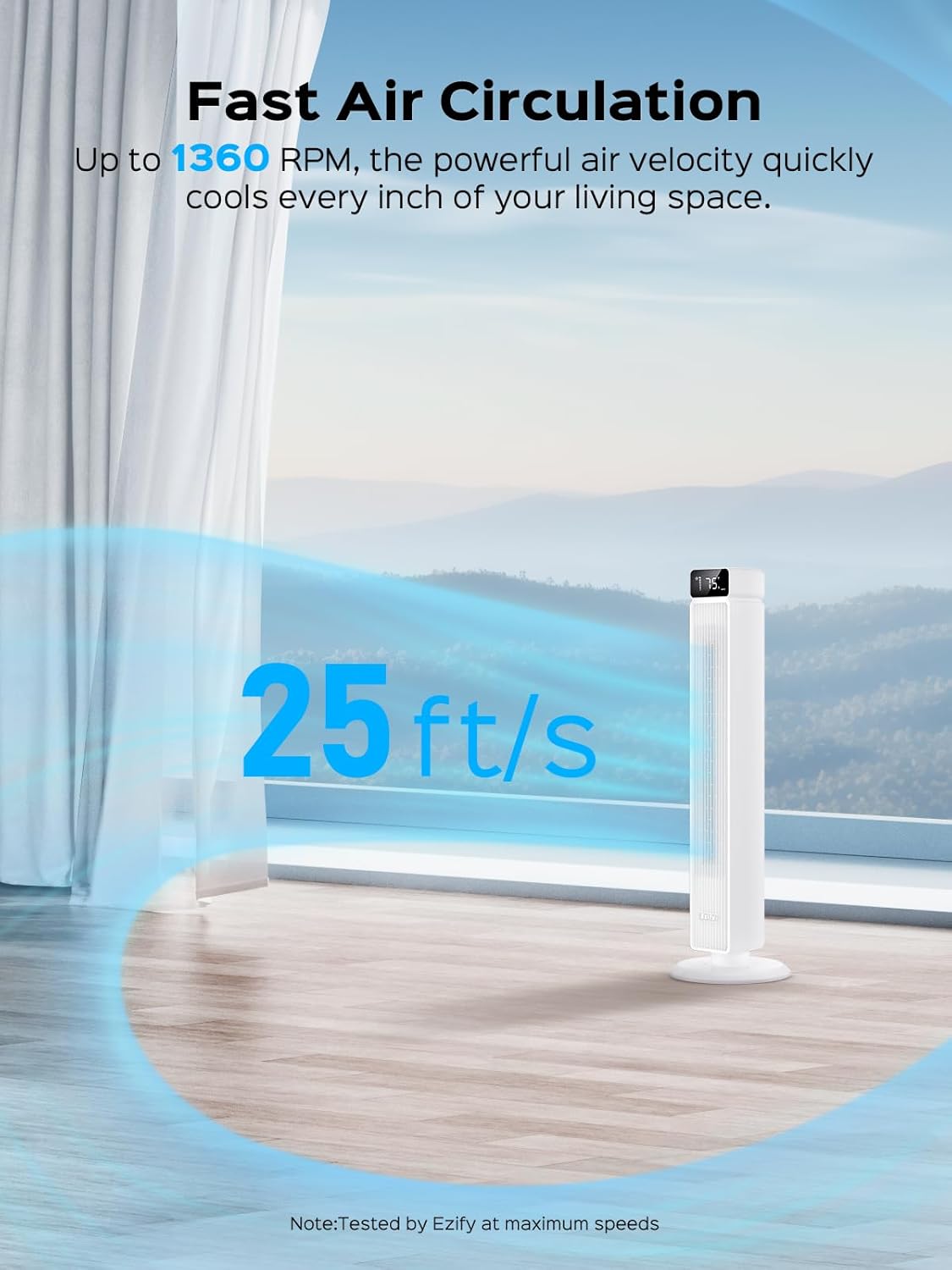
Image Description: A white Ezify tower fan is positioned in a room with a window view. Large text indicates "25 ft/s" airflow, emphasizing the fan's powerful air circulation capability.
5.5 Timer Function
Set the fan to automatically turn off after a specified period, ranging from 1 to 12 hours.
5.6 Quiet Operation
The fan is designed for quiet operation, with noise levels as low as 30dB in Sleep Mode, comparable to a soft whisper.

Image Description: A white Ezify tower fan is shown in a dimly lit bedroom where a couple is sleeping. Blue lines indicate gentle airflow, and a "30 dB" label highlights the fan's quiet operation.
6. Maintenance
6.1 Cleaning the Fan
Regular cleaning helps maintain the fan's performance and extends its lifespan.
- Always unplug the fan from the power outlet before cleaning.
- The rear grille and impeller are detachable for easy cleaning. Carefully remove them according to the diagram.
- Rinse the detachable grille and impeller under tap water to remove dust and debris. Ensure they are completely dry before reassembling.
- Wipe the exterior surfaces of the fan with a soft, damp cloth. Do not use abrasive cleaners or solvents.
- Ensure all parts are dry before plugging the fan back in.

Image Description: A close-up image showing the detachable rear grille and impeller of the Ezify Tower Fan being cleaned under running water, highlighting the ease of maintenance.
6.2 Storage
When not in use, store the fan in a cool, dry place, preferably in its original packaging, to protect it from dust and damage.
7. Troubleshooting
If you encounter any issues with your Ezify Tower Fan, please refer to the following common problems and solutions:
| Problem | Possible Cause | Solution |
|---|---|---|
| Fan does not turn on. | No power supply; power cord not fully plugged in; remote control battery depleted. | Ensure the fan is properly plugged into a working electrical outlet. Check the remote control battery and replace if necessary. |
| Weak or no airflow. | Low speed setting; air intake/outlet blocked. | Increase the fan speed. Ensure there are no obstructions blocking the air intake or outlet grilles. |
| Fan is noisy. | Fan not on a flat surface; internal obstruction; loose parts. | Place the fan on a stable, flat surface. Unplug and check for any foreign objects inside the grilles. If noise persists, contact customer support. |
| Remote control not working. | Battery depleted; no clear line of sight; remote too far. | Replace the remote control battery (CR2025). Ensure there is a clear line of sight between the remote and the fan's receiver. Operate within the specified range (up to 26ft). |
8. Specifications
| Feature | Detail |
|---|---|
| Brand | Ezify |
| Model Name | PX-TS001 |
| Color | White |
| Electric Fan Design | Floor Fan |
| Power Source | Corded Electric |
| Product Dimensions | 11.81"D x 11.81"W x 40"H |
| Special Features | Oscillating, Portable, Remote Controlled, Timer |
| Noise Level | 30 dB |
| Wattage | 45 watts |
| Air Flow Capacity | 25 Cubic Feet Per Second |
| Speed | 6 Levels (up to 25 Feet Per Second) |
| Voltage | 120 Volts |
| Control Method | Remote, Touch |
| Timer | 12 Hours |
| Item Weight | 10 Pounds |
| Indoor/Outdoor Usage | Indoor |

Image Description: A diagram showing the slim profile and dimensions of the Ezify Tower Fan, including its height of 40 inches and base width of 11.8 inches. The power cord and remote control are also depicted.
9. Warranty and Customer Support
Ezify products are manufactured to high-quality standards. For information regarding warranty coverage, please refer to the warranty card included with your purchase or visit the official Ezify website.
If you have any questions, concerns, or require technical assistance, please contact Ezify customer service. Our support team is available to help you with any product-related inquiries.
Contact Information: Please refer to the contact details provided on the Ezify official website or your product packaging.
Related Documents - PX-TS001
 |
Antarctic Star Remote Tower Fan Model 5314 - Instruction Manual Official instruction manual for the Antarctic Star Remote Tower Fan, Model 5314. Includes safety precautions, specifications, installation, operation, maintenance, and warranty information. |
 |
Hampton Bay 40-Inch Oscillating Tower Fan (FZ-25D) Use and Care Guide A comprehensive use and care guide for the Hampton Bay 40-Inch Oscillating Tower Fan, model FZ-25D. Includes safety information, assembly instructions, operating instructions, care and maintenance tips, and warranty details. |
 |
Dreo Smart Tower Fan User Manuals: Pilot Max & Cruiser Pro T1 Models Comprehensive user manual for Dreo Smart Tower Fans, covering models Pilot Max (DR-HTF004S) and Cruiser Pro T1 (DR-HTF001). Includes setup, operation, safety, maintenance, and troubleshooting guides. |
 |
Dreo Tower Fan User Manual (DR-HTF008) Comprehensive user manual for the Dreo Tower Fan (Model DR-HTF008), covering assembly, operation, safety instructions, troubleshooting, and warranty information. |
 |
Dreo DR-HTF008 Tower Fan User Manual - Safety, Assembly, Operation, and Troubleshooting Comprehensive user manual for the Dreo DR-HTF008 Tower Fan. Includes detailed safety instructions, step-by-step assembly guide, operation modes, cleaning and maintenance tips, troubleshooting common issues, and warranty information. |
 |
Koble Larsen TV Stand Assembly Instructions Detailed assembly instructions and safety advice for the Koble Larsen TV Stand, including component lists, hardware, step-by-step guides, and troubleshooting for integrated features like Bluetooth and wireless charging. |
Ask a question about this manual
Ask about setup, troubleshooting, compatibility, parts, safety, or missing instructions. Manuals+ will review the question and use this page’s manual context to help answer it.