
1. Overview
The Armanza Ergonomic Slope Mouse Pad Wrist Support is designed to provide optimal comfort and support during computer use. It features an ergonomic slope, high-quality memory foam, and a unique cross massage bulge to alleviate wrist pain and fatigue, promoting a healthier wrist posture.
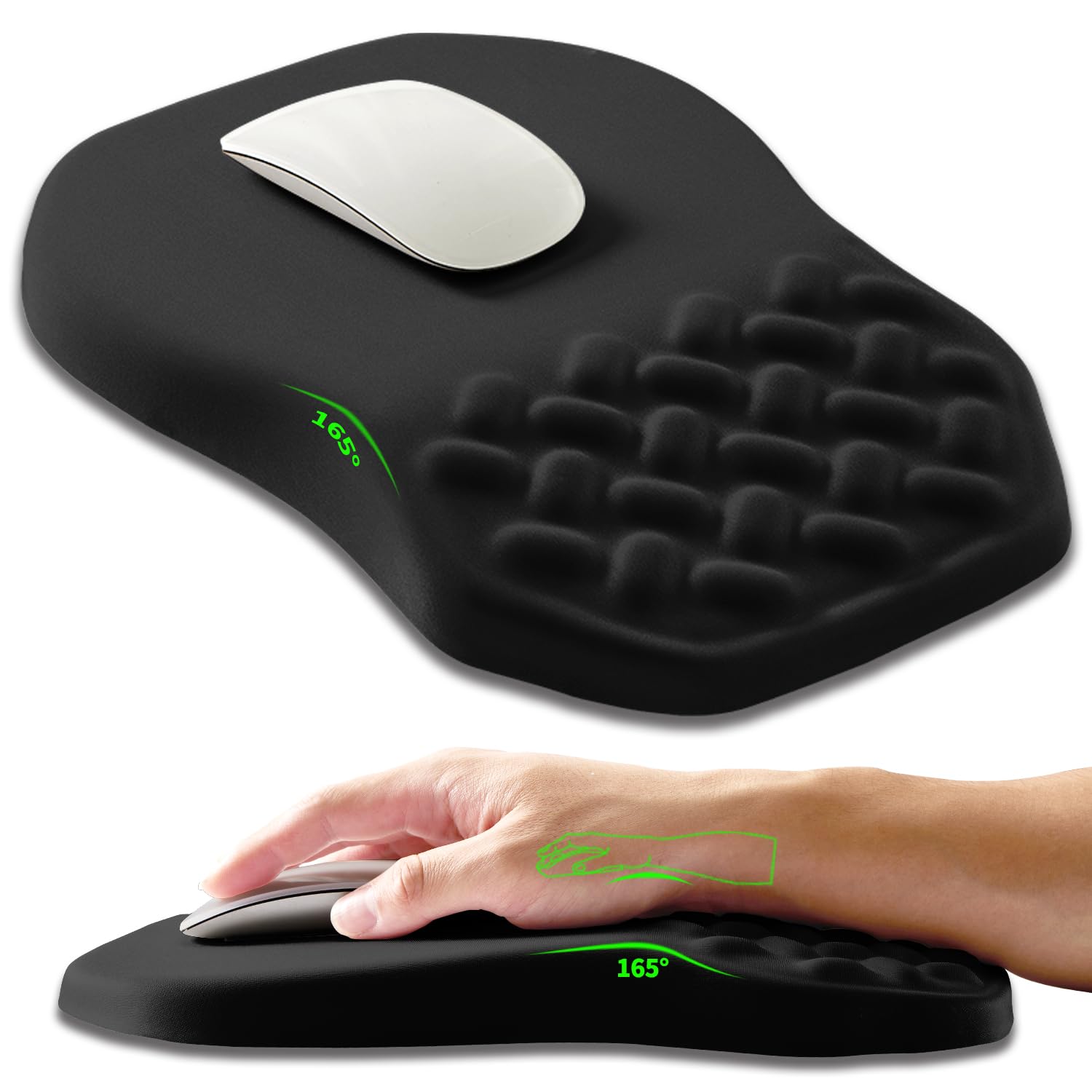
The Armanza Ergonomic Slope Mouse Pad Wrist Support in black.
Key Features:
- Ergonomic Slope: Designed to change wrist posture and alleviate pain.
- High-Quality Memory Foam: Integrated slow rebound memory foam for lasting comfort.
- Cross Massage Bulge: Enhances air circulation and reduces hand sweating.
- Lycra Fabric Surface: Skin-friendly, smooth, and non-pilling for precise cursor movement.
- Anti-Slip PU Base: Ensures the mouse pad remains firmly in place on your desktop.

Illustration of the ergonomic slope and wrist support area.

Close-up view of the integrated memory foam with slow rebound properties.
2. Setup
Setting up your Armanza Ergonomic Slope Mouse Pad is straightforward. Simply place it on a clean, flat desktop surface where you typically use your mouse.
- Unpack the mouse pad from its packaging.
- Remove any protective film from the anti-slip base.
- Place the mouse pad on your desk in a position that allows comfortable mouse movement and wrist placement. Ensure the wider, sloped end is positioned to support your wrist.
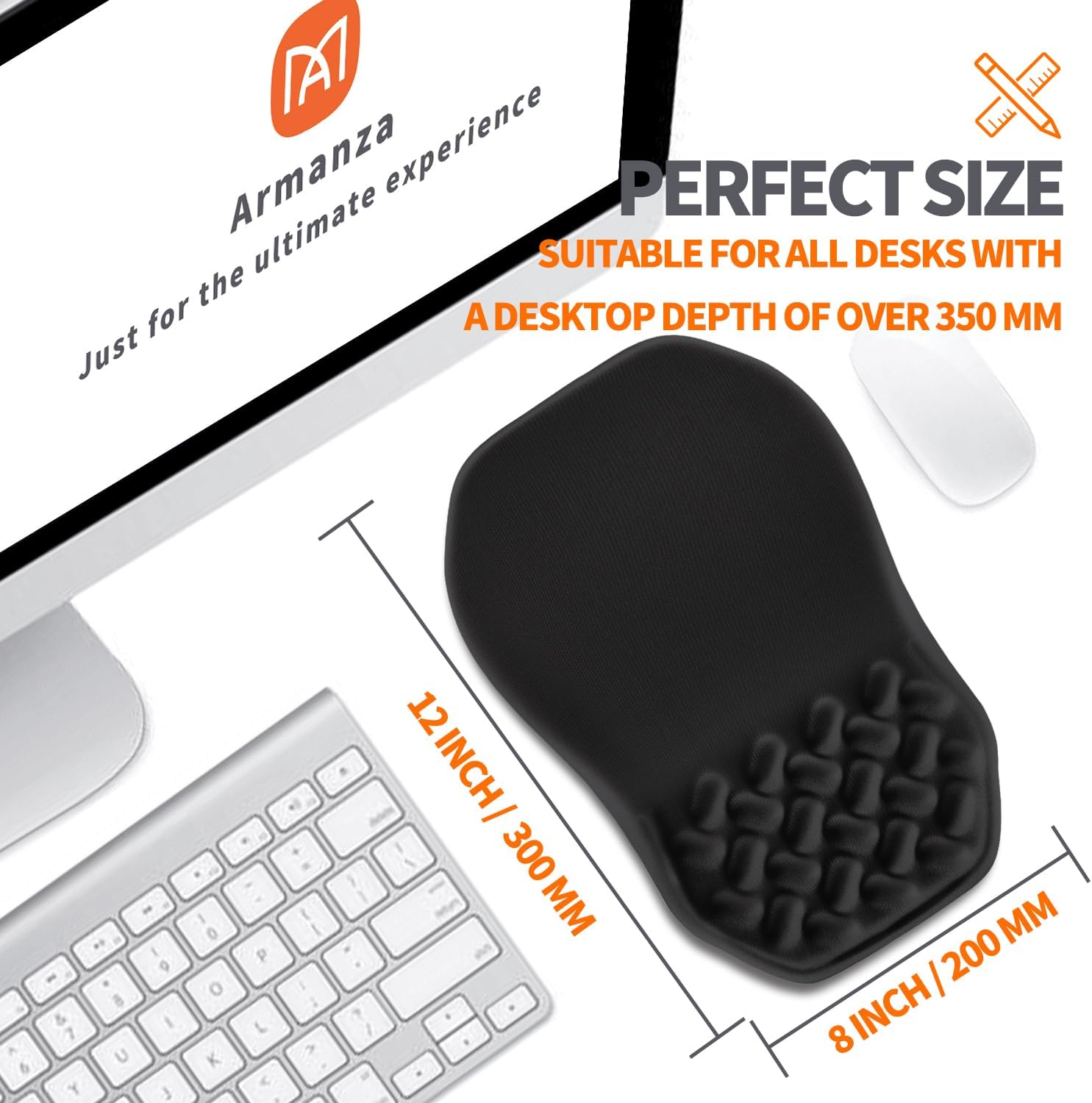
The mouse pad dimensions (12x8 inches) and its suitability for various desk sizes.

The mouse pad positioned on a desk alongside a laptop and keyboard, demonstrating its compatibility.
3. Operating Instructions
To maximize the benefits of your Armanza Ergonomic Slope Mouse Pad, follow these guidelines for use:
- Wrist Positioning: Rest your wrist gently on the sloped portion of the mouse pad. The design is intended to keep your wrist in a neutral, comfortable position, reducing strain.
- Mouse Movement: The smooth Lycra surface allows for fast and accurate mouse movement. The mouse pad is compatible with various mouse types, including wireless, optical, and laser mice.
- Massage Bulge: The cross massage bulge is designed to enhance air circulation and provide a subtle massage effect, further reducing discomfort during extended use.

Diagram illustrating the ergonomic wrist pressure dispersion design.

Image showing the specialized Lycra fabric surface for smooth mouse operation.
Official Product Videos:
Video demonstrating the ergonomic slope and massage bulge features of the mouse pad.
Video showcasing the comfort and wrist support provided by the mouse pad.
Video highlighting the overall ergonomic design and benefits of the Armanza mouse pad.
4. Maintenance
To ensure the longevity and hygiene of your mouse pad, follow these simple maintenance steps:
- Cleaning the Surface: Gently wipe the Lycra fabric surface with a soft, damp cloth. For stubborn stains, a mild soap solution can be used, followed by wiping with a clean, damp cloth. Avoid harsh chemicals or abrasive cleaners.
- Cleaning the Base: The PU anti-slip base can be wiped clean with a damp cloth. Ensure it is dry before placing it back on your desk to maintain its anti-slip properties.
- Drying: Allow the mouse pad to air dry completely before reuse. Do not expose it to direct sunlight or high heat.

Image showing the specialized Lycra fabric and the anti-slip PU base of the mouse pad.
5. Troubleshooting
If you encounter any issues with your Armanza Ergonomic Slope Mouse Pad, refer to the following common solutions:
| Problem | Possible Cause | Solution |
|---|---|---|
| Mouse pad slides on desk | Dust or debris on the anti-slip base or desk surface. | Clean the anti-slip PU base and the desk surface with a damp cloth. Ensure both are dry before placing the mouse pad. |
| Discomfort during use | Incorrect wrist positioning or initial adjustment period. | Ensure your wrist is resting comfortably on the sloped support. Allow a few days for your wrist to adjust to the ergonomic shape. If discomfort persists, adjust your chair height or desk setup. |
| Mouse tracking issues | Dirty mouse sensor or mouse pad surface. | Clean the mouse sensor and the surface of the mouse pad. Ensure no debris is obstructing the mouse's movement. |
6. Specifications
| Feature | Detail |
|---|---|
| Brand | Armanza |
| Model Number | AB&AM-T6G-019 |
| Color | Am001-black |
| Material | Memory Foam (Fill Material), Lycra (Cover Material), PU (Base) |
| Product Dimensions (L x W) | 12 inches x 8 inches (300mm x 200mm) |
| Height | 1.2 inches (30mm) |
| Item Weight | 0.49 kg |
| Special Features | Cross Massage Bulge, Ergonomic, Non-Slip, Wrist Rest, Wrist Support |
| Compatible Devices | Mouse |
| UPC | 744915512301 |
7. Warranty and Support
Armanza products are designed for quality and durability. While specific warranty details are not provided in this manual, standard return policies typically apply.
- Return Policy: This product is generally eligible for returns within 30 days of receipt for a refund or replacement, subject to the retailer's terms and conditions. Please refer to your purchase platform for the most accurate and up-to-date return information.
- Customer Support: For any questions, concerns, or support needs regarding your Armanza Ergonomic Slope Mouse Pad, please contact the seller or refer to the customer service options provided by your retailer.