
1. Introduction
Thank you for choosing the RORIOS AA-AEZ009 Multifunctional Digital Analog Quartz Watch. This timepiece combines classic analog display with modern digital functionalities, offering versatility and durability. Designed for daily wear, it features a 50-meter water resistance and a range of useful functions including a stopwatch, alarm, and backlight. This manual provides detailed instructions to help you set up, operate, and maintain your watch.
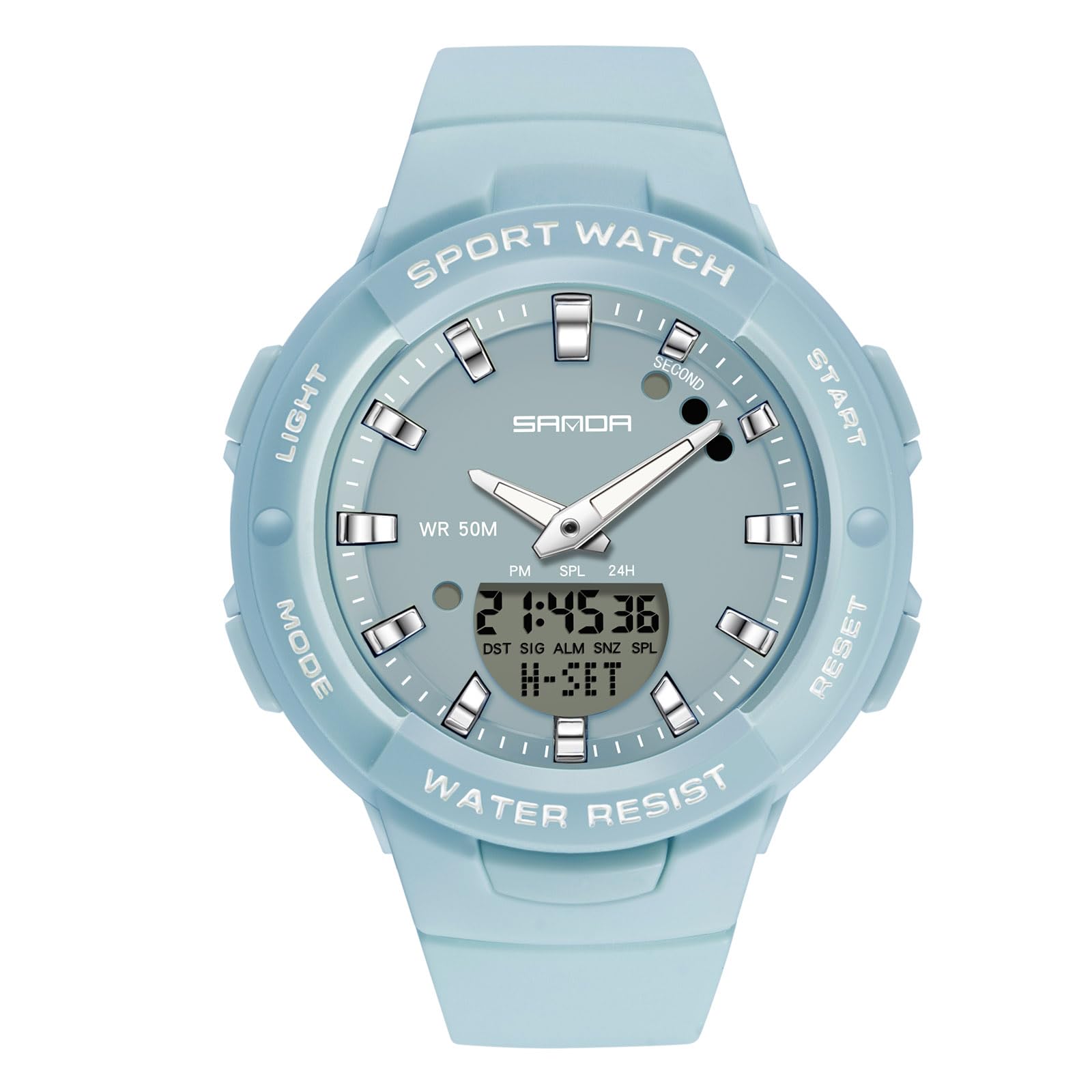
Image 1: RORIOS AA-AEZ009 watch on a wrist.
2. Product Overview and Components
Familiarize yourself with the buttons and display areas of your RORIOS watch to ensure proper operation.
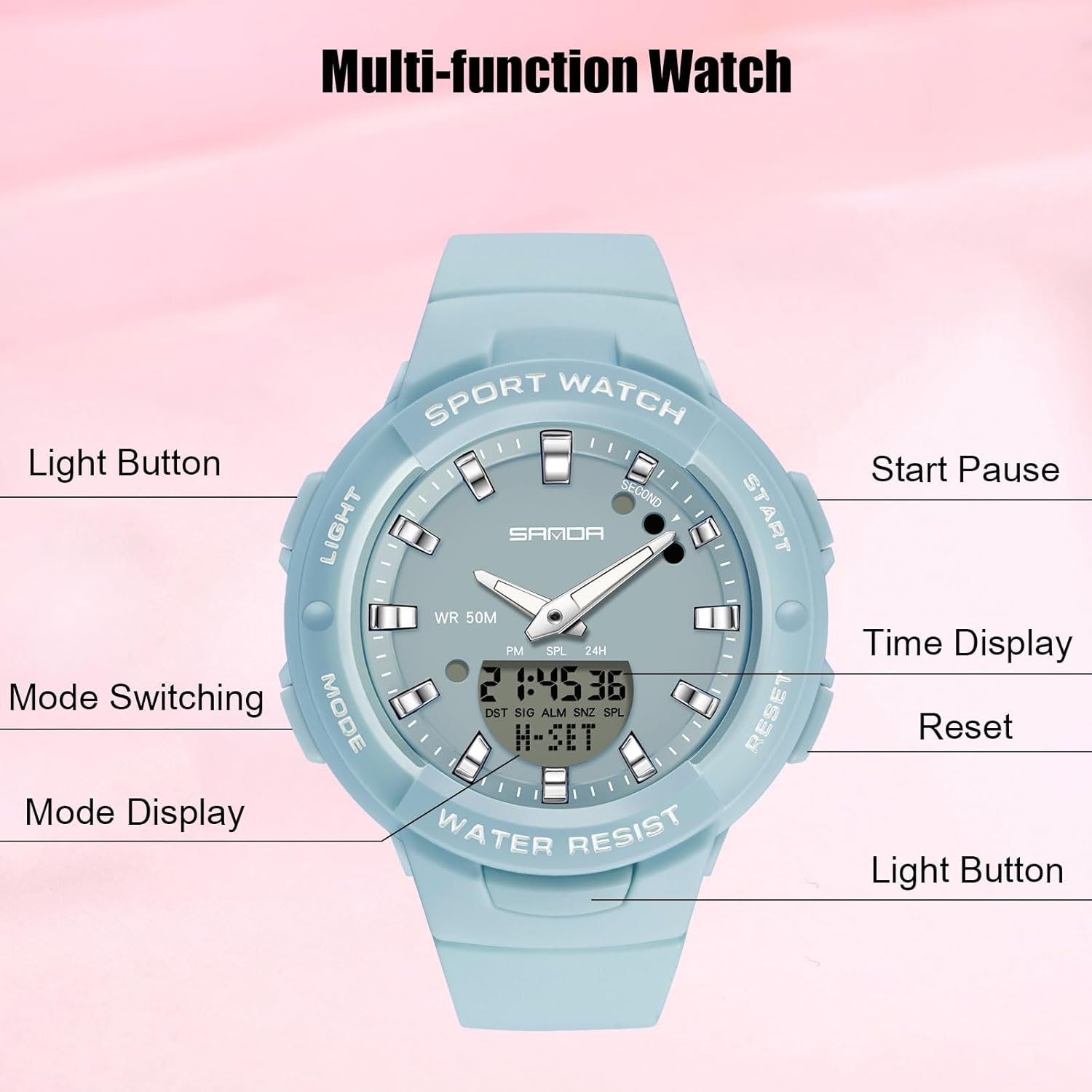
Image 2: Labeled diagram of the watch components.
- Light Button (Top Left): Activates the backlight for the digital display.
- Mode Switching Button (Bottom Left): Cycles through different modes (Time, Alarm, Stopwatch, Countdown).
- Start/Pause Button (Top Right): Used to start/stop functions like the stopwatch or adjust values during setting.
- Reset Button (Bottom Right): Used to reset functions or confirm selections during setting.
- Time Display: Shows the current digital time, date, and day of the week.
- Mode Display: Indicates the current operational mode of the watch.
3. Setup Instructions
3.1 Initial Time Setting (Digital Display)
- From the normal time display mode, press the Mode button repeatedly until the seconds begin to flash, indicating you are in time setting mode.
- Press the Reset button to cycle through the settings: Seconds → Hours → Minutes → Year → Month → Day → 12/24-hour format.
- While a value is flashing, use the Start/Pause button to increase the value. Hold the button to change values faster.
- Once all settings are correct, press the Mode button to exit the setting mode and return to the normal time display.
3.2 Setting Analog Hands
The analog hands are typically synchronized with the digital time automatically. If they are out of sync, follow these steps:
- In the normal time display mode, press and hold the Reset button for a few seconds until the digital time starts flashing or a specific indicator appears for analog hand adjustment.
- Use the Start/Pause button to advance the analog hands. Press and hold to move them quickly.
- Align the analog hands with the digital time.
- Press the Reset button again to confirm and exit the analog hand setting mode.
4. Operating Instructions
4.1 Mode Switching
Press the Mode button (bottom left) to cycle through the following functions:
- Normal Time Display
- Stopwatch Mode
- Alarm Mode
- Countdown Timer Mode (if available)
4.2 Stopwatch Function
- Press the Mode button until you reach the Stopwatch mode (indicated by 'ST' or 'STOP' on the digital display).
- Press the Start/Pause button to start the stopwatch.
- Press the Start/Pause button again to pause the stopwatch.
- To resume, press the Start/Pause button.
- To reset the stopwatch to zero, press the Reset button while the stopwatch is paused.
4.3 Alarm Function
- Press the Mode button until you reach the Alarm mode (indicated by 'AL' or 'ALARM').
- Press the Reset button to select the hour or minute setting. The selected value will flash.
- Use the Start/Pause button to adjust the flashing hour or minute.
- Press the Mode button to exit the alarm setting.
- To turn the alarm ON/OFF, press the Start/Pause button while in Alarm mode (not in setting mode). An alarm icon will appear/disappear.
4.4 Backlight
Press the Light button (top left) to illuminate the digital display for a few seconds, allowing for visibility in low-light conditions.

Image 3: Watch demonstrating luminous function and daily life waterproof.
5. Maintenance
5.1 Water Resistance (50 Meters)
Your RORIOS watch is water resistant up to 50 meters (5 ATM). This means it is suitable for daily use, such as hand washing, splashes, or brief immersion in water. However, it is not suitable for showering with hot water, swimming, diving, or any activities involving high-pressure water or prolonged submersion. Do not operate buttons while the watch is wet or submerged.
5.2 Cleaning
To maintain the appearance and longevity of your watch:
- Wipe the watch case and resin strap regularly with a soft, dry cloth.
- For stubborn dirt, use a slightly damp cloth with mild soap, then wipe dry immediately.
- Avoid using chemical cleaners, solvents, or abrasive materials, as these can damage the watch's finish and materials.
5.3 Battery Replacement
The watch is powered by a long-lasting battery. When the digital display becomes dim or the watch stops functioning, it may be time for a battery replacement. It is recommended to have the battery replaced by a qualified watch technician to ensure proper sealing and maintain water resistance.
6. Troubleshooting
- Watch not displaying time/functions: Check if the battery needs replacement. If recently replaced, ensure it was installed correctly.
- Digital time incorrect: Refer to Section 3.1 for setting the digital time.
- Analog hands not matching digital time: Refer to Section 3.2 for synchronizing analog hands.
- Buttons not responding: Ensure the watch is not wet. If the issue persists, a professional inspection may be required.
- Water inside the watch: Immediately take the watch to a professional for inspection and repair to prevent further damage.
7. Specifications
Detailed dimensions and materials of the RORIOS AA-AEZ009 watch:

Image 4: Watch dimensions and specifications.
| Feature | Specification |
|---|---|
| Dial Thickness | 15 mm |
| Dial Width | 40 mm |
| Strap Width | 19 mm |
| Watch Circumference | 220 mm |
| Watch Weight | 40 g |
| Movement Type | Original Japanese Electronic Quartz |
| Water Resistance | 50 Meters (5 ATM) |
| Case Material | Resin with 304 Stainless Steel Case Back |
| Strap Material | Resin |
8. Warranty and Support
Your RORIOS AA-AEZ009 watch comes with a user manual and warranty information included in the package. Please refer to the warranty document for specific terms and conditions.
If you encounter any issues with your watch or require further assistance, please contact RORIOS customer service. We are committed to providing satisfactory products and support.
Package Includes:
- 1x RORIOS Watch (Model AA-AEZ009)
- 1x User Manual and Warranty
- 1x Exquisite Gift Watch Leather Box

Image 5: RORIOS watch packaging.