1. Introduction
This user manual provides essential information for the installation, operation, and maintenance of your Niiyen Electric Bicycle Display Meter. Please read this manual thoroughly before using the product to ensure proper function and longevity.
The Niiyen Electric Bicycle Display Meter is designed to provide clear and intuitive cycling data, including speed, total mileage, single mileage, power, and voltage. Its durable ABS construction ensures reliability and water resistance for various riding conditions.
2. Product Overview

Figure 2.1: Front view of the Niiyen Electric Bicycle Display Meter, showing the circular display area and the 'M' button.

Figure 2.2: Top-down view highlighting the compact design and the 'M' mode button.
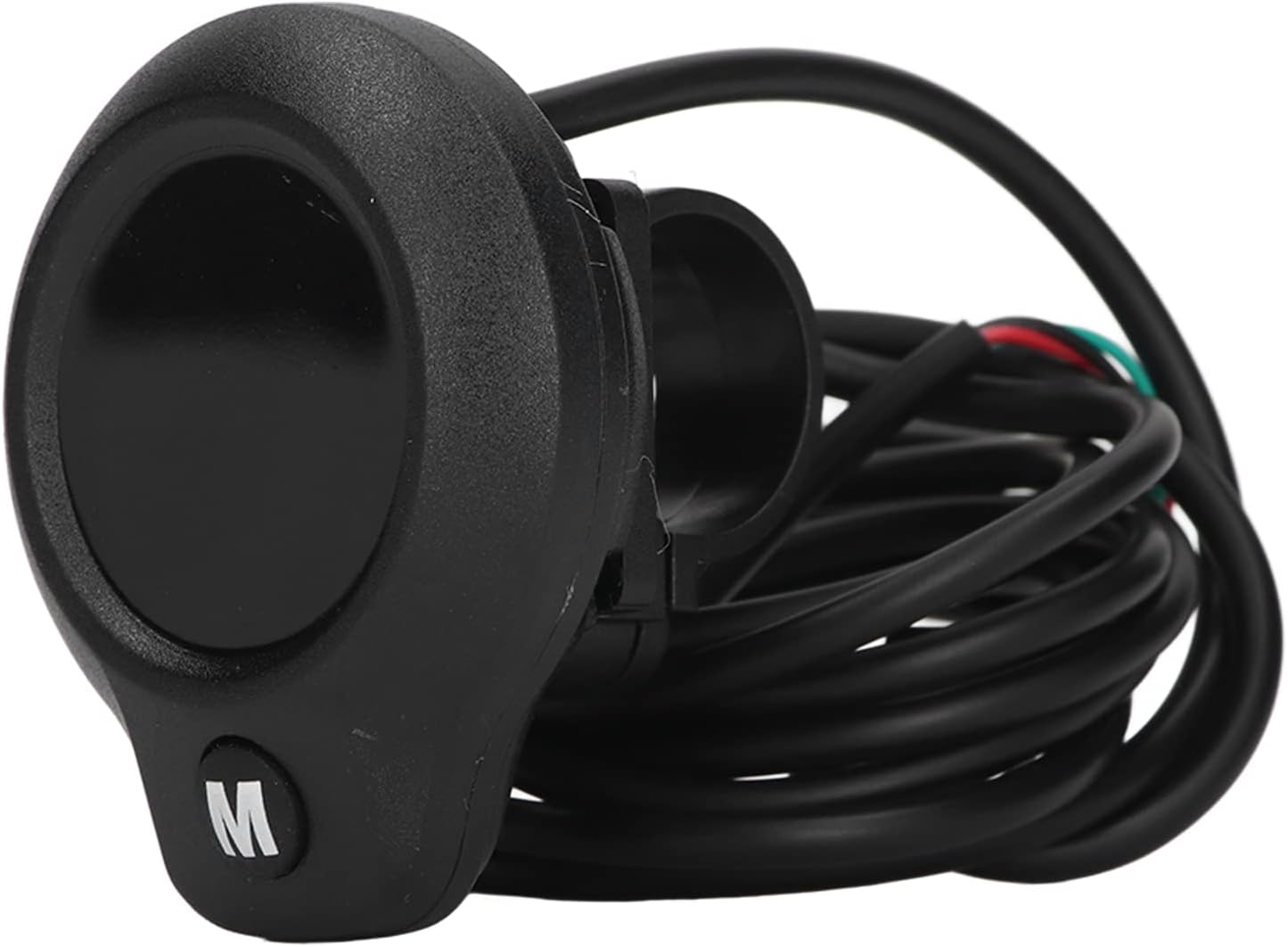
Figure 2.3: Side view showing the integrated mounting ring for handlebar attachment.
3. Specifications
| Feature | Description |
|---|---|
| Item Type | LCD Display for Electric Bike Scooter |
| Product Material | ABS |
| Gross Weight | 81g / 2.9oz |
| Display Content | Speed, total mileage, single mileage, power, voltage |
| Suitable Voltage | 24V-72V |
| Model Number | Niiyenz2av1dhgc8 |
4. Setup and Installation
The display meter is designed for straightforward installation. Follow these steps for proper setup:
- Mounting: Securely attach the display meter to your electric bicycle or scooter handlebar using the integrated mounting ring. Ensure it is positioned for easy viewing while riding.
- Wiring Connection: The display comes with a simple 3-wire setup. Carefully connect the wires as follows:
- Black Wire: Connect to the negative pole of your electric bike's power system.
- Red Wire: Connect to the positive pole of your electric bike's power system.
- Green Wire: Connect to the speed measuring wire, typically linked to the motor hall wire.

Figure 4.1: Illustration of the 3-wire connection points for the display meter.
- Secure Connections: Ensure all wire connections are firm and insulated to prevent short circuits or damage.
- Initial Power On: Once connected, power on your electric bike to verify the display meter functions correctly.
5. Operating Instructions
The display meter provides real-time data for your ride. Here's how to operate it:
- Power On/Off: The display meter powers on automatically with your electric bike's system. There is no separate power button on the display itself.
- Display Content: The LCD screen intuitively shows the following data:
- Speed: Current riding speed.
- Total Mileage: Accumulated distance traveled by the bike.
- Single Mileage: Distance traveled during the current trip.
- Power: Current power output or battery level indication.
- Voltage: Real-time battery voltage.
- Mode Button ('M'): The 'M' button on the display allows you to cycle through different display modes or reset certain values (e.g., single mileage). Press briefly to switch modes, press and hold to reset. Refer to your electric bike's main controller manual for specific interactions with the display.
6. Maintenance
To ensure the longevity and optimal performance of your display meter, follow these maintenance guidelines:
- Cleaning: Wipe the display screen and body with a soft, damp cloth. Avoid using abrasive cleaners or solvents that could damage the ABS material or screen.
- Water Exposure: While the display is designed to be waterproof, avoid prolonged submersion or high-pressure water jets directly on the unit.
- Storage: When not in use for extended periods, store the electric bike and display in a dry, cool place away from direct sunlight and extreme temperatures.
- Wiring Inspection: Periodically check the wiring connections for any signs of wear, corrosion, or looseness. Ensure all connections remain secure.
7. Troubleshooting
If you encounter issues with your display meter, refer to the following common problems and solutions:
| Problem | Possible Cause | Solution |
|---|---|---|
| Display does not power on | No power from bike; loose wiring; faulty unit. | Check bike's power supply. Verify all 3 wires are securely connected (black to negative, red to positive). Ensure bike battery is charged. |
| Speed or mileage not displayed | Green speed wire not connected or faulty; motor hall sensor issue. | Inspect the green speed measuring wire connection to the motor hall wire. Ensure it is not damaged or loose. |
| Inaccurate readings | Incorrect wiring; sensor interference. | Re-check all wiring connections according to the setup instructions. Ensure no other electrical components are interfering with the display's signal. |
| Display screen is dim or flickering | Low voltage; internal fault. | Check the bike's battery voltage. If the issue persists and voltage is stable, contact customer support. |

Important Warning: If you find the product damaged, deformed, or observe abnormal performance, please stop using it immediately and contact customer support for assistance.
8. Warranty and Support
Niiyen products are manufactured with high-quality standards. For warranty information and technical support, please refer to the purchase documentation or contact Niiyen customer service.
Contact Information: Please refer to the seller's contact details provided at the time of purchase or visit the official Niiyen website for support resources.

Niiyen is committed to providing high-quality, functional, and aesthetically pleasing products.