
1. Introduction
Thank you for choosing the Bigzzia Gaming Chair with RGB LED Lights. This manual provides essential information for the safe assembly, operation, and maintenance of your new gaming chair. Please read these instructions carefully before use and retain them for future reference. This high-back ergonomic computer chair is designed to provide comfort and support during extended periods of gaming, working, or relaxing, featuring adjustable RGB LED lighting, a reclining backrest, and lumbar support.
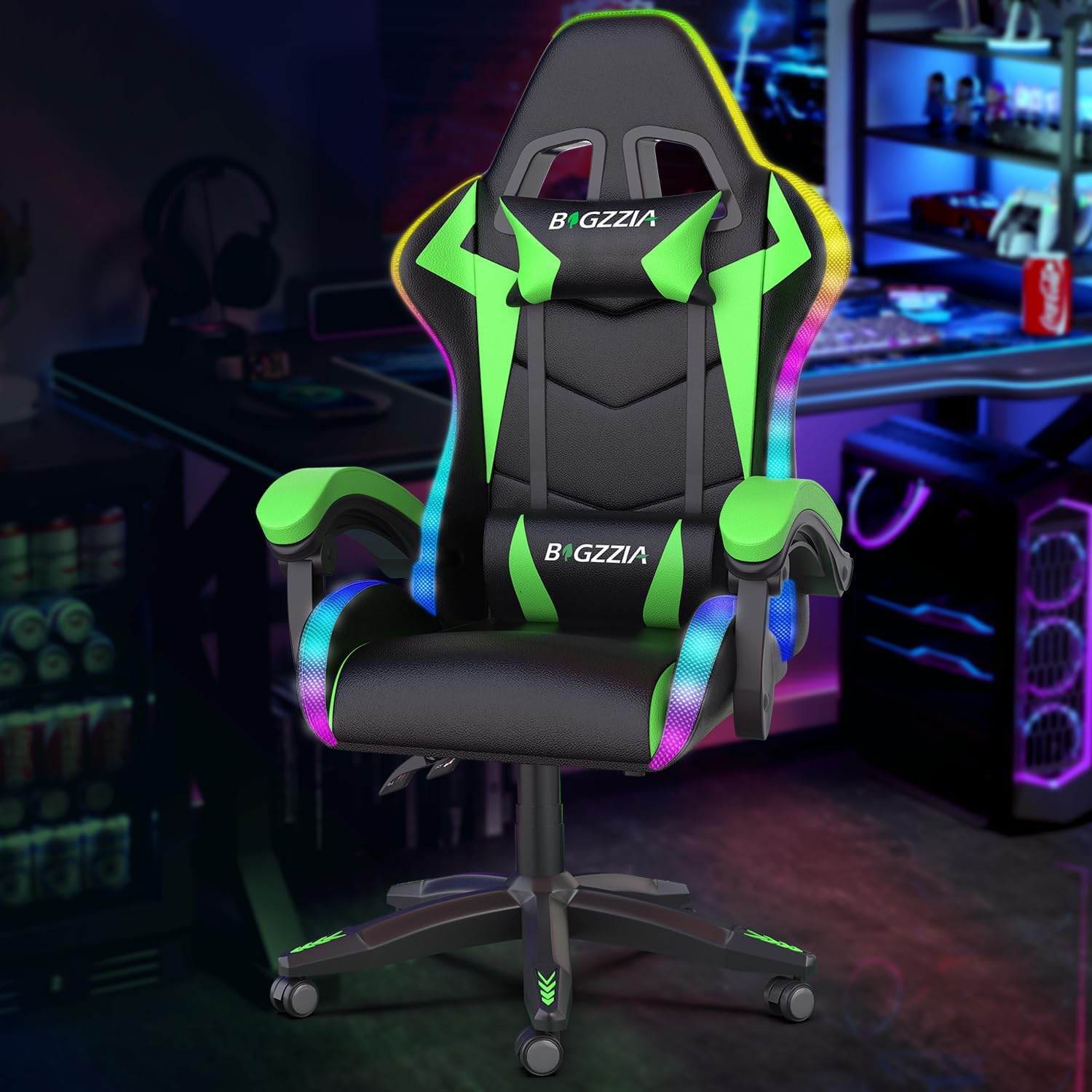
Image: The Bigzzia Gaming Chair featuring RGB LED lights and a black/green color scheme.
2. Safety Information
- Maximum Weight Capacity: This chair is designed to support a maximum weight of 300 pounds (136 kg). Do not exceed this limit to prevent damage or injury.
- Intended Use: This chair is intended for use in gaming, office, or video game environments. Do not use for purposes other than its intended design.
- Stability: Always ensure the chair is on a flat, stable surface before use. Avoid standing on the chair or using it as a step stool.
- Children: Keep children away from moving parts during assembly and adjustment. Supervise children if they are using the chair.
- Electrical Safety (RGB Lights): Ensure the USB power source for the RGB lights is appropriate and used safely. Avoid exposing electrical components to liquids.
- Assembly: Follow all assembly instructions carefully. Ensure all screws and bolts are securely tightened before using the chair.
3. Package Contents
Before beginning assembly, please verify that all components are present and undamaged. If any parts are missing or damaged, please contact customer service.
- Backrest
- Seat Cushion
- Armrests (Left & Right)
- Star Base
- Casters (5x)
- Gas Lift Cylinder
- Gas Lift Cover
- Mechanism Plate
- Lumbar Support Pillow
- Headrest Pillow
- RGB LED Strip (pre-installed)
- Remote Control for RGB Lights
- Hardware Pack (screws, washers, Allen key)
- Instruction Manual

Image: Key components including the tilt mechanism, gas lift, robust base, and smooth-rolling casters.
4. Setup and Assembly
The Bigzzia Gaming Chair is designed for easy assembly, typically taking 10-20 minutes. A detailed assembly guide, along with all necessary parts, hardware, and tools, is included with your purchase. Please follow the step-by-step instructions provided in the separate assembly guide for a hassle-free setup.
Assembly Tips:
- Lay out all components on a clean, soft surface to prevent scratches.
- Identify all parts using the provided list before starting.
- Do not fully tighten screws until all components are loosely assembled, then tighten them securely.
- Seek assistance if needed, especially when attaching the backrest to the seat.
5. Operating Instructions
5.1 Height Adjustment
To adjust the chair's height, locate the lever on the right side, beneath the seat. While seated, pull the lever up to lower the chair. To raise the chair, stand up slightly to relieve weight from the seat, then pull the lever up. Release the lever at your desired height.
5.2 Recline Adjustment
The backrest can be reclined from 90° (upright) to 155° (fully reclined). Locate the recline lever on the right side of the chair, near the seat. Pull the lever up and lean back to your desired angle. Release the lever to lock the backrest in place. To return to an upright position, pull the lever and lean forward.

Image: Visual guide to the chair's adjustable recline function, suitable for various activities.
5.3 Swivel Function
The chair features a 360° swivel function, allowing for easy rotation without moving the base. Simply rotate the seat to your desired direction.
5.4 Linkage Armrests
The armrests are designed to move in conjunction with the backrest when reclining, providing continuous support for your arms. No separate adjustment is needed for the armrests.

Image: Detail of the linkage armrests, which adjust with the chair's recline.
6. RGB LED Lights Operation
Your Bigzzia Gaming Chair features integrated RGB LED lights that can be customized using the included wireless remote control. The lights are powered via a USB connection.
6.1 Powering the Lights
Connect the USB cable from the chair to a compatible USB power source (e.g., computer USB port, USB wall adapter, power bank). The lights will illuminate once power is supplied.
6.2 Using the Remote Control
The remote control allows you to adjust various aspects of the RGB lighting:
- ON/OFF: Press the power button to turn the lights on or off.
- Mode Selection: Cycle through 358 flicker patterns and dynamic modes using the 'MODE' or 'AUTO' buttons.
- Speed Adjustment: Increase or decrease the speed of dynamic lighting effects using the 'SPEED' buttons.
- Brightness Control: Adjust the intensity of the lights using the 'BRILLIANCE' buttons.
- Color Selection: Choose from 7 static monochrome modes (Red, Green, Blue, Yellow, Cyan, Purple, White) using the dedicated color buttons.

Image: The RGB LED lights on the chair and the wireless remote control for customization.

Image: A user enjoying the customizable RGB LED lighting effects of the gaming chair.
7. Maintenance
7.1 Cleaning
To clean your Bigzzia Gaming Chair, simply wipe it clean with a damp cloth. Avoid using harsh chemicals, abrasive cleaners, or solvents, as these can damage the chair's finish and materials. For spills, blot immediately with a clean, dry cloth.
7.2 General Care
- Regularly check all bolts and screws to ensure they remain tight. Retighten if necessary.
- Avoid prolonged exposure to direct sunlight to prevent fading of the material.
- Keep sharp objects away from the chair's upholstery to prevent tears or punctures.
- Periodically clean the casters to remove dust and debris, ensuring smooth movement.
8. Troubleshooting
If you encounter any issues with your Bigzzia Gaming Chair, please refer to the following common troubleshooting steps:
| Problem | Possible Cause | Solution |
|---|---|---|
| Chair does not adjust height | Gas lift cylinder malfunction or lever not engaged. | Ensure the height adjustment lever is fully pulled. If the issue persists, the gas lift may need replacement. Contact customer service. |
| Backrest does not recline or lock | Recline mechanism jammed or lever not engaged. | Check if the recline lever is fully pulled. Ensure no obstructions are preventing movement. |
| RGB LED lights are not working | No power, loose connection, or remote control battery dead. | Verify the USB cable is securely connected to a working power source. Check the remote control battery and replace if necessary. Ensure the lights are turned on via the remote. |
| Chair makes squeaking noises | Loose bolts or friction between components. | Tighten all assembly bolts. Apply a small amount of silicone lubricant to moving parts if necessary. |
| Casters do not roll smoothly | Debris caught in casters. | Remove any hair, dust, or debris from the caster wheels. |
9. Specifications
Below are the key specifications for the Bigzzia Gaming Chair (Model A):

Image: Comprehensive dimensions and weight capacity of the Bigzzia Gaming Chair.
| Feature | Detail |
|---|---|
| Brand | Bigzzia |
| Model Name | A |
| Color | Black/Green |
| Product Dimensions (D x W x H) | 23.23"D x 11.42"W x 31.1"H |
| Maximum Weight Recommendation | 300 Pounds |
| Reclining Position Count | 3 Position (90° to 155°) |
| Special Features | Adjustable Height, Ergonomic Design, Headrest, Lumbar Support, Linkage Armrest, RGB LED Lights |
| Fill Material | Foam |
| Furniture Finish | Leather |
| Item Weight | 33.1 pounds |
| Movement | 360° Swivel |
| Included Components | Cushion, Headrest, Lumbar Pillow, Remote Control |
10. Warranty and Support
Bigzzia is committed to providing quality products and excellent customer service. While a specific warranty period is not detailed, our gaming chair after-sales service department is available to provide installation guidance and free replacement parts for any manufacturing defects or issues encountered during normal use.
Contacting Customer Service:
If you have any questions, concerns, or require assistance with assembly, parts, or troubleshooting, please do not hesitate to contact our customer service team. Our team is always available to help you.
- For support, please refer to the contact information provided on your purchase receipt or the Bigzzia official website.
- When contacting support, please have your product model (Model A) and purchase details ready.