
Bigzzia A
Bigzzia Gaming Chair with RGB LED Lights User Manual
Model A
Introduction
Thank you for choosing the Bigzzia Gaming Chair with RGB LED Lights. This manual provides detailed instructions for the assembly, operation, and maintenance of your new gaming chair. Please read this manual thoroughly before assembly and use to ensure proper function and safety. Keep this manual for future reference.
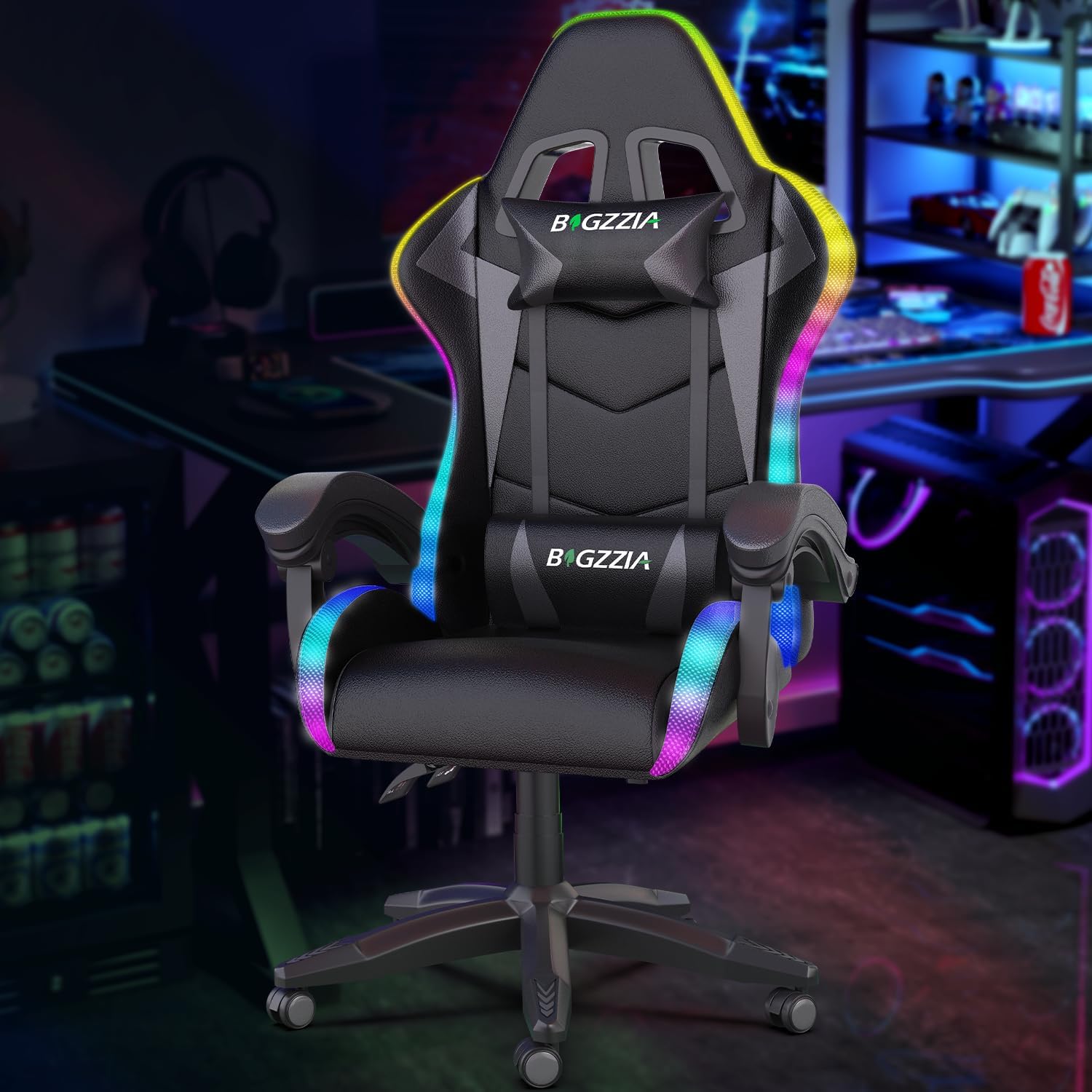
Image: Bigzzia Gaming Chair with RGB LED Lights, showcasing its design and illuminated edges.
Important Safety Information
Please observe the following safety guidelines:
- Maximum weight capacity: 300 lbs (136 kg). Do not exceed this limit.
- Follow all assembly instructions carefully.
- Ensure all screws and bolts are securely tightened before use. Periodically check and re-tighten as necessary.
- Use the adjustable lumbar cushion and neck pillow properly for optimal ergonomic support.
- Keep children and pets away from the chair during assembly.
- Avoid standing on the chair or using it as a step stool.
- Do not expose the chair to direct sunlight or extreme temperatures.
Package Contents
Verify that all components are present before beginning assembly:
- Backrest
- Seat Cushion
- Armrests (2)
- Star Base
- Casters (5)
- Gas Lift Cylinder with Cover
- Tilt Mechanism
- Lumbar Support Pillow (with massage function)
- Headrest Pillow
- Footrest Assembly
- Hardware Pack (screws, washers, Allen wrench)
- RGB Remote Control
- USB Power Cable for RGB Lights
Setup and Assembly
Follow these steps to assemble your Bigzzia Gaming Chair:
- Assemble the Star Base: Insert the five casters into the holes on the star base until they click into place. Place the gas lift cylinder into the center hole of the star base, then slide the cylinder cover over the gas lift.
- Attach the Tilt Mechanism to the Seat Cushion: Remove the pre-installed screws from the bottom of the seat cushion. Align the tilt mechanism with the screw holes on the underside of the seat cushion, ensuring the levers face the rear of the chair. Secure with the removed screws using the provided Allen wrench.
- Assemble the Footrest: Attach the footrest frame to the designated brackets on the underside of the seat cushion using the provided screws. Ensure it slides smoothly.
- Connect Seat to Base: Carefully place the assembled seat cushion onto the gas lift cylinder. Ensure it is securely seated.
- Attach the Backrest: Align the backrest with the metal plates on the seat cushion. Secure it using the provided screws.
- Install Armrests: Attach the armrests to the sides of the seat and backrest using the provided screws. Ensure they are firmly attached.
- Attach Cushions: Secure the lumbar support pillow and headrest pillow using their elastic straps. The lumbar pillow can be adjusted vertically for personalized comfort.
- Connect RGB Lights: Locate the USB cable for the RGB lights, usually found near the backrest. Plug it into a standard USB power adapter (not included) or a USB port on your computer.
Video: Official Bigzzia RGB Gaming Chair with LED Lights assembly and feature overview. This video demonstrates the assembly process and highlights key features of the chair, including the RGB lighting.
Operating Instructions
Familiarize yourself with the chair's adjustable features:
- Height Adjustment: Pull the lever on the right side of the seat upwards to adjust the chair's height. Release the lever at your desired height.
- Reclining Function: Pull the lever on the left side of the seat upwards to recline the backrest from 90° to 155°. Push the lever down to lock the backrest in place. The armrests are linked to the recline for continuous support.
- Footrest Usage: Pull the footrest out from under the seat and flip it up to extend your legs for relaxation. Push it back in when not in use.
- RGB LED Lights: Use the provided remote control to manage the RGB LED lights. The remote allows you to:
- Turn lights ON/OFF.
- Adjust lighting modes (358 flicker patterns).
- Control speed of dynamic modes.
- Adjust brightness.
- Select from 7 static monochrome colors.

Image: Diagram of the RGB remote control, detailing buttons for power, mode, speed, brightness, and color selection.
- Lumbar Massage Function: The lumbar support pillow contains a massage unit. Ensure its USB cable is connected to a power source. Activate the massage function via the integrated control on the cable.
Maintenance
To ensure the longevity of your Bigzzia Gaming Chair:
- Cleaning: Wipe clean with a damp cloth. Avoid harsh chemicals or abrasive cleaners.
- Inspection: Periodically check all bolts and screws to ensure they are tight. Re-tighten if necessary.
- Casters: Keep casters free of debris to ensure smooth movement.
Troubleshooting
Common issues and solutions:
- RGB Lights Not Working:
- Ensure the USB cable is securely plugged into a working power source.
- Check the remote control battery.
- Verify the remote is pointed towards the chair's receiver (if applicable).
- Chair Not Adjusting Height:
- Ensure the height adjustment lever is fully engaged.
- Check if the gas lift cylinder is properly installed in the base.
- Chair Squeaks or Wobbles:
- Tighten all assembly screws and bolts.
- Ensure the casters are fully inserted into the base.
Specifications
| Brand | Bigzzia |
| Model Name | A |
| Color | Black |
| Product Dimensions | 23.23"D x 11.42"W x 31.1"H |
| Item Weight | 33.1 pounds |
| Maximum Weight Recommendation | 300 Pounds |
| Material | Foam (Fill Material), Leather (Furniture Finish) |
| Special Features | Adjustable Height, Ergonomic Design, Headrest, Lumbar Support, Linkage Armrest, RGB LED Lights |
| Reclining Position Count | 3 Position (90° to 155°) |
| Swivel | 360° |
Warranty and Support
Bigzzia is committed to providing quality products and excellent customer service. If you encounter any issues with your gaming chair, including missing parts or assembly guidance, please contact our after-sales service department. We offer free replacement parts and dedicated support to ensure your satisfaction.
For assistance, please refer to the contact information provided with your purchase documentation or visit the official Bigzzia website.
Ask a question about this manual
Ask about setup, troubleshooting, compatibility, parts, safety, or missing instructions. Manuals+ will review the question and use this page’s manual context to help answer it.