
1. Product Overview
This manual provides essential information for the installation and maintenance of the Yondista LCD Display Digitizer Assembly Repair Part for the Samsung Galaxy Tab S6 Lite 2022. This replacement screen is designed to restore crystal clear visuals and touch functionality to your device.
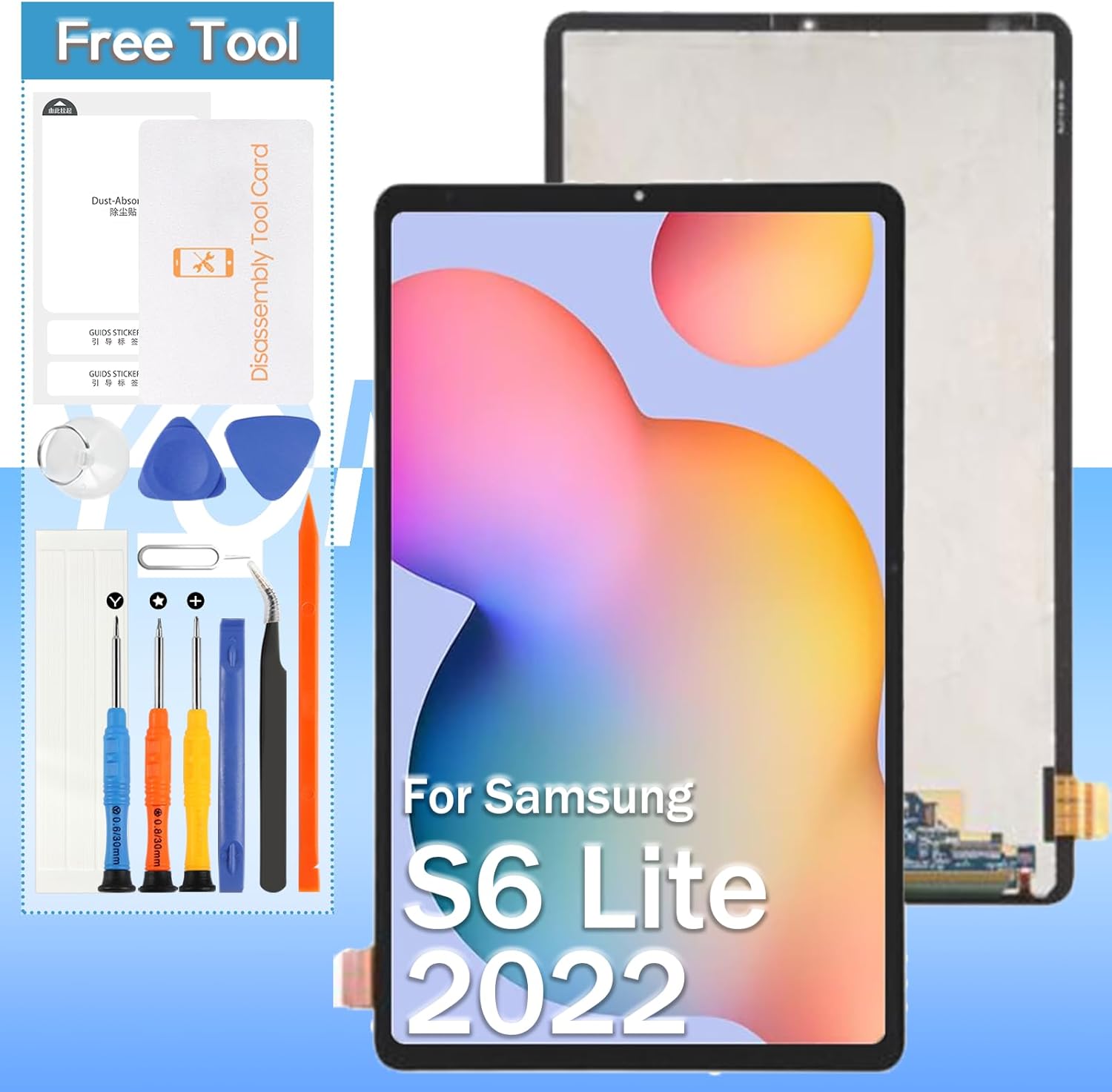
Image: Yondista screen replacement kit, showing the new screen and various repair tools.
2. Compatibility
This screen replacement is specifically designed for the following Samsung Galaxy Tab S6 Lite 2022 models:
- Samsung Galaxy Tab S6 Lite 2022 SM-P613 (10.4 inch)
- Samsung Galaxy Tab S6 Lite 2022 SM-P619 (10.4 inch)
Please verify your device's model number before proceeding with installation.
3. Package Contents
The Yondista screen replacement package includes the following items:
- 1 x LCD Screen Display Digitizer Assembly
- 1 x Ejection Pin
- 1 x Triangle Opening Pick
- 1 x Suction Cup
- 1 x Flat Crowbar
- 1 x Cross Screwdriver (1.5x30mm)
- 1 x Pentalobe Screwdriver (0.8x30mm)
- 1 x Y-shaped Screwdriver (0.6x30mm)
- 1 x Metal Tweezer
- 1 x Dusting Tape
- 1 x 3M Double-Sided Adhesive

Image: Front (black) and back (white with circuit board) views of the replacement LCD screen.
4. Important Safety Information & Warnings
WARNING: Professional maintenance experience is required for LCD screen installation. If you do not have professional maintenance experience, please proceed with extreme caution or seek professional assistance. Improper installation can lead to damage to the LCD screen or the device's internal components, including the motherboard or power supply.
- Always disconnect the device battery flex cable before connecting the new screen's flex cable.
- Handle the new screen and flex cables with care to avoid damage.
- Ensure all connections are secure and properly seated before reassembling the device.
5. Installation Guide (Setup)
This section outlines the general steps for replacing your tablet's screen. Due to the complexity of the procedure, a detailed step-by-step paper installation guide is not provided with the product. We highly recommend referring to video tutorials for visual guidance.
5.1 Recommended Resources
For comprehensive installation instructions, search online video platforms (e.g., YouTube) for tutorials specific to
Ask a question about this manual
Ask about setup, troubleshooting, compatibility, parts, safety, or missing instructions. Manuals+ will review the question and use this page’s manual context to help answer it.