
Introduction
Thank you for choosing the Luplom 50-Inch TV Stand. This manual provides essential information for the safe and correct assembly, operation, and maintenance of your new TV stand. Please read these instructions thoroughly before beginning assembly and retain them for future reference.
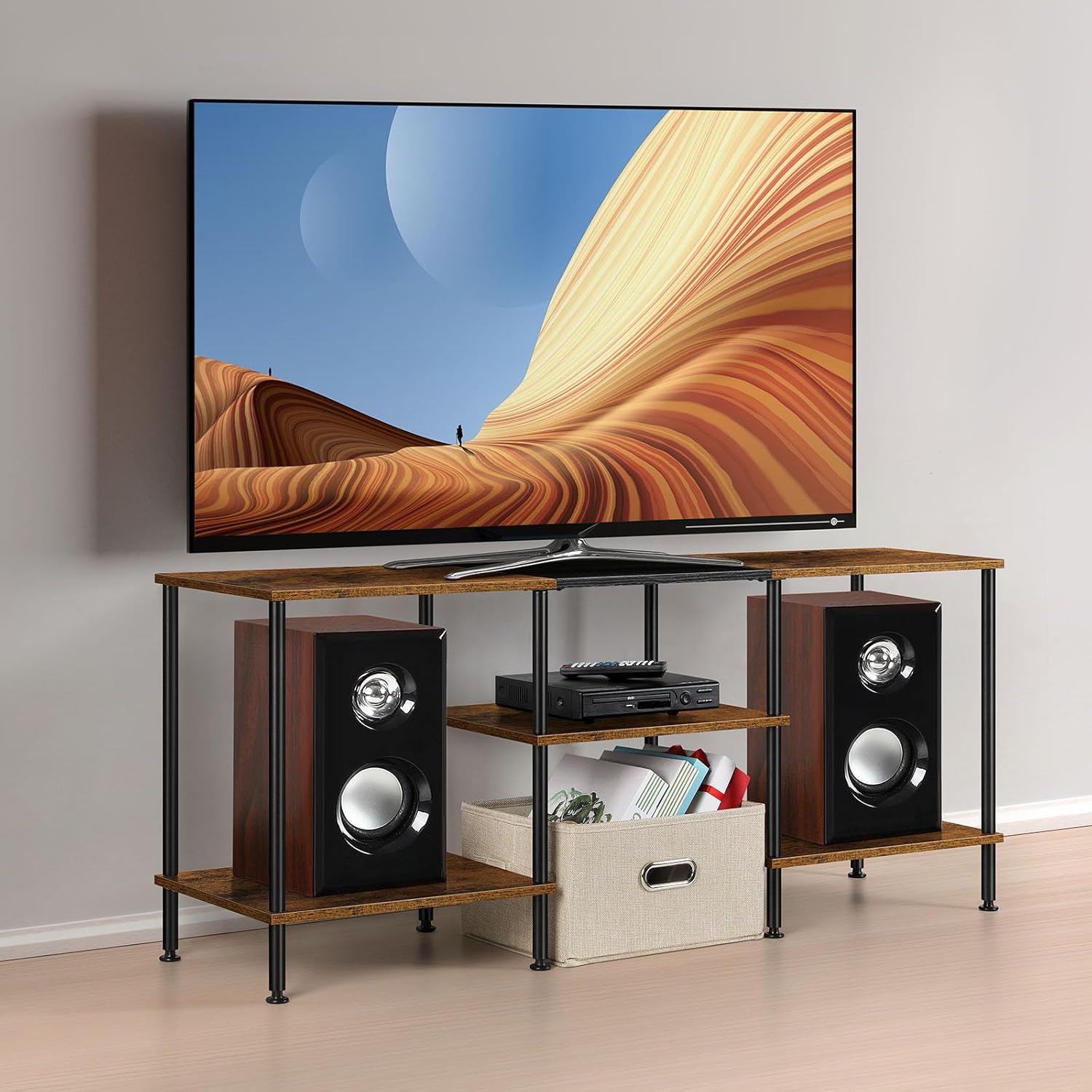
Image: The Luplom 50-inch TV Stand in a rustic brown finish, supporting a television and flanked by speakers.
Safety Information
To ensure safe use of your TV stand, please observe the following guidelines:
- Weight Limit: Do not exceed the maximum weight capacity of 150 pounds (68 kg). Overloading can cause instability and damage.
- Assembly: Always assemble the TV stand strictly according to the provided instructions. Incorrect assembly may lead to structural weakness.
- Sharp Edges: Exercise caution during assembly and handling to avoid injury from sharp edges.
- Stability: Ensure the TV stand is placed on a level surface. Use the adjustable feet to stabilize the unit and prevent wobbling.
- Children: Keep small parts and packaging materials away from children during assembly.
Package Contents
Before beginning assembly, verify that all components are present and undamaged. If any parts are missing or damaged, please contact customer support.
- Top Panel (1)
- Middle Shelf Panels (2)
- Bottom Shelf Panels (2)
- Support Legs (various sizes)
- Adjustable Feet (4)
- Assembly Hardware (screws, connectors, etc.)
- Assembly Instructions Guide
Assembly Instructions
Assembly is designed to be straightforward with clearly labeled components. It is recommended to have a second person assist with assembly for easier handling and stability.
- Unpack and Identify Parts: Carefully remove all components from the packaging. Lay them out on a clean, soft surface to prevent scratches. Identify each part using the provided labels and the parts list in your instruction guide.
- Assemble the Frame: Begin by attaching the support legs to the bottom shelf panels. Ensure all connections are secure but do not overtighten screws initially.
- Attach Middle Shelves: Connect the middle shelf panels to the appropriate support legs. Follow the diagrams in your guide for correct orientation.
- Secure the Top Panel: Place the top panel onto the assembled frame and secure it with the remaining hardware.
- Install Adjustable Feet: Screw the four adjustable feet into the bottom of the stand's legs. These will help level the stand on uneven floors.
- Final Tightening: Once all parts are in place, gently tighten all screws and connectors. Avoid excessive force to prevent damage.
For visual assistance, refer to any included guide videos or detailed diagrams in your assembly manual.
Operating Instructions
The Luplom TV Stand is designed for optimal functionality and storage.
- TV Placement: This stand is suitable for televisions up to 50 inches in size. Ensure your TV's base fits securely on the top panel.
- Weight Distribution: Distribute weight evenly across the top and shelves. The stand has a strong weight capacity exceeding 150 pounds, but proper distribution enhances stability.
- Storage Shelves: Utilize the three tiers of shelves for organizing entertainment devices such as media players, gaming consoles, or sound systems. The bottom area can accommodate items like a robot vacuum or storage baskets.
- Adjustable Feet: If your floor is uneven, twist the adjustable feet at the bottom of the stand to achieve a level and stable surface for your television and other items.

Image: Detailed view of the three-tier storage shelves, showcasing their capacity for various media devices and decorative items.
Maintenance
To maintain the appearance and longevity of your Luplom TV Stand:
- Cleaning: Wipe the surfaces with a dry, soft cloth. Avoid abrasive cleaners or harsh chemicals that could damage the finish.
- Spills: Promptly clean any spills to prevent staining or damage to the engineered wood.
- Inspection: Periodically check all screws and connections to ensure they remain tight. Retighten if necessary.

Image: Illustration of the stand's waterproof material being wiped clean.
Troubleshooting
If you encounter issues during assembly or use, consider the following:
- Missing or Damaged Parts: If any components are missing or arrive damaged, do not proceed with assembly. Contact Luplom customer support for assistance.
- Difficulty Aligning Parts: Ensure you are using the correct hardware for each step and that parts are oriented as shown in the assembly diagrams. Sometimes, loosening all screws slightly before final tightening can help with alignment.
- Stand is Wobbly: Verify that the stand is on a flat, level surface. Adjust the individual feet by twisting them until the stand is stable. Ensure all assembly screws are fully tightened.
- Weight Capacity Concerns: Double-check the weight of your television and any items placed on the shelves to ensure they do not exceed the 150-pound limit.
Specifications
| Feature | Detail |
|---|---|
| Model Number | NX2042-BN1 |
| Dimensions (L x W x H) | 45 x 11.8 x 19 inches (114.3 x 29.97 x 48.26 cm) |
| Item Weight | 16.5 pounds (7.48 kg) |
| Material | Engineered Wood, Metal |
| Number of Shelves | 3 |
| Maximum Weight Capacity | 150 pounds (68 kg) |
| Special Feature | Adjustable Feet |
| Color | Rustic Brown |

Image: Dimensional drawing of the TV stand, indicating overall width, depth, and height, as well as shelf spacing.
Warranty and Support
For information regarding warranty coverage, replacement parts, or further assistance, please contact Luplom customer support through the retailer where the product was purchased or visit the official Luplom website. Please have your model number (NX2042-BN1) and purchase details ready when contacting support.