
1. Introduction
Thank you for choosing the NEEZEE Rowing Machine. This manual provides essential information for the safe assembly, operation, and maintenance of your new fitness equipment. Please read this manual thoroughly before using the machine to ensure proper usage and to maximize your workout experience.
Important Safety Information
- Consult your physician before starting any new exercise program.
- Keep children and pets away from the machine during operation.
- Place the rowing machine on a flat, stable surface with adequate clearance around it.
- Inspect the machine for loose or damaged parts before each use. Do not use if any components are compromised.
- Do not exceed the maximum user weight capacity of 145 kg (319 lbs).
- Wear appropriate athletic footwear and clothing during exercise.
- Stop exercising immediately if you feel faint, dizzy, or experience pain.
2. Product Components
The NEEZEE Rowing Machine is designed with durable and user-friendly components for an effective workout. Familiarize yourself with the parts before assembly.
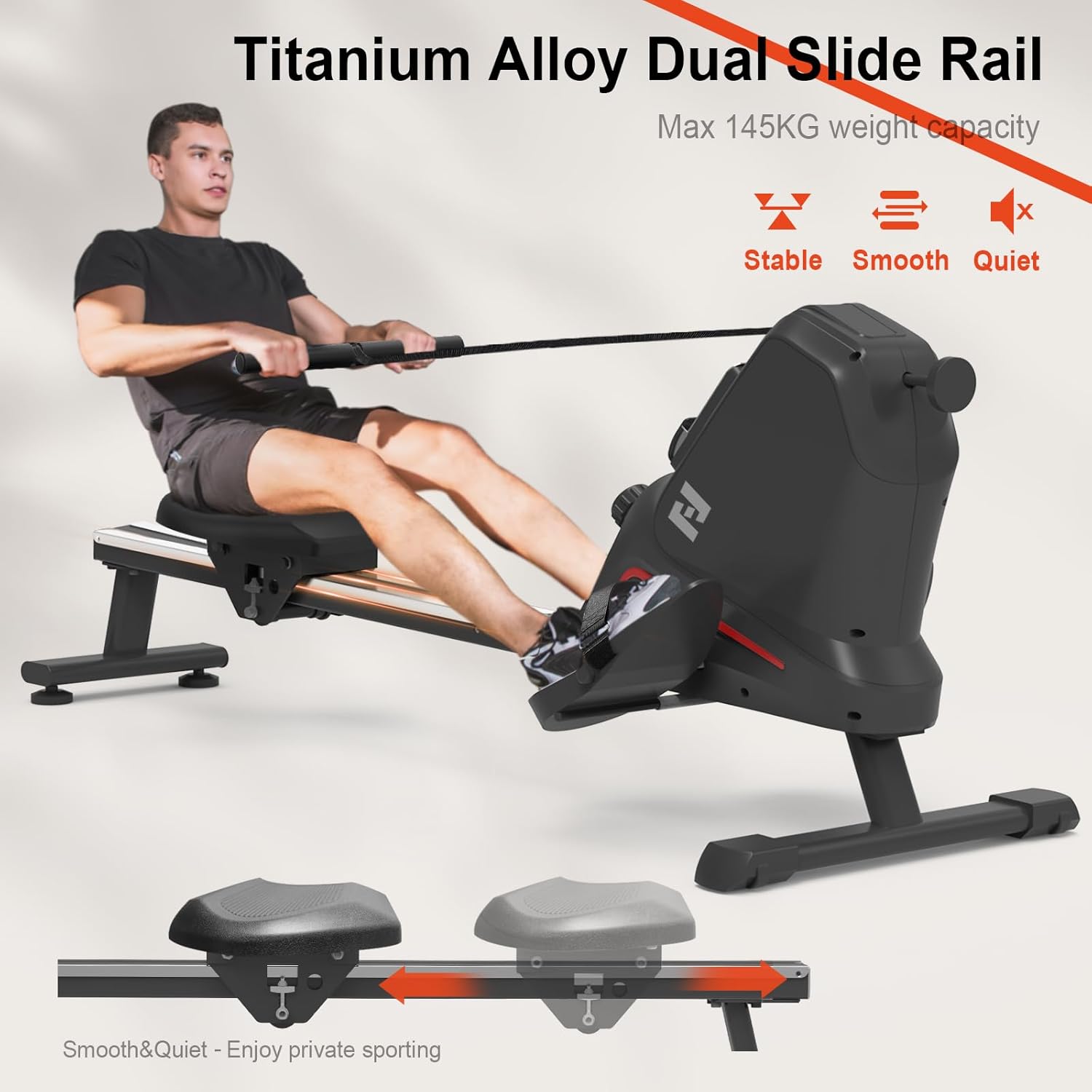
Figure 2.1: Labeled components of the NEEZEE Rowing Machine.
- Main Frame: Constructed from alloy steel and aluminum for stability and durability.
- Aluminum Slide Rail: Provides smooth movement for the seat during rowing.
- Extra Wide Cushion Seat: Ergonomically designed for comfort during extended workouts.
- Anti-Sweat Handlebar: Foam grip for comfortable and secure handling.
- Adjustable Foot Pedals: Oversized and non-slip with straps to secure your feet.
- LCD Monitor: Displays workout data such as time, strokes, distance, and calories.
- Resistance Adjustment Knob: Allows selection of 16 levels of magnetic resistance.
- Transportation Wheels: Located at the front for easy movement and storage.
- Floor Protectors: Stabilize the machine and prevent floor damage.
3. Assembly Instructions
The NEEZEE Rowing Machine requires some assembly. Please follow these steps carefully. It is recommended to have two people for certain steps.
- Unpack Components: Carefully remove all parts from the packaging. Lay them out and compare with the component list to ensure all parts are present.
- Attach Front Stabilizer: Secure the front stabilizer bar to the main frame using the provided bolts and tools. Ensure it is firmly tightened.
- Install Rear Stabilizer and Slide Rail: Attach the rear stabilizer to the end of the aluminum slide rail. Then, connect the slide rail assembly to the main frame.
- Mount the Seat: Slide the cushioned seat onto the aluminum slide rail. Ensure it moves smoothly along the rail.
- Connect Handlebar and Foot Pedals: Attach the handlebar to the resistance mechanism. Secure the adjustable foot pedals to their designated positions on the main unit.
- Check Connections: Once assembled, double-check all bolts and connections to ensure they are secure. Test the movement of the seat and the resistance mechanism.
For visual guidance, refer to the detailed installation instructions included in your product packaging.
4. Operating Instructions
Proper technique and understanding of the machine's features will enhance your workout effectiveness and safety.
Getting Started

Figure 4.1: Proper rowing posture and technique.
- Sit on the seat with your feet securely strapped into the foot pedals.
- Grasp the handlebar with an overhand grip, arms extended forward.
- Begin the stroke by pushing off with your legs, then lean back slightly, and finally pull the handlebar towards your abdomen.
- Reverse the motion smoothly: extend arms, lean forward, then bend knees to return to the starting position.
Adjusting Resistance

Figure 4.2: Resistance adjustment dial.
The NEEZEE Rowing Machine features 16 levels of magnetic resistance. To adjust the resistance, simply turn the manual rotation knob located on the main unit. Turn clockwise to increase resistance (higher numbers for more intensity) and counter-clockwise to decrease resistance (lower numbers for less intensity). Start with a lower resistance and gradually increase as your fitness improves.
Using the LCD Monitor

Figure 4.3: LCD Monitor displaying workout metrics.
The user-friendly LCD monitor tracks your workout progress. It typically displays the following metrics:
- TIME: Duration of your current workout.
- RPM: Revolutions Per Minute (strokes per minute).
- CNT (Count): Total number of strokes during the current workout.
- DIST (Distance): Estimated distance covered.
- CAL (Calories): Estimated calories burned.
- T-CNT (Total Count): Total accumulated strokes from all workouts.
- SCAN: Automatically cycles through all display functions.
Use the 'MODE' button to select specific display functions or 'RESET' to clear current workout data.
5. Maintenance and Care
Regular maintenance ensures the longevity and optimal performance of your rowing machine.
Cleaning
- Wipe down the machine with a damp cloth after each use to remove sweat and dust.
- Do not use abrasive cleaners or solvents, as they may damage the finish or electronic components.
Storage
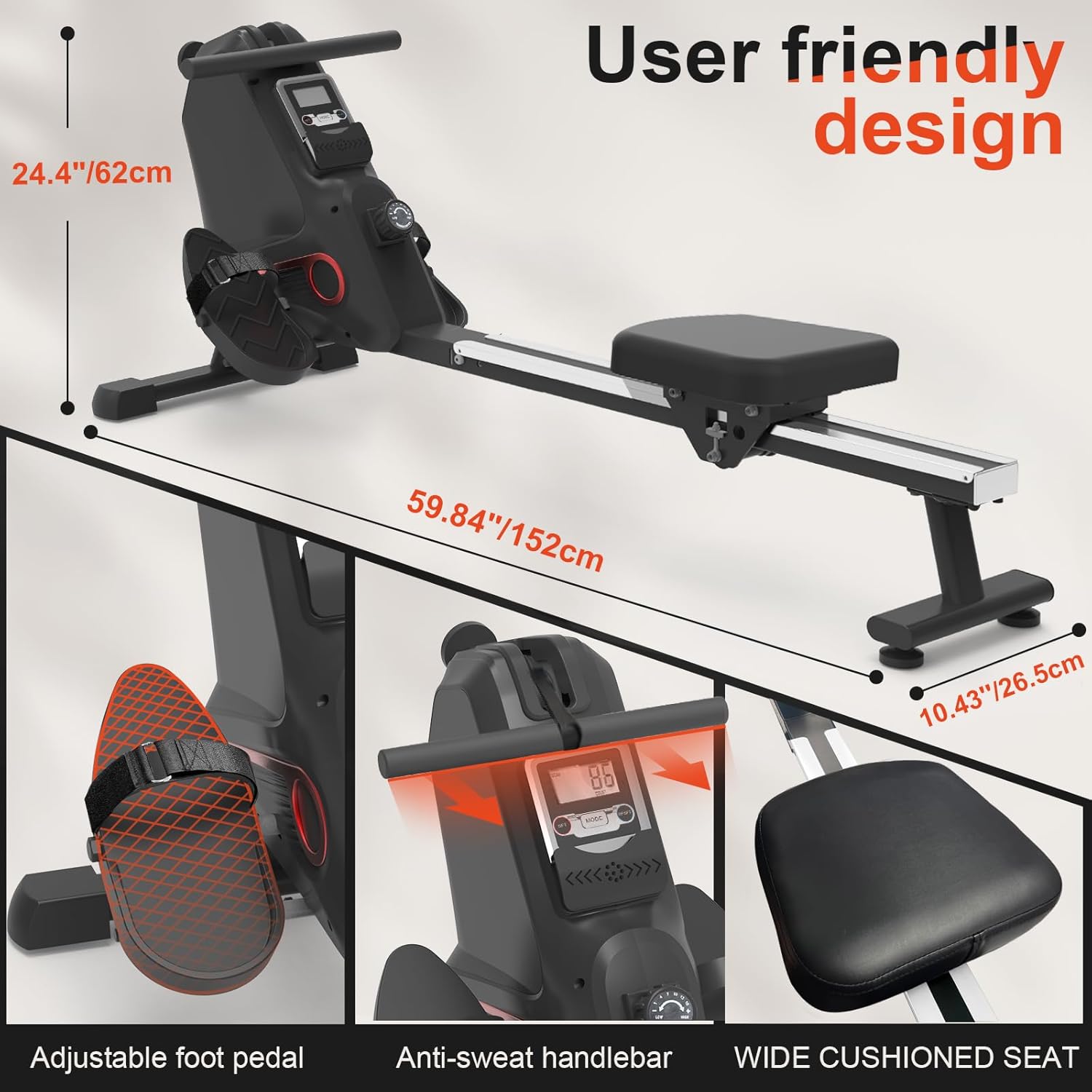
Figure 5.1: Upright storage design.
The NEEZEE Rowing Machine features an upright storage design, allowing it to be tilted vertically to save space. It occupies approximately 0.25 square meters when stored upright.
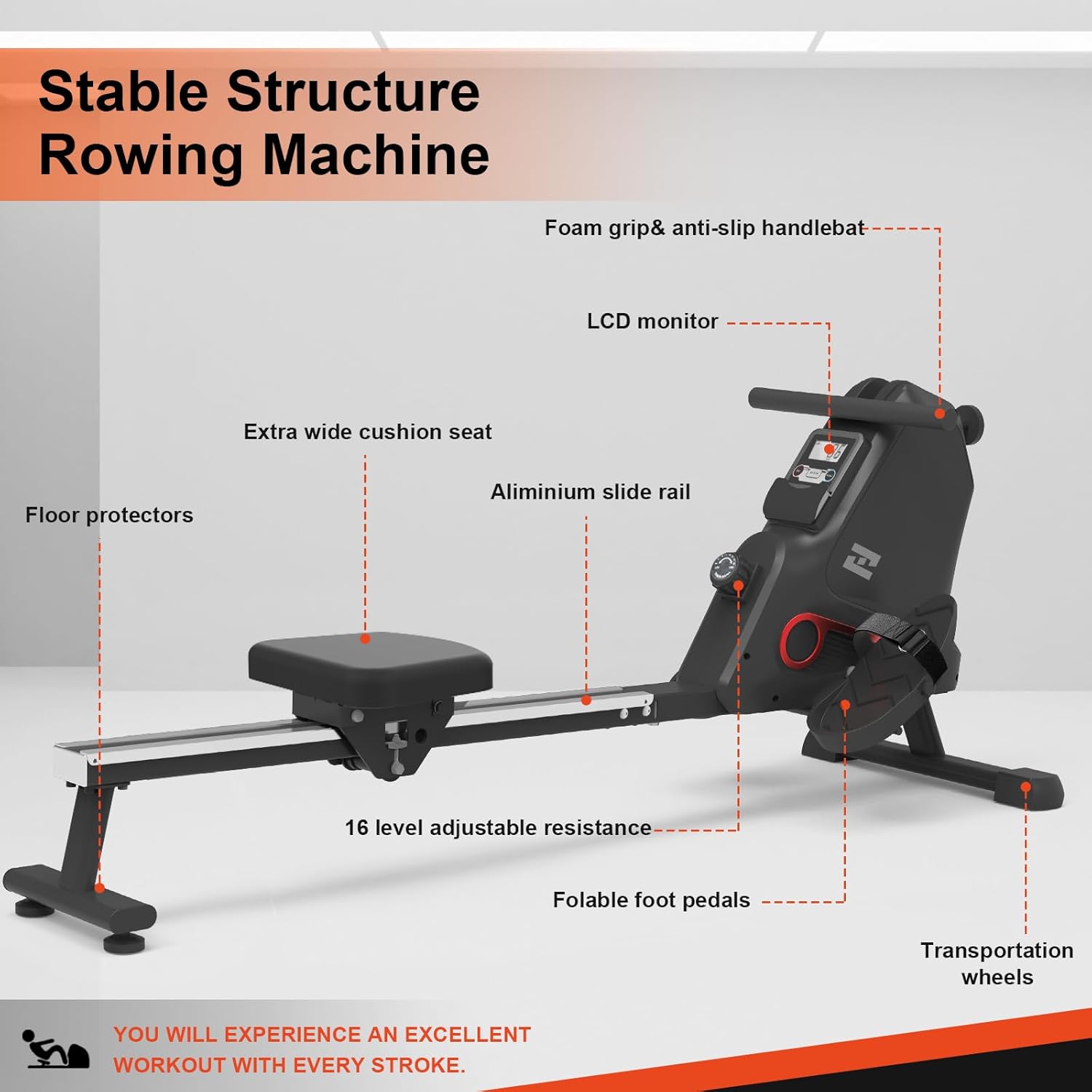
Figure 5.2: Easy movement with transportation wheels.
To move the machine, lift the rear end and roll it on its front transportation wheels. Store the machine in a dry, cool place away from direct sunlight and extreme temperatures.
Inspection
- Periodically check all bolts and nuts for tightness. Tighten if necessary.
- Inspect the slide rail for any debris or damage that could impede smooth seat movement.
- Ensure the handlebar strap and foot pedal straps are not frayed or damaged.
6. Troubleshooting
If you encounter any issues with your NEEZEE Rowing Machine, refer to the table below for common problems and their solutions.
| Problem | Possible Cause | Solution |
|---|---|---|
| LCD Monitor not displaying | Batteries are low or incorrectly installed. | Replace batteries (if applicable) or ensure they are inserted correctly. |
| Resistance feels inconsistent or too loose/tight | Resistance knob not properly adjusted or internal mechanism issue. | Ensure the resistance knob is turned fully to the desired level. If problem persists, contact customer support. |
| Seat does not slide smoothly | Debris on the slide rail or loose components. | Clean the slide rail thoroughly. Check and tighten any loose bolts on the seat or rail. |
| Unusual noise during operation | Loose bolts or components rubbing. | Inspect all connections and tighten any loose bolts. Ensure no parts are rubbing against each other. |
If the problem persists after attempting these solutions, please contact customer support for assistance.
7. Product Specifications
Detailed technical specifications for the NEEZEE Rowing Machine.
| Specification | Detail |
|---|---|
| Model Name | Hc108a-8 |
| Brand | Neezee |
| Resistance Mechanism | Magnetic |
| Tension Levels | 16 Adjustable Levels |
| Maximum Weight Recommendation | 145 Kilograms (319 lbs) |
| Product Dimensions (L x W x H) | 152D x 26.5W x 62H Centimeters (59.84"D x 10.43"W x 24.4"H) |
| Item Weight | 20.8 Kilograms (45.85 lbs) |
| Frame Material | Alloy Steel, Aluminium |
| Display Type | LCD |
| Power Source | Battery Powered |
| Special Feature | Compact, Upright Storage |
8. Warranty and Customer Support
Neezee is committed to providing high-quality products and excellent customer service. If you have any questions, concerns, or require assistance with your rowing machine, please do not hesitate to contact us.
All messages will be answered within 24 hours.
Customer Support Email: sport_fitness@outlook.com
Please have your model number (Hc108a-8) and purchase information ready when contacting support to expedite the process.