
1. Important Safety Information
Please read all instructions carefully before using the THAILE Walking Pad Treadmill. Retain this manual for future reference.
- Weight Capacity: Do not exceed the maximum user weight of 330 lbs (approximately 150 kg).
- Placement: Place the treadmill on a flat, stable surface. Ensure adequate clear space around the treadmill for safe operation and emergency dismount.
- Electrical Safety: Use only with a grounded outlet. Do not use extension cords unless absolutely necessary and ensure they are rated for the treadmill's power requirements. Keep the power cord away from heated surfaces.
- Children and Pets: Keep children and pets away from the treadmill during operation.
- Medical Conditions: Consult a physician before starting any exercise program, especially if you have pre-existing medical conditions. Stop exercising immediately if you feel faint, dizzy, or experience pain.
- Footwear: Always wear appropriate athletic footwear when using the treadmill.
- Emergency Stop: Familiarize yourself with the remote control's stop function for immediate cessation of the belt.
2. Package Contents
Verify that all items are present in the package:
- THAILE Walking Pad Treadmill
- Remote Control
- User's Manual (this document)
- 5mm Wrench
- Lubricant
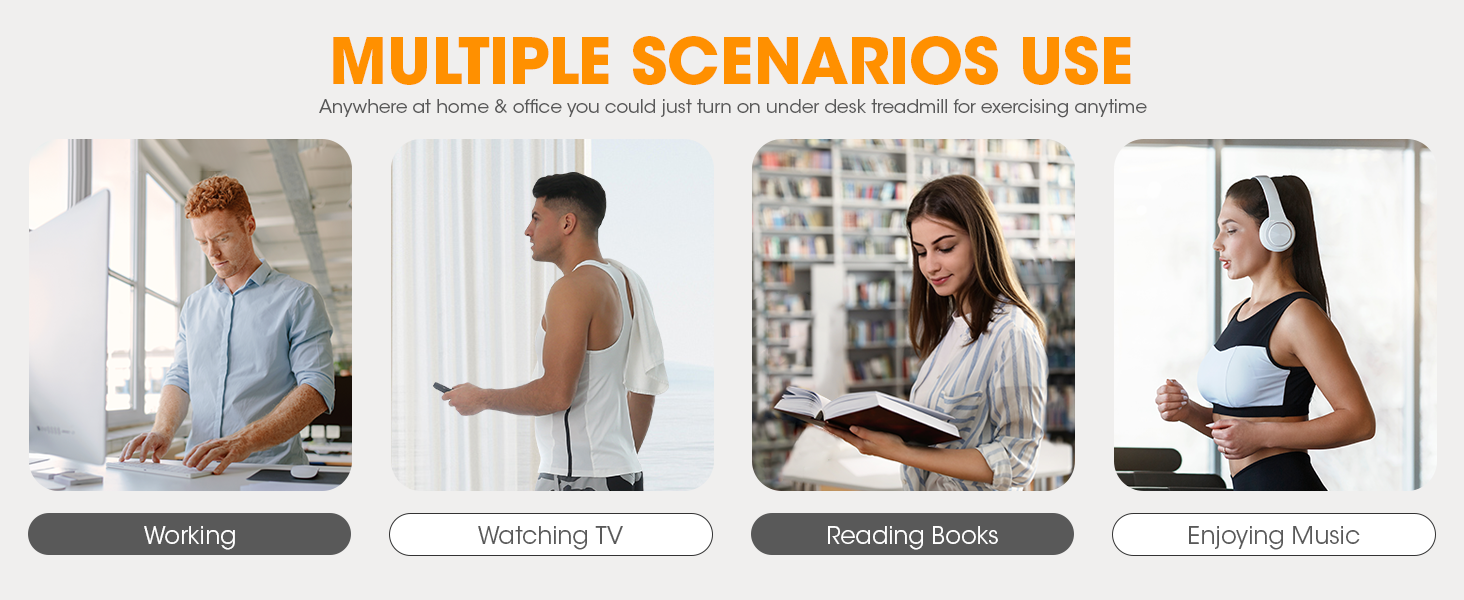
Figure 2.1: Included components of the THAILE Walking Pad Treadmill package.
3. Product Overview
The THAILE Walking Pad Treadmill is designed for home and office use, offering a compact and portable solution for physical activity.
3.1 Key Components
- LED Display: Integrated into the front panel, it tracks real-time data including speed, distance, time, and calories burned.
- Remote Control: Used to power on/off, adjust speed, and select different modes.
- Running Belt: Features a 5-layer design for enhanced durability, shock absorption, and noise reduction. These layers include a wear-resistant surface, sound insulation layer, high-strength support layer, shock-absorbing layer, and a compression layer.
- Transport Wheels: Located at the front for easy movement and storage.
- Motor: A 2.5 horsepower motor provides quiet and consistent performance, supporting users up to 330 lbs.

Figure 3.1: LED Display and Remote Control.

Figure 3.2: 5-Layer Running Belt Construction.

Figure 3.3: Motor and Performance Specifications.
4. Setup
The THAILE Walking Pad Treadmill comes fully assembled and ready for use. No complex installation is required.
- Unpacking: Carefully remove the treadmill from its packaging.
- Placement: Choose a flat, stable, and level surface for operation. Ensure there is sufficient space around the treadmill for safety.
- Power Connection: Plug the power cord into a grounded electrical outlet.
- Remote Control: Ensure the remote control has working batteries.

Figure 4.1: Treadmill in use, demonstrating its compact design and suitability for under-desk use.
5. Operating Instructions
Operate your THAILE Walking Pad Treadmill using the provided remote control.
5.1 Remote Control Functions
- ON/OFF Button: Press to start or stop the treadmill belt.
- '+' / '-' Buttons: Adjust the speed of the treadmill.
- 'M' Button: Press to cycle through 4 countdown modes (e.g., time, distance, calories).
5.2 Speed Ranges for Activities
The treadmill offers a speed range of 0.5 to 4.0 MPH, allowing for various activity levels:
- Walking: 0.5 - 2.5 MPH
- Working (Under Desk): 0.5 - 1.5 MPH
- Running/Jogging: 2.5 - 4.0 MPH

Figure 5.1: Recommended speed ranges for various activities.
6. Maintenance
Regular maintenance ensures the longevity and optimal performance of your treadmill.
6.1 Lubrication
The running belt requires periodic lubrication to reduce friction and wear. Use the provided lubricant or a silicone-based treadmill lubricant.
- Turn off and unplug the treadmill.
- Lift the edge of the running belt on one side.
- Apply a small amount of lubricant in a line down the center of the deck, underneath the belt.
- Repeat on the other side.
- Plug in the treadmill and run it at a low speed (e.g., 1 MPH) for 2-3 minutes to distribute the lubricant evenly.
- Lubricate every 3-6 months, or after approximately 50 hours of use, depending on usage frequency.
6.2 Belt Adjustment
If the running belt shifts to one side or feels loose, it may need adjustment.
- Centering the Belt: If the belt drifts to the left, turn the left rear roller adjustment bolt clockwise a quarter turn. If it drifts to the right, turn the right rear roller adjustment bolt clockwise a quarter turn. Run the treadmill for a few minutes and re-evaluate. Adjust incrementally until centered.
- Tightening the Belt: If the belt slips during use, turn both rear roller adjustment bolts clockwise a quarter turn simultaneously. Do not overtighten.
6.3 Cleaning
Regular cleaning helps maintain the treadmill's appearance and function.
- Wipe down the treadmill surface with a damp cloth after each use to remove sweat and dust.
- Avoid using abrasive cleaners or solvents that could damage the finish.
- Periodically vacuum underneath the treadmill to prevent dust buildup from affecting motor performance.
7. Troubleshooting
Refer to this section for common issues and their solutions.
| Problem | Possible Cause | Solution |
|---|---|---|
| Treadmill does not power on. | Power cord not connected; outlet issue; remote control battery dead. | Ensure power cord is securely plugged in. Test the outlet with another device. Replace remote control batteries. |
| Running belt slips or hesitates. | Belt too loose; insufficient lubrication. | Tighten the running belt (refer to Section 6.2). Apply lubricant (refer to Section 6.1). |
| Belt drifts to one side. | Belt alignment issue. | Adjust the running belt (refer to Section 6.2). |
| Unusual noise from motor. | Belt rubbing; motor strain. | Check belt alignment and adjust if rubbing (Section 6.2). Ensure user weight is within limits. If noise persists, contact customer support. |
| Remote control unresponsive. | Dead batteries; interference. | Replace remote control batteries. Ensure no obstructions between remote and treadmill sensor. |
Note: The treadmill does not feature a 'pause' function. Stopping the treadmill will reset current workout statistics.
8. Specifications
| Feature | Specification |
|---|---|
| Model | Walking Pad Treadmill (B0CWQJ5CK6) |
| Product Dimensions (Unfolded) | 124 cm (D) x 57 cm (W) x 13.5 cm (H) / 48" (D) x 19.6" (W) x 4.6" (H) |
| Product Weight | 21 kg (46 lbs) |
| Maximum Weight Capacity | 330 lbs (150 kg) |
| Motor Horsepower | 2.5 HP |
| Speed Range | 0.5 - 4.0 MPH |
| Display Type | LED (Speed, Distance, Time, Calories) |
| Material | Alloy Steel |
| Power Source | Corded Electric |
| Noise Level | < 50 dB |

Figure 8.1: Treadmill dimensions and storage options.
9. Warranty and Customer Support
THAILE is committed to providing quality products and customer satisfaction.
- Warranty: Please refer to your purchase documentation or contact the seller for specific warranty terms and conditions applicable to your product.
- Customer Service: For any questions, concerns, or technical assistance, please contact THAILE customer service. We aim to respond to inquiries within 24 hours.
- Contact Information: Refer to your purchase platform or product packaging for the most current customer service contact details.


