
Vdeaszo Vdeaszo
Fuduoo 360 Degree Car Phone Holder
User Manual
Introduction
Thank you for choosing the Fuduoo 360 Degree Car Phone Holder. This multifunctional device is designed to provide a secure and convenient way to mount your smartphone in your vehicle, enhancing safety and accessibility while driving. Its rotatable and adjustable design ensures optimal viewing angles without obstructing your line of sight.
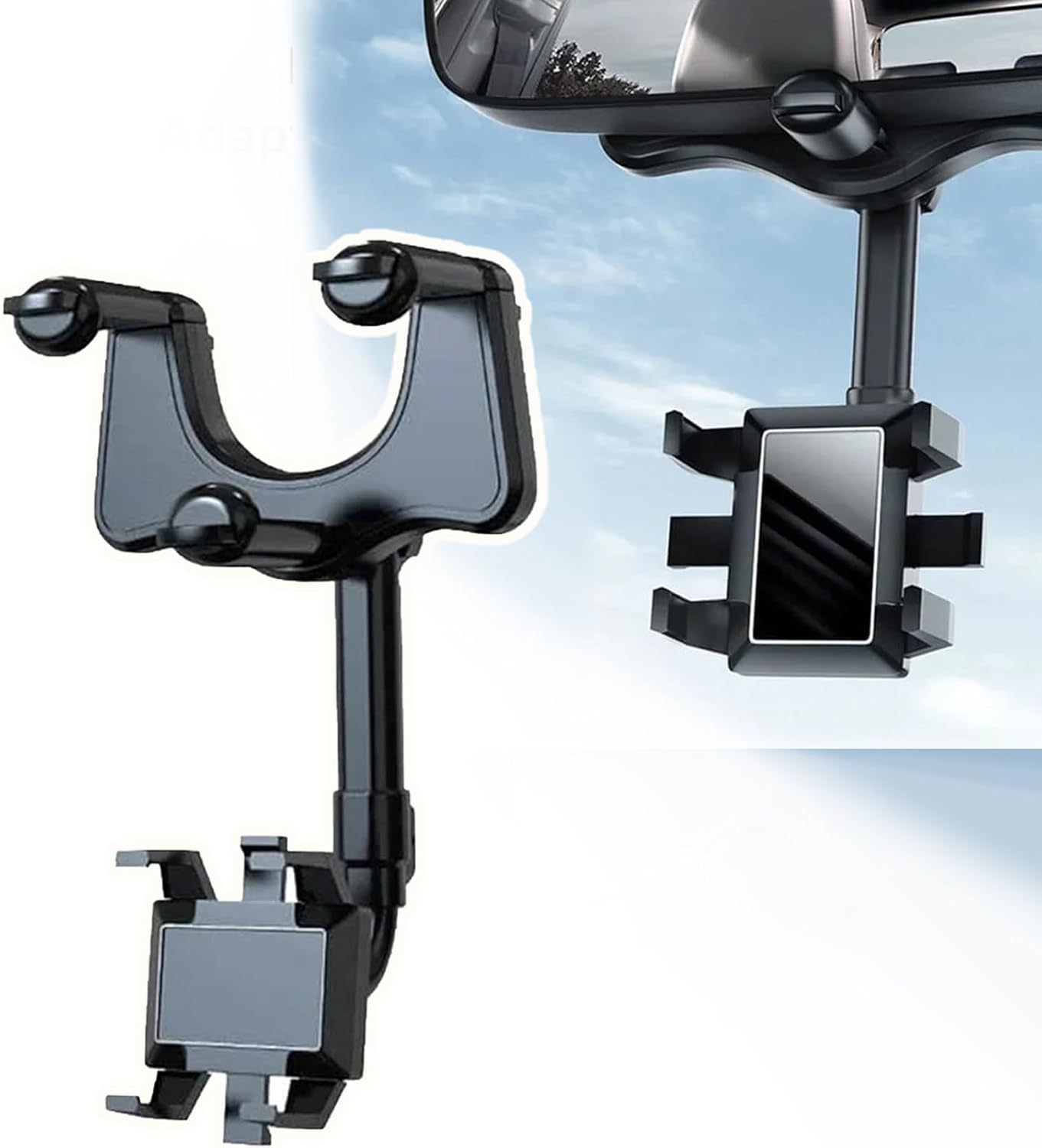
Image: The Fuduoo 360 Degree Car Phone Holder, showing its design and how it attaches to a rearview mirror.
Safety Information
- Always ensure the phone holder is securely mounted before placing your device.
- Do not adjust the holder or your phone while driving. Make all adjustments before starting your journey or when safely parked.
- Ensure the holder does not obstruct your view of the road, mirrors, or any vehicle controls.
- Avoid placing the holder in a position where it could interfere with airbag deployment.
- Periodically check the holder's stability and tightness, especially after prolonged use or driving on rough terrain.
Package Contents
The package includes:
- 1 x Multifunctional 360 Rotatable Car Rearview Mirror Phone Holder
Setup
Identify Mounting Location: The phone holder is designed to attach to your car's rearview mirror. Ensure your rearview mirror is compatible with the holder's clamping mechanism.

Image: The phone holder securely mounted on a car's rearview mirror, demonstrating its stable attachment.
Attach to Rearview Mirror: Gently open the clamp of the phone holder and position it around the top or bottom edge of your rearview mirror. Ensure a snug and secure fit. The holder is designed to be stable and anti-shake.
Adjust Initial Position: Once securely attached, you can adjust the main arm of the holder to your preferred height and angle. The holder features an adjustable arm that can be extended or retracted.
Operating Instructions
Inserting Your Phone: Gently pull apart the phone grips on the holder to widen the slot. Carefully insert your smartphone into the grips, ensuring it is held firmly in place by the four-claw design. The holder is designed for one-handed operation, allowing you to place or remove your phone easily while driving safely.
Adjusting Viewing Angle (360-degree Rotation): The phone holder features a 360-degree rotatable joint, allowing you to switch between portrait and landscape orientations. Simply rotate the phone cradle to achieve your desired view. This flexibility ensures you can get the best view for navigation, video calls, or media playback without obstructing your driving view.

Image: The phone holder demonstrating its 360-degree rotation capability and adjustable arm length for optimal positioning.

Image: A diagram illustrating the rotary design, allowing adaptation to various angles with 360-degree rotation.
Adjusting Height and Distance: The holder's arm is retractable, allowing you to adjust the phone's height and distance from the rearview mirror. This ensures that the phone is positioned optimally for viewing navigation or other content without needing to look down, maintaining a clear line of sight with the road and rearview mirror.

Image: The phone holder displaying its optimal positioning for navigation, allowing the driver to view the screen without looking down, keeping focus on the rearview mirror and road.
Folding for Storage: When not in use, the rotating design allows the car mounting frame to be easily folded, minimizing its footprint and ensuring it does not block your view or take up unnecessary space.
Versatile Usage: The holder supports various functions beyond navigation, including co-pilot entertainment, live streaming, and recording videos or driving records.

Image: Illustrations of the phone holder's diverse applications, such as navigation, co-pilot entertainment, live selfie recording, and its compact folded state.
Maintenance
- Clean the holder with a soft, damp cloth. Avoid using harsh chemicals or abrasive cleaners.
- Ensure the clamping mechanism and rotating joints are free from dust and debris to maintain smooth operation.
- Store the holder in a cool, dry place when not in use for extended periods.
Troubleshooting
- Holder feels loose: Re-tighten the clamping mechanism around the rearview mirror. Ensure it is properly aligned and secured.
- Phone not holding securely: Ensure your phone is within the compatible size range. Check that the four-claw grips are fully extended and properly gripping the phone.
- Difficulty rotating: Check for any debris or obstructions in the rotating joint. Clean if necessary.
- Holder obstructs view: Adjust the height and angle of the holder using its retractable arm and 360-degree rotation feature to find a position that does not impede your line of sight.
Specifications
| Feature | Detail |
|---|---|
| Brand | Vdeaszo |
| Model Number | Vdeaszo |
| Color | Black |
| Mounting Type | Rearview Mirror Clamp |
| Compatible Devices | Smartphones (ALL compatible phone models) |
| Special Features | 360-degree Rotation, Adjustable Height/Length, One-handed Operation, Anti-shake |
| Dimensions (Approx.) | 14cm (5.51inch) width, 25-30cm (9.84-11.81inch) adjustable height |

Image: A detailed diagram illustrating the approximate dimensions of the phone holder.
Warranty and Support
For warranty information and customer support, please refer to the contact details provided with your purchase or visit the official Vdeaszo website. Keep your purchase receipt for warranty claims.